Curated ToolThis tool is part of our curated AI directory. We only include tools that meet our standards for relevance, usability and real-world value.

Simplified

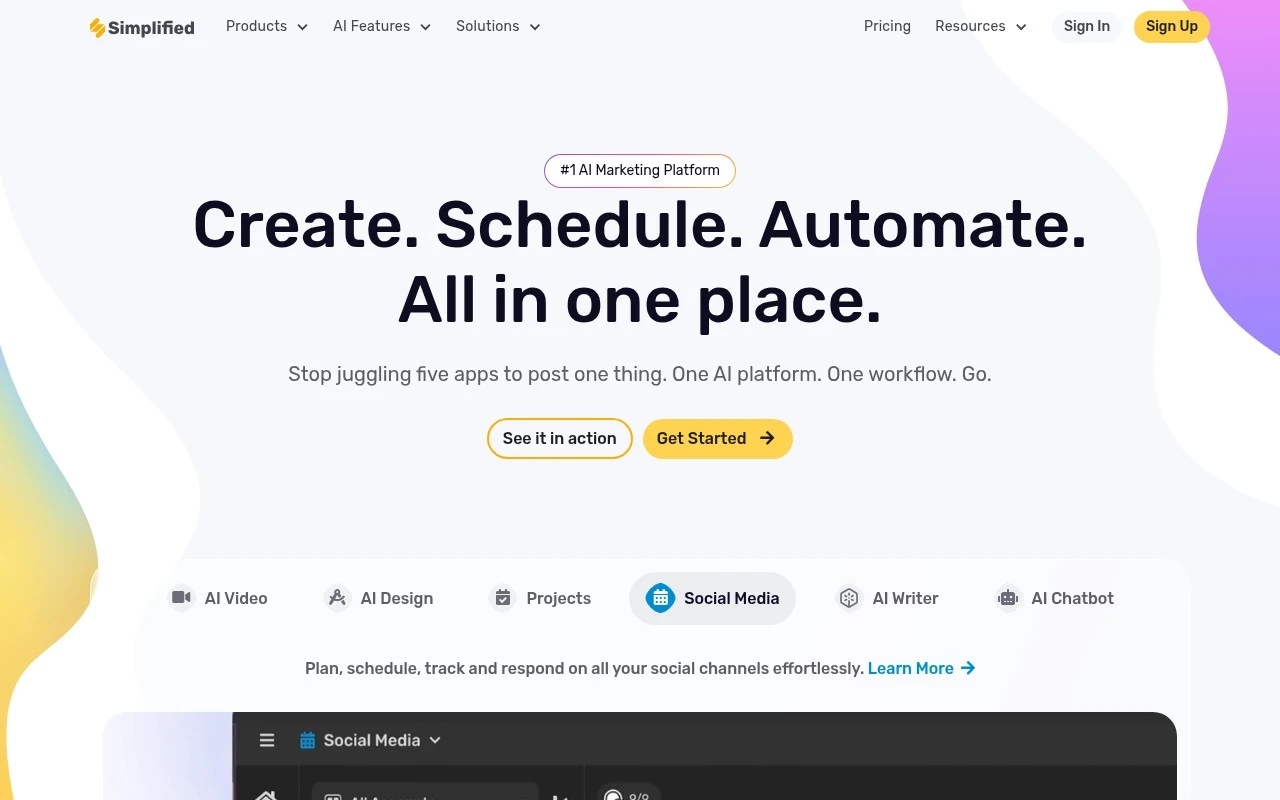
Simplified is an AI-powered content creation platform for designing graphics, editing videos, writing marketing copy, and planning social media posts in a shared workspace.
Blog & Article WritingAd & Sales Copy

FYAI Score

8.7 / 10

Based on 5,008 reviews

Pricing:

Freemium

Best for:

Marketing teams and creators producing high-volume branded content

Score Breakdown

  • Ease of use9.0 / 10
  • Features8.4 / 10
  • Pricing9.1 / 10
  • Integrations8.5 / 10
  • Support8.6 / 10

PRODUCT PREVIEW

What this AI tool does

Simplified is an AI marketing platform for creators, entrepreneurs, agencies, and marketing teams that want to plan, create, edit, publish, and collaborate on branded content from one workspace. It brings together AI writing, graphic design, video creation, social media content creation, scheduling, and team workflows so users can move from idea to campaign without constantly switching tools. For creators who produce content across many channels, the platform is built around speed and consistency. Simplified is best suited to teams that need to create social graphics, ads, presentations, thumbnails, short videos, and written copy while keeping brand assets and approvals in the same environment. Its value is less about one isolated AI feature and more about connecting everyday marketing production into a single flow. The writing layer helps users turn prompts, briefs, and campaign ideas into usable marketing copy. A team can draft captions, write blog post outlines or full articles, generate ad variations, prepare email copy, and repurpose long-form material into shorter posts. This makes the tool useful for content repurposing, especially when one idea needs to become a blog, a carousel, a video script, and several platform-specific social captions. Visual production is another central part of the product story. Users can start with design templates, generate images, create brand assets, build presentation slides, and adapt layouts for different channels. Instead of treating design as a separate step after copywriting, the platform lets teams shape words and visuals together, which is particularly useful for fast-moving campaigns and small teams without dedicated designers. Video workflows extend the workspace beyond static content. Users can generate video concepts, edit video, create thumbnails, add subtitles, produce short form content, and adapt clips for social platforms. Features such as avatar video creation and the ability to clone voice support more scalable video production, especially for brands that need repeatable formats for explainers, announcements, tutorials, or social clips. Social media teams benefit from the way creation and publishing sit close together. Rather than exporting assets from multiple apps and rebuilding posts elsewhere, the platform supports planning, writing, designing, and scheduling content in one place. That makes it useful for teams managing frequent campaigns, multiple brands, or recurring short form video creation where timing and version control matter. Collaboration is part of what separates the platform from single-purpose AI generators. Brand kits, shared workspaces, comments, approvals, and reusable assets help teams maintain a consistent voice and visual identity. For agencies and distributed marketing teams, this reduces the friction that often appears between strategy, copy, design, video editing, and publishing. As a category, Simplified sits between an AI content generator, a design suite, a lightweight video editor, and a social media management tool. It is not positioned only as a writing assistant or only as a design app, but as a broader production hub for modern marketing content. The clearest use case is for people who need to produce more branded content, in more formats, with fewer disconnected tools.

Use cases

Best for

Social Media Content Creation

Create social media posts by generating captions and branded graphics, then schedule them to publish from one calendar.

Edit Video

Edit video in Simplified by trimming clips, adding text overlays, resizing for platforms, and exporting share-ready formats.

Generate Images

Generate images from text prompts and apply brand colors, templates, and layouts to produce on-brand visuals.

ANALYSIS

Strengths & limitations

Strengths
  • Best suited to marketing teams that create many content formats because copy, graphics, presentations, ads, videos, and social scheduling can be handled in one workspace.
  • Strong fit for brand-led content workflows because AI generation is paired with brand consistency and collaboration features for repeatable campaign production.
  • Useful for solo creators and small teams because the freemium model and no-code creation tools reduce the need to buy and learn several separate apps.

Limitations
  • Less suitable for users who only need a dedicated long-form writing or SEO tool because much of Simplified’s value sits in its combined design, video, and social media workspace.
  • High-volume creators may outgrow the freemium plan because frequent generation, collaboration, and publishing workflows are more likely to require paid access.
  • Teams already committed to separate design, video, and social scheduling systems may face workflow duplication because Simplified works best when production is centralized in its workspace.

Evaluation

FYAI score breakdown

Our structured evaluation across five key criteria

8.7 / 10

Overall score

Based on 5,008 reviews

  • Ease of use9.0 / 10
  • Features8.4 / 10
  • Pricing9.1 / 10
  • Integrations8.5 / 10
  • Support8.6 / 10

What users say

Findings from public reviews, documentation and community sources.

  • Ease of use

    Capterra lists Simplified at 4.7/5 from 306 reviews, and a visible Capterra review excerpt describes Simplified as "user-friendly, attractive, time-efficient and comprehensive." Simplified positions itself as "An Easy to Use All-In-One App."

  • Features

    Simplified's website lists writing and marketing features including "AI Copywriting," "AI Blog Writer," brand voice/brandbook, and social scheduling. Simplified's website also lists design, video clips, subtitles, and chatbot tools.

  • Pricing

    Simplified's pricing page lists a "Free Forever" plan with 5,000 AI words, 5 AI designs, 1 AI video, social connections, and storage. Simplified's pricing page lists "Simplified One" at "$24 /mo billed annually" with 100K AI words, while higher-scale needs move into add-ons or Enterprise.

  • Integrations

    Simplified's website says users can "Plug into everything you already use" and names LinkedIn, Instagram, TikTok, Shopify, YouTube, and WordPress. Simplified's pricing page lists social account limits and "Simplified API Access" on Enterprise.

  • Support

    Simplified's pricing page lists "Priority support with a dedicated account management team" for Enterprise. Simplified's pricing page also lists "Training and onboarding session" for Enterprise.

Who is this for?

Best for teams producing marketing content across copy, design, video, and social publishing, Simplified's website lists "AI Copywriting," "AI Blog Writer," design, video clips, and social scheduling in the same suite. It is less suited to teams that need dedicated support outside Enterprise, Simplified's pricing page ties "Priority support with a dedicated account management team" and "Training and onboarding session" to Enterprise.

PRODUCT PREVIEW

Feature highlights

AI copywriting

Generate ads, captions, blogs, and product copy in your brand voice.

Brand-ready design

Create graphics, presentations, and templates with brand kits.

Schedule social posts

Plan, approve, and publish content across channels from one calendar.

COMPARE

Discover curated alternatives worth comparing

Compare similar AI tools based on features, pricing and use cases

7.4/ 10Based on 5 reviews

Chapterly

Copy OptimizationBlog & Article Writing
Refines narrative, characters, and settings for authors
Best for:
Content creators
Pricing
Freemium

7.7/ 10Based on 5,772 reviews

Writesonic

Copy Optimization
Surfaces answer-engine visibility and citation gaps for GEO fixes
Best for:
Marketing teams
Pricing
Freemium

7.6/ 10Based on 266 reviews

Writehuman

AI Detection & Humanizing
Rewrites AI drafts, scans naturalness and detection signals
Best for:
Content creators
Pricing
Freemium

Create on-brand marketing content in minutes, not hours. Join teams using Simplified to move faster, stay consistent, and ship more campaigns with less effort.

FAQ

Frequently asked
questions

Everything you need to know about this AI tool,
its features, pricing, use cases, and limitations.

Who is Simplified best suited for?
Simplified is best suited for marketers, creators, agencies, and social media teams that need to create frequent branded content across writing, design, video, and publishing workflows. It is especially relevant when one team wants to generate posts, ads, thumbnails, presentations, clips, subtitles, and brand assets in a shared workspace.
Does Simplified have a free plan, and what should I expect from paid plans?
Simplified uses a freemium pricing model, so users can start with a free option and upgrade for broader access or higher usage. Teams evaluating paid plans should compare limits around AI generation, video tools, brand assets, collaboration, storage, publishing, and any workflow features needed for regular content production.
How does Simplified compare with other AI content creation tools?
Simplified stands out as an all-in-one marketing workspace rather than a single-purpose writing, design, or video tool. It competes with broader creative and social media platforms, but the better choice depends on whether a team values one integrated workspace or prefers specialized tools for copywriting, video editing, image generation, or scheduling.
How quickly can a team get started with Simplified?
Simplified’s main trade-off is breadth: it covers writing, design, video, social media, and collaboration, which may be more than some users need. Teams with mature specialist tools should test whether its output quality, editing depth, workflow controls, and usage limits are strong enough to replace their existing stack.
What should buyers check about privacy and compliance before using Simplified?
Buyers should review Simplified’s current privacy, data handling, and compliance terms before using it for confidential brand, customer, or campaign data. Important checks include how uploaded assets are stored, whether generated content may be used to improve services, team permission controls, retention settings, and any compliance requirements relevant to the organization.