Curated ToolThis tool is part of our curated AI directory. We only include tools that meet our standards for relevance, usability and real-world value.

Chapterly

AI writing assistant for refining narrative, characters, and settings

Copy OptimizationBlog & Article Writing
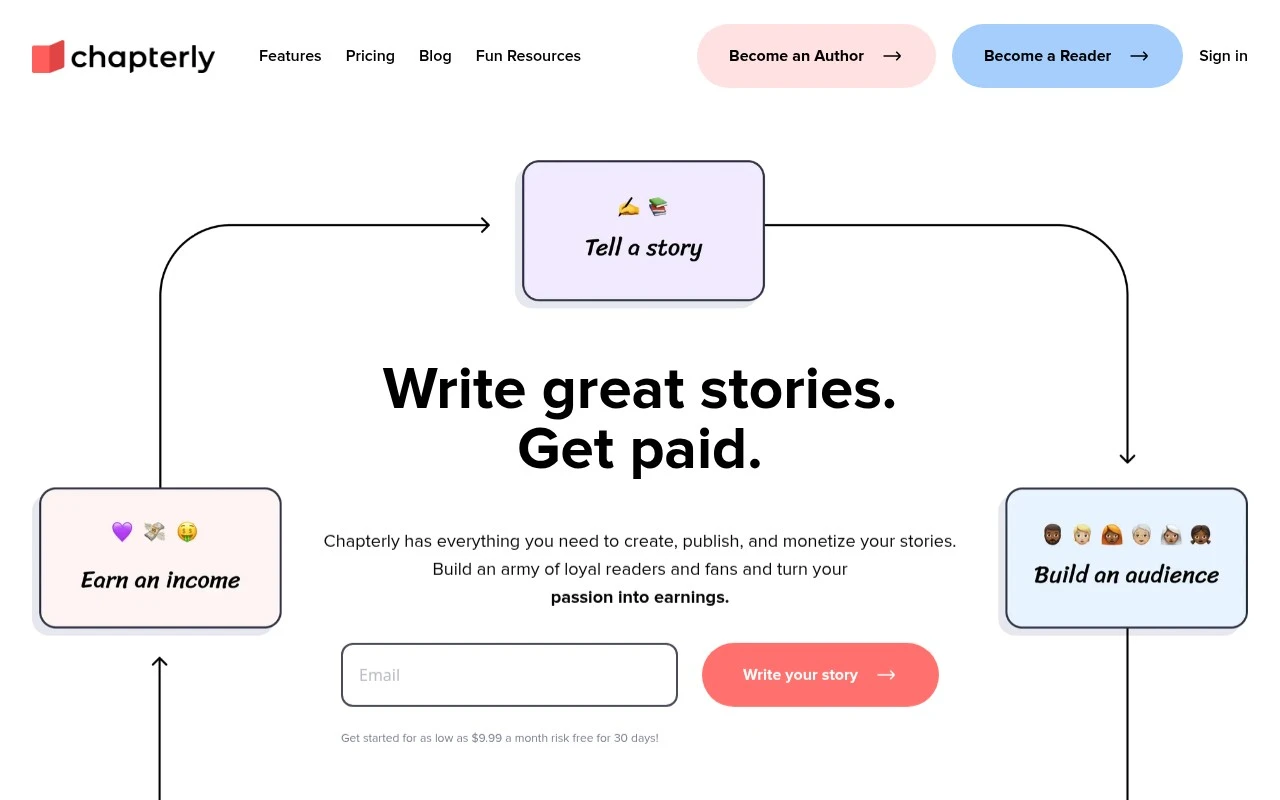
Chapterly is a subscription-based platform for authors to write, publish, and monetize stories and books. Its app includes project syncing, backups, import support, and an AI assistant named Chap for helping refine storytelling elements. The platform also emphasizes reader engagement and monetization through tips, subscriptions, and book sales, while stating that authors retain copyright to their work.

FYAI Score

7.4 / 10

Based on 5 reviews + FYAI product analysis

Pricing:

Freemium

Best for:

Fiction authors publishing and monetizing serialized stories and books

Score Breakdown

  • Ease of use7.1 / 10
  • Features7.4 / 10
  • Pricing8.1 / 10
  • Integrations7.1 / 10
  • Support7.2 / 10

PRODUCT PREVIEW

What this AI tool does

Chapterly is a collaborative writing and editing platform built to help teams manage the full lifecycle of written content, from early drafts to final approval. It centralizes the work of content creators, editors, and marketers in a shared environment where contributors can coordinate on structure, messaging, and tone without relying on scattered documents or long email threads. By keeping writing, revision, and coordination in one place, it supports a more consistent editorial process and reduces the friction that often appears when multiple stakeholders need to contribute to the same piece. Designed for team-based content production, the platform emphasizes clear collaboration and controlled iteration. Teams can organize content into manageable sections, track progress across drafts, and maintain visibility into what has changed and why. This approach is especially useful for editorial workflows that require frequent review cycles, such as blog programs, campaign copy, knowledge base articles, and long-form assets. With a focus on streamlining feedback and edits, chapterly helps teams move from ideation to publish-ready content with fewer handoffs and less rework. For content operations and marketing teams, the value of a collaborative writing tool often comes from standardizing how work is produced and approved. chapterly supports this by enabling structured collaboration that can improve turnaround times while protecting quality and consistency. It is well suited to organizations that need repeatable processes for drafting, editing, and finalizing content across multiple contributors, including distributed teams. As a result, it can serve as a practical foundation for scalable content creation, helping teams maintain alignment on editorial standards, deadlines, and stakeholder expectations.

Use cases

Best for

Long Form Content Creation

Use Chapterly to draft and organize long form stories in synced projects with backups and import support across devices.

Rewrite Content

Use Chap, Chapterly’s AI assistant, to rewrite passages by refining tone, pacing, and dialogue while keeping your plot intact.

ANALYSIS

Strengths & limitations

Strengths
  • Combines writing, publishing, audience engagement, and monetization in one platform.
  • Includes cloud sync, backups, edit recovery, and support for Windows, Mac, Android, and iOS devices.
  • Authors retain copyright, and the site states that Chapterly does not claim ownership of users’ writing.
Limitations
  • Requires a monthly subscription, advertised as starting at $9.99 per month.
  • Chapterly takes a 10% share of sales, subscriptions, and tips.
  • The AI assistant is positioned as collaborative support rather than a tool for generating an entire book.

Evaluation

FYAI score breakdown

Our structured evaluation across five key criteria

7.4 / 10

Overall score

Based on 5 reviews + FYAI product analysis

  • Ease of use7.1 / 10
  • Features7.4 / 10
  • Pricing8.1 / 10
  • Integrations7.1 / 10
  • Support7.2 / 10

What users say

Findings from public reviews, documentation and community sources.

  • Ease of use

    Chapterly says publishing is “incredibly easy” and stories can go live “with just a few clicks,” and Chapterly says its Windows, Mac, Android, and iOS apps sync projects across devices. On Reddit, one user said they were “not a fan of using chapterly to format and write my book.”

  • Features

    Chapterly’s homepage lists AI writing help via “Chap,” story creation, publishing, and monetization through “reader tips, subscriptions, and book sales.” Chapterly’s homepage also references imports, unlimited stories, cloud backup, and edit recovery.

  • Pricing

    Chapterly’s pricing page says pricing starts at “$9.99/mo +10% of the income you earn on Chapterly.” Chapterly’s pricing page also lists a 30-day risk-free trial and says all features are included for one subscription fee.

  • Integrations

    Chapterly’s homepage says the product is available on “Windows and Mac computers, and Android and iOS mobile devices.” Chapterly’s homepage also says projects sync across devices, existing stories can be imported, and writing is backed up to cloud storage.

  • Support

    Chapterly’s homepage includes a FAQ and directs users to a help center for more help. Chapterly’s homepage says cancellation is available “at any time with the click of a button,” and Trustpilot shows 2.6/5 from 5 reviews.

Who is this for?

Best for authors who want writing, publishing, and monetization in one workflow. Chapterly lists AI writing help via “Chap” and monetization through “reader tips, subscriptions, and book sales.” Less suited to authors avoiding revenue share, the pricing page says pricing starts at “$9.99/mo +10% of the income you earn on Chapterly.” Less suited to workflows built around external app automation, the cited connectivity centers on Windows, Mac, Android, and iOS apps, cross-device sync, imports, and cloud backup.

PRODUCT PREVIEW

Feature highlights

Chap AI Assistant

Refine plot, pacing, and character beats as you write.

Sync & Backups

Keep projects synced across devices with reliable backups.

Monetize Your Work

Earn via tips, subscriptions, and book sales—keep your copyright.

COMPARE

Discover curated alternatives worth comparing

Compare similar AI tools based on features, pricing and use cases

7.7/ 10Based on 5.772 reviews

Writesonic

Copy Optimization
Monitors brand visibility in answer engines and flags citation gaps
Best for:
Marketing teams
Pricing
Freemium

7.6/ 10Based on 266 reviews

Writehuman

AI Detection & Humanizing
Rewrites AI drafts to sound human and scans for AI-detection signals
Best for:
Content creators
Pricing
Freemium

8.4/ 10Based on 126 reviews

Writer.com

Copy OptimizationAd & Sales Copy
Governed AI agents for brand-compliant enterprise content
Best for:
Marketing teams
Pricing
Freemium

Bring your team’s drafts, edits, and approvals into one smooth workflow. Start writing faster and publishing with confidence in Chapterly today.

FAQ

Frequently asked
questions

Everything you need to know about this AI tool,
its features, pricing, use cases, and limitations.

What types of teams and workflows is Chapterly a good fit for?
Chapterly fits content teams that need multiple people drafting, editing, and reviewing the same document with clear accountability. It’s most useful for editorial workflows where comments, approvals, and version history matter more than standalone writing. If your work is mostly solo writing or quick notes, a simpler tool may be more cost-effective.
Does Chapterly have a free plan, and what are the typical limitations compared to paid tiers?
Chapterly’s value is usually tied to paid collaboration features like multi-user access, version control depth, and structured feedback. If there is a free tier or trial, expect limits around team size, storage, or advanced collaboration controls. When comparing plans, check whether key features (comments, permissions, history) are restricted on lower tiers.
How does Chapterly compare with Google Docs, Notion, or dedicated editorial tools?
Compared with Google Docs, Chapterly is typically evaluated on stronger workflow controls like versioning and review feedback in one place. Versus Notion, Chapterly is more focused on the writing/review cycle rather than being an all-purpose workspace. Against dedicated editorial platforms, the decision often comes down to how much you need advanced publishing integrations versus a streamlined collaboration layer.
How quickly can a team get started with Chapterly, and what onboarding effort should you expect?
Chapterly can be harder to adopt initially if teammates are unfamiliar with structured collaboration and version control. Limited offline functionality is a practical constraint for travel or unreliable connections. Pricing may also be higher than basic editors, so it’s best justified when multiple reviewers and frequent revisions are part of your workflow.
What should I check about Chapterly’s data handling, privacy, and compliance before adopting it?
Review where Chapterly stores content, how it’s encrypted in transit and at rest, and whether you can control access via roles and permissions. Confirm retention/deletion options, audit logs, and whether your plan includes admin controls needed for compliance. If you handle regulated data, verify available certifications and whether Chapterly offers a DPA and clear subprocessors list.