Curated ToolThis tool is part of our curated AI directory. We only include tools that meet our standards for relevance, usability and real-world value.

Writehuman

Rewrites AI drafts to sound human and scans for AI-detection signals

AI Detection & Humanizing
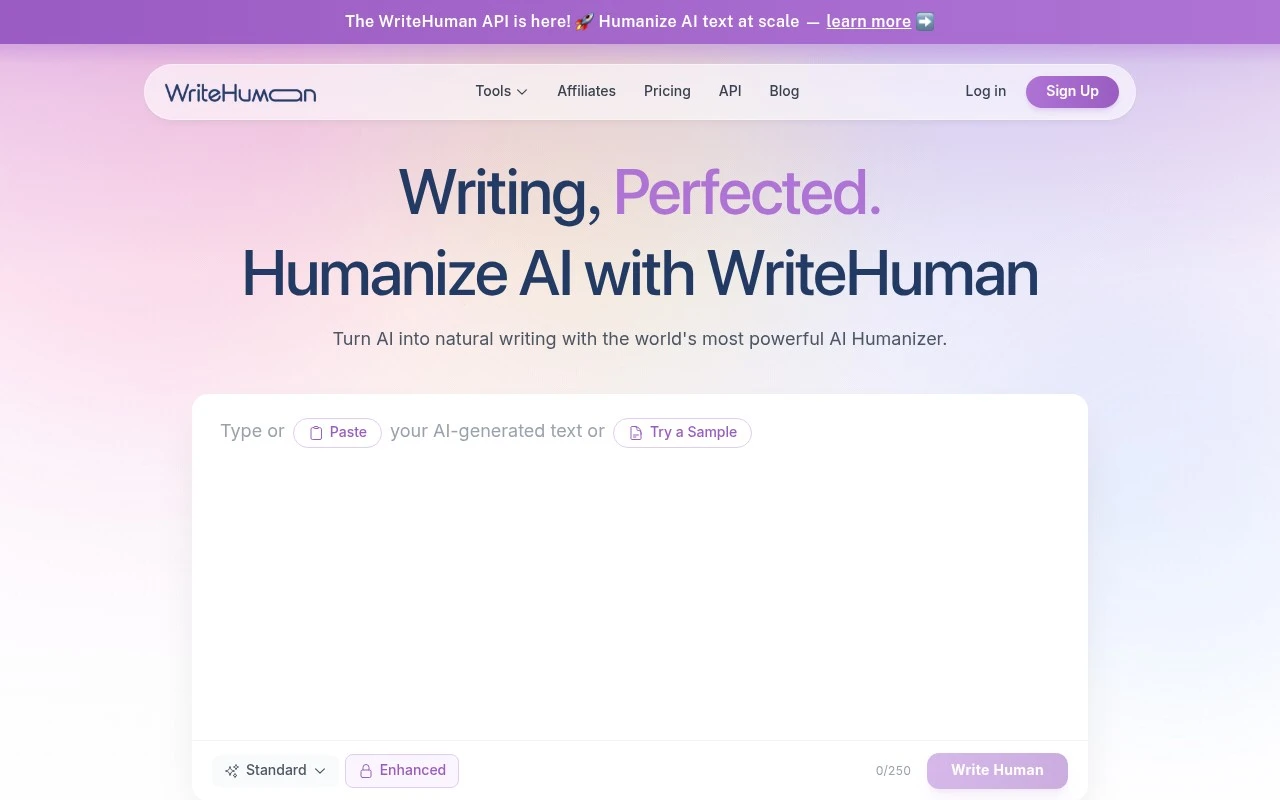
Writehuman is a web-based AI humanizer for rewriting AI-generated text into more natural prose. The site positions it as a tool for taking output from major AI writing assistants, pasting it into WriteHuman, and receiving a revised version with more varied cadence, sentence structure, and word choice. It also includes a content scanner/AI detector intended to help users review how natural the text appears before publishing.

FYAI Score

7.6 / 10

Based on 266 reviews

Pricing:

Freemium

Best for:

Writers polishing AI drafts into natural, human-sounding copy

Score Breakdown

  • Ease of use8.0 / 10
  • Features7.1 / 10
  • Pricing8.0 / 10
  • Integrations7.5 / 10
  • Support7.6 / 10

PRODUCT PREVIEW

What this AI tool does

Writehuman is an AI writing tool designed to help people produce clearer, more natural-sounding text. It’s useful when you have a rough draft, notes, or AI-generated content that needs to read more smoothly and feel consistent in tone. In practice, you can use it to refine emails, blog sections, product descriptions, or internal documents by improving phrasing, reducing awkward repetition, and making sentences easier to follow. The goal is to support editing and rewriting so the final result sounds more like it was written by a person, while still reflecting your original meaning. Because writehuman focuses on readability and tone, it can fit into many workflows where you need quick revisions without losing accuracy. It’s best used as a drafting and editing assistant, with a final review by the author to confirm details, intent, and any required style guidelines.

Use cases

Best for

Humanize AI Drafts

Writehuman rewrites AI-generated articles, emails, reports, and marketing copy into more natural-sounding prose.

Scan for AI Risk

Run text through the built-in scanner to check naturalness, readability, and AI-detection risk before publishing.

Adapt Length and Tone

Rewrite short snippets or long-form drafts while aiming to preserve the original meaning and voice.

ANALYSIS

Strengths & limitations

Strengths
  • Supports text from multiple AI writing tools, including ChatGPT, Claude, Gemini, Grok, and DeepSeek.
  • Combines rewriting with a built-in detector/content scanner rather than requiring a separate checking tool.
  • The official site says it supports more than 40 languages and can handle both short snippets and long-form pieces.
Limitations
  • Claims about passing or working with AI detectors such as Copyleaks, ZeroGPT, and GPTZero are not independently verified in the provided source.
  • The tool is focused on rewriting and humanizing existing AI text, not on full content strategy, research, or original ideation.
  • Use cases involving AI-detection avoidance may be inappropriate in academic, hiring, compliance, or other settings with disclosure requirements.

Evaluation

FYAI score breakdown

Our structured evaluation across five key criteria

7.6 / 10

Overall score

Based on 266 reviews

  • Ease of use8.0 / 10
  • Features7.1 / 10
  • Pricing8.0 / 10
  • Integrations7.5 / 10
  • Support7.6 / 10

What users say

Findings from public reviews, documentation and community sources.

  • Ease of use

    A Reddit user on r/AskMarketing described WriteHuman as practical, saying it does a “decent job most of the time” at “making your text sound more human upon a second pass.” The Reddit comment describes a workflow that may require a second pass rather than a one-click final result.

  • Features

    WriteHuman’s website focuses on AI text humanization, a built-in AI detector, and support for “Forty-plus languages.” WriteHuman’s website lists use cases including articles, blog posts, marketing copy, and emails.

  • Pricing

    WriteHuman’s pricing page lists a Free plan plus Basic, Pro, and Ultra tiers, with annual discounts and “Cancel anytime, no contracts.” WriteHuman’s pricing page states that Free includes 3 requests/month, Basic 80, Pro 200, and Ultra unlimited.

  • Integrations

    WriteHuman’s API page says users can “integrate WriteHuman’s AI humanization directly into your apps, workflows, and platforms” via a “Simple REST API.” WriteHuman’s surfaced integration path is developer connectivity through the REST API.

  • Support

    WriteHuman’s pricing page lists “Priority support” for Pro and Ultra. WriteHuman’s pricing FAQ covers plan switching, limits, refunds, payment methods, and cancellation.

Who is this for?

Best for users who already have draft text and want AI humanization plus checking, WriteHuman’s website focuses on AI text humanization and includes a built-in AI detector. Best for multilingual humanization needs where the listed coverage matters, since WriteHuman’s website states support for “Forty-plus languages.” Less suited to teams looking for a broad native integration marketplace, WriteHuman’s API page centers connectivity on a “Simple REST API,” which points users toward developer-led workflow setup.

PRODUCT PREVIEW

Feature highlights

AI Text Humanizer

Rewrites AI output with more natural cadence, tone, and flow.

Style & Wording Mix

Varies sentence structure and word choice to reduce AI patterns.

AI Detector Scanner

Scan drafts to gauge how human the writing reads before posting.

COMPARE

Discover curated alternatives worth comparing

Compare similar AI tools based on features, pricing and use cases

7.4/ 10Based on 5 reviews

Chapterly

Copy OptimizationBlog & Article Writing
AI writing assistant for refining narrative, characters, and settings
Best for:
Content creators
Pricing
Freemium

7.7/ 10Based on 5.772 reviews

Writesonic

Copy Optimization
Monitors brand visibility in answer engines and flags citation gaps
Best for:
Marketing teams
Pricing
Freemium

8.4/ 10Based on 126 reviews

Writer.com

Copy OptimizationAd & Sales Copy
Governed AI agents for brand-compliant enterprise content
Best for:
Marketing teams
Pricing
Freemium

Turn briefs into persuasive marketing copy in minutes. See why teams choose Writehuman to ship more campaigns with less effort.

FAQ

Frequently asked
questions

Everything you need to know about this AI tool,
its features, pricing, use cases, and limitations.

What types of marketing content is Writehuman a good fit for?
Writehuman is best for teams producing repeatable marketing copy such as ads, landing page sections, email sequences, and social captions where brand voice consistency matters. It’s a practical choice when you need fast first drafts and variations for A/B testing. If you need long-form thought leadership or heavily technical documentation, you may want a tool optimized for research and citations.
Does Writehuman have a free plan, and what are the typical limitations compared to paid?
Writehuman may offer a free tier or trial, but free access is usually limited by usage caps (credits/words), fewer templates, or restricted features. Paid plans typically increase generation limits and may add collaboration or brand-voice controls. Check the current pricing page on writehuman.ai since plan details can change.
How does Writehuman compare with other AI copy tools like Jasper, Copy.ai, or Writesonic?
Writehuman is a straightforward option if your priority is generating on-brand marketing copy quickly with minimal workflow overhead. Tools like Jasper often go deeper on brand systems and team workflows, while Copy.ai and Writesonic may offer broader template libraries and integrations depending on plan. If you need performance tracking, you’ll likely rely on your marketing platform rather than Writehuman.
How fast can a team get set up in Writehuman, and what onboarding work is involved?
Output quality depends heavily on the prompt and inputs, so you should plan for human review and edits. It may take initial customization to match strict brand or legal requirements. If you need built-in analytics or attribution for generated copy, Writehuman is likely lighter than dedicated marketing suites.
What should I consider about data privacy and compliance when using Writehuman?
Avoid pasting sensitive customer data, credentials, or regulated information unless Writehuman’s terms explicitly support that use case. Review writehuman.ai’s privacy policy for how prompts/outputs are stored, whether they’re used for model improvement, and what retention controls exist. If you have compliance requirements (e.g., GDPR/DPAs, SOC 2), confirm available documentation and contractual options before rollout.