Curated ToolThis tool is part of our curated AI directory. We only include tools that meet our standards for relevance, usability and real-world value.

Dorik

Generates websites from prompts and exports HTML/CSS/JS for editing

Website BuildersLanding Page Builders
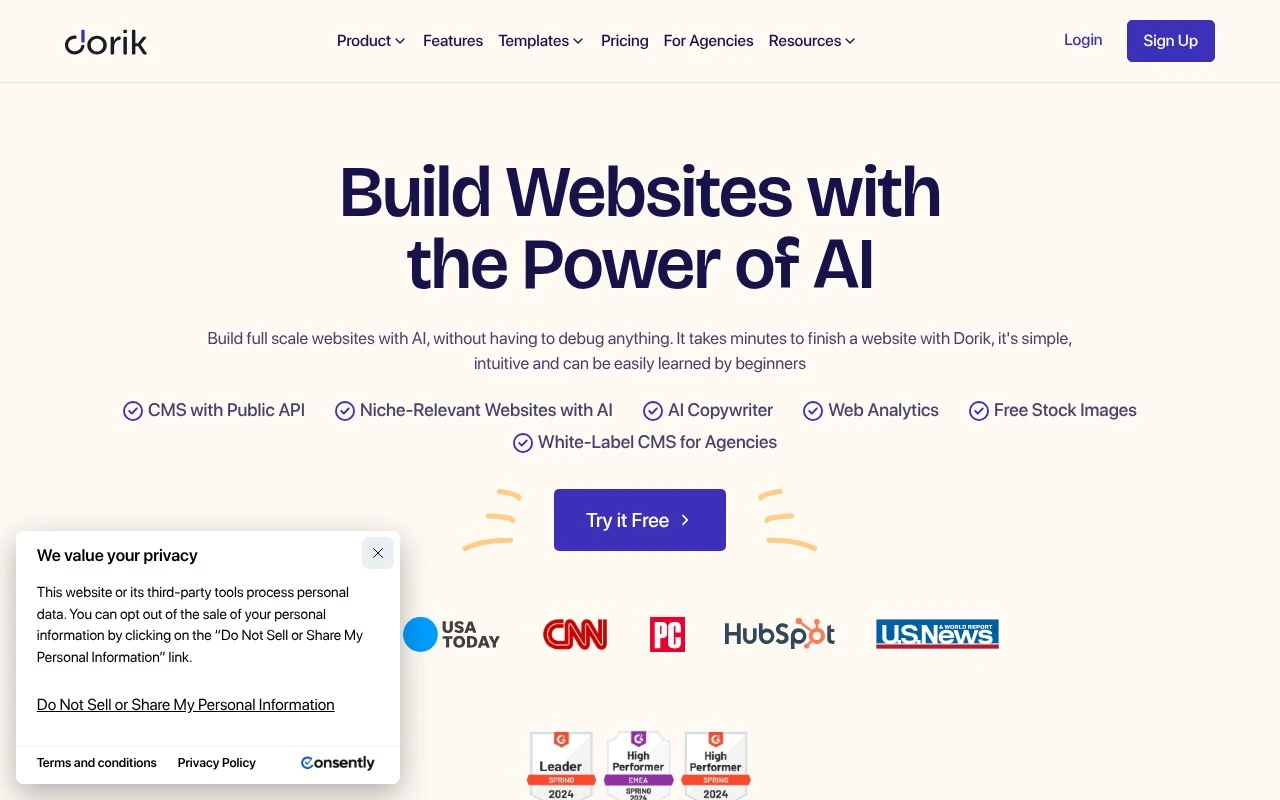
Dorik is a no-code website building platform with AI website generation at its center. Users can prompt the system to create a website, edit it with drag-and-drop tools and templates, publish it on Dorik hosting, connect domains, add forms, use blogging and CMS features, and optimize pages with built-in SEO tools. It is especially relevant for users who want a fast website launch without development work, and for agencies that need white-label client website management.

FYAI Score

8.7 / 10

Based on 255 reviews

Pricing:

Freemium

Best for:

Founders and agencies launching and managing websites without developers

Score Breakdown

  • Ease of use9.3 / 10
  • Features8.1 / 10
  • Pricing8.9 / 10
  • Integrations8.0 / 10
  • Support9.3 / 10

PRODUCT PREVIEW

What this AI tool does

Dorik is a website-building tool designed to help people create and publish simple sites without needing to write code. It’s typically used for landing pages, personal portfolios, small business sites, and other lightweight web projects where speed and ease of editing matter. The workflow generally centers on choosing a layout, adjusting content and styling in a visual editor, and connecting a custom domain when you’re ready to go live. It can be a practical option for users who want a straightforward way to get a site online and maintain it over time without relying on a developer. If you’re comparing website builders, dorik is best understood as a tool for quickly assembling clean pages and iterating on them as your needs change. It’s most suitable when you want a manageable setup and a clear editing experience rather than a complex, highly customized build.

Use cases

Best for

Website Generation

Use Dorik AI to generate a full website from a prompt, then refine sections with drag and drop blocks and templates.

Website Hosting

Host your site on Dorik hosting, publish updates, and connect a custom domain from the dashboard.

Build Landing Page

Build a landing page with Dorik using prebuilt sections, add forms, and edit layout with a visual builder.

ANALYSIS

Strengths & limitations

Strengths
  • Combines AI site generation with a visual no-code editor, templates, UI blocks, AI copy, and AI image generation.
  • Includes hosting, SSL, CDN delivery, CMS, blogging, analytics, forms, SEO controls, and integrations in the same platform.
  • Offers agency-oriented features such as white-label CMS, client dashboards, team collaboration, client billing, and a public API.
Limitations
  • Custom domains, forms, and some publishing features are tied to paid plans rather than the free starting option.
  • The official description focuses on websites and CMS-driven pages, not complex custom web applications or advanced backend workflows.
  • Ecommerce functionality appears limited to payment integrations such as PayPal, Stripe, and Gumroad rather than a full store-management system.

Evaluation

FYAI score breakdown

Our structured evaluation across five key criteria

8.7 / 10

Overall score

Based on 255 reviews

  • Ease of use9.3 / 10
  • Features8.1 / 10
  • Pricing8.9 / 10
  • Integrations8.0 / 10
  • Support9.3 / 10

What users say

Findings from public reviews, documentation and community sources.

  • Ease of use

    G2’s 255-review product page says users “consistently praise Dorik for its ease of use,” and Dorik’s own page describes the builder as “simple, intuitive and can be easily learned by beginners.”

  • Features

    Dorik’s site lists AI website generation, no-code editing, a CMS with public API, and code export among its website-builder features. Dorik’s site also lists blogging, SEO, templates, 250+ UI blocks, hosting/CDN, SSL, analytics, password-protected pages, forms, payments, Airtable-powered sites, white-label CMS, and client billing.

  • Pricing

    Dorik’s pricing page lists monthly, annual, 2-year, and lifetime options, including Personal at $29/month monthly or $20.75/month billed annually and Business at $59/month monthly or $41.5/month billed annually. Dorik’s pricing page also lists a 7-day free trial, unlimited hosting/storage/bandwidth, and lifetime plans.

  • Integrations

    Dorik’s site lists integrations and connectivity options including Airtable, Zapier, MailChimp, PayPal, Stripe, Gumroad, forms, and a CMS with a public API.

  • Support

    G2 summarizes that users consistently praise Dorik’s “responsive customer support.” Dorik’s own page lists documentation, Helpdesk, live chat, email, an online forum, and a Facebook community.

Who is this for?

Best for non-technical users building a hosted website, G2’s 255-review product page says users “consistently praise Dorik for its ease of use,” and Dorik’s own page says the builder is “simple, intuitive and can be easily learned by beginners.” Dorik is less suited to teams that need a full marketplace-scale ecosystem. Dorik lists a curated set including Airtable, Zapier, MailChimp, PayPal, Stripe, Gumroad, forms, and a CMS with a public API.

PRODUCT PREVIEW

Feature highlights

AI Website Builder

Generate a full site from a prompt, then refine it to match your brand.

Drag-and-drop editor

Edit layouts with templates and blocks—no code required.

Hosting & domains

Publish on Dorik hosting, connect domains, and go live in a few clicks.

COMPARE

Discover curated alternatives worth comparing

Compare similar AI tools based on features, pricing and use cases

8.8/ 10Based on 14.986 reviews

WordPress

Website BuildersE-commerce Builders
Builds WordPress sites using an AI website builder and AI tools
Best for:
Small business owners
Pricing
Freemium

8.6/ 10Based on 28.442 reviews

Wix AI

Website BuildersE-commerce Builders
Generates a Wix website draft from user answers for editing.
Best for:
Small business owners
Pricing
Freemium

7.7/ 10Based on 35 reviews

WeWeb

Hosting & DeploymentApp / No-code Builders
Generates web app pages, databases, and logic from prompts
Best for:
Startup founders
Pricing
Freemium

Launch a polished website fast with Dorik—no coding required. Start building today and turn your idea into a live, credible online presence in hours, not weeks.

FAQ

Frequently asked
questions

Everything you need to know about this AI tool,
its features, pricing, use cases, and limitations.

Who is Dorik a good fit for, and when should I choose something else?
Dorik fits freelancers, startups, and small businesses that want a polished marketing site, landing pages, or a simple blog without dealing with code. It’s a practical choice when speed and templates matter more than deep customization. If you need complex web apps, advanced eCommerce, or highly bespoke interactions, you may outgrow Dorik and prefer a more extensible builder or a custom stack.
Does Dorik have a free plan, and what are the main limitations compared to paid plans?
Dorik typically offers a free tier for trying the builder, but publishing options and features are limited compared to paid plans. Paid plans are generally needed for using a custom domain, removing Dorik branding, and unlocking higher limits or additional capabilities. If you expect to add multiple sites, team members, or integrations, check plan caps early to avoid surprise upgrades.
How does Dorik compare with Webflow, Wix, Squarespace, and Framer for a business website?
Dorik is usually simpler and faster to get a standard site live than Webflow, but it offers less design control and fewer advanced workflows. Compared with Wix and Squarespace, Dorik can feel more lightweight and template-driven, which is good for speed but may be restrictive for unique layouts. If your priority is high-end interactive design, Framer or Webflow may be a better match than Dorik.
How quickly can I launch a site with Dorik, and what onboarding effort should I expect?
Dorik can be limiting if you need highly custom designs, complex dynamic content, or advanced integrations beyond what the platform supports. Scaling can also change the cost picture if you require more features, higher limits, or multiple sites. If you anticipate frequent redesigns or bespoke functionality, test those requirements in a trial project before migrating fully.
What should I consider about data handling, privacy, and compliance when using Dorik?
Treat Dorik as a hosted platform: your site content and any form submissions you collect may be processed and stored through Dorik and any connected third-party services. For GDPR/CCPA or industry requirements, confirm where data is stored, what logs are retained, and how you can export or delete data. Also review how cookies, analytics, and embedded tools are implemented, since compliance often depends on your integrations as much as Dorik itself.