Curated ToolThis tool is part of our curated AI directory. We only include tools that meet our standards for relevance, usability and real-world value.

WeWeb

Generates web app pages, databases, and logic from prompts

Hosting & DeploymentApp / No-code Builders

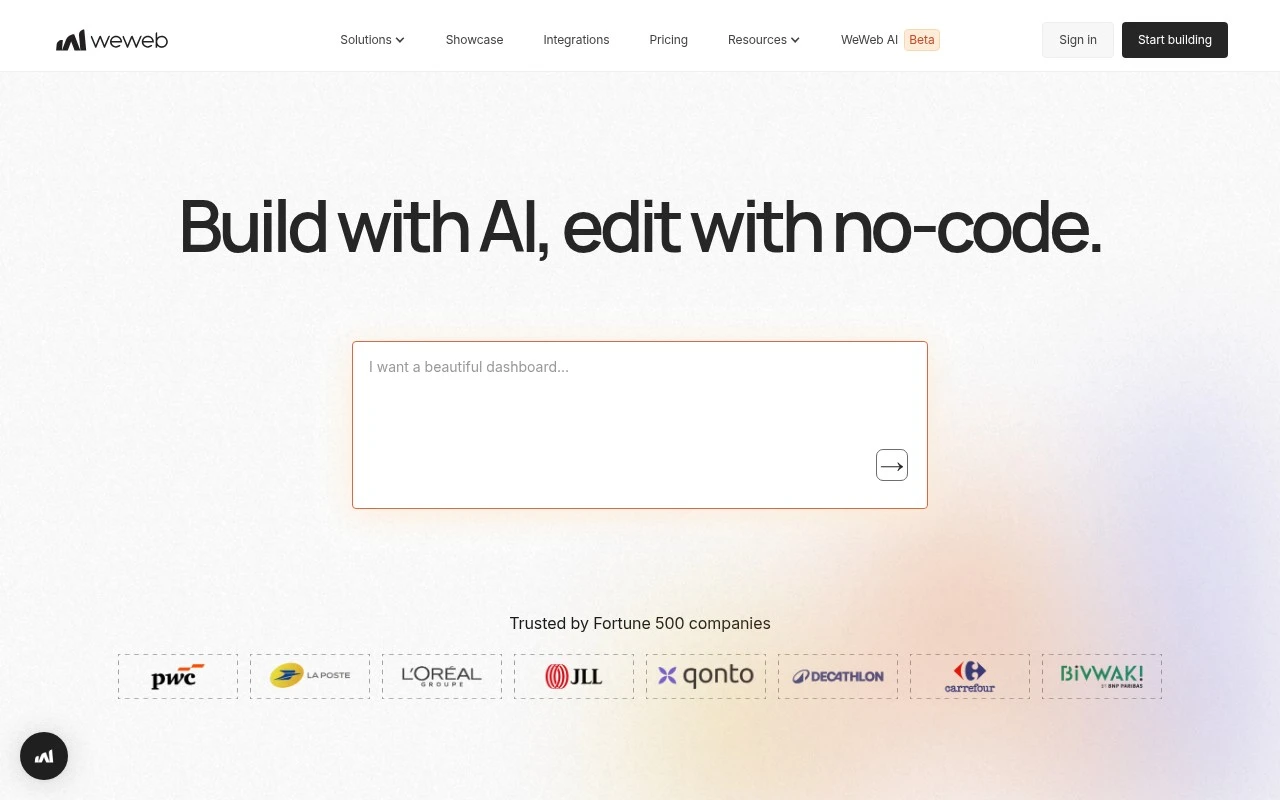
WeWeb is a no-code web-app builder that combines AI generation with a visual editor. Users can ask WeWeb AI to create an application, then refine pages, design systems, logic, workflows, and components visually. The platform is aimed at teams building web-based products and business applications, with support for publishing on WeWeb infrastructure or exporting production-ready Vue.js code for self-hosting.

FYAI Score

7.7 / 10

Based on 35 reviews

Pricing:

Freemium

Best for:

Product teams building internal tools and web apps without heavy dev lift

Score Breakdown

  • Ease of use7.5 / 10
  • Features8.1 / 10
  • Pricing7.7 / 10
  • Integrations7.6 / 10
  • Support7.5 / 10

PRODUCT PREVIEW

What this AI tool does

WeWeb is a visual web app builder designed for people who want to create modern web interfaces without writing everything from scratch. It focuses on helping you assemble pages, structure layouts, and connect your UI to real data, making it useful for internal tools, dashboards, and customer-facing apps. In practice, you can use it to prototype quickly and then refine the result into a production-ready front end by integrating with APIs and common back-end services. It’s often considered by teams that want a no-code or low-code approach while still keeping control over how the application looks and behaves. This page provides an informational overview of what the tool is for and the kinds of projects it fits best, so you can decide whether it matches your workflow and technical requirements.

Use cases

Best for

App Generation

Use WeWeb AI to generate a web app from a prompt, then refine pages, components, and workflows in the visual editor.

Website Hosting

Publish your WeWeb project to WeWeb hosting so the app is served online without managing servers.

App Prototyping

Prototype a web app by visually assembling UI, logic, and reusable components, then preview and iterate in real time.

ANALYSIS

Strengths & limitations

Strengths
  • Combines AI app generation with hands-on visual editing, rather than limiting users to one workflow.
  • Supports code ownership and portability through Vue.js SPA export and self-hosting options.
  • Designed for scalable web apps with modular architecture, custom coded components, and secure connections to existing databases.
Limitations
  • The provided official page does not specify exact supported integrations, backend systems, or database options.
  • Advanced use cases involving custom components, infrastructure, compliance, or complex workflows may still require technical knowledge.
  • It is presented for web applications, not as a native mobile app builder.

Evaluation

FYAI score breakdown

Our structured evaluation across five key criteria

7.7 / 10

Overall score

Based on 35 reviews

  • Ease of use7.5 / 10
  • Features8.1 / 10
  • Pricing7.7 / 10
  • Integrations7.6 / 10
  • Support7.5 / 10

What users say

Findings from public reviews, documentation and community sources.

  • Ease of use

    Capterra lists WeWeb at 4.8/5 from 35 reviews, and a quoted reviewer calls WeWeb “a great tool for beginners and small projects.” Capterra’s quoted reviewer also notes advanced-feature limits.

  • Features

    WeWeb’s own page says AI can “create a full web-app” with “pages, databases, logic, and coded components.” WeWeb’s own page says the editor supports “complex workflows with branching,” and users can “export a Vue.js SPA.”

  • Pricing

    WeWeb’s pricing documentation describes “two distinct types of plans” as “seat plans and hosting plans.” WeWeb’s pricing documentation lists seat tiers as “Free, Essential, Pro.”

  • Integrations

    WeWeb’s integrations page spans categories including AI, Analytics, Data source, and Authentication, and names tools/APIs including Airtable, Auth0, GraphQL, and REST API. WeWeb’s integrations page shows many entries with “Coming soon.”

  • Support

    Capterra shows 4.8/5 from 35 reviews for WeWeb. Capterra’s quoted reviewer says their “overall experience with WeWeb was positive.”

Who is this for?

Best for beginners and small projects, Capterra’s quoted reviewer calls WeWeb “a great tool for beginners and small projects,” and WeWeb’s own page says AI can “create a full web-app” with “pages, databases, logic, and coded components.” Less suited to teams that need every listed integration available immediately, WeWeb’s integrations page shows many entries with “Coming soon,” so entries marked “Coming soon” should be checked before planning a workflow around them.

PRODUCT PREVIEW

Feature highlights

AI app generation

Prompt WeWeb AI to draft an app, then iterate instantly.

Visual logic builder

Design pages, workflows, and components in a visual editor.

Export Vue.js code

Ship on WeWeb or export production-ready Vue.js for self-hosting.

COMPARE

Discover curated alternatives worth comparing

Compare similar AI tools based on features, pricing and use cases

8.8/ 10Based on 14.986 reviews

WordPress

Website BuildersE-commerce Builders
Builds WordPress sites using an AI website builder and AI tools
Best for:
Small business owners
Pricing
Freemium

8.6/ 10Based on 28.442 reviews

Wix AI

Website BuildersE-commerce Builders
Generates a Wix website draft from user answers for editing.
Best for:
Small business owners
Pricing
Freemium

7.9/ 10Based on 994 reviews

Webflow

Website BuildersLanding Page Builders
Build, publish, and optimize websites with AI workspace tools
Best for:
Marketing teams
Pricing
Freemium

Launch your next web app faster with WeWeb. Turn ideas into polished, production-ready products and ship with confidence.

FAQ

Frequently asked
questions

Everything you need to know about this AI tool,
its features, pricing, use cases, and limitations.

What types of projects is WeWeb a good fit for, and when should I choose something else?
WeWeb is a strong choice for data-driven web apps, internal tools, dashboards, and client portals where you want a custom UI on top of an existing backend (REST/GraphQL, Xano, Supabase, Airtable, etc.). It’s less ideal if you need a full native mobile app, heavy custom front-end engineering control, or highly specialized animations and interactions. If your project is mostly content/SEO with minimal app logic, a dedicated CMS-first site builder may be simpler.
Does WeWeb have a free plan, and what are the practical limitations compared with paid tiers?
WeWeb typically offers a free option for building and testing, but publishing to a custom domain and using production-grade features usually requires a paid plan. Limits often show up around project count, collaboration, environments, and advanced integrations. Before committing, verify whether your must-haves (custom domain, auth, API usage, and hosting options) are included in the tier you’re considering.
How does WeWeb compare with Webflow, Bubble, and FlutterFlow for building web apps?
Compared with Webflow, WeWeb is more app-oriented (data binding, logic, and integrations) while Webflow is stronger for content sites and design workflows. Versus Bubble, WeWeb is closer to a front-end builder that connects to external backends, whereas Bubble is more all-in-one with its own backend and database. Compared with FlutterFlow, WeWeb is primarily for web experiences; FlutterFlow is often chosen when native mobile output is a priority.
How fast can a team realistically get a WeWeb project live, and what onboarding effort should I expect?
WeWeb can feel limiting if you need deep control over rendering, complex custom logic, or highly optimized performance at scale. You’re also relying on the platform’s hosting, runtime behavior, and release cycle, which may matter for long-lived products. For complex apps, you may still need developer support for backend design, API security, and edge-case UI behavior.
What should I consider about data privacy, security, and compliance when using WeWeb?
WeWeb commonly acts as the front end, so sensitive data handling often depends on your connected backend (where data is stored, how auth is implemented, and what logs are retained). Confirm where WeWeb hosts your app, what subprocessors are involved, and whether features like SSO, audit logs, and role-based access meet your compliance needs. If you operate under GDPR/industry regulations, review the DPA, data residency options (if any), and how secrets/API keys are managed.