Curated ToolThis tool is part of our curated AI directory. We only include tools that meet our standards for relevance, usability and real-world value.

Wix AI

Generates a Wix website draft from user answers for editing.

Website BuildersE-commerce Builders
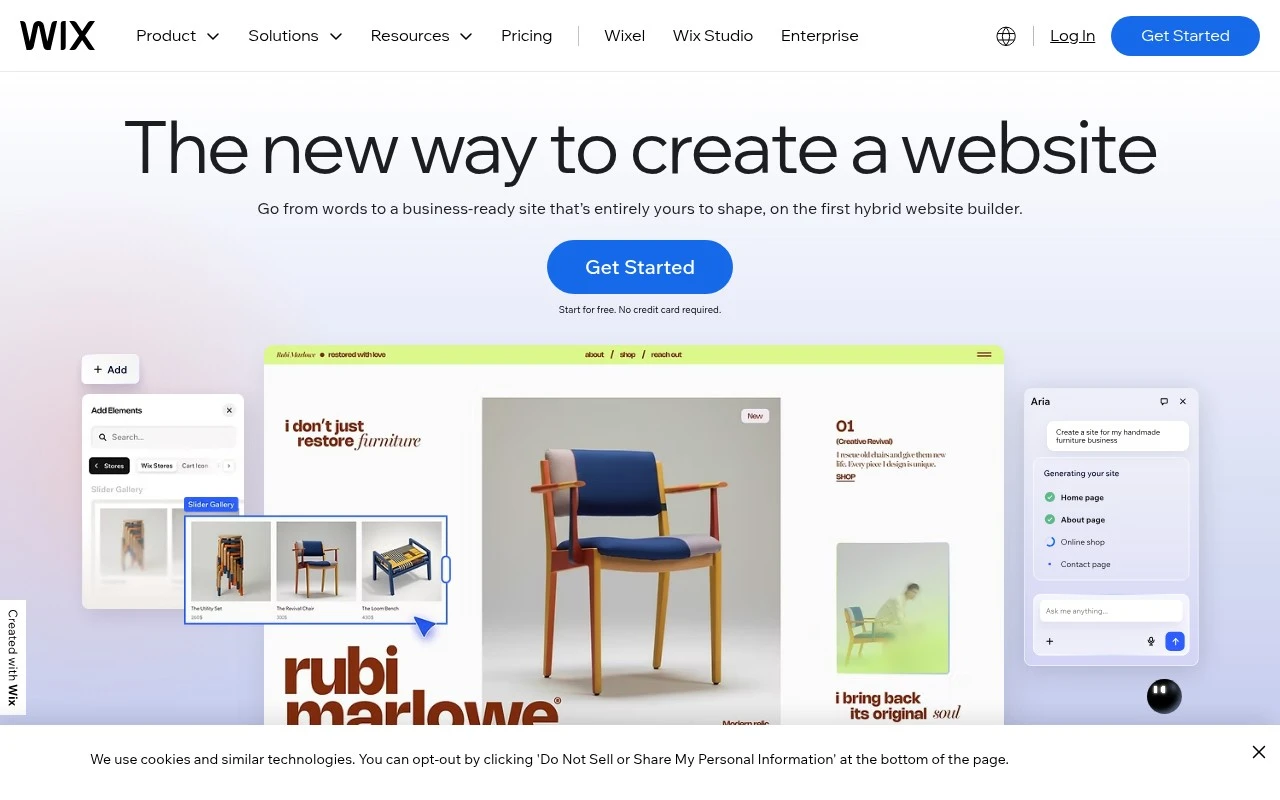
Wix AI refers to Wix’s AI-supported website building experience, including Wix ADI, which can create a website based on simple user inputs. It is part of the broader Wix platform, so users can continue editing the generated site with templates, drag-and-drop design tools, hosting, SEO, marketing features, and business add-ons such as online stores, bookings, blogs, and portfolios.

FYAI Score

8.6 / 10

Based on 28.442 reviews

Pricing:

Freemium

Best for:

Entrepreneurs and small business owners launching a website fast

Score Breakdown

  • Ease of use8.7 / 10
  • Features9.1 / 10
  • Pricing8.1 / 10
  • Integrations8.4 / 10
  • Support8.6 / 10

PRODUCT PREVIEW

What this AI tool does

Wix AI is an AI-assisted tool designed to help people create and refine website content within the Wix ecosystem. It’s typically used when you want to draft text for pages, adjust wording to match a specific tone, or quickly generate copy ideas without starting from a blank page. In practice, it supports common website-building tasks such as writing introductions, product or service descriptions, and basic site messaging, then iterating based on your edits. The output is meant to be a starting point, so it works best when you review for accuracy, add details specific to your business, and ensure the final content matches your brand and audience. For informational research, wix-ai can be useful to understand how AI fits into a website workflow: it can speed up drafting and revisions, but it doesn’t replace subject-matter knowledge or final editorial review. If you’re comparing tools, consider how well it integrates with your existing Wix setup and how much control you have over tone, length, and revisions.

Use cases

Best for

Website Generation

Wix AI generates a starter website from your answers, then lets you refine pages with Wix templates and drag and drop editing.

Website Hosting

Wix provides built in hosting for your site, including domain connection, SSL, and publishing from the same editor.

Build Landing Page

Use Wix AI to draft a landing page layout and copy, then customize sections, forms, and calls to action in the editor.

ANALYSIS

Strengths & limitations

Strengths
  • Can create an initial website for users who do not know how to code.
  • Combines AI-assisted setup with Wix’s visual editor, templates, hosting, and business features.
  • Supports common website types such as business sites, webshops, blogs, portfolios, service booking sites, and community/member areas.
Limitations
  • The provided official page describes the AI website creation feature only at a high level, so the exact generation controls and AI workflow are not fully specified there.
  • Users who want complete design precision may still need to manually customize the site in the Wix Editor.
  • More advanced custom functionality may require Velo development tools or hiring a Wix professional.

Evaluation

FYAI score breakdown

Our structured evaluation across five key criteria

8.6 / 10

Overall score

Based on 28.442 reviews

  • Ease of use8.7 / 10
  • Features9.1 / 10
  • Pricing8.1 / 10
  • Integrations8.4 / 10
  • Support8.6 / 10

What users say

Findings from public reviews, documentation and community sources.

  • Ease of use

    G2 lists Wix at 4.2/5 across 1,883 reviews, with a quoted review saying Wix is “super easy to use” and has “less complex web development features.” Wix positions site creation around templates, drag-and-drop editing, and AI-assisted site creation, while Reddit sentiment shows some users still find the AI flow confusing.

  • Features

    Wix’s own page describes “meer dan 900 gratis website templates,” drag-and-drop editing, AI site creation, and Velo/custom functionality. Wix’s own page also references eCommerce, bookings, SEO, marketing tools, hosting, security, and an Owner app.

  • Pricing

    Wix’s AI website builder page states “Start for free. No credit card required” and mentions “99.99% uptime,” multi-cloud hosting, and “a free domain for a year with any annual website plan.”

  • Integrations

    Wix’s support page says “Every Wix site is its own MCP server out of the box,” allowing the site to “directly interface with AI platforms and tools.” Wix’s supplied pages also reference the App Market and Velo-style extensibility.

  • Support

    Wix’s own page lists “tutorials” and “gedetailleerde artikelen in het Wix Helpcentrum.” Wix’s own page says users can get support “via de chat” or “plan een telefoongesprek.”

Who is this for?

Best for users who want to launch a website with guided building blocks. Wix positions site creation around templates, drag-and-drop editing, and AI-assisted site creation. Best for users who also need site features beyond a basic page, because Wix’s own page references eCommerce, bookings, SEO, marketing tools, hosting, security, and an Owner app. Less suited to users who need an AI setup flow with minimal confusion, Reddit sentiment shows some users still find the AI flow confusing.

PRODUCT PREVIEW

Feature highlights

AI site creation

Generates a tailored website from a few prompts and goals.

Drag-and-drop edits

Refine layout, sections, and style with Wix’s visual editor.

Built-in business tools

Add store, bookings, blog, and marketing to start selling online.

COMPARE

Discover curated alternatives worth comparing

Compare similar AI tools based on features, pricing and use cases

8.8/ 10Based on 14.986 reviews

WordPress

Website BuildersE-commerce Builders
Builds WordPress sites using an AI website builder and AI tools
Best for:
Small business owners
Pricing
Freemium

7.7/ 10Based on 35 reviews

WeWeb

Hosting & DeploymentApp / No-code Builders
Generates web app pages, databases, and logic from prompts
Best for:
Startup founders
Pricing
Freemium

7.9/ 10Based on 994 reviews

Webflow

Website BuildersLanding Page Builders
Build, publish, and optimize websites with AI workspace tools
Best for:
Marketing teams
Pricing
Freemium

Launch a polished website faster with Wix AI. Turn your ideas into a live, professional online presence in minutes—without the tech overwhelm.

FAQ

Frequently asked
questions

Everything you need to know about this AI tool,
its features, pricing, use cases, and limitations.

Who is Wix AI a good fit for, and when should I choose something else?
Wix AI is a strong fit for small businesses, freelancers, and local services that want a polished marketing site, basic SEO, and optional bookings or simple ecommerce without hiring a developer. It’s less ideal if you need deep backend control, complex custom workflows, or a highly optimized, code-heavy site. If your project depends on extensive custom code or a headless architecture, compare against developer-first platforms.
What are the practical differences between Wix AI’s free plan and paid plans?
The free plan is mainly for testing and building, but your site runs on a Wix subdomain and includes Wix branding, which is a common deal-breaker for businesses. Paid plans are typically needed to connect a custom domain and unlock more storage/bandwidth and business features. Ecommerce and payments generally require a dedicated business/ecommerce plan, and some apps add recurring costs.
How does Wix AI compare with Squarespace, Webflow, and WordPress for a business website?
Compared with Squarespace, Wix AI tends to offer more built-in features and app integrations, while Squarespace often feels more constrained but consistent in design. Versus Webflow, Wix AI is easier to operate day-to-day but offers less control over advanced layout, interactions, and code-level customization. Against WordPress, Wix AI reduces maintenance and hosting complexity, but you trade away plugin-level flexibility and deeper backend access.
How quickly can I launch a site with Wix AI, and what onboarding effort should I expect?
Advanced customization is limited compared to code-first builders, and some changes can be harder once you’ve committed to a template structure. Costs can rise if you rely on multiple premium apps, higher-tier plans, or ecommerce features. Performance may degrade if you add many apps and heavy widgets, so it’s worth testing load times as you build.
What should I know about data handling, privacy, and compliance when using Wix AI?
Wix AI sites run on Wix’s hosted infrastructure, so you’re relying on Wix for hosting security controls, backups, and platform-level compliance features. If you collect leads, run analytics, or sell online, you’ll still need to configure cookie consent, privacy notices, and any required DPAs based on your region and tools used. Review Wix’s data processing terms and where data is stored/processed, especially if you have EU/UK requirements or regulated customer data.