Curated ToolThis tool is part of our curated AI directory. We only include tools that meet our standards for relevance, usability and real-world value.

Dorik AI

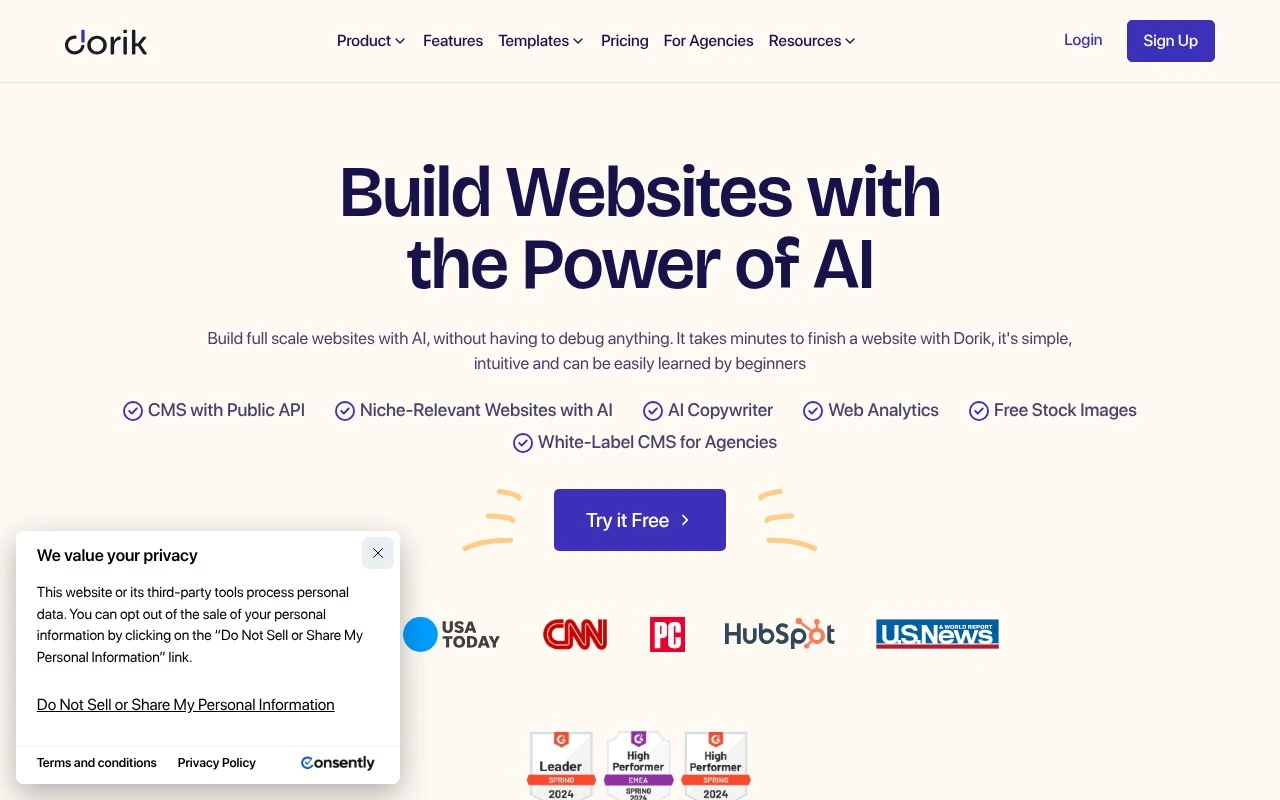
Generates publishable websites from prompts with copy and images

Website BuildersHosting & Deployment
Dorik AI is an AI website builder and no-code website platform. It can generate full websites from prompts, produce site copy and images, and provide a drag-and-drop editor for further customization. The platform also includes hosting, SSL, CMS and blogging tools, native SEO features, analytics, forms, payment integrations, Airtable data integration, custom domains on paid plans, and white-label CMS features for agencies.

FYAI Score

8.8 / 10

Based on 255 reviews

Pricing:

Paid

Best for:

Founders and agencies launching client sites fast without code

Score Breakdown

  • Ease of use9.3 / 10
  • Features8.4 / 10
  • Pricing8.9 / 10
  • Integrations8.1 / 10
  • Support9.3 / 10

PRODUCT PREVIEW

What this AI tool does

Dorik AI is an AI-assisted tool designed to help people create and refine website content and layouts with less manual effort. It’s typically used when you want to move from an idea to a presentable web page quickly, without starting from a blank canvas or writing every section from scratch. In practice, it can support common website-building tasks such as drafting page copy, suggesting structure for sections, and helping adjust wording to match a specific tone. This makes it useful for individuals and small teams who need a straightforward way to produce a basic site or landing page and iterate on it as requirements change. If you’re researching dorik-ai, it’s best viewed as a helper within a broader website creation workflow rather than a complete replacement for design decisions or final editing. You’ll still want to review outputs for accuracy, consistency, and brand fit before publishing.

Use cases

Best for

Website Generation

Generate a complete website from a prompt, then refine pages with Dorik AI’s drag and drop editor, copy, and images.

Website Hosting

Host your site with built in SSL, custom domains on paid plans, analytics, and native SEO settings managed from one dashboard.

Build Landing Page

Build a landing page using templates and a drag and drop builder, then add forms, payments, and Airtable powered sections.

ANALYSIS

Strengths & limitations

Strengths
  • Combines AI website generation with a visual no-code editor, so users can start from a prompt and still customize the result.
  • Includes practical website operations features such as hosting, SSL, blogging, SEO settings, analytics, forms, integrations, and custom domain support.
  • Offers agency-oriented capabilities including white-label CMS, client dashboards, client billing, team collaboration, and API support.
Limitations
  • Some important launch features, such as custom domains and forms, are described as paid-plan features.
  • The platform is focused on websites and CMS-style sites, not general-purpose web application development.
  • AI-generated sites still require user review and customization to match brand, content accuracy, and final design needs.

Evaluation

FYAI score breakdown

Our structured evaluation across five key criteria

8.8 / 10

Overall score

Based on 255 reviews

  • Ease of use9.3 / 10
  • Features8.4 / 10
  • Pricing8.9 / 10
  • Integrations8.1 / 10
  • Support9.3 / 10

What users say

Findings from public reviews, documentation and community sources.

  • Ease of use

    G2 summarizes 255 reviews with users consistently praising Dorik for “ease of use” and “responsive customer support,” calling it “ideal for beginners and non-technical users.” Dorik’s own page describes the builder as “simple, intuitive and... easily learned by beginners.”

  • Features

    Dorik’s product page lists AI website generation, AI-generated text/images, a CMS with Public API, and code export among its website-builder features. Dorik’s product page lists 250+ UI blocks and 110+ templates.

  • Pricing

    Dorik’s pricing page shows monthly, annual, 2-year, and lifetime options, including Personal at $29/month monthly or $20.75/month annually, Business at $59/month monthly or $41.5/month annually, and Agency at $99/month monthly or $79/month annually, plus a 7-day free trial. Dorik’s pricing page lists unlimited hosting/storage/bandwidth and lifetime-access options.

  • Integrations

    Dorik names website-builder integrations and connectivity including Airtable, Zapier, MailChimp, PayPal, Stripe, Gumroad, forms, and a CMS with Public API.

  • Support

    Dorik’s page states it has “extensive documentation,” a Helpdesk, live chat, email support, an online forum, and a Facebook community. G2’s 255-review summary says users praise Dorik’s “responsive customer support.”

Who is this for?

Best for beginners and non-technical users, G2 summarizes 255 reviews calling Dorik “ideal for beginners and non-technical users,” and Dorik’s own page says the builder is “simple, intuitive and... easily learned by beginners.” Less suited to teams that need a large integration marketplace, Dorik names integrations such as Airtable, Zapier, MailChimp, PayPal, Stripe, and Gumroad, while the provided facts only show selected integrations and a CMS with Public API.

PRODUCT PREVIEW

Feature highlights

Prompt-to-Website

Generate a full site layout, copy, and visuals from your prompt.

No-Code Editor

Drag, drop, and customize sections to match your brand in minutes.

Publish & Scale

Hosting, SSL, CMS, and forms to run and grow your site.

COMPARE

Discover curated alternatives worth comparing

Compare similar AI tools based on features, pricing and use cases

8.8/ 10Based on 14.986 reviews

WordPress

Website BuildersE-commerce Builders
Builds WordPress sites using an AI website builder and AI tools
Best for:
Small business owners
Pricing
Freemium

8.6/ 10Based on 28.442 reviews

Wix AI

Website BuildersE-commerce Builders
Generates a Wix website draft from user answers for editing.
Best for:
Small business owners
Pricing
Freemium

7.7/ 10Based on 35 reviews

WeWeb

Hosting & DeploymentApp / No-code Builders
Generates web app pages, databases, and logic from prompts
Best for:
Startup founders
Pricing
Freemium

Launch a polished website in hours, not weeks. Start building with Dorik AI today and turn your idea into an online presence you’re proud to share.

FAQ

Frequently asked
questions

Everything you need to know about this AI tool,
its features, pricing, use cases, and limitations.

Who is Dorik AI a good fit for, and when should I choose something else?
Dorik AI fits freelancers, startups, and small-to-medium businesses that want a clean marketing site, landing pages, or a simple portfolio without coding. It’s a practical choice if you value templates, a visual builder, and a straightforward path to publishing. If you need complex eCommerce, advanced membership logic, or highly custom web apps, you’ll likely outgrow it and should compare with more developer-oriented platforms.
Does Dorik AI have a free plan, and what are the main limitations compared to paid tiers?
Dorik AI typically offers a way to try building before committing, but the ability to publish on a custom domain and remove branding is usually tied to paid plans. Paid tiers generally unlock more sites/pages, higher limits, and more production-ready settings. Check the current plan table for exact caps, since limits can change by tier and billing cycle.
How does Dorik AI compare with Webflow, Wix, Squarespace, and WordPress for SMB websites?
Compared with Webflow, Dorik AI is usually easier to start with but offers less control for highly custom layouts and complex interactions. Versus Wix or Squarespace, Dorik AI can feel more streamlined and template-driven, though those tools may have broader app ecosystems and built-in business features. Against WordPress, Dorik AI reduces maintenance and hosting complexity, but WordPress wins on extensibility and plugin-based customization.
How fast can I launch a site with Dorik AI, and what onboarding effort should I expect?
Dorik AI can feel limiting if you want highly unique designs beyond the template structure or need advanced features found in larger builders. Some teams may find the pricing less compelling when comparing feature-for-price against competitors with bigger ecosystems. It’s best for straightforward sites; for complex workflows, integrations, or deep customization, you may need a different platform.
What should I consider about data handling, privacy, and compliance when using Dorik AI?
Review Dorik AI’s privacy policy and terms to understand what data is collected (account details, site content, analytics) and how hosting is handled. If you operate in regulated environments, confirm whether features like DPA availability, data residency options, and subprocessors meet your requirements. Also check how form submissions are stored and whether you can control retention, exports, and access permissions.