Curated ToolThis tool is part of our curated AI directory. We only include tools that meet our standards for relevance, usability and real-world value.

Pixelcut

AI edits and generates product images and videos, including batch.

AI Image GeneratorImage Upscaler
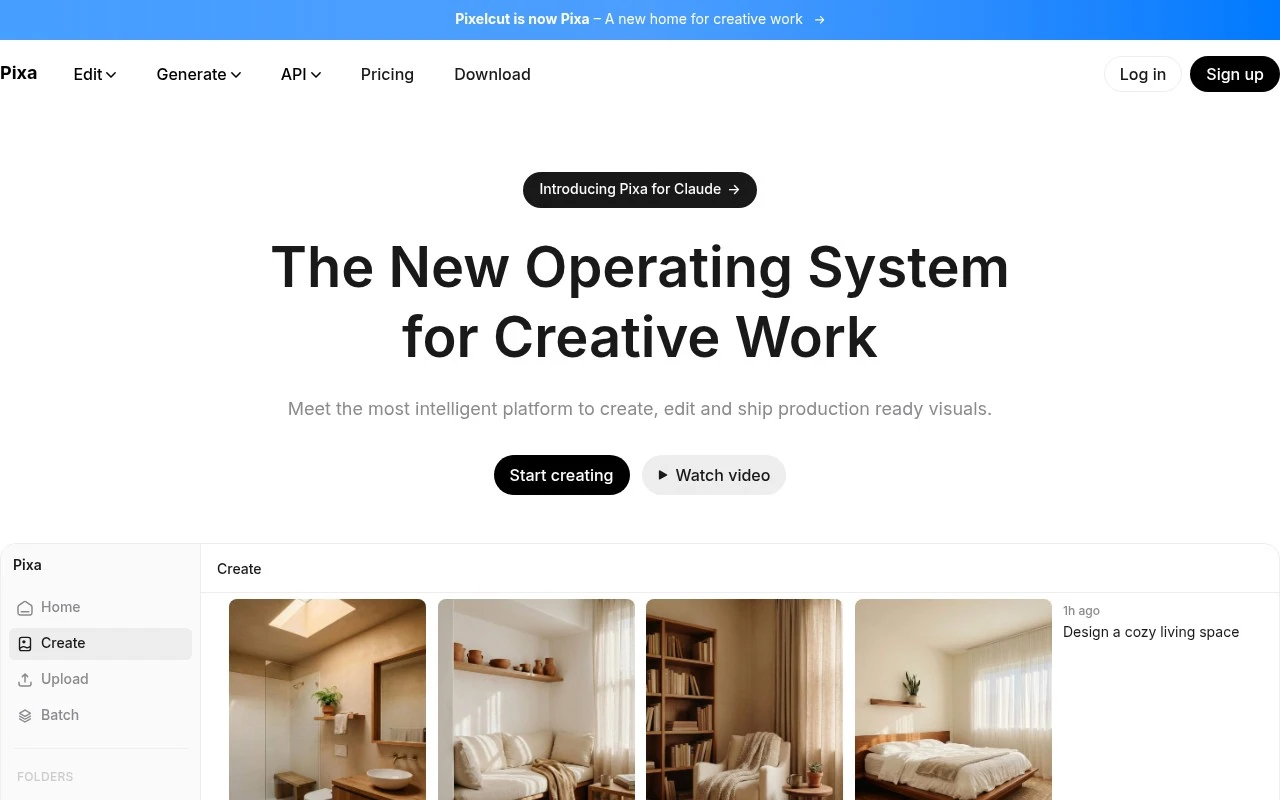
Pixelcut is an AI creative workspace focused on product and brand visuals. It combines everyday editing tools like background removal, retouching, upscaling, shadows, image expansion, and batch editing with prompt-based workflows for generating product images, UGC-style ads, personas, and videos. Its positioning is especially aimed at sellers, creators, brands, and small businesses that need professional-looking marketing assets without specialized design or prompting skills.

FYAI Score

8.1 / 10

Based on 69 reviews

Pricing:

Freemium

Best for:

Ecommerce sellers and creators producing product marketing visuals fast

Score Breakdown

  • Ease of use8.4 / 10
  • Features8.4 / 10
  • Pricing8.3 / 10
  • Integrations8.0 / 10
  • Support7.2 / 10

PRODUCT PREVIEW

What this AI tool does

Pixelcut is an AI-powered image editing tool designed to help people quickly prepare clean, usable visuals without needing advanced design skills. It’s commonly used for tasks like removing or replacing backgrounds, refining cutouts, and producing images that look consistent across different platforms. The tool is especially relevant for product photos, social media graphics, and other everyday content where speed and clarity matter. By automating parts of the editing process, it can reduce the time spent on repetitive adjustments while still leaving room for manual tweaks when needed. As an informational option for anyone comparing AI image editors, pixelcut can be a practical choice when you want straightforward results and a simple workflow. It may be most useful for individuals and small teams who need quick edits rather than complex, multi-step design work.

Use cases

Best for

Product Visualization

Generate product images and ad creatives from prompts by placing items into new scenes with brand-ready styling.

Remove Background

Pixelcut removes image backgrounds automatically so products can be placed on transparent or solid-color backdrops.

Image Enhancement

Upscale and retouch photos in Pixelcut to sharpen details, reduce noise, and improve lighting for cleaner listings.

ANALYSIS

Strengths & limitations

Strengths
  • Combines practical ecommerce photo-editing tools with newer AI image and video generation workflows.
  • Supports product-focused tasks such as background removal, shadows, upscaling, batch edits, and studio-style product showcases.
  • Emphasizes character, persona, and brand consistency across generated images and videos.
Limitations
  • The official page does not provide detailed information about pricing, export limits, commercial usage terms, or plan restrictions.
  • Results may depend on the underlying AI models and prompt interpretation, so quality and consistency may vary by task.
  • The product is oriented toward visual marketing and product content rather than full professional photo, video, or design-suite workflows.

Evaluation

FYAI score breakdown

Our structured evaluation across five key criteria

8.1 / 10

Overall score

Based on 69 reviews

  • Ease of use8.4 / 10
  • Features8.4 / 10
  • Pricing8.3 / 10
  • Integrations8.0 / 10
  • Support7.2 / 10

What users say

Findings from public reviews, documentation and community sources.

  • Ease of use

    Pixelcut’s website positions the product as “Easy-to-use AI tools” and says “No special prompting required.” Pixelcut’s website presents background removal, upscaling, retouching, and batch editing as guided workflows.

  • Features

    Pixelcut’s website lists image and video workflows including product showcases, AI UGC ads, background removal for image and video, and upscaling up to 16x. Pixelcut’s website also lists batch editing across hundreds of files.

  • Pricing

    Pixelcut’s pricing page lists a Free plan, a $10/month plan with 600 AI credits and 3 seats, and a $30/month plan with 3,600 credits and 10 seats. Pixelcut’s pricing page also states annual savings, cancel-anytime terms, a commercial license, and published limits.

  • Integrations

    Pixelcut’s docs describe API options to “integrate background removal, upscale, and generation into your product.” Pixelcut’s docs also describe MCP support to connect Pixelcut to “Claude, Cursor, and other MCP-compatible clients.”

  • Support

    Pixelcut provides documentation and paid-plan “Priority support.” Trustpilot shows 1.7/5 across 69 reviews for Pixelcut, including a complaint that “support does not answer to the mail.”

Who is this for?

Best for ecommerce or social teams producing product visuals and ads, Pixelcut’s website lists product showcases, AI UGC ads, background removal for image and video, and batch editing across hundreds of files. Less suited to users who depend on responsive email support. Trustpilot shows 1.7/5 across 69 reviews and includes a complaint that “support does not answer to the mail.”

PRODUCT PREVIEW

Feature highlights

Product Photo Editor

Remove backgrounds, retouch, upscale, add shadows, and expand images.

AI Product Scenes

Generate on-brand product images with simple prompts and templates.

Batch Editing

Edit entire catalogs at once for consistent, marketplace-ready assets.

COMPARE

Discover curated alternatives worth comparing

Compare similar AI tools based on features, pricing and use cases

7.2/ 10Based on 2.027 reviews

Pixa

AI Image Generator
Edits and creates pixel art images with drawing and animation tools.
Best for:
Designers
Pricing
Freemium

8.2/ 10Based on 193 reviews

Uizard

UI/UX Design
Generates editable UI prototypes from prompts, screenshots, or sketche
Best for:
Product teams
Pricing
Freemium

8.2/ 10Based on 56.265 reviews

Topaz Labs

Image UpscalerPhoto Editing
AI upscales, denoises, sharpens, and restores photos and videos
Best for:
Designers
Pricing
Paid only

Join thousands of sellers creating scroll-stopping product photos in minutes. Start making your listings look premium today with Pixelcut.

FAQ

Frequently asked
questions

Everything you need to know about this AI tool,
its features, pricing, use cases, and limitations.

Is Pixelcut a good fit for e-commerce product photos, marketplaces, and social ads?
Pixelcut is best when you need fast, consistent product images—especially background removal, clean cutouts, and simple scene changes for listings. It’s a practical choice for small teams producing lots of SKU images without dedicated designers. If your workflow depends on complex retouching, layered compositing, or strict brand-style controls, you may outgrow it.
What’s the difference between Pixelcut’s free and paid plans, and what are the common limits?
The free experience is typically enough to test core features like background removal and basic edits, but it often comes with restrictions such as watermarks, lower export quality, or limited credits/exports. Paid plans generally unlock higher-resolution downloads and more frequent use of AI tools. If you’re processing high volumes, check how Pixelcut counts credits per export or per tool action before committing.
How does Pixelcut compare with Canva, Adobe Express, or remove.bg for product image workflows?
Pixelcut is more product-photo oriented than Canva or Adobe Express, which are broader design suites with stronger layout and brand-kit features. Compared with remove.bg, Pixelcut tends to offer a wider set of e-commerce edits beyond just cutouts (like quick enhancements and product-focused templates). If you need deep manual control and advanced retouching, Adobe tools or a full editor may be a better match.
How quickly can a team get started with Pixelcut, and what onboarding is required?
Pixelcut can be limiting if you require advanced controls like detailed masking, complex lighting edits, or multi-layer compositing. Results may vary on intricate edges (hair, transparent materials, reflective items), which can create rework. Costs can also rise with heavy usage, so it’s worth estimating monthly volume and export needs.
What should I know about data privacy and compliance when uploading images to Pixelcut?
If your product photos include sensitive information (labels, customer data, internal prototypes), review Pixelcut’s terms for storage duration, model training usage, and deletion options. Confirm where processing occurs and whether you can meet internal requirements for vendor risk, access control, and auditability. For regulated industries, you may need a tool that offers clearer enterprise controls or contractual assurances.