Flora
Curated ToolThis tool is part of our curated AI directory. We only include tools that meet our standards for relevance, usability and real-world value.

Flora

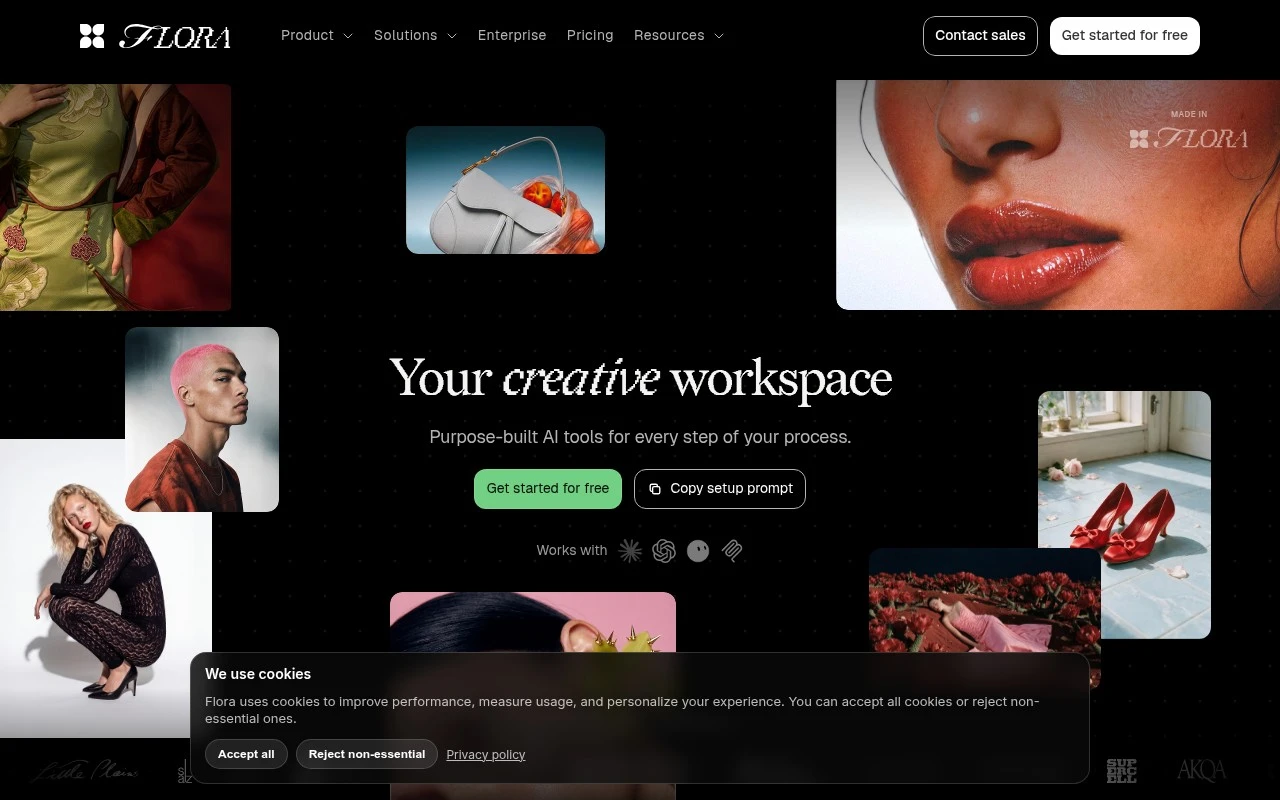
Flora is an AI creative workspace that lets users build node-based workflows on a visual canvas to generate, edit, and combine images, text, and video with generative models.
AI Image GeneratorUI/UX Design

Flora

FYAI Score

8.4 / 10

FYAI rating based on features, pricing and integrations

Pricing:

Freemium

Best for:

Creative teams scaling branded visuals, mockups, and pre-production

Score Breakdown

  • Ease of use7.8 / 10
  • Features9.2 / 10
  • Pricing8.6 / 10
  • Integrations7.9 / 10
  • Support8.2 / 10

PRODUCT PREVIEW

What this AI tool does

Flora
Flora is an AI-powered creative workspace for teams that want to generate images, generate video, and develop visual ideas inside one collaborative canvas. Flora is built around an infinite canvas where prompts, outputs, edits, references, and production steps can live together, giving creative teams a more connected way to move from concept to finished asset. At the center of the platform is a multi-model environment that brings 50+ text, image, and video models into a single workspace. Instead of treating each model as a separate destination, the platform lets users combine them as part of a broader creative process, moving from exploration to refinement without constantly exporting files or switching tools. For designers, marketers, content teams, and agencies, Flora is best at workflow-based generative production rather than one-off prompting. A campaign team can explore mood boards, create social graphics, create brand assets, test visual directions, and refine final outputs in the same visual space where the original ideas were developed. Reusable Techniques are one of the platform’s defining ideas. These structured workflows help users repeat creative processes for tasks such as character consistency, logo-to-brand exploration, outfit swaps, font building, scene changes, and visual pre-production. This makes Flora useful not only for experimentation, but also for teams that need repeatable creative systems. Brand and marketing work is a natural fit because the canvas supports iteration across many related assets. Users can create mockups, test layouts, develop product visualization concepts, and generate variations that stay connected to the same references or creative direction. This is especially useful when a team needs to explore multiple routes before selecting the strongest visual language. Video work also fits into the same production flow. Teams can use Flora to generate video concepts, plan scenes, experiment with visual continuity, and support video ad creation before moving into final editing or distribution. The value is not only in producing clips, but in giving creative teams a shared place to think through motion, narrative, and style. Collaboration is part of the product’s character. The infinite canvas creates a shared visual record of decisions, references, prompts, and results, which helps teams discuss work in context instead of passing isolated files back and forth. For creative directors and producers, that context can make reviews, revisions, and handoffs more understandable. In day-to-day use, the platform feels closer to a generative studio board than a single-purpose AI generator. It supports loose exploration at the beginning of a project, then becomes more structured as the team builds reusable methods, refines assets, and scales production. That combination of open-ended ideation and repeatable workflows is what gives the tool its identity. Flora is best understood as a creative operating space for generative visual work, especially for teams that need both flexibility and production discipline. It brings models, references, prompts, edits, and collaborative thinking into one environment, helping creative teams turn fragmented AI experiments into organized visual workflows.

Use cases

Best for

Generate Images

Flora generates images on an infinite canvas from prompts or references, then keeps edits and variations in one workspace.

Generate Video

Flora turns prompts, reference images, and scene boards into video concepts for visual pre-production.

Create Mockups

Flora builds mockups by applying reusable Techniques for logos, styles, outfits, and scene changes.

ANALYSIS

Strengths & limitations

Strengths
  • Best suited to visual creative teams because it combines text, image, and video models in one canvas instead of forcing work across separate generation tools.
  • Useful for repeatable production work because Techniques turn proven creative processes into reusable workflows for branding, product marketing, pre-production, and design tasks.
  • Strong fit for collaborative iteration because teams can explore many directions, refine concepts together, and scale a single idea into many on-brand assets.

Limitations
  • Less suitable for users who only need one simple image or video generator because Flora’s main value is multi-model canvas-based workflow creation.
  • Less suitable for non-creative automation or general productivity tasks because the product is centered on visual concepting, media generation, and asset production.
  • Teams with strict AI governance may face extra review work because a workspace spanning 50+ generative models creates a broader approval surface than a single-model setup.

Evaluation

FYAI score breakdown

Our structured evaluation across five key criteria

8.4 / 10

Overall score

FYAI rating based on features, pricing and integrations

  • Ease of use7.8 / 10
  • Features9.2 / 10
  • Pricing8.6 / 10
  • Integrations7.9 / 10
  • Support8.2 / 10

What users say

Findings from public reviews, documentation and community sources.

  • Ease of use

    Flora.ai describes FLORA as an all-in-one creative canvas with “text, image, and video models in one place,” “no tab-switching,” and reusable “Techniques” that users can “run instantly.”

  • Features

    Flora.ai says FLORA offers a canvas and layer editor, real-time collaboration, reusable workflows, and scalable asset generation. Flora.ai also says FLORA provides access to “50+ models” spanning image, text, and video, including Nano Banana, Veo, Sora, and FLUX.

  • Pricing

    The FLORA pricing page lists 5 tiers, from a Free plan to Enterprise custom, and the highest listed seat price is Max at $200/seat/mo with $100 included usage. The FLORA pricing page also explains monthly/quarterly/annual discounts and usage pools.

  • Integrations

    The FLORA pricing page says paid plans include “All models,” “API & MCP access,” and pooled usage across text, image, and video models.

  • Support

    The FLORA pricing page says the Enterprise plan includes “Dedicated support” plus “Bespoke onboarding and training.” The FLORA pricing page also references self-serve signup and sales contact for public tiers.

Who is this for?

Best for creative teams that need one workspace for text, image, and video generation, with Flora.ai describing “text, image, and video models in one place” and access to “50+ models.” Less suited to teams that want a broad marketplace of native app integrations, because the FLORA pricing page centers connectivity on “API & MCP access” and pooled usage across models.

PRODUCT PREVIEW

Feature highlights

Infinite Canvas

Map ideas, references, edits, and outputs in one spatial workspace.

Generate Images & Video

Use 50+ AI models for concepts, edits, and motion experiments.

Reusable Techniques

Build repeatable workflows for mockups, product visualization, and scenes.

COMPARE

Discover curated alternatives worth comparing

Compare similar AI tools based on features, pricing and use cases

7.8/ 10FYAI score

Reve

AI Image GeneratorBackground Edit
Creates, edits, and remixes images with prompts and drag-and-drop
Best for:
Designers
Pricing

7.2/ 10FYAI score

Pixa

AI Image Generator
Edits and creates pixel-art images in a visual canvas editor
Best for:
Designers
Pricing
Freemium

8.2/ 10Based on 193 reviews

Uizard

UI/UX Design
Converts prompts, screenshots, and sketches into UI prototypes
Best for:
Product teams
Pricing
Freemium

Flora

See why creative teams choose Flora to turn rough ideas into polished campaign visuals faster, with one workspace from concept to final asset.

FAQ

Frequently asked
questions

Everything you need to know about this AI tool,
its features, pricing, use cases, and limitations.

Who is Flora best suited for?
Flora is best suited for creative teams that need to generate, edit, compare, and scale visual concepts in one shared workspace. It fits designers, brand teams, agencies, creative directors, product marketers, and media production teams working on campaign visuals, brand assets, mockups, product imagery, social graphics, or early video concepts.
Does Flora have a free plan, and when would a team need to pay?
Flora uses a freemium pricing model, so users can typically start with a free option and move to paid access when they need more capacity or team-oriented usage. Teams should review Flora’s current pricing page for limits around usage, collaboration, model access, exports, and workflow features.
How does Flora compare with other AI image and video tools?
Flora differs from many single-purpose generators by combining text, image, and video models on a shared creative canvas. It is more useful when a team needs to explore many directions, compare outputs, refine concepts together, and reuse workflows, rather than simply generate one image or clip.
How hard is it to get started with Flora?
Flora should be relatively approachable for teams already familiar with visual concepting and AI generation workflows. The main onboarding effort is not basic use, but learning how to organize work on the canvas, compare multiple model outputs, collaborate effectively, and turn repeatable creative processes into reusable Techniques.
What are the main limitations of Flora?
Flora is less suitable for users who only need a simple standalone image or video generator. Its main value comes from multi-model exploration, shared canvases, and reusable workflows, so very small one-off tasks may not justify the added workspace structure or learning curve.
What should teams check about privacy, data handling, and compliance before using Flora?
Teams should review Flora’s current policies for data retention, model usage, workspace permissions, asset ownership, and third-party AI model processing before using it with confidential brand or client materials. Because Flora spans many generative models, organizations with strict AI governance may need a broader approval review than with a single-model tool.