Curated ToolThis tool is part of our curated AI directory. We only include tools that meet our standards for relevance, usability and real-world value.

Uizard

Generates editable UI prototypes from prompts, screenshots, or sketche

UI/UX Design
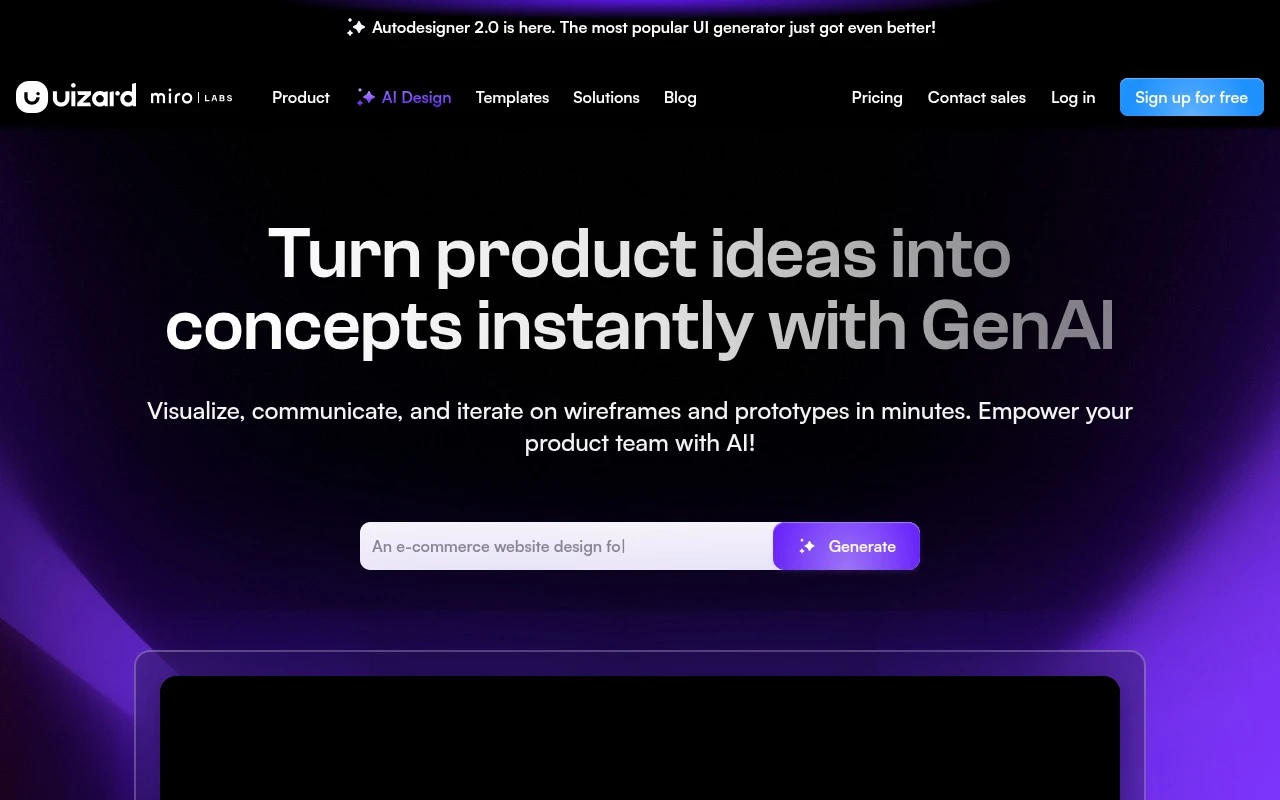
Uizard is an AI-powered UI design and prototyping platform for making digital product mockups faster. It lets users generate editable screens and multi-screen prototypes from text prompts, scan screenshots into editable mockups, digitize hand-drawn wireframes, and apply generated themes. The product is positioned for collaborative product teams and for users who can work with slide-style tools but may not be professional designers.

FYAI Score

8.2 / 10

Based on 193 reviews

Pricing:

Freemium

Best for:

Product teams creating UI mockups and prototypes fast

Score Breakdown

  • Ease of use8.8 / 10
  • Features7.9 / 10
  • Pricing8.7 / 10
  • Integrations7.2 / 10
  • Support7.8 / 10

PRODUCT PREVIEW

What this AI tool does

Uizard is an AI-assisted design tool that helps people turn early ideas into interface concepts more quickly. It’s commonly used during the initial stages of product design, when teams need to explore layouts and flows without spending a lot of time on detailed visuals. In practice, uizard supports creating and iterating on wireframes and simple prototypes that can be shared for feedback. It can be useful for product managers, founders, and designers who want a straightforward way to communicate a concept, validate assumptions, and move from rough sketches to clearer screens before committing to full design work.

Use cases

Best for

App Prototyping

Use Uizard to generate multi-screen app prototypes from text prompts and link screens into an interactive flow for review.

Create Mockups

Create mockups by converting screenshots or hand-drawn wireframes into editable UI screens and applying AI-generated themes.

ANALYSIS

Strengths & limitations

Strengths
  • Supports several fast-start inputs: text prompts, screenshots, hand-drawn wireframes, and templates.
  • Generated designs are described as editable, allowing users to revise components, screens, and themes after AI generation.
  • Designed for collaborative product ideation across designers and non-designers, including product managers, founders, marketers, agencies, and developers.
Limitations
  • The official content focuses on mockups and prototypes, not production-ready app or website code.
  • Best suited to early-stage UI visualization and iteration; complex design systems or final high-fidelity production workflows are not clearly established in the provided source.
  • AI-generated designs may still require human review, editing, and UX judgment before being used in real product development.

Evaluation

FYAI score breakdown

Our structured evaluation across five key criteria

8.2 / 10

Overall score

Based on 193 reviews

  • Ease of use8.8 / 10
  • Features7.9 / 10
  • Pricing8.7 / 10
  • Integrations7.2 / 10
  • Support7.8 / 10

What users say

Findings from public reviews, documentation and community sources.

  • Ease of use

    G2 reports that users “consistently praise Uizard for its ease of use” and quick AI-generated designs that are accessible even without design experience. Uizard says, “If you can use Google Slides or PowerPoint, you can use Uizard.”

  • Features

    Uizard lists Autodesigner 2.0 for generating projects, screens, and themes, Screenshot Scanner for turning screenshots into editable mockups, and Wireframe Scanner for digitizing hand-drawn wireframes. Uizard’s pricing page also lists exports, developer handoff in CSS/React, team assets, custom brand kits, and design-system setup on higher tiers.

  • Pricing

    Uizard’s pricing page lists Free at $0 with 3 AI generations/month and 2 projects, Pro at $12/month billed annually with 500 AI generations/month and up to 100 projects, and Business at $39/month with 5,000 AI generations/month and unlimited projects. Uizard’s pricing page lists Enterprise as custom-priced.

  • Integrations

    Uizard’s support FAQ references “Google Maps integrations,” “Uizard API,” and “Squarespace or Shopify.” Uizard lists export and developer handoff paths such as JPG/PNG/PDF and CSS/React components.

  • Support

    Uizard’s pricing page lists “Priority support” for Business. Uizard’s pricing page lists “Whiteglove onboarding support” for Enterprise.

Who is this for?

Best for non-designers or teams that need fast app and web mockups, G2 reports that users “consistently praise Uizard for its ease of use,” and Uizard says, “If you can use Google Slides or PowerPoint, you can use Uizard.” Less suited to teams that need a broad public integration ecosystem. Uizard’s support FAQ surfaces integration information through items such as “Google Maps integrations,” “Uizard API,” and “Squarespace or Shopify,” while handoff is described through exports such as JPG/PNG/PDF and CSS/React components.

PRODUCT PREVIEW

Feature highlights

Text-to-UI screens

Generate editable UI screens and flows from simple text prompts.

Screenshot to mockup

Scan screenshots into editable UI mockups you can quickly iterate.

Sketch to wireframe

Digitize hand-drawn wireframes into clean, editable designs.

COMPARE

Discover curated alternatives worth comparing

Compare similar AI tools based on features, pricing and use cases

7.2/ 10Based on 2.027 reviews

Pixa

AI Image Generator
Edits and creates pixel art images with drawing and animation tools.
Best for:
Designers
Pricing
Freemium

8.2/ 10Based on 56.265 reviews

Topaz Labs

Image UpscalerPhoto Editing
AI upscales, denoises, sharpens, and restores photos and videos
Best for:
Designers
Pricing
Paid only

7.4/ 10Based on 16.399 reviews

Tailor Brands

Logo & Brand Assets
Guides business formation and compliance, tracking filings.
Best for:
Small business owners
Pricing
Freemium

Turn ideas into clickable prototypes in minutes. See why fast-moving product teams choose Uizard to validate flows, align stakeholders, and ship with confidence.

FAQ

Frequently asked
questions

Everything you need to know about this AI tool,
its features, pricing, use cases, and limitations.

What types of teams and projects is Uizard a good fit for?
Uizard works best for early-stage UX/UI work where you need to turn sketches or rough ideas into clickable prototypes quickly. It’s a strong option for product teams, founders, and non-designers who want to validate flows with stakeholders or users without spending time on high-fidelity design. If your priority is pixel-perfect UI systems or complex interactions, you may find other tools more suitable.
How do Uizard’s free and paid plans differ in practice?
Uizard’s free tier is typically enough to test the workflow, but it usually comes with limits around projects, exports, and/or advanced features. Paid plans are more relevant if you need ongoing collaboration, higher usage caps, and production-oriented sharing/export options. Before committing, check whether your team needs specific export formats or team permissions that may be locked behind a paid tier.
How does Uizard compare with Figma, Framer, or Adobe XD for prototyping?
Uizard is generally faster for generating a first draft from sketches and assembling a clickable prototype, while Figma and Adobe XD tend to offer deeper control for detailed UI design. Framer is often favored when you want more web-like behavior and higher-fidelity interactions, but it can require more setup. If your workflow depends on robust design systems and fine-grained component control, Uizard may feel more constrained.
How quickly can a new team start using Uizard, and what onboarding is required?
Uizard can be limiting for advanced visual customization and detailed UI polish, which may frustrate experienced designers. Performance may slow down on larger or more complex prototypes, especially during reviews. It’s also more dependent on a stable internet connection than desktop-first design tools, which can be a factor for offline work.
What should I check about data handling, privacy, and compliance before using Uizard?
If you’re uploading sketches, screenshots, or product mockups, confirm how Uizard stores data, where it’s hosted, and whether you can control sharing and access at the workspace level. Review the vendor’s security documentation for encryption, retention/deletion options, and any available enterprise controls (e.g., SSO). For regulated environments, verify whether Uizard offers the compliance commitments your organization requires and whether your content may be used to improve models or services.