Curated ToolThis tool is part of our curated AI directory. We only include tools that meet our standards for relevance, usability and real-world value.

Framer

AI-assisted website design, copy edits, CMS updates, interactions

Image & Design
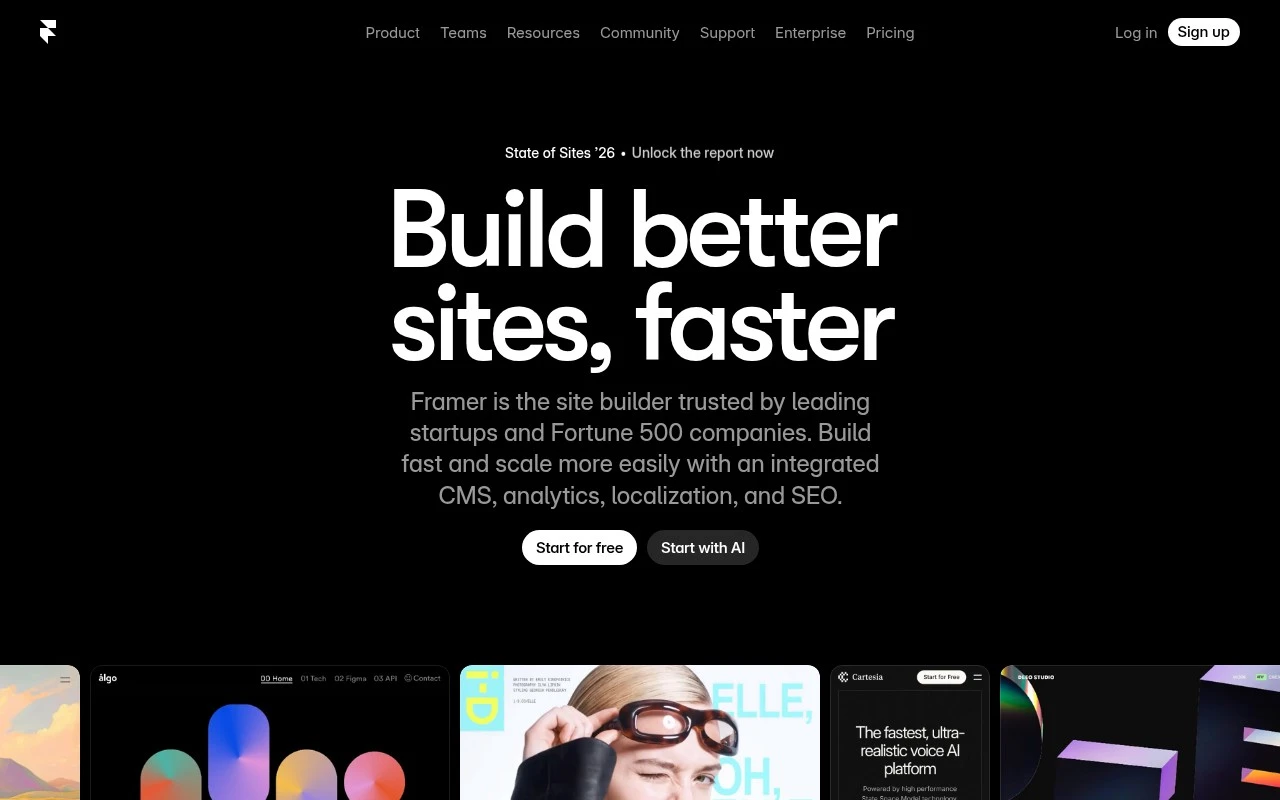
Framer is a no-code website creation platform for professional sites. It combines a visual design canvas, CMS, SEO controls, hosting, analytics, collaboration, localization, A/B testing, and AI agents that can make changes directly to a live site project. Its distinctive angle is that the AI works inside the website canvas and CMS rather than only producing prompts or standalone drafts, so generated changes remain visible and editable by the user.

FYAI Score

8.7 / 10

Based on 257 reviews

Pricing:

Freemium

Best for:

Designers and startups shipping high-end marketing sites fast

Score Breakdown

  • Ease of use9.1 / 10
  • Features8.8 / 10
  • Pricing8.9 / 10
  • Integrations8.3 / 10
  • Support7.8 / 10

PRODUCT PREVIEW

What this AI tool does

Framer is a web-based design tool used to create interactive prototypes and publish responsive websites. It’s commonly used by product designers, startups, and teams who want to move from layout to a working, shareable experience without switching between multiple tools. In practice, it supports building pages with reusable components, adding interactions and animations, and collaborating through links for review and feedback. It can fit into an informational workflow where you need to explore ideas, validate user flows, and then ship a site or prototype that behaves like a real product. If you’re comparing tools, framer is typically considered when you want a single place to design, iterate, and publish, while keeping the output easy to share with stakeholders. It’s best suited for projects where visual design and interaction details matter, and where quick iteration is more important than deep custom engineering.

Use cases

Best for

Website Generation

Use Framer AI inside the canvas to generate pages, sections, and copy that stay editable in the design and CMS.

Website Hosting

Host your site on Framer with built-in publishing, SSL, custom domains, and performance analytics from the project dashboard.

Build Landing Page

Build a landing page by assembling responsive sections, connecting a CMS, and running A/B tests on variants in the same project.

ANALYSIS

Strengths & limitations

Strengths
  • Combines visual site design, CMS management, publishing, SEO, hosting, analytics, and collaboration in one workflow.
  • AI agents can operate directly on the site canvas and CMS, helping create layouts, update content, and add custom effects while keeping edits visible and controllable.
  • Supports professional website operations such as responsive breakpoints, localization, A/B testing, and integrations with external agents or developer tools.
Limitations
  • Best suited to websites and content-driven web pages, not as a general-purpose application builder for complex backend software.
  • Teams still need to review AI-generated design, content, and code changes before publishing to maintain quality and accuracy.
  • The visual canvas and advanced site features may require learning for users who only need a very simple static page.

Evaluation

FYAI score breakdown

Our structured evaluation across five key criteria

8.7 / 10

Overall score

Based on 257 reviews

  • Ease of use9.1 / 10
  • Features8.8 / 10
  • Pricing8.9 / 10
  • Integrations8.3 / 10
  • Support7.8 / 10

What users say

Findings from public reviews, documentation and community sources.

  • Ease of use

    G2 reports a 4.5/5 rating from 142 reviews and says users “consistently praise Framer for its ease of use and intuitive interface.” G2 says designers and non-coders use Framer to create websites quickly.

  • Features

    Framer’s own page describes Framer as a “no-code AI website builder” with freeform design, CMS content management, SEO optimization, and A/B testing.

  • Pricing

    Framer’s pricing page lists a Free plan, Basic at $10/month, Pro at $30/month, and Enterprise custom. Framer’s pricing page publishes limits for CMS collections, bandwidth, pages, and credits, and lists paid add-ons such as extra editors, locales, A/B testing, and advanced hosting.

  • Integrations

    Framer’s help page describes “plugins” for “seamless integrations with your favorite apps.” Framer’s help page says form webhooks can send submitted data to any specified URL.

  • Support

    Framer’s pages surface Help, Academy, and Blog resources. Framer’s pricing page explicitly includes “dedicated support” for Enterprise.

Who is this for?

Best for designers and non-coders who want to create websites quickly, G2 says users “consistently praise Framer for its ease of use and intuitive interface,” and Framer’s own page describes a “no-code AI website builder.” Less suited to teams that want A/B testing, extra editors, locales, or advanced hosting bundled into the listed plan price, Framer’s pricing page lists those as paid add-ons.

PRODUCT PREVIEW

Feature highlights

Visual design canvas

Design responsive pages with precision and publish without code.

CMS for dynamic pages

Create collections and generate pages for blogs, docs, and more.

AI edits in-canvas

Ask AI to change layouts and content directly in your live project.

COMPARE

Discover curated alternatives worth comparing

Compare similar AI tools based on features, pricing and use cases

7.2/ 10Based on 2.027 reviews

Pixa

AI Image Generator
Edits and creates pixel art images with drawing and animation tools.
Best for:
Designers
Pricing
Freemium

8.2/ 10Based on 193 reviews

Uizard

UI/UX Design
Generates editable UI prototypes from prompts, screenshots, or sketche
Best for:
Product teams
Pricing
Freemium

8.2/ 10Based on 56.265 reviews

Topaz Labs

Image UpscalerPhoto Editing
AI upscales, denoises, sharpens, and restores photos and videos
Best for:
Designers
Pricing
Paid only

Turn ideas into live, interactive pages fast. Join teams using Framer to ship polished web experiences and iterate with confidence.

FAQ

Frequently asked
questions

Everything you need to know about this AI tool,
its features, pricing, use cases, and limitations.

When is Framer a better fit than other website and app builders?
Framer is a strong choice when you need high-fidelity prototypes or marketing sites with polished interactions and fast iteration with stakeholders. It works well for design-led teams that want to ship responsive pages without handing everything to engineering. If your project depends heavily on custom backend logic or complex data workflows, you’ll likely pair it with other services or choose a more developer-centric stack.
What’s the difference between Framer’s free plan and paid plans in practice?
The free tier is usually best for trying the editor and building drafts, but it comes with constraints around publishing and project limits. Paid plans are mainly about unlocking a custom domain, more pages/projects, and team features needed for real client or production work. If you’re comparing tools, check whether the plan you need includes the hosting, CMS, and collaboration capacity you expect.
How does Framer compare with Webflow, Figma, and traditional prototyping tools?
Compared with Webflow, Framer often feels faster for design-to-live pages and interactive prototypes, while Webflow can be stronger for structured CMS-heavy sites and granular production workflows. Versus Figma, Framer is better when you want the prototype to become a published site rather than staying as a design artifact. Against prototyping-only tools, Framer’s advantage is shipping a real, hosted experience, but it may be more opinionated about how you build.
How quickly can a team get started with Framer, and what onboarding effort should you expect?
Framer is not a full backend application platform, so advanced authentication, complex databases, or server-side logic typically require integrations or a separate stack. Some teams find pricing less attractive than simpler prototyping tools once you add seats and production publishing. If you need highly customized engineering workflows or deep code ownership, evaluate how far Framer’s code/export and integration options go for your use case.
What should we check about data handling, privacy, and compliance when using Framer?
Review what data Framer stores for projects, analytics, and form submissions, and where that data is processed, especially if you handle regulated or sensitive information. Confirm whether your plan supports required controls (e.g., access management, audit needs, data retention) and whether you can use third-party services for forms and tracking to meet internal policies. For compliance-heavy environments, involve security early and validate contractual terms (DPA, subprocessors, and data residency expectations) against your requirements.