Curated ToolThis tool is part of our curated AI directory. We only include tools that meet our standards for relevance, usability and real-world value.

Zapier

Connects apps to automate multi-step workflows and actions

Workflow AutomationIntegration Automation

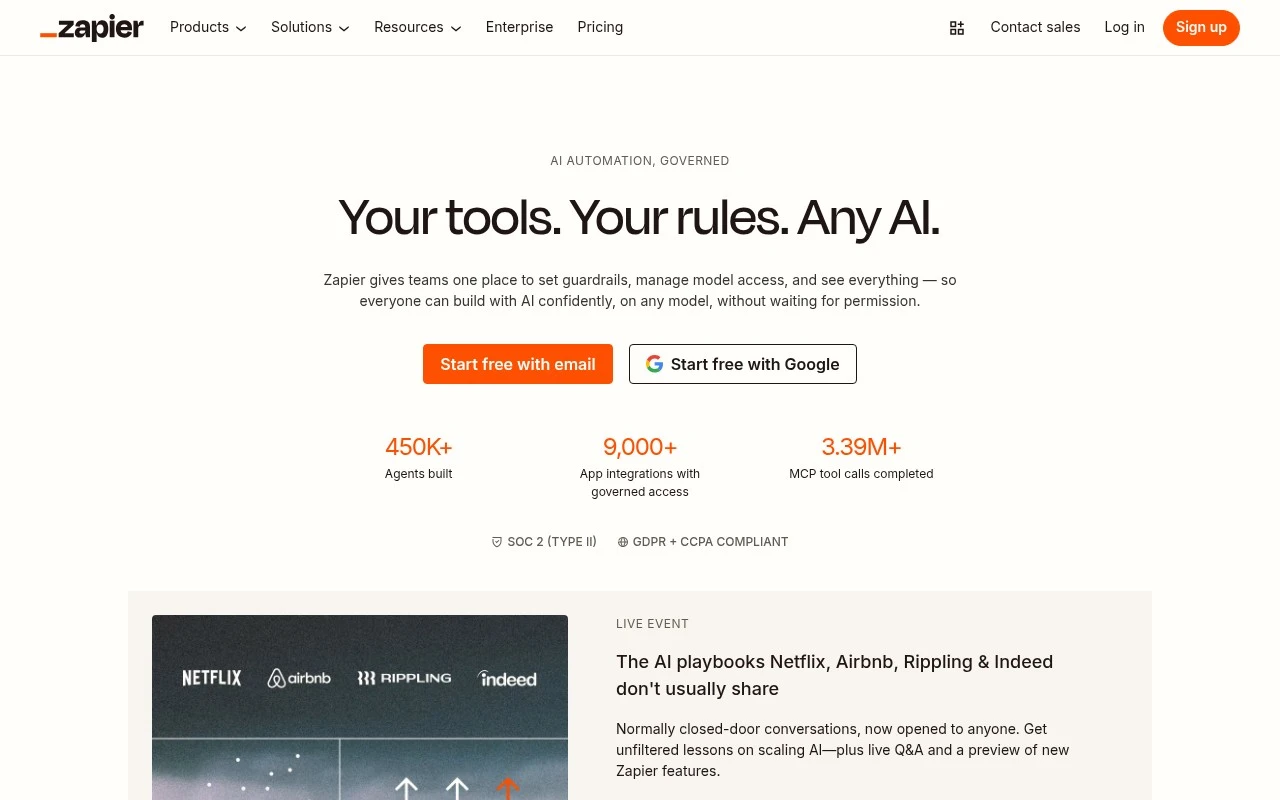
Zapier connects business apps, AI assistants, and automation workflows so teams can trigger actions across thousands of tools without building every integration from scratch. Its current positioning emphasizes governed AI automation: MCP for AI assistants, SDK and CLI options for developers, centralized authentication, policy controls, logging, and access to Zapier’s large integration catalog.

FYAI Score

9.0 / 10

Based on 3.056 reviews

Pricing:

Freemium

Best for:

Ops and GTM teams automating cross-app workflows at scale

Score Breakdown

  • Ease of use9.3 / 10
  • Features9.4 / 10
  • Pricing8.2 / 10
  • Integrations9.4 / 10
  • Support8.4 / 10

PRODUCT PREVIEW

What this AI tool does

Zapier is an automation tool that helps connect the apps you already use so they can pass information between each other without manual copy-and-paste. It’s commonly used to link everyday services like email, spreadsheets, forms, calendars, and team chat, allowing routine tasks to run in the background once a connection is set up. In practice, you choose a trigger event in one app and define what should happen next in another app, creating a simple workflow that can run on a schedule or in real time. This is useful for informational needs such as understanding how app integrations work, exploring ways to reduce repetitive admin work, or evaluating whether automation fits a personal workflow or a small team process. Because it sits between services, it can also be relevant when thinking about data flow and access: you typically grant permissions to the connected apps and decide which fields are shared. For anyone researching zapier, it’s helpful to consider which apps you rely on most, what tasks you repeat frequently, and how you want errors or exceptions handled when an automated step can’t complete.

Use cases

Best for

Workflow Automation

Trigger multi step workflows when an event occurs in one app, then create records, send alerts, and update systems automatically.

Marketing Automation

Use Zapier to route new form signups into your CRM, add them to email lists, and notify Slack based on campaign tags.

Lead Scoring

Calculate a lead score from form fields and engagement data, then write it to your CRM and assign owners when thresholds hit.

ANALYSIS

Strengths & limitations

Strengths
  • Large integration catalog, with the official site claiming 9,000+ supported apps and 66,000+ triggers and actions.
  • Supports both no-code workflow building and developer-oriented AI integration through MCP, SDK, and CLI options.
  • Includes governance-oriented controls such as managed authentication, policy sets, model and app access management, and centralized audit logging.
Limitations
  • The strongest fit is for workflows involving supported app integrations; use cases outside Zapier’s connector and action model may require custom development.
  • Some developer tooling described on the official site, including the Zapier SDK and SDK CLI, is marked as beta.
  • The platform may be more than necessary for users who only need a single simple automation or do not need cross-app governance.

Evaluation

FYAI score breakdown

Our structured evaluation across five key criteria

9.0 / 10

Overall score

Based on 3.056 reviews

  • Ease of use9.3 / 10
  • Features9.4 / 10
  • Pricing8.2 / 10
  • Integrations9.4 / 10
  • Support8.4 / 10

What users say

Findings from public reviews, documentation and community sources.

  • Ease of use

    G2 lists Zapier with 2,083 reviews and a 4.5/5 rating, with users reported to “consistently praise Zapier for its ease of use” and for automating repetitive tasks across platforms.

  • Features

    Zapier describes its platform as including “AI Workflows, AI Agents, AI Chatbots,” and Canvas, plus “66,000+ Triggers and actions.”

  • Pricing

    Zapier’s pricing page lists a Free plan at “$0 /month” with “100 tasks per month,” Professional “Starting from $19.99 /month,” Team “Starting from $69 /month,” and Enterprise handled via contact-for-pricing.

  • Integrations

    Zapier’s app directory states users can connect “9000+ apps,” and Zapier’s developer platform says builders can “unlock connectivity across Zapier's ecosystem.”

  • Support

    Zapier’s pricing page references “Email support,” “Live chat” starting at the Professional 2,000-task tier, “Priority support,” and Enterprise options including “Screen sharing” and a “Technical Account Manager.”

Who is this for?

Best for teams connecting many apps, Zapier’s app directory states users can connect “9000+ apps,” and Zapier describes “66,000+ Triggers and actions.” Less suited to users who need live chat on the Free plan, Zapier’s pricing page shows “Live chat” starting at the Professional 2,000-task tier, so lower-tier users should expect support access to vary by plan.

PRODUCT PREVIEW

Feature highlights

Multi-step Zaps

Trigger actions across apps with branching, filters, and retries.

AI + MCP automation

Let AI assistants safely trigger workflows using governed MCP tools.

Admin & policy controls

Central auth, permissions, and logs to keep automations compliant.

COMPARE

Discover curated alternatives worth comparing

Compare similar AI tools based on features, pricing and use cases

8.6/ 10Based on 779 reviews

Workato

Workflow AutomationIntegration Automation
Orchestrates workflows across business apps via MCP integrations
Best for:
IT & Security teams
Pricing
Free trial

8.9/ 10Based on 7.771 reviews

Uipath

Workflow AutomationIntegration Automation
Automates workflows with AI agents, robots, and document processing
Best for:
Operations teams
Pricing
Freemium

8.4/ 10Based on 158 reviews

Tray.io

Workflow AutomationData & Spreadsheet
Build AI agents and automate workflows via governed connectors
Best for:
IT & Security teams
Pricing
Free trial

Join thousands of teams using Zapier to automate busywork and keep work moving. Start connecting your apps today and get hours back every week.

FAQ

Frequently asked
questions

Everything you need to know about this AI tool,
its features, pricing, use cases, and limitations.

What types of workflows is Zapier a good fit for compared with other automation tools?
Zapier is usually a strong choice for cross-app workflows like lead routing, notifications, data syncing, and simple approvals across common SaaS tools. It works well when you need many integrations and can express the logic with triggers, actions, and basic branching. If you need heavy data transformation, complex stateful processes, or strict on-prem requirements, you may outgrow it faster than more developer-centric platforms.
How do Zapier’s free and paid plans differ, and what limitations matter most when comparing tools?
Zapier’s free plan is best for testing because it’s limited in automation volume and typically restricts advanced features like multi-step Zaps and premium app access. Paid tiers mainly increase task limits and unlock more complex workflows (e.g., multi-step, paths/conditional logic, and faster polling). When comparing, estimate monthly task usage and whether your key apps are considered “premium,” since both can drive cost.
How does Zapier compare with Make, Power Automate, and IFTTT for business automation?
Zapier tends to be easier to set up and has broad app coverage, which can reduce time-to-value for common business processes. Make often offers more flexible visual flow design and data manipulation, while Power Automate can be a better fit in Microsoft-heavy environments and governance needs. IFTTT is typically more consumer-oriented and may feel limited for multi-step business workflows.
How quickly can a team get Zapier running, and what onboarding effort should you plan for?
Costs can rise quickly as task counts grow, especially with multi-step workflows and premium apps. Some complex scenarios—like advanced branching, large-scale data processing, or highly customized logic—may require workarounds or external scripts/services. Because it depends on third-party APIs, changes or outages in connected apps can break automations and require maintenance.
What should I consider about data handling, privacy, and compliance when using Zapier?
Zapier processes data that passes through your Zaps, so you should review what fields are transferred and minimize sensitive data where possible. Check whether your plan supports the security and admin controls you need (e.g., SSO/SAML, team permissions, auditability) and confirm regional/data residency expectations. For regulated use cases, validate Zapier’s published compliance and security documentation and ensure your connected apps’ terms allow the intended data flows.