Tasklet
Curated ToolThis tool is part of our curated AI directory. We only include tools that meet our standards for relevance, usability and real-world value.

Tasklet

Tasklet is an AI email writing tool that generates professional emails and replies from brief prompts, helping users draft clear messages for everyday business communication.
Workflow AutomationIntegration Automation

FYAI Score

8.2 / 10

FYAI rating based on features, pricing and integrations

Pricing:

Paid

Best for:

Ops teams automating repeatable work across business apps

Score Breakdown

  • Ease of use8.2 / 10
  • Features7.9 / 10
  • Pricing8.2 / 10
  • Integrations8.8 / 10
  • Support7.9 / 10

PRODUCT PREVIEW

What this AI tool does

Tasklet
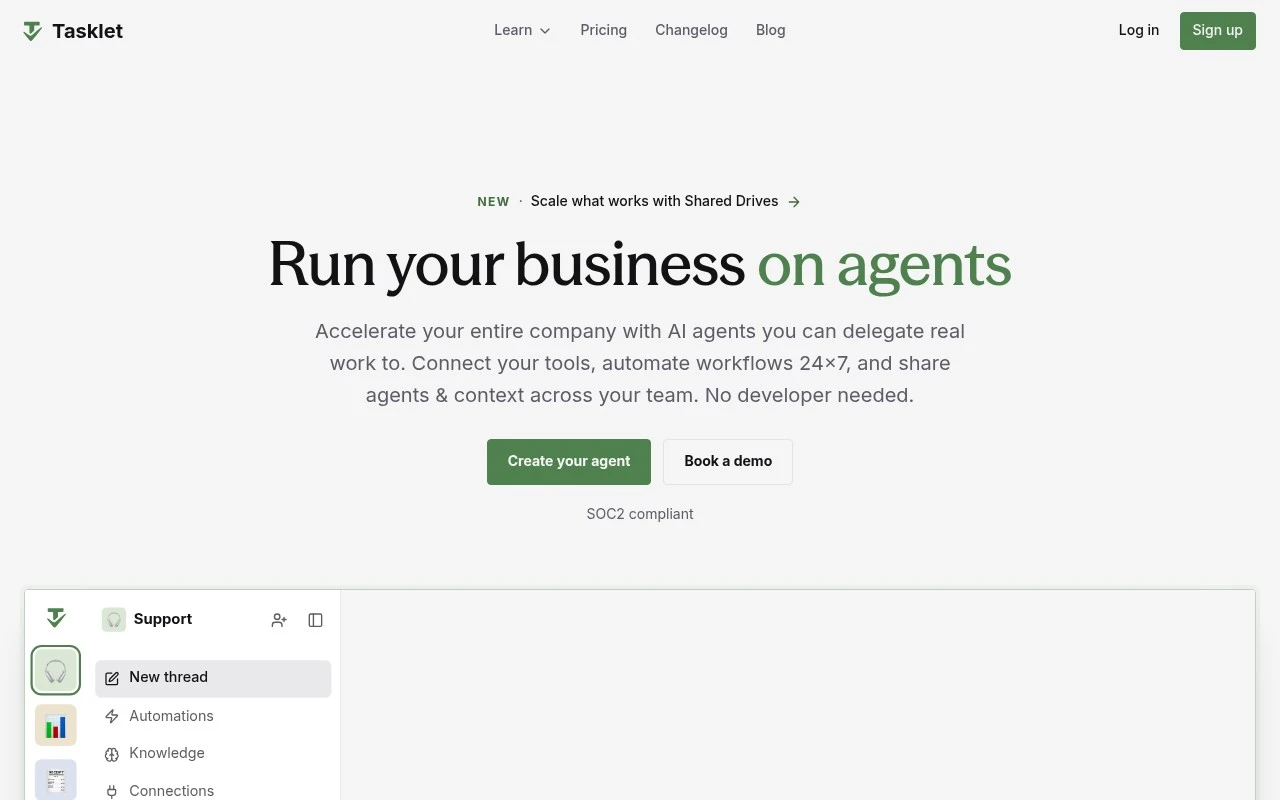
Tasklet is a no-code AI agent platform for teams that want to delegate real business tasks across the tools they already use. Tasklet is best suited to company-wide operational automation, where work moves through email, CRMs, support desks, spreadsheets, finance systems, calendars, and internal collaboration tools rather than staying inside a single chat window. Instead of asking users to build traditional automations step by step, the platform starts with a goal described in natural language. A team can explain what needs to happen, connect the relevant apps, and shape an AI agent that performs the work with the right context. This makes Tasklet feel closer to agent building for operations teams than to a narrow productivity assistant. Day-to-day use cases are practical and business-facing. A support team might use it for customer support automation, drafting replies from ticket history and internal documentation before routing or updating the case. Sales and revenue teams can apply it to data enrichment, crm automation, lead research, follow-up preparation, and keeping records current without asking every rep to manage another manual checklist. Email writing is one of the natural entry points, but the broader value is that Tasklet can connect writing to action. It can help draft a customer response, prepare a meeting brief, summarize account context, or create a marketing message, then continue the workflow by updating systems, notifying teammates, or triggering the next step. That distinction matters for teams that need outcomes, not just generated text. Across finance and operations, the same model supports recurring work that normally lives between tools. Bookkeeping checks, invoice reconciliation, ticket mirroring, spreadsheet cleanup, and status reporting can be turned into repeatable workflows that run once, on a schedule, or from an event. The result is integration automation with an AI layer that can interpret context rather than only move fields from one system to another. For managers, Tasklet is useful because agents can be shared across a team instead of remaining personal experiments. A process owner can define how a task should run, connect the necessary apps, test the result, and make the agent available to colleagues. This supports a more consistent operating model, especially when multiple departments want automation but do not have engineering capacity for every internal request. The platform is positioned for organizations that already have software in place and want those tools to work together more intelligently. Rather than replacing a help desk, CRM, inbox, or finance platform, it acts as a coordinating layer that can read, write, summarize, enrich, and update across them. That makes Tasklet especially relevant for teams with fragmented workflows and high volumes of small but important administrative tasks. Compared with a general AI chatbot, Tasklet is more focused on execution. The central question is not only what the AI can say, but what business task it can complete, when it should run, which systems it should touch, and who else can use it. For buyers evaluating no-code workflow automation, Tasklet stands out as a practical agent platform for turning recurring operational work into governed, reusable AI-powered processes.

Use cases

Best for

Workflow Automation

Tasklet runs no-code agents that connect apps, follow natural-language goals, and trigger tasks from schedules or events.

Bookkeeping

Tasklet can reconcile finance records by pulling data from connected apps and flagging mismatches for review.

Email Writing

It drafts emails by using connected context, such as CRM records or support tickets, to generate replies for review.

ANALYSIS

Strengths & limitations

Strengths
  • Best suited to non-technical teams because agents are created through conversation rather than developer-built workflows.
  • Strong fit for cross-functional operations because one agent can work across email, chat, CRM, support, finance, documents, and browser research tasks.
  • Useful for team continuity because agents, connections, and context can be shared so workflows are not tied to one person’s private setup.

Limitations
  • Less suitable for solo users with simple one-off AI tasks because the product is built around shared agents, connected tools, and team workflows.
  • Less useful for teams whose work happens outside supported SaaS systems because the value depends on connecting business apps and letting agents act across them.
  • Business-critical automations need oversight because agents can draft, update, sync, and reconcile operational records where mistakes may affect customers, revenue, or internal processes.

Evaluation

FYAI score breakdown

Our structured evaluation across five key criteria

8.2 / 10

Overall score

FYAI rating based on features, pricing and integrations

  • Ease of use8.2 / 10
  • Features7.9 / 10
  • Pricing8.2 / 10
  • Integrations8.8 / 10
  • Support7.9 / 10

What users say

Findings from public reviews, documentation and community sources.

  • Ease of use

    Tasklet homepage states "No developer needed" and "Getting started is as easy as a conversation." A Product Hunt review says Tasklet is "Easy to use."

  • Features

    Tasklet homepage says users can "Connect your tools, automate workflows 24x7, and share agents & context across your team." Tasklet homepage references shared agents, shared connections, browser use, and scheduled automations.

  • Pricing

    Tasklet pricing page lists Starter at "$25 / month" for "10,000 credits" and Pro at "$100 / month" for "40,000 credits." Tasklet pricing page says teams can "Add unlimited team members at no additional cost" and states Tasklet "requires payment to use."

  • Integrations

    Tasklet guide states Tasklet has "over 3,000 built-in integrations." Tasklet guide says Tasklet can connect to "any HTTP API" including private APIs, or an "MCP server."

  • Support

    Tasklet pricing page lists "Email support" for Starter and Pro. Tasklet pricing page lists "Email & video support" for Custom.

Who is this for?

Best for teams that want shared automation across departments, with Tasklet homepage saying users can "Connect your tools, automate workflows 24x7, and share agents & context across your team." Less suited to users who need a free trial or free plan, because Tasklet pricing page states it "requires payment to use."

PRODUCT PREVIEW

Feature highlights

Email writing agents

Draft support replies, follow-ups, and updates from live context.

Workflow automation

Run tasks once, on a schedule, or from events in connected apps.

CRM data enrichment

Enrich leads, update records, and sync tickets across tools.

COMPARE

Discover curated alternatives worth comparing

Compare similar AI tools based on features, pricing and use cases

9.0/ 10FYAI score

Composio

Workflow AutomationIntegration Automation
Connects agents to apps, selects tools, runs sandboxed tasks
Best for:
Software developers
Pricing
Freemium

9.0/ 10Based on 3,056 reviews

Zapier

Workflow AutomationIntegration Automation
Connects AI agents to apps, automates workflows, adds IT control
Best for:
Operations teams
Pricing
Freemium

8.6/ 10Based on 779 reviews

Workato

Workflow AutomationIntegration Automation
Connects AI agents to business apps, automates MCP workflows
Best for:
IT & Security teams
Pricing
Free trial

Tasklet

Start turning everyday busywork into reliable AI-driven outcomes with Tasklet. See why teams choose it to move faster across every department.

FAQ

Frequently asked
questions

Everything you need to know about this AI tool,
its features, pricing, use cases, and limitations.

Who is Tasklet best suited for?
Tasklet is best suited for business teams that need shared AI agents to automate recurring work across multiple SaaS tools. It fits sales, support, marketing, operations, finance, executive, and admin teams that want to delegate workflows such as email drafting, lead enrichment, ticket updates, bookkeeping checks, and meeting preparation without developer-built automation.
Is Tasklet free or paid?
Tasklet is a paid AI automation platform. Teams should evaluate its pricing against the value of automating recurring workflows across connected apps, especially where shared agents can reduce manual follow-up, data entry, research, or coordination work. Check tasklet.ai for current plan details and usage limits.
How does Tasklet compare with other workflow automation tools?
Tasklet differs from many workflow automation tools by focusing on conversational, no-code AI agents rather than manually designed rule-based workflows. It is a stronger fit when teams want agents that can use context, files, connected apps, and instructions across functions, while simpler automation tools may be enough for fixed trigger-and-action processes.
How hard is it to set up Tasklet?
Tasklet is designed to reduce setup effort by letting teams create agents through conversation instead of developer-built workflows. Onboarding still depends on connecting workplace apps, defining recurring tasks, sharing the right files or context, and testing agent behaviour before using it for customer-facing or operationally sensitive work.
What are the main limitations of Tasklet?
Tasklet is less useful for solo users with occasional one-off tasks than for teams running repeatable workflows across business apps. Its value also depends on supported integrations and clear workflow boundaries. Automations that draft, update, sync, or reconcile important records should be reviewed because errors can affect customers, revenue, or internal processes.
What should teams check about Tasklet security and data privacy?
Teams should review Tasklet’s current security, privacy, permissions, and compliance documentation before connecting sensitive business systems. Important checks include which apps the agents can access, how permissions are controlled, how shared context is managed, what audit visibility is available, and whether the platform meets the organization’s data handling requirements.