Curated ToolThis tool is part of our curated AI directory. We only include tools that meet our standards for relevance, usability and real-world value.

Workato

Orchestrates workflows across business apps via MCP integrations

Workflow AutomationIntegration Automation

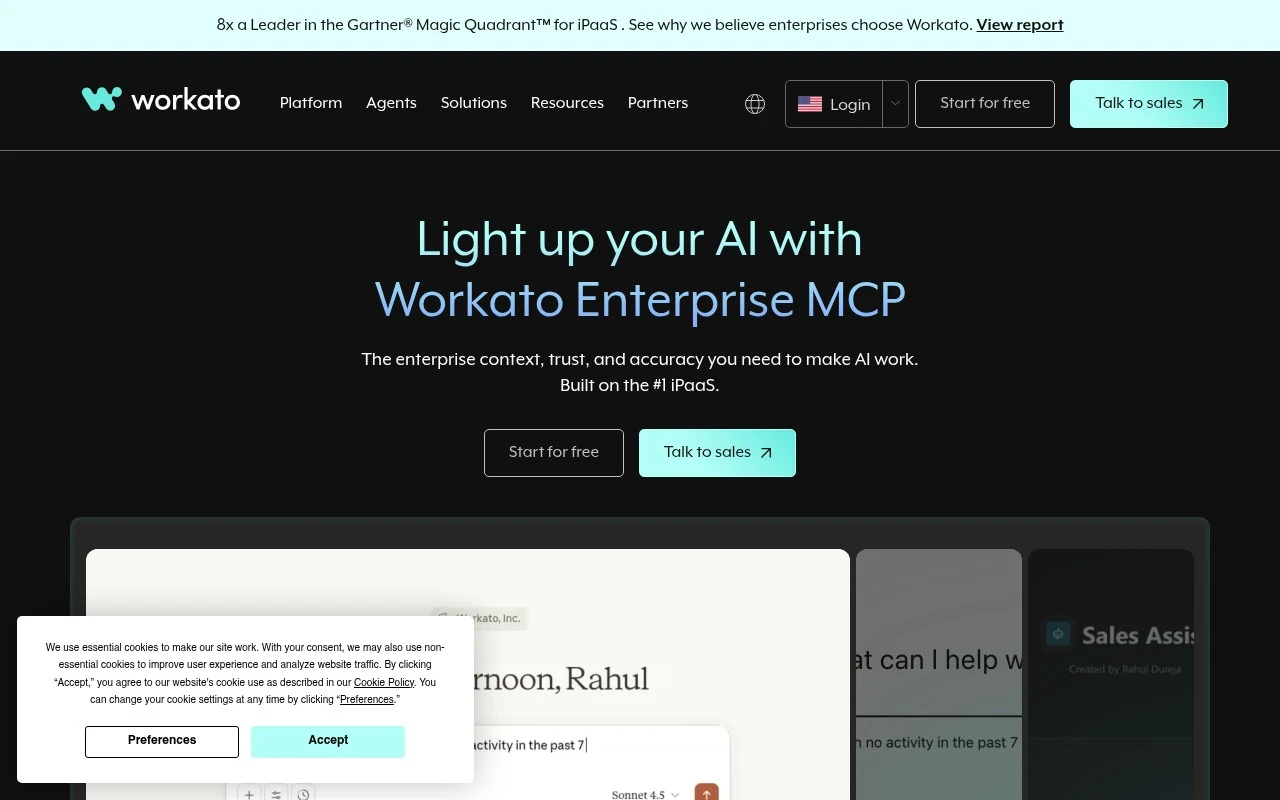
Workato is a business automation and iPaaS platform used to connect enterprise applications and orchestrate workflows across them. Its current positioning emphasizes Enterprise MCP for agentic AI, describing MCP servers that connect AI agents to 14,000+ business apps with security, scalability, and governance built on Workato’s integration platform.

FYAI Score

8.6 / 10

Based on 779 reviews

Pricing:

Free trial

Best for:

Enterprise IT and integration teams automating workflows across business apps

Score Breakdown

  • Ease of use7.9 / 10
  • Features9.4 / 10
  • Pricing7.4 / 10
  • Integrations9.4 / 10
  • Support9.2 / 10

PRODUCT PREVIEW

What this AI tool does

Workato is an automation and integration platform designed to help teams connect different business apps and coordinate workflows across them. It’s typically used when information needs to move reliably between systems—such as syncing records, triggering notifications, or keeping data consistent—without requiring people to manually copy and paste updates. In practice, it supports building automated processes that link tools used by departments like sales, support, finance, and IT. This can be useful for organizations that want to standardize how tasks are handled, reduce repetitive work, and improve visibility into how data flows between applications. For someone researching integration and workflow automation options, workato is often evaluated for how it fits into an existing tech stack, what connectors are available for the apps you already use, and how it handles governance, monitoring, and error handling as automations scale.

Use cases

Best for

Integration Automation

Workato connects enterprise apps via connectors and APIs to sync data, trigger events, and route records between systems.

Workflow Automation

Workato builds event driven workflows that run multi step actions across apps, with approvals, error handling, and audit logs.

ANALYSIS

Strengths & limitations

Strengths
  • Combines application integration and workflow automation in one enterprise platform.
  • Supports AI-agent orchestration through Enterprise MCP, according to the official site.
  • Targets governed, scalable automation across many business apps rather than isolated single-tool automations.
Limitations
  • Likely more complex and enterprise-oriented than lightweight automation tools for individuals or small teams.
  • Successful deployment can require integration design, governance, and process ownership across teams.
  • The provided official page is high-level and does not give detailed product mechanics, pricing, or implementation requirements.

Evaluation

FYAI score breakdown

Our structured evaluation across five key criteria

8.6 / 10

Overall score

Based on 779 reviews

  • Ease of use7.9 / 10
  • Features9.4 / 10
  • Pricing7.4 / 10
  • Integrations9.4 / 10
  • Support9.2 / 10

What users say

Findings from public reviews, documentation and community sources.

  • Ease of use

    Capterra reviews describe Workato as having a "Decent drag and drop format to set up automations" and also say it is "Best for tech-minded teams."

  • Features

    Workato's features page lists platform areas including iPaaS, API management, EDI, and AI capabilities like Agent Studio.

  • Pricing

    Workato's pricing documentation describes usage-based pricing for direct customers, with "platform edition fees and usage fees that scale with your volume," rather than a simple public fixed-price self-serve schedule.

  • Integrations

    Workato's integration library says Workato offers "more than 1,200 pre-built connectors" and lists systems such as Salesforce, Slack, NetSuite, and OpenAI.

  • Support

    G2 reports Workato at 4.7 stars from 779 verified reviews. A G2 reviewer says customer support was "very helpful in resolving my issues" and helped with debugging and complex formulas.

Who is this for?

Best for tech-minded teams that need enterprise automation across many systems, Workato's integration library says it offers "more than 1,200 pre-built connectors." Less suited to teams wanting simple public fixed-price self-serve buying, Workato's pricing documentation describes usage-based pricing with "platform edition fees and usage fees that scale with your volume."

PRODUCT PREVIEW

Feature highlights

Recipe automation

Build and run cross-app workflows with triggers, actions, and logic.

Enterprise MCP

Connect AI agents to 14,000+ apps via governed MCP servers.

Security & governance

Centralized controls, audit trails, and policy-based access at scale.

COMPARE

Discover curated alternatives worth comparing

Compare similar AI tools based on features, pricing and use cases

9.0/ 10Based on 3.056 reviews

Zapier

Workflow AutomationIntegration Automation
Connects apps to automate multi-step workflows and actions
Best for:
Operations teams
Pricing
Freemium

8.9/ 10Based on 7.771 reviews

Uipath

Workflow AutomationIntegration Automation
Automates workflows with AI agents, robots, and document processing
Best for:
Operations teams
Pricing
Freemium

8.4/ 10Based on 158 reviews

Tray.io

Workflow AutomationData & Spreadsheet
Build AI agents and automate workflows via governed connectors
Best for:
IT & Security teams
Pricing
Free trial

Join teams automating critical workflows end to end. Connect your apps, cut manual handoffs, and move work faster with Workato.

FAQ

Frequently asked
questions

Everything you need to know about this AI tool,
its features, pricing, use cases, and limitations.

What types of automation is Workato a good fit for compared to other platforms?
Workato tends to fit best when you need cross-app business process automation (e.g., Salesforce ↔ NetSuite ↔ Slack) with approvals, data mapping, and error handling. It’s commonly chosen for enterprise integration, RevOps, finance ops, and IT workflows where reliability and governance matter. If your needs are mostly simple single-app automations, lighter tools may be easier and cheaper.
Does Workato have a free plan, and what are the practical limits of paid tiers?
Workato is primarily sold as a paid platform, and any free access is typically limited to trials or developer/sandbox-style options rather than an ongoing free tier. Costs usually scale with usage and capabilities (e.g., number of connections, recipes, environments, and throughput). For comparisons, ask vendors to model your expected job volume and connector needs so pricing doesn’t surprise you later.
How does Workato compare with MuleSoft, Boomi, Zapier, and Make for integration automation?
Compared with Zapier/Make, Workato generally offers stronger enterprise governance, complex workflow logic, and broader integration patterns, but it’s usually more expensive. Versus MuleSoft and Boomi, Workato is often seen as more approachable for business teams while still supporting robust integration, though deep API management and heavy ESB-style architectures may favor MuleSoft. The best choice depends on whether you prioritize citizen development, IT-led integration, or API lifecycle management.
How quickly can a team get Workato running, and what onboarding effort should you expect?
Pricing can become a constraint as usage grows, so it’s important to understand how jobs/transactions and premium features are metered. Advanced customizations can have a learning curve, particularly for teams new to integration patterns and error handling. Workato is also cloud-first, so it’s not ideal for workflows that must run reliably without internet connectivity.
What should I check about Workato’s data handling, privacy, and compliance before adopting it?
Confirm where Workato will process and store data (region options), what data is logged for monitoring, and how long logs are retained. Review available security controls such as encryption, role-based access, SSO/SAML, audit logs, and support for compliance requirements relevant to your industry. If you handle regulated data, validate whether your use case requires data masking, private networking options, or restrictions on sending payloads to third-party connectors.