Curated ToolThis tool is part of our curated AI directory. We only include tools that meet our standards for relevance, usability and real-world value.

Tray.io

Build AI agents and automate workflows via governed connectors

Workflow AutomationData & Spreadsheet
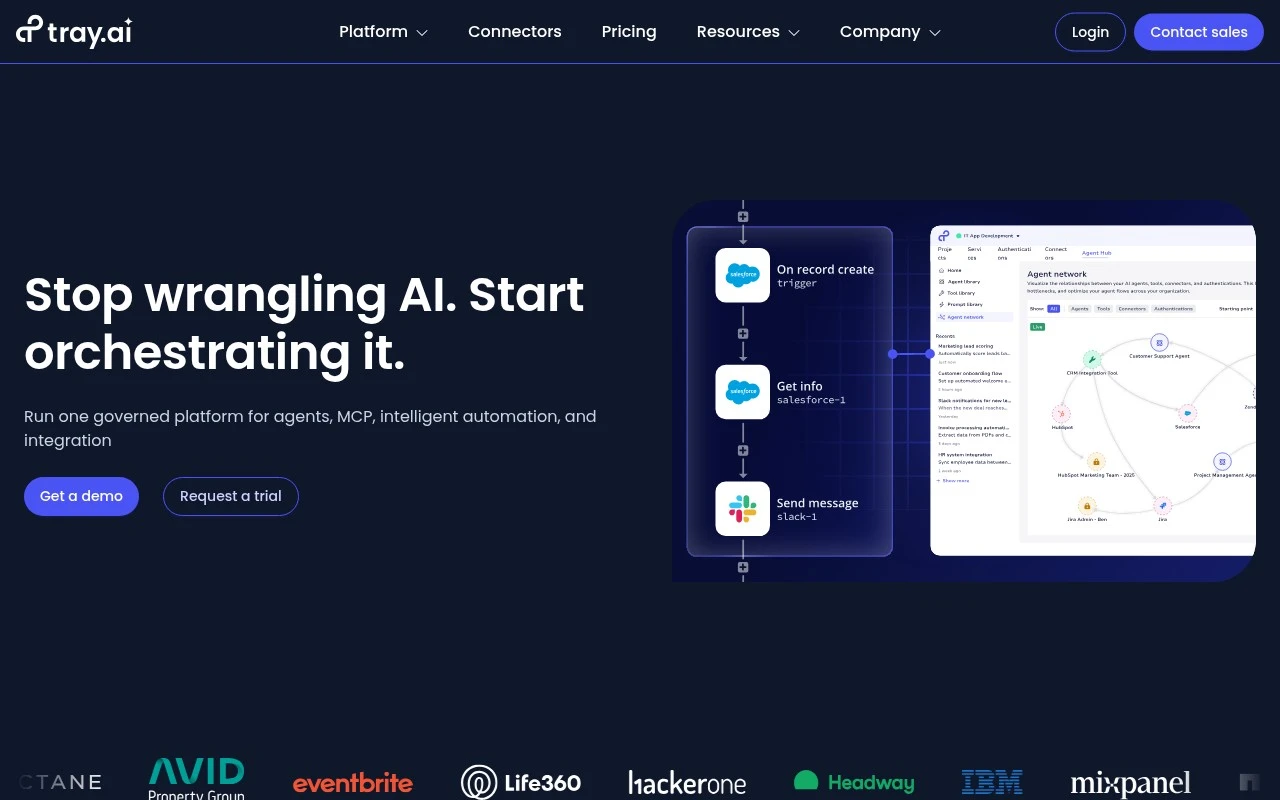
Tray.io.io is an enterprise iPaaS and AI orchestration platform for teams that need to connect business systems, automate processes, and give AI agents governed access to tools and data. The platform includes visual low-code building, code-oriented development options, 700+ connectors, AI agent building, MCP gateway governance, and enterprise security controls.

FYAI Score

8.4 / 10

Based on 158 reviews

Pricing:

Free trial

Best for:

Enterprise integration teams automating workflows across many business apps

Score Breakdown

  • Ease of use7.9 / 10
  • Features9.0 / 10
  • Pricing7.3 / 10
  • Integrations9.0 / 10
  • Support9.1 / 10

PRODUCT PREVIEW

What this AI tool does

Tray.io is an AI tool page designed to help people quickly understand what a tool does and how it might fit into their workflow. It provides a straightforward overview in plain language, focusing on practical context rather than promotional claims. Because the main use case and introduction are not defined, the page is structured to support informational browsing: it can be used to capture a clear description, intended audience, and typical scenarios where the tool is relevant. This makes it easier to compare tools, document internal utilities, or share a consistent summary with others. The content is written to be easy to scan and update over time, so you can refine the description as the tool’s purpose becomes clearer or as new details are added.

Use cases

Best for

Integration Automation

Tray.io connects SaaS and internal systems via connectors and APIs to sync records and trigger cross app actions.

Workflow Automation

Build event driven workflows with visual steps, branching, and approvals to route tasks across teams and apps.

Data Transformation

Transform and map data in pipelines using JSON parsing, field mapping, and custom code steps before loading it.

ANALYSIS

Strengths & limitations

Strengths
  • Combines integration, automation, AI agent building, MCP governance, and API/data orchestration in one platform.
  • Supports a large connector library, with the site claiming 700+ app and service integrations.
  • Designed for enterprise governance, including RBAC, audit trails, instrumentation, analytics, security, and compliance controls across workflows and agent actions.
Limitations
  • The product is positioned for enterprise orchestration, so it may be more complex than needed for simple personal or small-team automations.
  • Many performance and ROI claims on the official page are vendor-reported or based on customer case studies, so buyers should validate fit against their own systems.
  • Effective use of AI agents, MCP governance, and cross-system automation will likely require planning around permissions, data access, and operational ownership.

Evaluation

FYAI score breakdown

Our structured evaluation across five key criteria

8.4 / 10

Overall score

Based on 158 reviews

  • Ease of use7.9 / 10
  • Features9.0 / 10
  • Pricing7.3 / 10
  • Integrations9.0 / 10
  • Support9.1 / 10

What users say

Findings from public reviews, documentation and community sources.

  • Ease of use

    Software Advice shows Tray.io at 4.9/5 across 11 reviews and quotes a user saying Tray.io delivered “a great user experience.”

  • Features

    Tray’s pricing page says users can “Build AI agents, govern MCP, integrate 700+ apps,” and references process automation, data integration, API management, and AI governance.

  • Pricing

    Tray’s pricing page lists Pro, Team, and Enterprise tiers with included limits of “3 workspaces,” “20 workspaces,” and “Unlimited workspaces.” Tray’s pricing FAQ says pricing is “based on your usage and the features you need” and requires contacting sales for a customized quote.

  • Integrations

    Tray.ai positions the platform as integrating “700+ apps,” and the integration evidence names Recurly and Asana as ecosystem connections.

  • Support

    Tray’s pricing page lists “documentation and community access,” “business hours support,” “Knowledge base access,” “Community forums,” and “Tray Academy.” Higher-tier support on Tray’s pricing page includes “24/7/365 support,” “Enhanced SLAs,” and a “Dedicated Slack channel.”

Who is this for?

Best for teams building enterprise automations across many apps, Tray’s pricing page says users can “Build AI agents, govern MCP, integrate 700+ apps,” and references AI governance, RBAC, audit trails, and observability. Less suited to buyers who need posted, self-serve price comparison, Tray’s pricing FAQ says pricing is “based on your usage and the features you need” and requires contacting sales for a customized quote.

PRODUCT PREVIEW

Feature highlights

700+ Connectors

Connect SaaS, databases, and APIs to automate end-to-end processes.

AI Agent Orchestration

Build agents that can call tools and workflows to complete tasks.

Governed Tool Access

Control permissions, audit usage, and secure data with enterprise controls.

COMPARE

Discover curated alternatives worth comparing

Compare similar AI tools based on features, pricing and use cases

9.0/ 10Based on 3.056 reviews

Zapier

Workflow AutomationIntegration Automation
Connects apps to automate multi-step workflows and actions
Best for:
Operations teams
Pricing
Freemium

8.6/ 10Based on 779 reviews

Workato

Workflow AutomationIntegration Automation
Orchestrates workflows across business apps via MCP integrations
Best for:
IT & Security teams
Pricing
Free trial

8.9/ 10Based on 7.771 reviews

Uipath

Workflow AutomationIntegration Automation
Automates workflows with AI agents, robots, and document processing
Best for:
Operations teams
Pricing
Freemium

Join teams automating mission-critical processes with Tray.io. Move faster, reduce manual work, and keep operations running smoothly across your apps.

FAQ

Frequently asked
questions

Everything you need to know about this AI tool,
its features, pricing, use cases, and limitations.

What types of automation is Tray.io a good fit for?
Tray.io tends to fit teams that need multi-step, conditional workflows across many SaaS tools (e.g., lead routing, enrichment, ticket triage, and revenue ops handoffs). It’s especially useful when you need branching logic, data transformation, and reusable workflow components rather than simple one-trigger automations. If your automations are mostly single-step or low-volume, lighter tools may be easier and cheaper.
Does Tray.io have a free plan, and what are the practical limitations?
Tray.io typically offers trials or limited evaluation access rather than a broad, permanently free tier like some SMB-focused automation tools. Costs and limits are usually tied to usage (runs/operations), connectors, and environment features, which can make budgeting important once workflows scale. If you need many production workflows with high run volume, expect to be on a paid plan.
How does Tray.io compare with Zapier, Make, and Workato?
Compared with Zapier, Tray.io is generally better suited to complex, multi-branch workflows and deeper customization, but it can be more involved to configure. Versus Make, Tray.io often targets more enterprise integration needs and governance, while Make can be more approachable for visual scenario building at lower cost. Against Workato, Tray.io is a strong alternative for custom workflow design, but the best choice depends on your required connector depth, governance features, and pricing model.
How quickly can a team get Tray.io running in production?
Pricing can rise as usage grows, so it may be less economical for small teams with unpredictable volume. The platform is flexible, but that flexibility can translate into more design decisions and maintenance work (monitoring, retries, versioning). Some edge-case integrations may still require custom API work despite the connector library.
What should I check about data handling, privacy, and compliance with Tray.io?
Confirm where Tray.io processes and stores data for your region, and whether it supports your required controls (e.g., SSO/SAML, role-based access, audit logs, and environment separation). Review how credentials are stored and how secrets are managed for connected apps. If you operate in regulated industries, request documentation on certifications and data processing terms to ensure they match your compliance needs.