Curated ToolThis tool is part of our curated AI directory. We only include tools that meet our standards for relevance, usability and real-world value.

Relay.app

Builds and edits automations from prompts with AI workflow steps

Workflow AutomationIntegration Automation
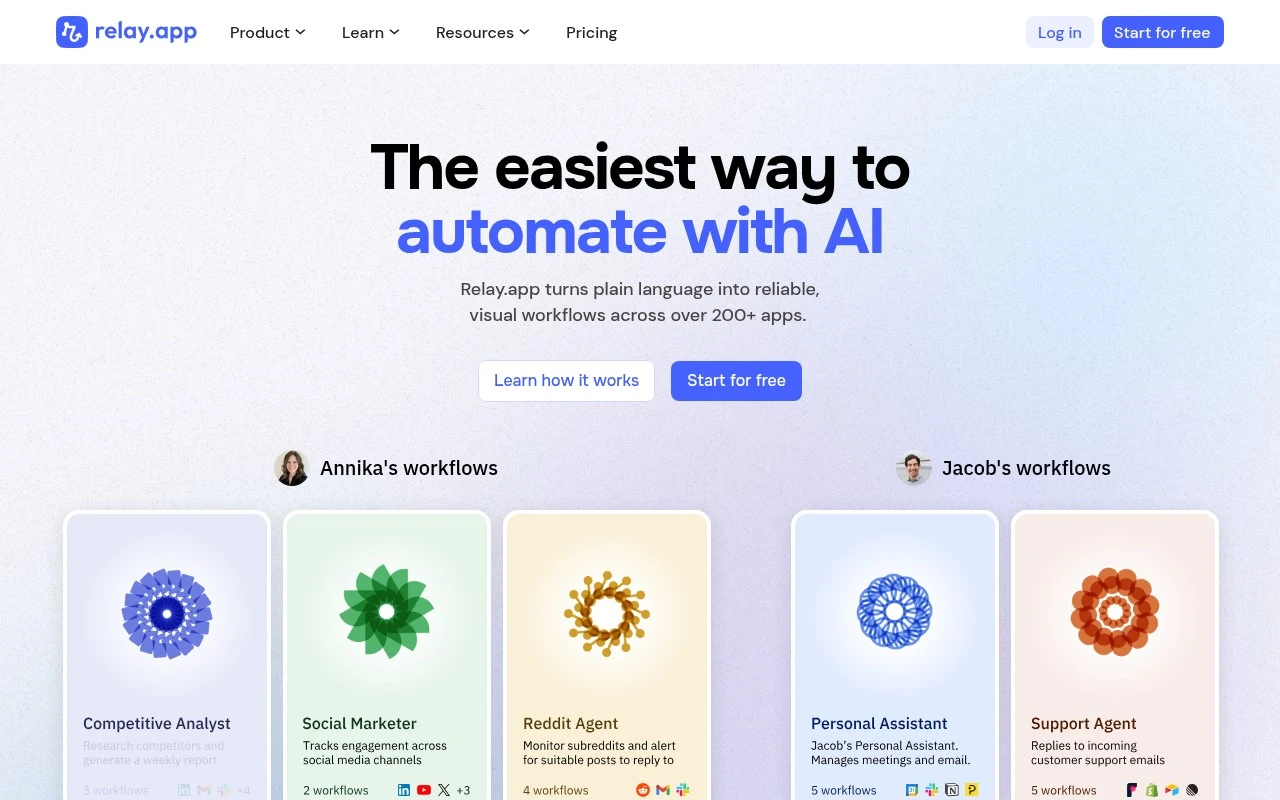
Relay.app helps teams build AI-assisted automations for recurring business processes. It combines a chat-first workflow builder, a visual no-code editor, integrations with hundreds of apps, access to major AI models, and human-in-the-loop actions for approvals, data entry, and AI output review. Its emphasis is on defined, predictable workflows rather than AI agents improvising every process from scratch.

FYAI Score

9.0 / 10

Based on 88 reviews

Pricing:

Freemium

Best for:

Ops and RevOps teams automating recurring processes with approvals

Score Breakdown

  • Ease of use9.4 / 10
  • Features8.7 / 10
  • Pricing9.2 / 10
  • Integrations8.3 / 10
  • Support9.0 / 10

PRODUCT PREVIEW

What this AI tool does

Relay.app is an AI tool page intended to help readers understand what the product does and where it fits in a workflow. It provides a straightforward overview of the tool’s purpose and the kinds of tasks it is designed to support, without assuming prior knowledge. Because the intro and main use case are not specified, this description focuses on setting expectations: the page is meant for informational research, giving a clear summary of the tool and the context in which someone might consider using it. If you share the intended audience and primary workflow (for example, customer support, internal operations, or content work), the description can be refined to match those needs more precisely.

Use cases

Best for

Workflow Automation

Relay.app builds chat-first, no-code workflows that trigger across apps, call AI models, and route approvals for repeatable processes.

Invoicing

Relay.app can generate invoice drafts from deal or order data, sync them to accounting apps, and request human approval before sending.

Crm Automation

Relay.app syncs CRM records with other apps, uses AI to draft follow-ups, and creates tasks when stages change or fields update.

ANALYSIS

Strengths & limitations

Strengths
  • Supports both natural-language workflow creation and hands-on visual editing.
  • Connects with 200+ popular apps and top AI models for cross-tool automation.
  • Includes workflow controls such as branches, loops, dynamic waiting, merged paths, reusable sequences, tables, templates, and human review steps.
Limitations
  • Best suited to repeatable, well-defined business processes rather than open-ended ad hoc AI work.
  • Users still need to connect their apps and define or review the workflow logic before relying on automations.
  • The provided site text does not specify pricing details, exact integration coverage, or enterprise governance capabilities.

Evaluation

FYAI score breakdown

Our structured evaluation across five key criteria

9.0 / 10

Overall score

Based on 88 reviews

  • Ease of use9.4 / 10
  • Features8.7 / 10
  • Pricing9.2 / 10
  • Integrations8.3 / 10
  • Support9.0 / 10

What users say

Findings from public reviews, documentation and community sources.

  • Ease of use

    G2 reports that users “consistently praise the ease of use and intuitive interface,” and the Relay.app product page says, “Describe what you want to automate, and Relay.app will build it.”

  • Features

    Relay.app lists multi-step workflows, branches, human-in-the-loop actions, and AI data extraction/summarization/creation. Relay.app also lists reusable sequences, tables, MCP servers, run history, templates, dynamic waiting, and merging paths.

  • Pricing

    Relay.app’s pricing page lists a free plan with “500 free AI credits /mo,” “200 steps / month,” and all features. Relay.app’s pricing page lists Professional at “$19 per month, billed annually” and Team at “$59 per month, billed annually.”

  • Integrations

    Relay.app’s pricing page says it connects “200+ popular apps” and supports “GPT, Claude, Gemini & more.” Relay.app’s pricing page lists webhooks, HTTP requests, Slack integration, custom JavaScript, MCP connectors, and 300+ app-based triggers.

  • Support

    Product Hunt user feedback says “the support is outstanding.” Relay.app’s Enterprise plan includes “Priority support,” “Agent building workshops,” and “Tailored team training.”

Who is this for?

Best for teams that want chat-first workflow setup, the Relay.app product page says, “Describe what you want to automate, and Relay.app will build it.” Best for teams building automations with humans involved because Relay.app lists human-in-the-loop actions alongside multi-step workflows and branches. Less suited to teams that need unlimited free usage, Relay.app’s free plan lists “500 free AI credits /mo” and “200 steps / month,” so higher-volume use would run into those free-plan limits.

PRODUCT PREVIEW

Feature highlights

Chat-first builder

Design workflows by describing steps in chat, then refine as needed.

No-code workflows

Visual editor for predictable automations across recurring processes.

Human-in-the-loop

Add approvals, data entry, and AI output review at key steps.

COMPARE

Discover curated alternatives worth comparing

Compare similar AI tools based on features, pricing and use cases

9.0/ 10Based on 3.056 reviews

Zapier

Workflow AutomationIntegration Automation
Connects apps to automate multi-step workflows and actions
Best for:
Operations teams
Pricing
Freemium

8.6/ 10Based on 779 reviews

Workato

Workflow AutomationIntegration Automation
Orchestrates workflows across business apps via MCP integrations
Best for:
IT & Security teams
Pricing
Free trial

8.9/ 10Based on 7.771 reviews

Uipath

Workflow AutomationIntegration Automation
Automates workflows with AI agents, robots, and document processing
Best for:
Operations teams
Pricing
Freemium

See why teams choose Relay.app to cut busywork and stay aligned. Automate handoffs, keep work moving, and ship faster with less back-and-forth.

FAQ

Frequently asked
questions

Everything you need to know about this AI tool,
its features, pricing, use cases, and limitations.

What types of workflows is Relay.app a good fit for?
Relay.app fits teams that want to automate routine communication and task handoffs—like posting status updates to Slack/Teams, creating tasks from form submissions, or routing approvals. It’s typically strongest for cross-team coordination where notifications, assignments, and follow-ups need to happen consistently. If you need heavy data transformation or complex backend automation, you may find it less suitable than more developer-oriented platforms.
Does Relay.app have a free plan, and what are the typical limitations vs paid?
Relay.app commonly offers a free tier or trial for evaluating core workflow building, but limits usually show up around usage volume (runs/steps), number of workflows, and premium integrations. Paid plans generally expand automation capacity and add team/admin features needed for broader rollout. Before committing, confirm whether the connectors you rely on and the expected run volume are included at your target tier.
How does Relay.app compare with Zapier, Make, or n8n for automation?
Compared with Zapier, Relay.app is often more oriented toward team communication and operational workflows rather than being a broad “connect anything” automation catalog. Versus Make and n8n, it typically trades off advanced branching, data manipulation, and developer controls for a simpler setup experience. If your automations are mostly notifications, task routing, and coordination, Relay.app can be a cleaner fit; for complex logic and custom integrations, the others may be stronger.
How quickly can a team get Relay.app running, and what onboarding effort should you expect?
Relay.app may feel constrained if you need highly complex multi-branch logic, deep data processing, or extensive customization beyond standard connectors. Because it relies on third-party integrations, changes or outages in connected services can interrupt automations. It’s also possible to over-automate notifications, so governance and monitoring matter as usage grows.
What should I check about Relay.app’s data handling, privacy, and compliance before adopting it?
Review what data Relay.app stores from connected apps (payloads, logs, message content) and how long it retains that information. Confirm security controls such as encryption, access management, audit logs, and whether it supports your compliance needs (e.g., SOC 2, GDPR, DPA availability). If you handle sensitive data, validate where data is processed, how credentials are managed, and whether you can limit or redact logged fields.