Curated ToolThis tool is part of our curated AI directory. We only include tools that meet our standards for relevance, usability and real-world value.

Integrately

Connects apps with prebuilt automations and workflow triggers

Workflow AutomationIntegration Automation

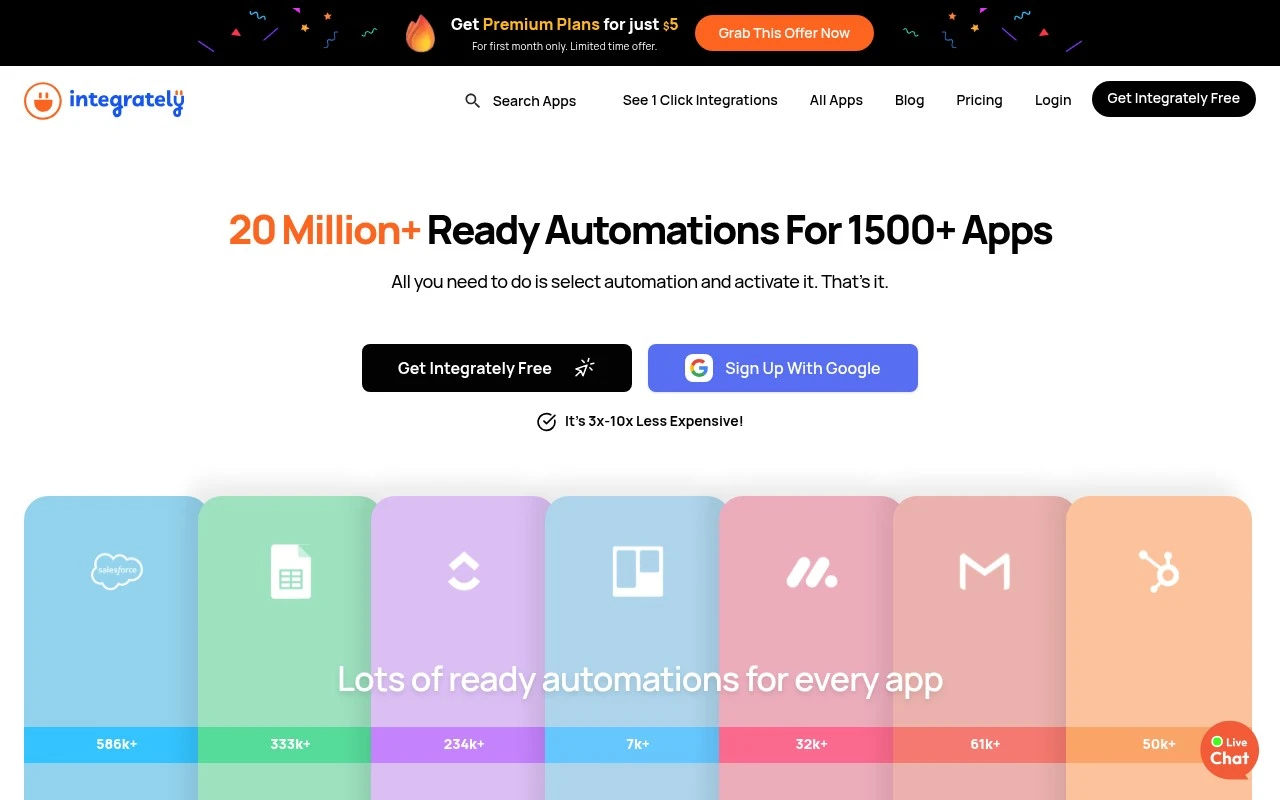
Integrately is a no-code automation tool for connecting apps and running prebuilt workflows. Its official site emphasizes one-click setup, 20 million-plus ready automations, support for 1,500-plus apps, SmartConnect for linking apps automatically, and live expert help for creating automations.

FYAI Score

8.8 / 10

Based on 707 reviews

Pricing:

Freemium

Best for:

Small teams and agencies automating workflows across many apps

Score Breakdown

  • Ease of use9.2 / 10
  • Features8.1 / 10
  • Pricing9.1 / 10
  • Integrations8.3 / 10
  • Support9.4 / 10

PRODUCT PREVIEW

What this AI tool does

Integrately is an automation tool designed to connect different web apps so routine tasks can run automatically. It helps reduce manual copy‑and‑paste work by letting information move between services based on simple triggers and actions. A typical use is keeping business tools in sync—for example, sending new form submissions to a spreadsheet, creating a contact in a CRM, or posting updates to a team chat when something changes elsewhere. The goal is to make common workflows more consistent and less dependent on someone remembering each step. It’s generally used by small teams and individuals who want straightforward app-to-app automation without building custom integrations. If you’re comparing options, it can be helpful to look at which apps are supported, how workflows are set up, and how errors or retries are handled for the processes you rely on.

Use cases

Best for

Integration Automation

Integrately connects apps and syncs data by triggering prebuilt automations when events occur in a source app.

Workflow Automation

Set up multi step workflows that run actions across apps on a schedule or trigger, using no code prebuilt recipes.

ANALYSIS

Strengths & limitations

Strengths
  • Officially positioned around ready-made automations, which can reduce setup effort for non-technical users.
  • Claims support for 1,500-plus apps, including common tools such as Gmail, Slack, Google Sheets, HubSpot, Salesforce, Mailchimp, Trello, Calendly, and Pipedrive.
  • Offers live chat or expert help, with the site stating that the team can create automations at no extra cost.
Limitations
  • The provided official page gives limited detail about advanced workflow logic, error handling, governance, or enterprise administration features.
  • Usefulness depends on whether the user’s specific apps and desired automation paths are supported.
  • It is not presented as a generative AI tool; its core value is app automation rather than AI content creation or AI model functionality.

Evaluation

FYAI score breakdown

Our structured evaluation across five key criteria

8.8 / 10

Overall score

Based on 707 reviews

  • Ease of use9.2 / 10
  • Features8.1 / 10
  • Pricing9.1 / 10
  • Integrations8.3 / 10
  • Support9.4 / 10

What users say

Findings from public reviews, documentation and community sources.

  • Ease of use

    Integrately’s home page says, “Integrate your apps in 1 click.” Integrately’s home page describes setup as “1 Select Automation 2 Connect Accounts 3 Automation is ready.”

  • Features

    Integrately’s pricing page lists Webhooks, IF/Filters, Paths/Routers, and multi-step automations. Integrately’s pricing page references “20 Million+ Ready Automations For 1500+ Apps.”

  • Pricing

    Integrately’s pricing page lists five tiers, from Free at “100 Tasks” to Business at “$239” for “150,000 Tasks.” Integrately’s pricing page explains task counting and states “Triggers are free.”

  • Integrations

    Integrately’s integrations page states “20 Million+ Ready Automations For 1500+ Apps.” Integrately’s integrations page lists Google Sheets, Salesforce, HubSpot, and OpenAI among its connectors.

  • Support

    G2’s Integrately reviews include a 707-review signal, with users reported as consistently praising “exceptional customer support,” including responsiveness and help with setup. Integrately’s own pages advertise “24*5 Live Chat Support,” dedicated account manager options on higher tiers, and that the team can create automations “at no extra cost.”

Who is this for?

Best for non-technical users who want to start from prebuilt automations, Integrately’s home page says “Integrate your apps in 1 click” and describes setup as “1 Select Automation 2 Connect Accounts 3 Automation is ready.” Best for teams comparing usage-based plans because the pricing page lists Free at “100 Tasks” and Business at “$239” for “150,000 Tasks,” and states “Triggers are free.” Less suited to teams that need a full marketplace-level ecosystem because the integrations evidence centers on “1500+ Apps” and a large connector catalog rather than a full marketplace-level ecosystem.

PRODUCT PREVIEW

Feature highlights

1-Click Automations

Launch proven workflows fast with minimal setup and fewer steps.

SmartConnect Linking

Auto-suggests the right app connections to build flows quicker.

Live Expert Help

Get real support to set up automations and troubleshoot issues.

COMPARE

Discover curated alternatives worth comparing

Compare similar AI tools based on features, pricing and use cases

9.0/ 10Based on 3.056 reviews

Zapier

Workflow AutomationIntegration Automation
Connects apps to automate multi-step workflows and actions
Best for:
Operations teams
Pricing
Freemium

8.6/ 10Based on 779 reviews

Workato

Workflow AutomationIntegration Automation
Orchestrates workflows across business apps via MCP integrations
Best for:
IT & Security teams
Pricing
Free trial

8.9/ 10Based on 7.771 reviews

Uipath

Workflow AutomationIntegration Automation
Automates workflows with AI agents, robots, and document processing
Best for:
Operations teams
Pricing
Freemium

Start automating busywork in minutes with Integrately so your team can move faster and stay focused. See why growing businesses rely on it to keep work flowing.

FAQ

Frequently asked
questions

Everything you need to know about this AI tool,
its features, pricing, use cases, and limitations.

What types of workflows is Integrately a good fit for?
Integrately works best for straightforward, cross-app automations like syncing leads between forms/CRM, posting notifications to Slack, creating tasks from emails, or updating spreadsheets. It’s a practical choice for small to mid-sized teams that want pre-built recipes rather than building complex logic from scratch. If your workflows need heavy branching, custom code, or highly specialized data transformations, you may outgrow it.
How do Integrately’s free and paid plans differ in day-to-day use?
The free plan is typically suitable for testing a few automations and validating that your key apps connect reliably, but it’s limited in volume and features. Paid plans mainly unlock higher task limits, more active automations, and access to more advanced capabilities. If you expect steady production usage (e.g., daily lead flow), you’ll likely need a paid tier quickly.
How does Integrately compare with Zapier, Make, or Pabbly Connect?
Compared with Zapier, Integrately often emphasizes faster setup via ready-made automations, but may offer less depth for edge-case customization. Versus Make, Integrately is generally simpler to operate, while Make tends to be stronger for complex scenarios and data manipulation. Against Pabbly Connect, pricing can be competitive, but you should compare the exact app coverage and trigger/action completeness for your stack.
How fast can I get a working automation running in Integrately?
Integrately can feel limiting for advanced users who need granular control, complex branching, or custom scripting. Some app connectors may not expose every trigger/action available in the underlying platform, which can block specific use cases. For high-volume transfers, you should validate throughput and reliability with a pilot before relying on it for critical operations.
What should I check about data privacy and compliance when using Integrately?
Integrately will process and transmit data between connected apps, so you should review what data fields are being sent and whether any sensitive data is included. Confirm where data is stored (if at all), retention practices, and whether the vendor offers a DPA and supports requirements like GDPR. If you operate in regulated environments, verify audit logging, access controls, and any available security documentation before rollout.