Curated ToolThis tool is part of our curated AI directory. We only include tools that meet our standards for relevance, usability and real-world value.

DocuSign

AI agreement management: analyze contracts, flag risk, track renewals

Workflow AutomationDocument Processing

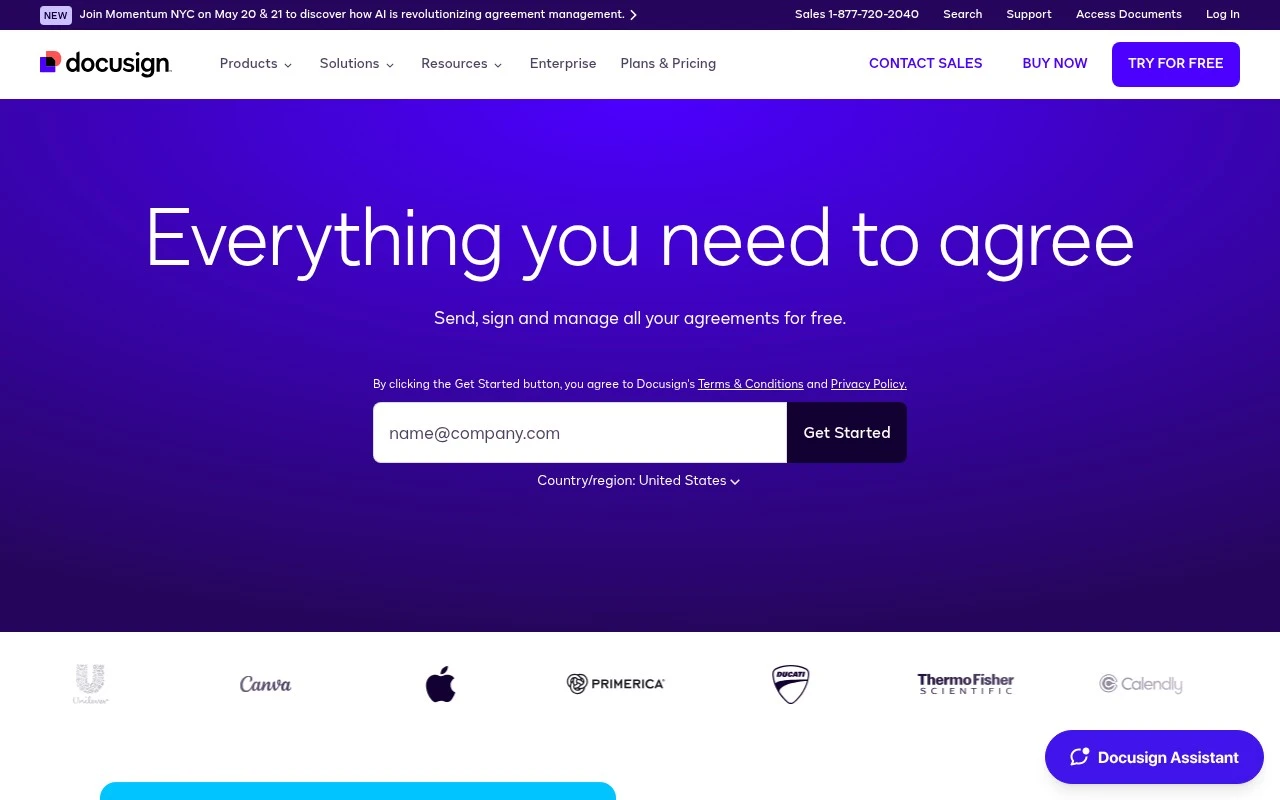
DocuSign provides electronic signature tools and a broader Intelligent Agreement Management platform. It supports document sending and signing, shared templates, comments, multi-channel delivery, ID and data verification, no-code workflow automation, CLM, agreement repositories, AI-assisted agreement analysis, and developer APIs for custom integrations.

FYAI Score

8.9 / 10

Based on 9.388 reviews

Pricing:

Freemium

Best for:

Sales, HR, and legal teams managing high-volume agreements

Score Breakdown

  • Ease of use9.2 / 10
  • Features9.1 / 10
  • Pricing7.7 / 10
  • Integrations9.2 / 10
  • Support9.2 / 10

PRODUCT PREVIEW

What this AI tool does

DocuSign is an electronic signature and agreement workflow tool that helps people prepare, send, sign, and manage documents online. It’s commonly used when a signed form is needed but meeting in person or printing and scanning paperwork would slow things down. In practice, teams use it to route contracts, approvals, and other agreements to the right recipients, track signing progress, and keep completed documents organized in a central place. It can support common business processes such as onboarding, procurement, and sales paperwork by providing a consistent way to handle signatures and related records. For organizations that need an auditable trail of who signed and when, docusign can help standardize how agreements are executed and stored. It’s typically evaluated by people looking for a reliable e-signature option and a clearer, more manageable document signing process.

Use cases

Best for

Document Automation

Create reusable templates and send documents for eSignature with fields, routing, and reminders to standardize document automation.

Workflow Automation

DocuSign automates approval workflows with no code rules, conditional routing, notifications, and integrations via APIs and connectors.

Contract Analysis

Use AI assisted agreement analysis to extract key terms, flag risks, and search clauses across stored contracts in an agreement repository.

ANALYSIS

Strengths & limitations

Strengths
  • Combines eSignature with broader agreement lifecycle tools rather than only signature collection.
  • Includes AI-supported agreement analysis, renewal tracking, and risk identification from a central agreement repository.
  • Supports multiple operational teams and workflows, including sales, procurement, HR, legal, customer experience, and developer-led integrations.
Limitations
  • The broader IAM and CLM platform may be more complex than needed for users who only need occasional basic e-signatures.
  • The supplied site content does not establish pricing, plan limits, or which features are included in each package.
  • Some value appears tied to adopting DocuSign as a central agreement hub, which may require process changes or integration work.

Evaluation

FYAI score breakdown

Our structured evaluation across five key criteria

8.9 / 10

Overall score

Based on 9.388 reviews

  • Ease of use9.2 / 10
  • Features9.1 / 10
  • Pricing7.7 / 10
  • Integrations9.2 / 10
  • Support9.2 / 10

What users say

Findings from public reviews, documentation and community sources.

  • Ease of use

    G2 reports 4.5/5 from 2,614 reviews for DocuSign and says users “consistently praise the ease of use and intuitive interface” and that DocuSign simplifies document signing.

  • Features

    DocuSign's website describes eSignature, AI-powered agreement management, no-code Workflow Builder, and CLM for workflows across sales, HR, procurement, and legal.

  • Pricing

    DocuSign's pricing page lists Personal at $11/month, Standard at $30/user/month, and Business Pro at $45/user/month. The same pricing page lists envelope limits of 5 per month on Personal and 100/user/year on Standard and Business Pro, with Enhanced plans handled via Contact Sales.

  • Integrations

    DocuSign's pricing page cites “1000+ integrations,” Salesforce document generation, and “developer tools and APIs” to integrate, customize, and scale agreement processes.

  • Support

    GetApp reports a 4.7/5 overall rating from 9,378 reviews for DocuSign and lists “Customer support rating: 4.5.”

Who is this for?

Best for organizations that need agreement workflows across sales, HR, procurement, and legal, DocuSign's website describes eSignature, AI-powered agreement management, no-code Workflow Builder, and CLM for those workflows. Less suited to users who need high-volume sending on self-serve eSignature tiers, DocuSign's pricing page lists envelope limits of 5 per month on Personal and 100/user/year on Standard and Business Pro, with Enhanced plans handled via Contact Sales.

PRODUCT PREVIEW

Feature highlights

eSignature workflows

Send for signature, track status, and close agreements in minutes.

No-code automation

Route approvals and trigger steps automatically with workflow rules.

ID & data checks

Verify signers and reduce risk with built-in authentication options.

COMPARE

Discover curated alternatives worth comparing

Compare similar AI tools based on features, pricing and use cases

9.0/ 10Based on 3.056 reviews

Zapier

Workflow AutomationIntegration Automation
Connects apps to automate multi-step workflows and actions
Best for:
Operations teams
Pricing
Freemium

8.6/ 10Based on 779 reviews

Workato

Workflow AutomationIntegration Automation
Orchestrates workflows across business apps via MCP integrations
Best for:
IT & Security teams
Pricing
Free trial

8.9/ 10Based on 7.771 reviews

Uipath

Workflow AutomationIntegration Automation
Automates workflows with AI agents, robots, and document processing
Best for:
Operations teams
Pricing
Freemium

Join teams that close agreements faster with DocuSign. Send, sign, and manage contracts digitally to keep work moving from anywhere.

FAQ

Frequently asked
questions

Everything you need to know about this AI tool,
its features, pricing, use cases, and limitations.

What types of teams and workflows is DocuSign the best fit for?
DocuSign is a strong fit for teams that send high volumes of agreements and need reliable eSignature, audit trails, and standardized routing (sales, HR, procurement, legal ops). It’s especially useful when you need integrations with tools like Salesforce, Microsoft 365, Google Workspace, or common CLM/ERP systems. If your needs are mostly one-off signatures with minimal compliance requirements, lighter tools may be more cost-effective.
Does DocuSign have a free plan, and what are the main limitations compared to paid tiers?
DocuSign typically offers a limited free option or trial, but ongoing use usually requires a paid subscription. Lower tiers may restrict envelope volume, advanced recipient authentication, and admin controls. Features like advanced workflows, reporting, and some integrations are often reserved for higher plans.
How does DocuSign compare with Adobe Acrobat Sign, Dropbox Sign, and PandaDoc?
DocuSign is often chosen for enterprise-grade compliance, admin governance, and broad integration support, while Adobe Acrobat Sign can be attractive if you’re already standardized on Adobe and PDF workflows. Dropbox Sign is commonly simpler and cheaper for basic signing but may have fewer advanced controls. PandaDoc can be stronger for sales document creation (quotes/proposals) and content workflows, whereas DocuSign is typically more focused on signing and agreement process controls.
How quickly can a team get DocuSign running, and what onboarding effort should you expect?
Cost is a common deciding factor—DocuSign can be pricier than smaller competitors once you add users, envelopes, or advanced features. Template and workflow customization may feel constrained compared to more document-centric platforms. Some teams also report slower customer support response during peak times, which matters if you rely on rapid issue resolution.
What should I evaluate about DocuSign’s data handling, privacy, and compliance before purchasing?
DocuSign is commonly used in regulated environments, but you should confirm the specific compliance needs for your industry (e.g., SOC 2 reports, GDPR support, and regional data residency options) match your requirements. Review how audit trails, retention, and access controls are configured for your org, especially for legal holds and internal reviews. If you need advanced identity verification or qualified signatures in certain jurisdictions, validate which options are available on your plan.