Curated ToolThis tool is part of our curated AI directory. We only include tools that meet our standards for relevance, usability and real-world value.

Activepieces

Build AI agents and app automations with approvals and audit logs

Workflow AutomationIntegration Automation

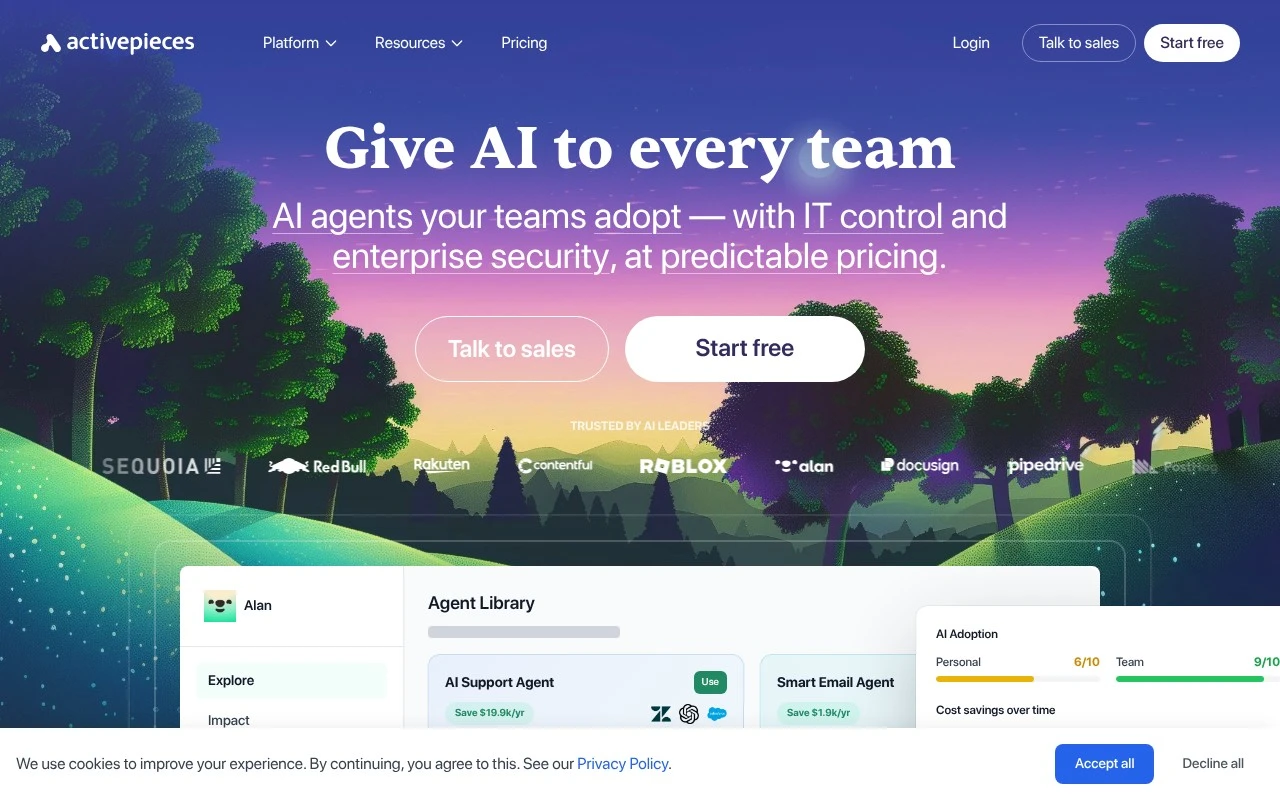
Activepieces is an AI-first workflow automation platform for teams that need to connect apps and automate repeatable work without giving up IT control. It combines a visual automation builder, 700+ integrations, AI agent capabilities, and enterprise governance features such as SSO, SCIM, RBAC, audit logs, and cloud or self-hosted deployment.

FYAI Score

8.8 / 10

Based on 142 reviews

Pricing:

Freemium

Best for:

Ops and IT teams automating cross-app workflows with governance

Score Breakdown

  • Ease of use8.8 / 10
  • Features8.6 / 10
  • Pricing9.4 / 10
  • Integrations8.6 / 10
  • Support8.7 / 10

PRODUCT PREVIEW

What this AI tool does

Activepieces is an automation tool designed to help teams connect apps and services into simple workflows. It provides a visual way to define triggers and actions so routine tasks—like moving data between tools or sending notifications—can run automatically with less manual effort. It’s typically used by operations, support, and engineering teams that want a practical approach to workflow automation without building everything from scratch. You can start with a basic flow and expand it over time as needs change, making it suitable for both small internal processes and more structured integrations. Because activepieces focuses on connecting existing systems, it can fit into many environments where multiple tools are already in use. It’s most useful when you want a clear view of how a process runs end to end and a straightforward way to adjust it as requirements evolve.

Use cases

Best for

Workflow Automation

Build no code workflows that trigger on app events, run AI steps, and sync data across your tools with approvals and audit logs.

Crm Automation

Use Activepieces to create CRM flows that route new leads, enrich records with AI, and update deals across your CRM and email tools.

Customer Support Automation

Automate support by triaging tickets, drafting replies with AI, and escalating cases to the right team in your helpdesk and chat apps.

ANALYSIS

Strengths & limitations

Strengths
  • Combines traditional workflow automation with AI agent building, app integrations, custom logic, and human approval controls.
  • Offers enterprise governance and deployment options, including SSO, SCIM, RBAC, audit logs, managed cloud, and self-hosting.
  • Targets both non-technical business users and technical teams, with a visual builder and support for more complex multi-step automations.
Limitations
  • The product is positioned around organization-wide AI adoption, which may be more than needed for simple personal automations.
  • Governance, self-hosting, and enterprise deployment features can require IT involvement rather than purely self-serve use by individual users.
  • The official homepage gives broad capability claims but limited detail on plan limits, exact pricing structure, or which features are available in each tier.

Evaluation

FYAI score breakdown

Our structured evaluation across five key criteria

8.8 / 10

Overall score

Based on 142 reviews

  • Ease of use8.8 / 10
  • Features8.6 / 10
  • Pricing9.4 / 10
  • Integrations8.6 / 10
  • Support8.7 / 10

What users say

Findings from public reviews, documentation and community sources.

  • Ease of use

    G2’s 142-review product signal says users “consistently praise the user-friendly interface” and Activepieces’ ability to “simplify complex automation tasks.” G2’s same review signal also includes learning-curve nuance from a user saying, “I would not say it is easy to use overall.”

  • Features

    Activepieces’ website lists “AI agents,” “Human Approval,” SSO, and self-host deployment among its automation, governance, and deployment capabilities.

  • Pricing

    Activepieces’ pricing page lists the Standard plan as “Free then $5 per active flow per month,” with “10 free active flows” and “Unlimited runs.” Activepieces’ pricing page says the MIT-licensed Community Edition can be self-hosted, and Enterprise pricing is custom.

  • Integrations

    Activepieces’ pieces page advertises “700+ Integrations” and names connectors including “Slack, Airtable, Google Sheets, Notion and Gmail.” Public review snippets note fewer niche integrations/templates than some larger competitors.

  • Support

    Activepieces’ docs site navigation surfaces “Docs,” “Support Forum,” “YouTube,” and “Discord” as support resources. Activepieces’ pricing page includes “Community support” on Standard.

Who is this for?

Best for teams that want self-hostable automation with predictable per-flow pricing, Activepieces’ pricing page says the Standard plan is “Free then $5 per active flow per month” with “10 free active flows” and “Unlimited runs,” and the MIT-licensed Community Edition can be self-hosted. Less suited to teams that rely on niche connectors or ready-made templates, public review snippets note fewer niche integrations/templates than some larger competitors. Less suited to teams needing fast multi-channel human support on lower tiers, Activepieces surfaces “Docs,” “Support Forum,” “YouTube,” and “Discord,” and Standard includes “Community support.”

PRODUCT PREVIEW

Feature highlights

Visual workflow builder

Design, test, and ship automations fast with a no-code canvas.

700+ integrations

Connect SaaS tools and internal systems to automate end-to-end work.

Enterprise governance

SSO, SCIM, RBAC, audit logs, plus cloud or self-hosted control.

COMPARE

Discover curated alternatives worth comparing

Compare similar AI tools based on features, pricing and use cases

9.0/ 10Based on 3.056 reviews

Zapier

Workflow AutomationIntegration Automation
Connects apps to automate multi-step workflows and actions
Best for:
Operations teams
Pricing
Freemium

8.6/ 10Based on 779 reviews

Workato

Workflow AutomationIntegration Automation
Orchestrates workflows across business apps via MCP integrations
Best for:
IT & Security teams
Pricing
Free trial

8.9/ 10Based on 7.771 reviews

Uipath

Workflow AutomationIntegration Automation
Automates workflows with AI agents, robots, and document processing
Best for:
Operations teams
Pricing
Freemium

Turn AI chats into reliable workflows your team can trust. Start automating everyday work with Activepieces and keep full control as you scale.

FAQ

Frequently asked
questions

Everything you need to know about this AI tool,
its features, pricing, use cases, and limitations.

What types of automation is Activepieces a good fit for?
Activepieces fits teams that want AI-assisted workflows that also call real systems—like triaging support inboxes, drafting replies with approval, summarizing Slack activity, or qualifying leads and updating a CRM. It’s a strong option when you need branching logic, data lookups, and human-in-the-loop steps rather than simple “if this then that” automations. If your main need is a handful of lightweight personal automations, a simpler tool may be faster to maintain.
Does Activepieces have a free plan, and what typically requires a paid tier?
Activepieces commonly offers a free/self-hosted path and paid options geared toward teams, but exact limits (runs, tasks, connectors, and AI usage) can vary by edition and deployment. Paid tiers are usually where you’ll look for enterprise features like SSO, SCIM, RBAC, audit logs, and managed hosting. For a comparison, confirm quotas and overage rules in the current pricing/docs for your region and model provider.
How does Activepieces compare with Zapier, Make, or n8n for AI workflows?
Compared with Zapier and Make, Activepieces tends to emphasize building AI-agent steps inside workflows alongside traditional integrations and logic. Versus n8n, Activepieces is often evaluated on ease of use and team controls versus how much low-level customization you want in code-heavy nodes. If governance (SSO/RBAC/audit logs) and approval gates matter, Activepieces may be easier to standardize than DIY-heavy setups.
How quickly can a team get Activepieces running, and what onboarding effort should you expect?
AI-agent workflows can produce incorrect or risky actions, so many teams end up adding human approval, guardrails, and extra testing. Multi-step automations still require ongoing ownership—changes in APIs, permissions, or data formats can break flows. Also, some implementation details (exact quotas, connector coverage, and enterprise requirements) may require a deeper documentation or sales review.
What should we check for data privacy and compliance when using Activepieces?
Review where Activepieces is hosted (managed vs self-hosted) and how credentials and logs are stored, since workflows may handle sensitive customer data. If you use AI steps, confirm what data is sent to the model provider, retention policies, and whether you can restrict prompts/outputs or redact fields. For regulated environments, validate availability of SSO/SCIM, RBAC, audit logs, and any required contractual terms (e.g., DPA) before standardizing on it.