Curated ToolThis tool is part of our curated AI directory. We only include tools that meet our standards for relevance, usability and real-world value.

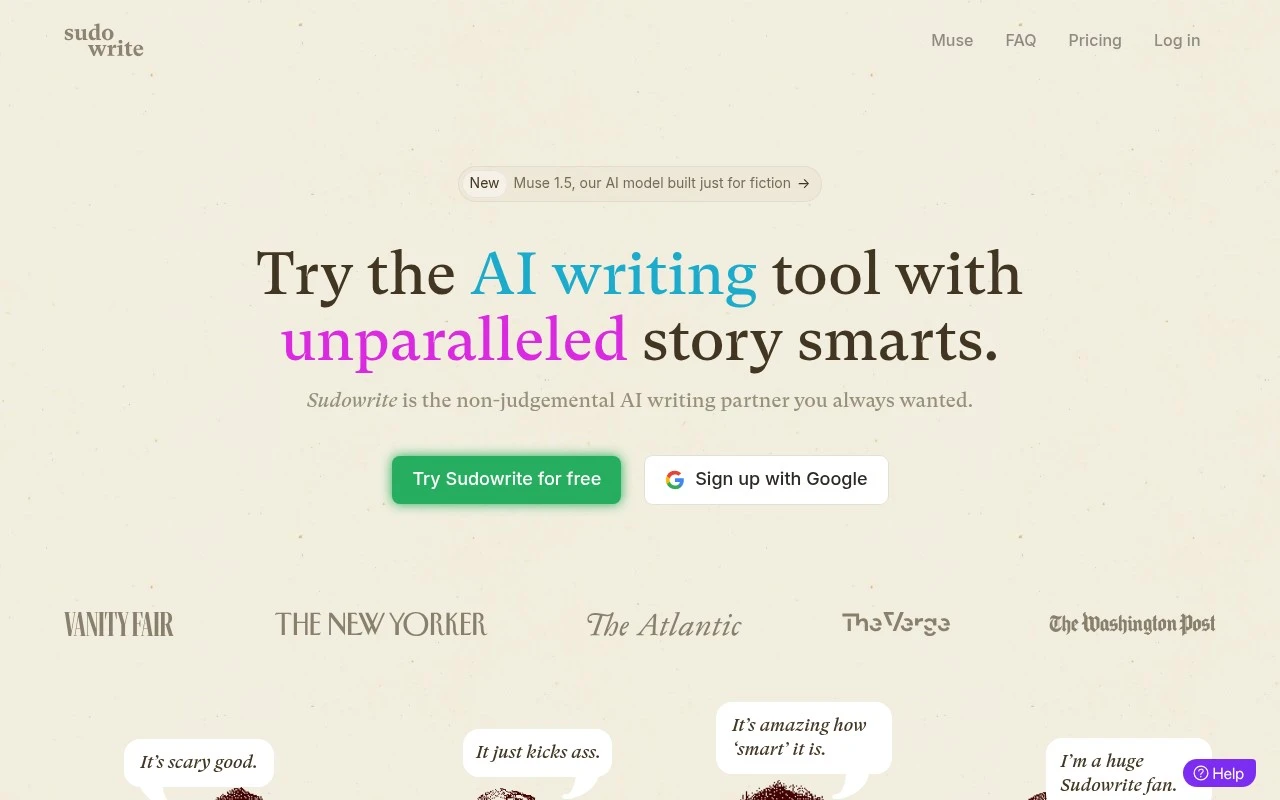
Sudowrite

Helps fiction writers plan, draft, rewrite, and expand stories

Copy Optimization
Sudowrite is an AI writing partner built specifically for fiction writers. It provides tools for moving from an idea to an outline and chapters, continuing scenes with suggested prose, expanding rushed sections, rewriting sentences, generating descriptions, brainstorming names or plot twists, and getting feedback on drafts. Its interface is organized around writing projects, chapters, focus mode, themes, and fiction-specific planning tools rather than generic document automation.

FYAI Score

8.2 / 10

Based on 26 reviews

Pricing:

Free trial

Best for:

Fiction writers drafting novels and short stories

Score Breakdown

  • Ease of use8.3 / 10
  • Features8.6 / 10
  • Pricing8.5 / 10
  • Integrations7.2 / 10
  • Support7.8 / 10

PRODUCT PREVIEW

What this AI tool does

Sudowrite is an AI writing tool designed to help people draft and revise text with less friction. It’s commonly used by fiction writers and other creators who want assistance turning rough ideas into readable prose, exploring alternative phrasing, or moving past a stalled section. In practice, you provide a prompt or a piece of existing writing, and the tool suggests continuations, rewrites, or variations that you can accept, edit, or ignore. This makes it useful for brainstorming, improving clarity and tone, and experimenting with different narrative directions while keeping you in control of the final wording. Because the output is generated, it works best as a starting point rather than a finished draft. Reviewing for accuracy, consistency, and voice is important, especially if you’re writing in a specific style or working with established characters, facts, or terminology.

Use cases

Best for

Fiction Prose Continuation

Generates or continues scenes from your draft using provided character notes, tone, plot context, and style cues.

Novel Outlining and Bibles

Sudowrite helps plan novels with outline, story bible, plot point, character arc, theme, and brainstorming workspaces.

Draft Revision and Polish

Rewrites or expands passages, adds descriptive detail, gives feedback, and suggests word choices to refine your draft.

ANALYSIS

Strengths & limitations

Strengths
  • Purpose-built for fiction workflows, including story bibles, character-aware drafting, scene expansion, and plot brainstorming.
  • Supports multiple stages of novel writing, from ideation and outlining to drafting, revision, and feedback.
  • Includes fiction-oriented creative aids such as Describe, Brainstorm, Canvas, Visualize, Rewrite, Expand, and AI chat for novelists.
Limitations
  • Its positioning and features are centered on fiction, so it may be less appropriate for business writing, academic writing, or general content marketing.
  • AI-generated prose, feedback, and plot ideas still require author review, editing, and creative judgment.
  • The provided site content does not establish advanced publishing, formatting, collaboration, or distribution features.

Evaluation

FYAI score breakdown

Our structured evaluation across five key criteria

8.2 / 10

Overall score

Based on 26 reviews

  • Ease of use8.3 / 10
  • Features8.6 / 10
  • Pricing8.5 / 10
  • Integrations7.2 / 10
  • Support7.8 / 10

What users say

Findings from public reviews, documentation and community sources.

  • Ease of use

    Sudowrite’s site presents “Try Sudowrite for free,” “Sign up with Google,” and an 11-minute demo for onboarding. A Reddit user says Sudowrite “seems the easiest of all the other AI tools.”

  • Features

    Sudowrite’s product page lists Story Bible from “idea, to outline, to beating out chapters,” Canvas, Visualize, and “1,000+” plugins. Sudowrite’s product page also lists Write suggestions, Expand, Rewrite, Feedback, and Brainstorm for fiction-writing workflows.

  • Pricing

    Sudowrite’s pricing page shows monthly tiers at $10, $22, and $44 with clear credit limits, “Start Free Trial,” “No credit card, cancel anytime,” rollover on Max, and an “EZ Cancel Guarantee.” A Reddit user says Sudowrite was “absolutely worth the cost.”

  • Integrations

    Sudowrite’s docs say “Sudowrite Plugins allow you to create powerful, custom AI functions.” A Sudowrite page references “over 1000 custom-built tools.”

  • Support

    Sudowrite’s pricing page includes an FAQ section, an embedded “Sudowrite Simplified” demo video, and the support statement “If not, we’re only an email away.” Trustpilot lists a 3.2/5 rating from 26 reviews.

Who is this for?

Best for fiction writers who want help moving from premise to draft, Sudowrite’s product page lists Story Bible from “idea, to outline, to beating out chapters,” plus tools such as Write suggestions, Expand, Rewrite, and Feedback. Less suited to users who need broad third-party app connections, the cited connectivity facts center on Sudowrite Plugins and “over 1000 custom-built tools,” so the workflow is framed around Sudowrite’s plugin ecosystem.

PRODUCT PREVIEW

Feature highlights

Outline to chapters

Go from idea to outline and scenes with fiction-first planning.

Continue any scene

Generate next beats and prose that match your voice and tone.

Draft feedback

Get critique on pacing, clarity, and character consistency.

COMPARE

Discover curated alternatives worth comparing

Compare similar AI tools based on features, pricing and use cases

7.4/ 10Based on 5 reviews

Chapterly

Copy OptimizationBlog & Article Writing
AI writing assistant for refining narrative, characters, and settings
Best for:
Content creators
Pricing
Freemium

7.7/ 10Based on 5.772 reviews

Writesonic

Copy Optimization
Monitors brand visibility in answer engines and flags citation gaps
Best for:
Marketing teams
Pricing
Freemium

7.6/ 10Based on 266 reviews

Writehuman

AI Detection & Humanizing
Rewrites AI drafts to sound human and scans for AI-detection signals
Best for:
Content creators
Pricing
Freemium

Join thousands of writers using Sudowrite to break blocks and finish stronger drafts. Start writing with more confidence and momentum today.

FAQ

Frequently asked
questions

Everything you need to know about this AI tool,
its features, pricing, use cases, and limitations.

Who is Sudowrite a good fit for, and when should I pick something else?
Sudowrite fits fiction writers and narrative-heavy creators who want help with brainstorming, scene expansion, character beats, and rewriting passages in different directions. It’s less ideal if your main need is SEO workflows, brand-safe marketing copy, or team-based approvals. If you write in a very niche style or must match a strict house voice, you may prefer a tool with stronger style controls or custom templates.
Does Sudowrite have a free plan, and what are the practical limits of paid tiers?
Sudowrite is typically subscription-based and usage is constrained by a credit/word-style allowance rather than unlimited generation. The main difference between tiers is how much you can generate each month and which features you can use heavily without running out. If you only write occasionally, compare the monthly cost to pay-as-you-go tools or platforms with cheaper light tiers.
How does Sudowrite compare to tools like ChatGPT, Jasper, or Grammarly for writing?
Sudowrite is more specialized for creative writing workflows (e.g., plot/character ideation and narrative rewrites) than general-purpose chat tools. Compared with Jasper, it’s less focused on marketing templates and campaign management. Versus Grammarly, Sudowrite is about generating and reshaping content rather than primarily correcting grammar and tone.
How fast can I get productive in Sudowrite, and what setup is required?
Sudowrite can drift from your voice, so you may need extra editing to keep tone consistent across chapters. Suggestions can be hit-or-miss for niche genres or highly constrained formats, which can waste credits if you generate many variants. It’s also not built as a full publishing pipeline (version control, collaboration, and approvals are limited compared with some writing platforms).
What should I know about data privacy and compliance when using Sudowrite?
If you’re working with confidential manuscripts or client material, review Sudowrite’s current privacy policy and terms on sudowrite.com to understand how prompts/outputs are stored and whether they’re used to improve models. Check what account controls exist for deleting content and how long data is retained. For regulated environments (e.g., legal, healthcare, enterprise), confirm whether Sudowrite offers the compliance assurances you need before uploading sensitive text.