Curated ToolThis tool is part of our curated AI directory. We only include tools that meet our standards for relevance, usability and real-world value.

Quillbot

Rewrites, summarizes, and checks text with grammar and citations

Copy OptimizationSocial Media Captions
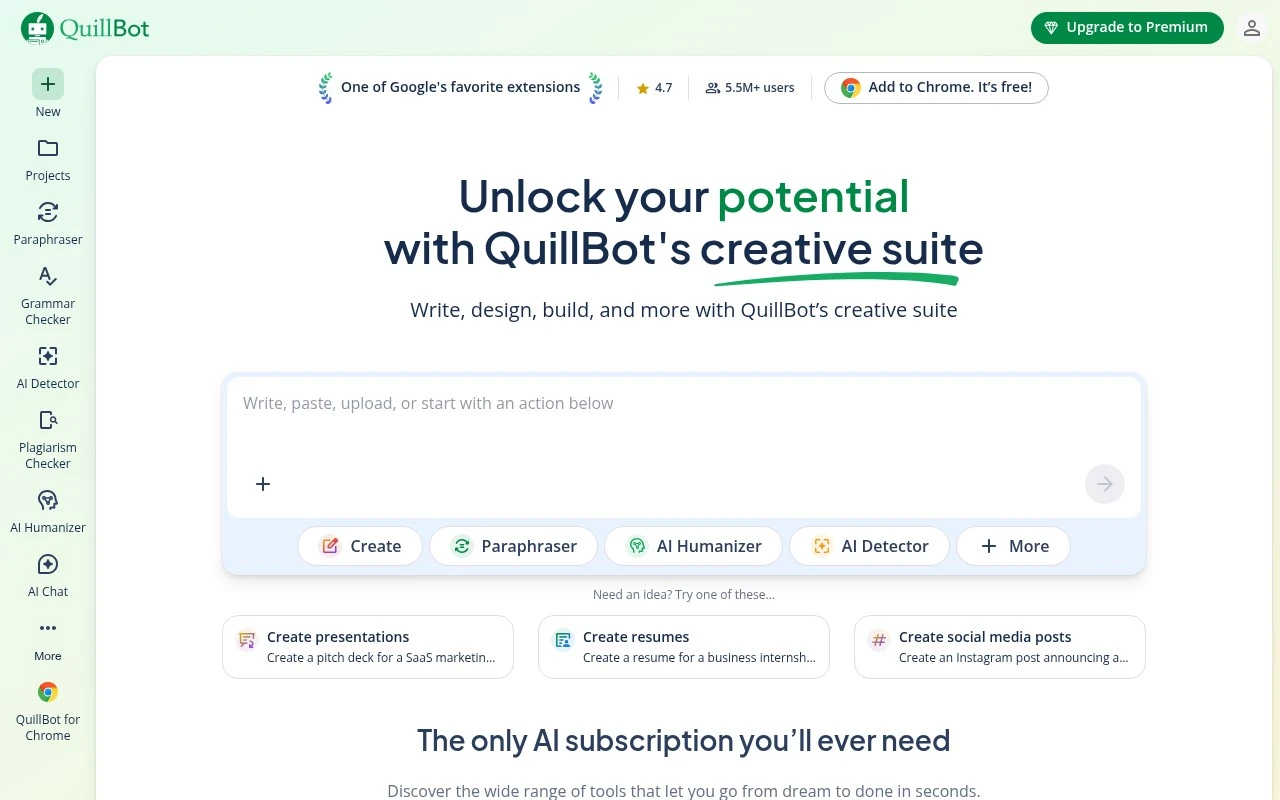
Quillbot is best known as an AI-assisted writing tool, but its official product now presents it as a broader workspace for writing, originality checking, document creation, visuals, PDFs, and file conversion. Its strongest fit is for people who regularly draft or revise text and want fast help with paraphrasing, grammar, tone, fluency, summaries, translations, citations, and related writing tasks.

FYAI Score

8.7 / 10

Based on 13.082 reviews

Pricing:

Freemium

Best for:

Students and writers polishing drafts, paraphrasing, and citing sources

Score Breakdown

  • Ease of use8.8 / 10
  • Features8.9 / 10
  • Pricing9.2 / 10
  • Integrations8.6 / 10
  • Support7.6 / 10

PRODUCT PREVIEW

What this AI tool does

Quillbot is an AI writing assistant designed to help you revise and refine text. It’s commonly used when you have a draft that feels unclear, repetitive, or too informal and you want a cleaner version without changing the core meaning. In practice, you paste in a sentence or paragraph and review alternative phrasings, then choose what fits your tone and audience. This can be useful for students, professionals, and non-native English writers who want to improve readability, adjust wording, or reduce awkward phrasing while keeping control over the final result. Because AI-generated rewrites can introduce subtle shifts in meaning, it’s best to compare the output with your original text and make quick edits where needed. Used this way, quillbot can support editing and proofreading workflows rather than replacing careful review.

Use cases

Best for

Rewrite Content

Quillbot rewrites text with paraphrasing modes to adjust tone, fluency, and wording while keeping the original meaning.

Generate Images

Quillbot generates simple images from prompts inside its workspace for adding visuals to documents and presentations.

Social Media Content Creation

Quillbot drafts and refines social posts by paraphrasing, shortening, and correcting grammar to fit platform character limits.

ANALYSIS

Strengths & limitations

Strengths
  • Strong coverage of everyday writing tasks, including paraphrasing, grammar correction, summarization, translation, citation generation, and plagiarism checking.
  • Available across multiple work environments through browser extensions, Word add-in, desktop apps, and mobile apps.
  • Useful for several practical audiences, including students, academics, professionals, job seekers, business owners, and online writers.
Limitations
  • The homepage lists many design, image, PDF, and file tools, but gives limited detail on how deep or specialized those tools are compared with dedicated products.
  • AI detection and plagiarism checking should be treated as review aids rather than final proof of authorship or originality.
  • Users who only need advanced visual design, image editing, or PDF workflows may find Quillbot’s core identity more writing-centered than specialist tools.

Evaluation

FYAI score breakdown

Our structured evaluation across five key criteria

8.7 / 10

Overall score

Based on 13.082 reviews

  • Ease of use8.8 / 10
  • Features8.9 / 10
  • Pricing9.2 / 10
  • Integrations8.6 / 10
  • Support7.6 / 10

What users say

Findings from public reviews, documentation and community sources.

  • Ease of use

    A Reddit review says Quillbot prompts users to “Write, paste, upload, or start with an action,” and promotes a free Chrome extension to “6M+ users.” A Reddit user describes Quillbot as “great for cleanup, grammar, and making writing clearer.”

  • Features

    Quillbot's product page lists writing tools including Paraphraser, Grammar Checker, AI Detector, and Plagiarism Checker. Quillbot's product page also lists document, PDF, image, and presentation tools.

  • Pricing

    Quillbot's pricing page lists a free plan and Premium at $19.95 monthly, $13.31/month quarterly, or $8.33/month annually. Quillbot's Premium page states “Unlimited paraphrasing.”

  • Integrations

    Quillbot's product page lists apps/add-ins for Chrome, Edge, Safari, Word, iOS, Android, macOS, and Windows. Quillbot's product page presents integrations around browser, desktop, mobile, and Word writing surfaces.

  • Support

    Trustpilot rates Quillbot 4.8/5 across 13,082 reviews. Quillbot's support-specific page is a docs area.

Who is this for?

Best for students and everyday writers, a Reddit user describes Quillbot as “great for cleanup, grammar, and making writing clearer,” and Quillbot's pricing page lists a free plan. Less suited to automated integration workflows, Quillbot's product page lists apps/add-ins for Chrome, Edge, Safari, Word, iOS, Android, macOS, and Windows, so the cited integration facts point to user-facing writing surfaces rather than an API or marketplace ecosystem.

PRODUCT PREVIEW

Feature highlights

Paraphrasing modes

Rewrite with better clarity, tone, and fluency in seconds.

Grammar & clarity

Fix errors and tighten sentences for cleaner, more readable writing.

Originality checking

Scan text for potential plagiarism and improve uniqueness.

COMPARE

Discover curated alternatives worth comparing

Compare similar AI tools based on features, pricing and use cases

7.4/ 10Based on 5 reviews

Chapterly

Copy OptimizationBlog & Article Writing
AI writing assistant for refining narrative, characters, and settings
Best for:
Content creators
Pricing
Freemium

7.7/ 10Based on 5.772 reviews

Writesonic

Copy Optimization
Monitors brand visibility in answer engines and flags citation gaps
Best for:
Marketing teams
Pricing
Freemium

7.6/ 10Based on 266 reviews

Writehuman

AI Detection & Humanizing
Rewrites AI drafts to sound human and scans for AI-detection signals
Best for:
Content creators
Pricing
Freemium

Join millions improving their writing with Quillbot. Rewrite faster, sound clearer, and submit work you’re proud of—start today.

FAQ

Frequently asked
questions

Everything you need to know about this AI tool,
its features, pricing, use cases, and limitations.

When is Quillbot a good fit, and when should I pick a different writing tool?
Quillbot is a strong choice if your main need is paraphrasing, rewriting for clarity, or generating alternative phrasings for marketing, academic, or general content. It’s less ideal if you need long-form drafting, deep factual research, or strict domain-specific terminology where precision matters. If your workflow centers on rewriting existing text rather than creating from scratch, it tends to fit well.
What are the practical differences between Quillbot’s free plan and the paid version?
The free version is usable for basic paraphrasing but typically comes with tighter limits on how much text you can process and fewer rewriting options. Paid plans generally unlock higher or no character limits, more modes, and additional writing utilities (like grammar checks and summarization). If you paraphrase frequently or work with longer documents, the upgrade is usually about removing friction rather than adding entirely new capabilities.
How does Quillbot compare with Grammarly, Wordtune, or ChatGPT-style tools for rewriting?
Quillbot is more focused on paraphrasing controls (modes and rewrite variations) than Grammarly, which is primarily editing and correctness. Compared with Wordtune, Quillbot often offers more explicit rewrite modes, while Wordtune can feel more guided for sentence-level rewrites depending on the use case. Versus ChatGPT-style tools, Quillbot is typically faster and more consistent for targeted paraphrases, but less flexible for ideation or generating content from a brief.
How quickly can I start using Quillbot in my existing writing workflow?
Quillbot can miss nuance, voice, or intent—especially with persuasive copy, sensitive messaging, or complex arguments—so review is still required. It may also struggle with highly technical or specialized language, where small wording changes can alter meaning. If you need strict brand voice consistency, you’ll likely spend time editing after the rewrite.
What should I consider about privacy, data handling, and compliance before using Quillbot?
If you’re rewriting confidential, regulated, or client-sensitive text, check Quillbot’s current privacy policy and terms to understand how submitted content is processed and stored. For teams with compliance requirements (e.g., legal, healthcare, or enterprise security reviews), confirm whether your plan offers the controls you need and whether extensions are allowed in your environment. When in doubt, avoid pasting sensitive data and use redacted text for paraphrasing.