Curated ToolThis tool is part of our curated AI directory. We only include tools that meet our standards for relevance, usability and real-world value.

NovelCrafter

AI-assisted novel writing with context-aware prompts and critique

Copy Optimization
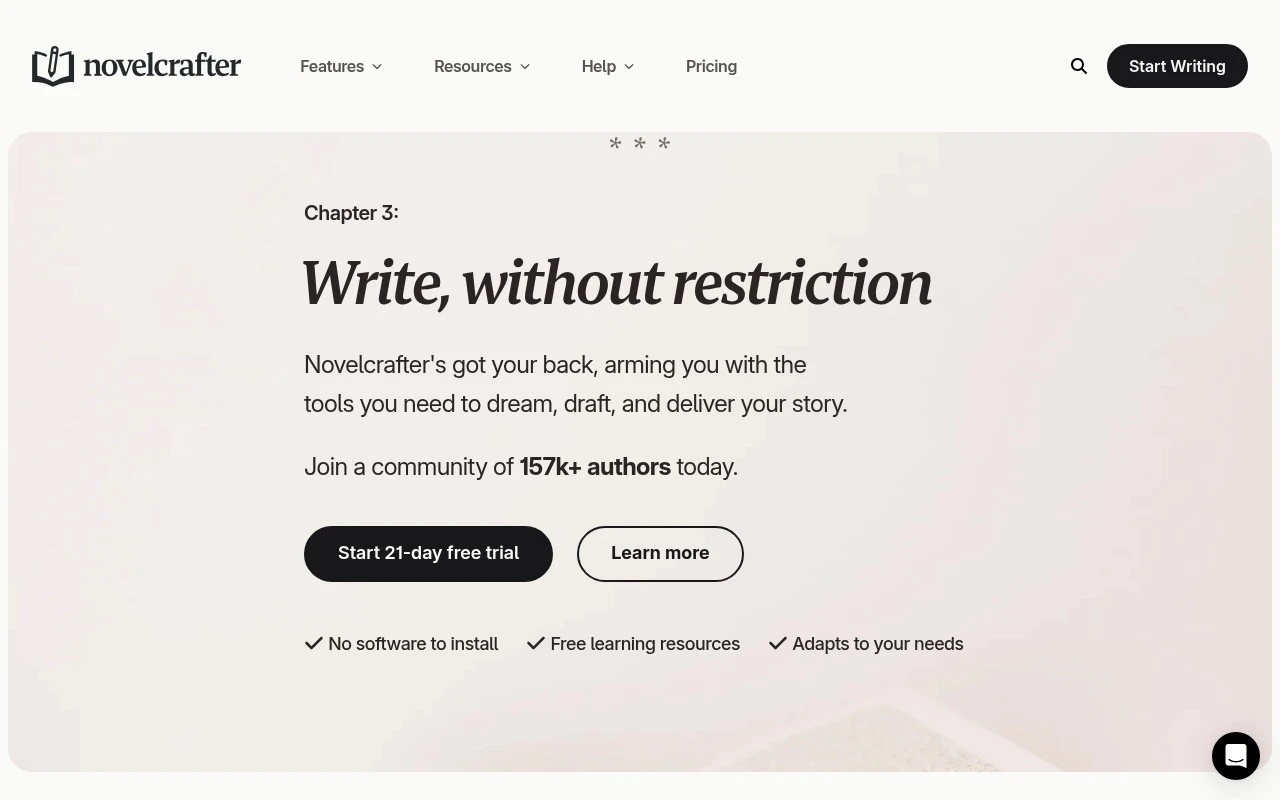
NovelCrafter is writing software built around story organization, drafting, and optional AI-assisted workflows. Its distinctive feature is the Codex, a story wiki for characters, places, lore, and other reference material that connects with planning, drafting, review, and chat features. It supports collaboration and can connect to multiple AI providers or local models rather than locking writers into one model.

FYAI Score

8.1 / 10

Based on 2 reviews + FYAI product analysis

Pricing:

Paid

Best for:

Novelists planning, drafting, and revising long-form fiction

Score Breakdown

  • Ease of use7.3 / 10
  • Features7.7 / 10
  • Pricing9.1 / 10
  • Integrations8.2 / 10
  • Support8.7 / 10

PRODUCT PREVIEW

What this AI tool does

NovelCrafter is an AI-assisted writing tool designed to help authors plan, draft, and revise long-form fiction. It’s aimed at writers who want a more structured workspace than a general text editor, with support for keeping story elements organized while you work through chapters and scenes. In practice, it can be used to move from early ideas to a workable outline, then into a first draft, while keeping notes and context close at hand. It may also help during revision by making it easier to revisit earlier decisions and maintain consistency across a manuscript. If you’re researching tools for writing a novel, novelcrafter is best understood as a writing environment that combines drafting with organization and AI assistance. It’s most useful when you want guidance and structure without replacing your own voice or decision-making.

Use cases

Best for

Story Codex Linking

NovelCrafter lets you build a Codex of characters, places, and lore and link entries to scenes and chapters across projects.

Story Structure Planning

Use planning modes to outline, reorder, and compare story beats and scenes to spot gaps and inconsistencies.

AI Prompt Workflows

Run customizable prompts with connected AI models to brainstorm, draft, review, or chat about your manuscript inside the project.

ANALYSIS

Strengths & limitations

Strengths
  • Combines drafting, planning, story reference, review, and AI chat in one writing workspace.
  • Codex entries can be reused across books in a series, reducing duplicate worldbuilding and character notes.
  • Allows flexible AI use, including customizable prompts and connections to different AI platforms or local models.
Limitations
  • Writers who only need a simple blank-page editor may find the planning, Codex, and AI features more structure than necessary.
  • AI-assisted workflows depend on selecting or connecting an AI model, which may add setup complexity compared with a fixed built-in assistant.
  • The site emphasizes creative writing and story projects, so it may be less suitable as a general-purpose document editor.

Evaluation

FYAI score breakdown

Our structured evaluation across five key criteria

8.1 / 10

Overall score

Based on 2 reviews + FYAI product analysis

  • Ease of use7.3 / 10
  • Features7.7 / 10
  • Pricing9.1 / 10
  • Integrations8.2 / 10
  • Support8.7 / 10

What users say

Findings from public reviews, documentation and community sources.

  • Ease of use

    A Reddit user said they “signed up for an account and played around with it” and that NovelCrafter “looks good,” while also saying “getting the AI end of things to work” was the challenge.

  • Features

    NovelCrafter's website says the tool includes a Codex that “automatically keeps track and links” characters, places and lore, planning modes to spot “plot holes” and inconsistencies, AI brainstorming/writing/review tools, and customizable prompting. NovelCrafter's pricing table marks some items as planned, including “Universes” and advanced review features.

  • Pricing

    NovelCrafter's pricing page lists monthly tiers at $4, $8, $14, and $20, with “Unlimited Books” on every plan and a “21-day Free Trial” with “No credit card required.” NovelCrafter's pricing page describes a BYOK model for AI on paid AI tiers, so AI usage depends on the user’s chosen provider.

  • Integrations

    NovelCrafter's website names AI-provider connections including OpenAI, Anthropic, Google Gemini, and OpenRouter “300+ models.” NovelCrafter's website also lists LM Studio and Ollama for local models, so the stated integrations center on AI providers rather than a wider writing-productivity marketplace.

  • Support

    NovelCrafter's pricing page says all tiers include “Discord Community” and “Email,” Hobbyist and higher include “Live Chat,” and Specialist adds “Priority Support.”

Who is this for?

Best for long-form fiction writers who want a structured drafting workspace. NovelCrafter includes a Codex that “automatically keeps track and links” characters, places and lore, plus planning modes to spot “plot holes” and inconsistencies. Best for writers comfortable choosing their own AI provider, because NovelCrafter uses a BYOK model for AI on paid AI tiers. Less suited to users who want a broad writing-productivity integration marketplace, NovelCrafter's stated integrations center on AI providers such as OpenAI, Anthropic, Google Gemini, and OpenRouter “300+ models.”

PRODUCT PREVIEW

Feature highlights

Codex story wiki

Keep characters, places, and lore linked to your writing.

Plan-to-draft flow

Outline, write, and review in one connected workspace.

Flexible AI models

Connect multiple AI providers or local models for assistance.

COMPARE

Discover curated alternatives worth comparing

Compare similar AI tools based on features, pricing and use cases

7.4/ 10Based on 5 reviews

Chapterly

Copy OptimizationBlog & Article Writing
AI writing assistant for refining narrative, characters, and settings
Best for:
Content creators
Pricing
Freemium

7.7/ 10Based on 5.772 reviews

Writesonic

Copy Optimization
Monitors brand visibility in answer engines and flags citation gaps
Best for:
Marketing teams
Pricing
Freemium

7.6/ 10Based on 266 reviews

Writehuman

AI Detection & Humanizing
Rewrites AI drafts to sound human and scans for AI-detection signals
Best for:
Content creators
Pricing
Freemium

Turn your ideas into a finished draft faster. Start writing with clarity and momentum in NovelCrafter today.

FAQ

Frequently asked
questions

Everything you need to know about this AI tool,
its features, pricing, use cases, and limitations.

Who is NovelCrafter the best fit for, and when should I pick something else?
NovelCrafter is a strong choice for novelists who want structured planning (characters, locations, scenes) alongside drafting in one workspace. It’s especially useful if you manage complex series bibles or co-author and need shared organization. If you mainly write short-form content or prefer a minimalist editor with fewer moving parts, a simpler writing app may feel faster.
Does NovelCrafter have a free plan, and what are the practical limits compared to paid?
NovelCrafter is typically positioned as a paid product, and access to its full workflow features is tied to subscription tiers. If there’s a trial, it’s best treated as a short evaluation window rather than a long-term free tier. Before committing, confirm which plan includes the features you’ll actually use (e.g., collaboration, project organization depth, and any AI-assisted functions).
How does NovelCrafter compare with Scrivener, Plottr, and Google Docs for novel writing?
Compared with Scrivener, NovelCrafter tends to feel more guided around planning and project structure, while Scrivener is more flexible but can be heavier to configure. Versus Plottr, NovelCrafter is closer to an all-in-one environment (planning plus drafting) rather than a planning-only tool. Against Google Docs, NovelCrafter usually wins on story organization, while Docs is simpler for real-time editing and broad integrations.
How quickly can I get set up in NovelCrafter, and what onboarding effort should I expect?
NovelCrafter can feel feature-dense, which may slow down writers who prefer a blank-page workflow. Integration options with other writing and publishing tools may be more limited than ecosystems built around common document formats. Cost can also be a deciding factor if you’re a casual writer or only need basic drafting.
What should I know about data handling, privacy, and compliance when using NovelCrafter?
Before storing full manuscripts, check NovelCrafter’s current terms for where data is hosted, how backups are handled, and what happens if you cancel. If you use any AI-assisted features, verify whether your text is sent to third-party model providers and whether it’s used for training. For teams or client work, confirm available controls for access permissions, exportability, and any compliance statements relevant to your needs.