Curated ToolThis tool is part of our curated AI directory. We only include tools that meet our standards for relevance, usability and real-world value.

Grammarly

Proofreads and rewrites text, adjusts tone, and counts words

Copy OptimizationAI Detection & Humanizing

Grammarly is an AI writing assistant for improving and generating text in apps and websites. It helps users proofread, rewrite, adjust tone, preserve personal or brand voice, and review how writing may be understood by readers. Its plans range from a free individual version to Pro and Enterprise tiers with team, brand, security, and administrative features.

FYAI Score

8.9 / 10

Based on 10.456 reviews

Pricing:

Freemium

Best for:

Students and professionals who want clearer, mistake-free writing

Score Breakdown

  • Ease of use8.6 / 10
  • Features9.2 / 10
  • Pricing8.8 / 10
  • Integrations9.0 / 10
  • Support8.8 / 10

PRODUCT PREVIEW

What this AI tool does

Grammarly is an AI-assisted writing tool designed to help people review and refine text as they write. It focuses on improving clarity and correctness by flagging common issues and suggesting edits, which can be useful for everyday communication as well as more formal documents. You can use it to check grammar, spelling, punctuation, and tone in emails, reports, essays, and social posts. The tool is often used as a writing assistant to catch mistakes, reduce awkward phrasing, and make sentences easier to read, while leaving the final wording decisions to the writer.

Use cases

Best for

Rewrite Content

Use Grammarly to rewrite sentences and paragraphs with AI suggestions for clarity, concision, tone, and voice consistency.

Email Writing

Draft and refine emails with tone detection, rewrite options, and grammar and spelling checks inside your email client.

AI Text Humanization

Make AI text sound more natural by adjusting tone, smoothing phrasing, and aligning wording to your personal or brand voice.

ANALYSIS

Strengths & limitations

Strengths
  • Combines proofreading, rewrites, tone suggestions, and AI text generation in one writing workflow.
  • Designed to work across apps and websites rather than only inside a single editor.
  • Offers organization-focused features such as brand guidance, roles and permissions, confidential mode, and data loss prevention on higher-tier plans.
Limitations
  • The free plan is limited compared with paid plans, including fewer AI prompts and no full-sentence rewrite or advanced tone adjustment features.
  • Enterprise controls such as confidential mode, granular permissions, and data loss prevention require the Enterprise plan.
  • It assists with writing quality and style, but users still need to review output for accuracy, context, and final editorial judgment.

Evaluation

FYAI score breakdown

Our structured evaluation across five key criteria

8.9 / 10

Overall score

Based on 10.456 reviews

  • Ease of use8.6 / 10
  • Features9.2 / 10
  • Pricing8.8 / 10
  • Integrations9.0 / 10
  • Support8.8 / 10

What users say

Findings from public reviews, documentation and community sources.

  • Ease of use

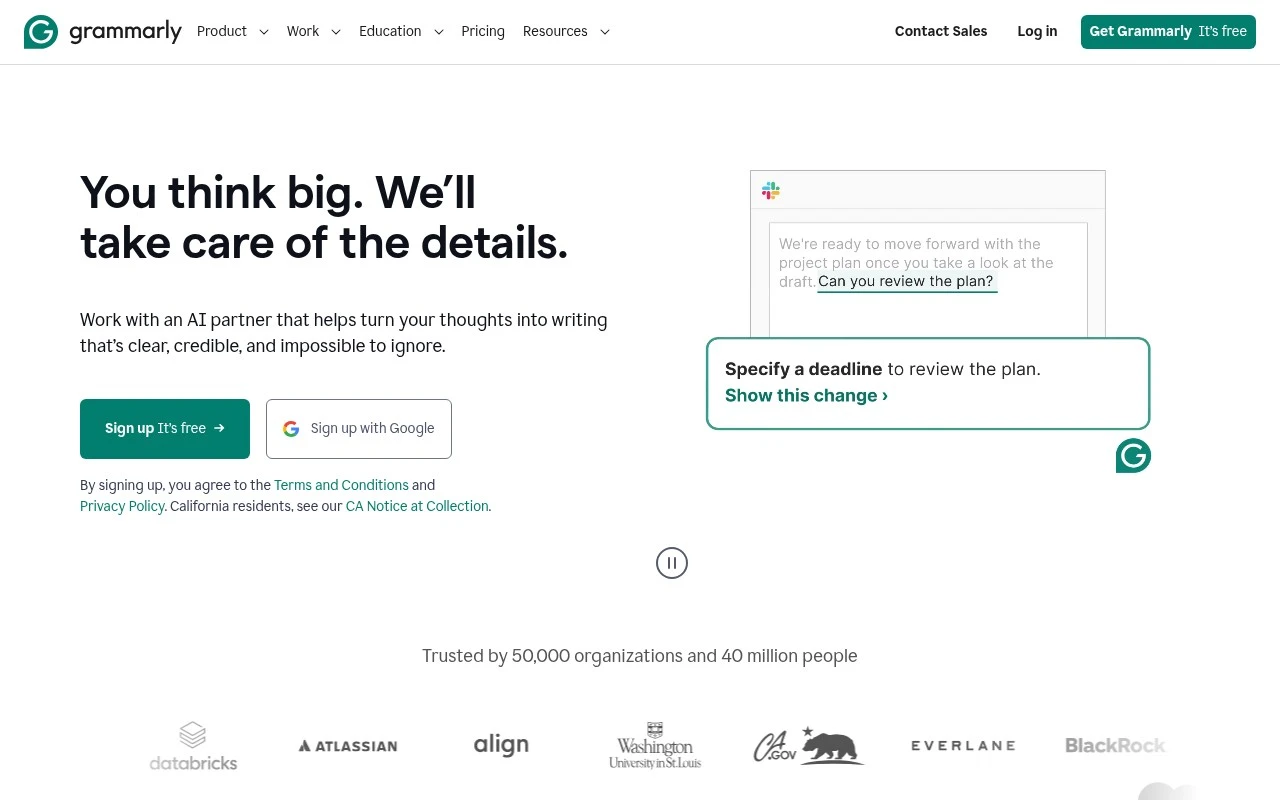
    Grammarly’s homepage offers a "Get Grammarly It’s free" signup and says writing help works through "personalized AI guidance and text generation on any app or website." Grammarly’s homepage frames the product around improving writing "in a few clicks."

  • Features

    Grammarly’s pricing page lists grammar and punctuation correction, full-paragraph rewrites, plagiarism detection, and AI-generated text detection among its writing features. Grammarly’s pricing page also lists style guides, brand tones, snippets, and analytics for writing teams.

  • Pricing

    Grammarly’s pricing page lists Free at "$0 USD / month" and Pro at "$12 USD / member / month, billed annually" or "$30 when billed monthly." Grammarly’s pricing page lists a 7-day free trial, AI prompt limits of 100/month on Free and 2,000/member/month on Pro, and Enterprise as quote-based.

  • Integrations

    Grammarly’s where-Grammarly-works page says users can "Use Grammarly across your desktop in emails, sites, apps, and docs." Grammarly’s where-Grammarly-works page lists Microsoft Office support for Word, Outlook, and Teams, and Grammarly’s support article covers making a website or application compatible with Grammarly.

  • Support

    Grammarly’s pricing page lists "Help center" for Free, "Priority support" for Pro, and "Dedicated support" for Enterprise. Grammarly’s pricing page places "Dedicated support" on Enterprise.

Who is this for?

Best for individuals and teams that want writing help across many work surfaces, Grammarly says it provides "personalized AI guidance and text generation on any app or website" and can be used across desktop emails, sites, apps, and docs. Less suited to buyers who need dedicated support or a public enterprise price before purchasing, Grammarly’s pricing page reserves "Dedicated support" for Enterprise and lists Enterprise as quote-based.

PRODUCT PREVIEW

Feature highlights

Word counter

Instant word counter tool plus character and sentence counts.

Rewrite & tone

Rewrite text and adjust tone to fit your audience and intent.

Brand voice controls

Keep teams consistent with style guides, terms, and admin controls.

COMPARE

Discover curated alternatives worth comparing

Compare similar AI tools based on features, pricing and use cases

7.4/ 10Based on 5 reviews

Chapterly

Copy OptimizationBlog & Article Writing
AI writing assistant for refining narrative, characters, and settings
Best for:
Content creators
Pricing
Freemium

7.7/ 10Based on 5.772 reviews

Writesonic

Copy Optimization
Monitors brand visibility in answer engines and flags citation gaps
Best for:
Marketing teams
Pricing
Freemium

7.6/ 10Based on 266 reviews

Writehuman

AI Detection & Humanizing
Rewrites AI drafts to sound human and scans for AI-detection signals
Best for:
Content creators
Pricing
Freemium

Join millions who write with confidence. Try Grammarly to make every message clearer, more professional, and on-brand in minutes.

FAQ

Frequently asked
questions

Everything you need to know about this AI tool,
its features, pricing, use cases, and limitations.

Is Grammarly a good fit if I mainly need a word counter tool for business writing?
If your primary need is a word counter, Grammarly can cover that in its editors, but it’s not a dedicated word counter tool. It’s a better fit when you also want grammar, clarity, and tone suggestions while drafting emails, proposals, or marketing copy. For strict “words count” tracking across many file types, a simpler counter or your word processor may be faster.
What do I get with Grammarly free vs paid, and what are the main limitations?
Grammarly’s free plan focuses on basic correctness, while paid tiers add more advanced rewrites and style guidance, plus plagiarism detection on eligible plans. If you’re comparing tools mainly for word count in Word-style documents, the free plan may be enough, but it won’t provide the deeper editing features. Pricing can add up for teams compared with lightweight alternatives.
How does Grammarly compare with built-in word count in Word or Google Docs and other writing assistants?
Word and Google Docs handle word count reliably and offline/low-friction, but they don’t match Grammarly’s depth of writing feedback across apps and browsers. Compared with other assistants, Grammarly is often stronger on grammar and clarity consistency, but suggestions can differ in tone and may require more manual judgment. If word counting is the deciding factor, built-in counters usually win on simplicity.
How quickly can a team set up Grammarly and start using it across tools?
Grammarly can misread nuanced context, so you’ll still need editorial judgment rather than accepting every suggestion. It’s also less convenient if you frequently work offline, and the subscription cost may be hard to justify if you mainly need words count. Some workflows may require copying text between tools depending on where you write.
What should I know about Grammarly data handling, privacy, and compliance before using it at work?
Grammarly processes text you submit to provide suggestions, so you should evaluate whether sensitive or regulated content is appropriate to run through it. For business use, review the plan-specific security and admin controls and confirm how data is stored, retained, and used for product improvement. If you have strict compliance requirements, compare Grammarly’s enterprise options and documentation against your organization’s policies.