Curated ToolThis tool is part of our curated AI directory. We only include tools that meet our standards for relevance, usability and real-world value.

GPTZero

Detects likely AI-written text with sentence-level analysis

AI Detection & Humanizing
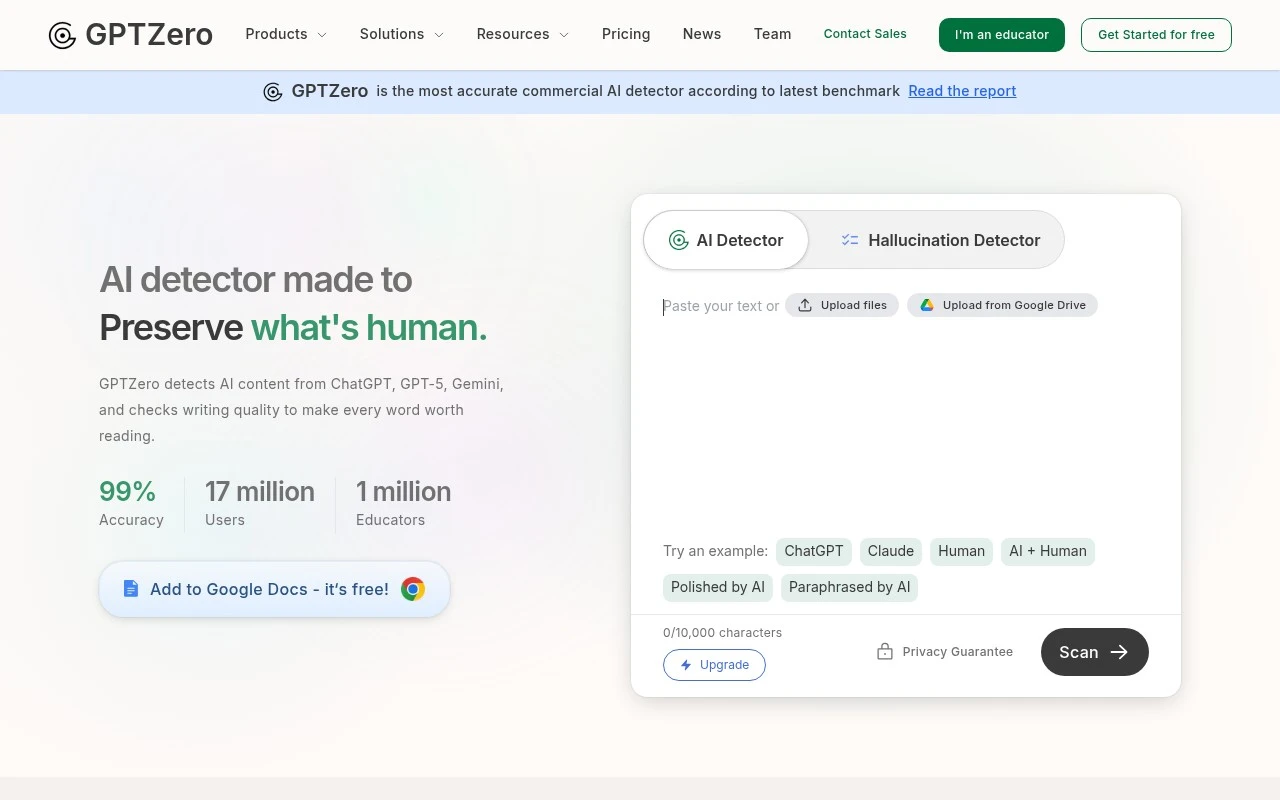
GPTZero is a web-based AI detector focused on identifying text likely written by generative AI systems. Its official site describes a proprietary multi-step detection model, advanced scans, sentence-level analysis, writing verification reports with video replay, plagiarism checking, hallucination detection, AI writing feedback, and integrations for education and workplace tools. The product is positioned especially strongly for educators and institutions that need a structured way to review AI use in writing, while also serving publishing, hiring, legal, and professional writing contexts.

FYAI Score

8.0 / 10

Based on 135 reviews

Pricing:

Freemium

Best for:

Educators and institutions reviewing AI use in student writing

Score Breakdown

  • Ease of use8.0 / 10
  • Features8.2 / 10
  • Pricing7.2 / 10
  • Integrations9.1 / 10
  • Support7.8 / 10

PRODUCT PREVIEW

What this AI tool does

GPTZero is an AI text analysis tool designed to help readers assess whether a piece of writing may have been generated by an AI system. It’s commonly used in educational and editorial settings where people want an additional signal about authorship and originality. You can paste text into the tool to receive an assessment based on patterns the model associates with human-written versus AI-generated language. The results are best treated as guidance rather than proof, since writing style, topic, and editing can affect how any detector performs. For anyone researching AI detection, gptzero can be a useful starting point for understanding how automated classifiers evaluate text. It works best when paired with context—such as drafts, citations, and writing history—especially when decisions depend on accuracy.

Use cases

Best for

AI Text Detection

Paste text or upload a document to estimate whether it was generated by large language models.

Sentence-Level AI Review

GPTZero highlights sentences with AI likelihood and provides an overall score for mixed human and AI writing.

Workflow Integrations

Connect GPTZero via Google Docs, Classroom, Canvas, Chrome, Zapier, or API to run AI detection in existing workflows.

ANALYSIS

Strengths & limitations

Strengths
  • Provides both overall AI-detection scoring and more granular sentence-by-sentence analysis.
  • Supports education workflows with stated integrations for Google Docs, Google Classroom, Canvas, Chrome, Zapier, and API access.
  • Includes adjacent review features described on the official site, such as writing verification reports, plagiarism checking, hallucination detection, and AI writing feedback.
Limitations
  • AI detection is probabilistic; the site itself notes that no AI detector can be 100% perfect.
  • The free text box shown on the site has a 10,000-character limit, with upgrades promoted for additional capabilities.
  • Accuracy and benchmarking claims are presented by the vendor and referenced partners, so high-stakes decisions should still involve human review and supporting evidence.

Evaluation

FYAI score breakdown

Our structured evaluation across five key criteria

8.0 / 10

Overall score

Based on 135 reviews

  • Ease of use8.0 / 10
  • Features8.2 / 10
  • Pricing7.2 / 10
  • Integrations9.1 / 10
  • Support7.8 / 10

What users say

Findings from public reviews, documentation and community sources.

  • Ease of use

    The GPTZero page says users can “simply paste your text to instantly get an overall AI score and advanced sentence by sentence detection.” The GPTZero FAQ describes getting started in “3 easy steps.”

  • Features

    The GPTZero page lists AI detection for “ChatGPT, GPT-5, Gemini,” sentence-level detection, Advanced Scan, and writing reports/video replay. The GPTZero page also lists plagiarism checking, AI writing feedback, LMS use, and API access.

  • Pricing

    The GPTZero pricing page shows annual/monthly options, “Enterprise and Team Plans,” shared team credits, and unified billing. The GPTZero pricing page also describes an API path with “View Pricing” / “Contact Sales.”

  • Integrations

    The GPTZero integrations page lists LMS integrations for “Google Classroom” and “Canvas.” The GPTZero integrations page says the developer API includes ready-to-use code in “17 different languages” and Zapier connects GPTZero with “thousands of the most popular apps.”

  • Support

    The GPTZero FAQ says “you can talk to our customer service team,” and the GPTZero integrations page offers scheduled implementation chats for schools and organizations.

Who is this for?

Best for educators, schools, and organizations that need AI-detection workflows connected to coursework. GPTZero lists LMS integrations for “Google Classroom” and “Canvas,” plus sentence-level detection. Best for teams with technical workflows, the integrations page says the developer API includes ready-to-use code in “17 different languages.” Less suited to buyers who need paid-tier amounts shown directly before engaging sales, the pricing page uses annual/monthly selectors, “Enterprise and Team Plans,” and an API path with “View Pricing” / “Contact Sales.”

PRODUCT PREVIEW

Feature highlights

AI Text Detection

Flags text likely written by generative AI with detailed scoring.

Sentence Insights

Sentence-level analysis to pinpoint where AI-like writing appears.

Verification Reports

Shareable reports with writing replay to support academic integrity.

COMPARE

Discover curated alternatives worth comparing

Compare similar AI tools based on features, pricing and use cases

7.4/ 10Based on 5 reviews

Chapterly

Copy OptimizationBlog & Article Writing
AI writing assistant for refining narrative, characters, and settings
Best for:
Content creators
Pricing
Freemium

7.7/ 10Based on 5.772 reviews

Writesonic

Copy Optimization
Monitors brand visibility in answer engines and flags citation gaps
Best for:
Marketing teams
Pricing
Freemium

7.6/ 10Based on 266 reviews

Writehuman

AI Detection & Humanizing
Rewrites AI drafts to sound human and scans for AI-detection signals
Best for:
Content creators
Pricing
Freemium

Join educators and creators using GPTZero to verify originality with confidence. Check writing in minutes and protect integrity today.

FAQ

Frequently asked
questions

Everything you need to know about this AI tool,
its features, pricing, use cases, and limitations.

When is GPTZero a good fit, and when should I pick a different detector?
GPTZero fits best when you need a quick, readable signal for whether student submissions, articles, or short-form copy may be AI-generated. It’s commonly used in education workflows and editorial checks where you want a second opinion rather than an automated verdict. If you need deeper authorship verification, device-level forensics, or built-in writing assistance, you may prefer a tool designed for those functions.
What’s the difference between GPTZero’s free and paid plans in practice?
The free option is typically suitable for occasional checks, but it usually comes with tighter limits on usage volume and features. Paid plans are better if you need higher throughput, more consistent access, or team/organizational workflows. Before choosing, confirm the current caps (characters/documents), export options, and whether any classroom or admin features are included.
How does GPTZero compare with alternatives like Turnitin, Originality.ai, or Copyleaks?
GPTZero is often chosen for straightforward AI-detection checks with a simple interface, while tools like Turnitin may be preferred when AI detection is bundled into broader academic integrity workflows. Originality.ai and Copyleaks can be stronger fits for publisher/SEO or enterprise use cases depending on reporting, integrations, and scale. If you’re comparing, run the same set of known human and known AI samples through each tool and compare false positives, confidence outputs, and review workflow.
How fast can I get GPTZero running for a team or classroom workflow?
GPTZero can produce false positives, so it’s risky to treat a single score as proof of AI use without human review. It focuses on detection rather than improving writing, so you won’t get grammar, style, or originality guidance. Performance can also vary by content type, length, and heavy editing, so you’ll want a policy for edge cases.
What should I check about data privacy and compliance before using GPTZero?
Review what text you submit is used for (analysis only vs. retention/training), how long it’s stored, and whether you can delete it. If you handle student or sensitive content, confirm whether GPTZero offers terms suitable for your environment (e.g., FERPA/GDPR considerations) and where data is processed. For regulated settings, prefer workflows that minimize personal data and keep an audit trail of who submitted what.