Curated ToolThis tool is part of our curated AI directory. We only include tools that meet our standards for relevance, usability and real-world value.

GPTHuman

Rewrites AI text to sound natural and checks AI detection.

AI Detection & Humanizing
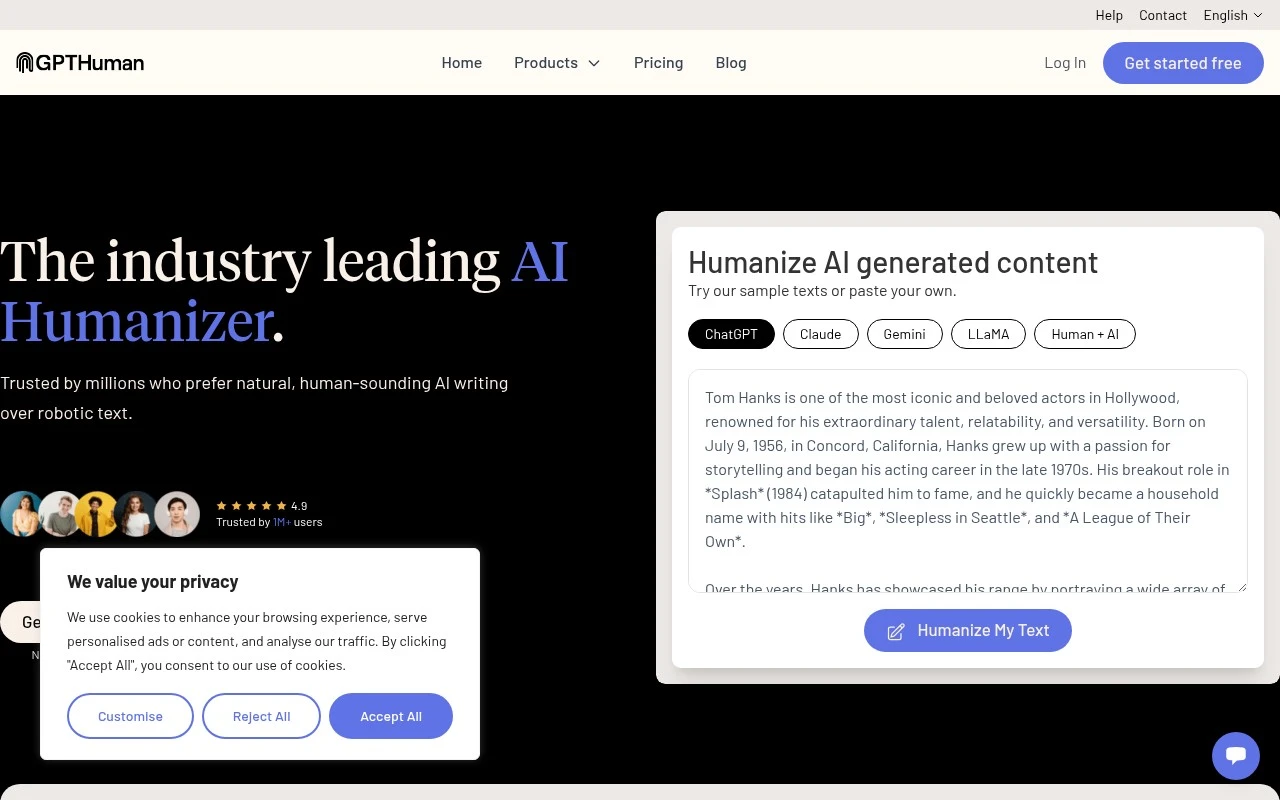
GPTHuman is an AI humanizer and writing platform focused on transforming machine-generated text into more natural, human-like content. According to its official site, it supports rewriting outputs from major LLMs, generating new content from prompts, selecting tones and modes, checking text with a built-in AI detector, working across many languages, and using an API for production workflows. Its positioning is heavily centered on bypassing AI detectors, including tools such as GPTZero, Turnitin, Originality.ai, and Copyleaks.

FYAI Score

7.7 / 10

Based on 22 reviews

Pricing:

Freemium

Best for:

Students and writers polishing AI drafts into natural-sounding text

Score Breakdown

  • Ease of use7.7 / 10
  • Features7.5 / 10
  • Pricing8.4 / 10
  • Integrations7.2 / 10
  • Support7.4 / 10

PRODUCT PREVIEW

What this AI tool does

GPTHuman is an AI tool page intended to help readers understand what the tool is and how it may fit into everyday workflows. It provides a straightforward overview of the tool’s purpose and the kinds of tasks it is commonly associated with, written for an informational audience. Because the available details about the intro and main use case are not defined, this description focuses on setting expectations: users can treat gpthuman as a reference point for learning what the tool does, who it may be useful for, and what to consider before using it. If more specifics are provided (such as target users, inputs/outputs, or typical scenarios), the page can be updated to reflect those details more precisely.

Use cases

Best for

Tone Rewriting Modes

Paste AI text into GPTHuman and rewrite it using modes like standard, college, PhD, balanced, or enhanced.

Prompted Content Generation

Generate short or long content from a prompt with settings aimed at producing human-like, detector-resistant wording.

Detection and API Workflows

Use the built-in AI detector or developer API to check text and re-humanize it inside automated writing workflows.

ANALYSIS

Strengths & limitations

Strengths
  • Handles both rewriting existing AI-generated text and generating new content from prompts.
  • Provides tone and mode controls, multilingual writing support, a built-in AI detector, and an API for scaled use.
  • Specifically targets naturalness, readability, and less robotic AI writing rather than generic text generation alone.
Limitations
  • The site’s claims about guaranteed or near-perfect AI-detector bypass are promotional and not independently verified in the provided source.
  • The tool’s emphasis on evading detection may be inappropriate or prohibited in academic, hiring, publishing, or compliance-sensitive contexts.
  • The provided official page gives limited concrete detail on pricing, usage limits, detector methodology, or how originality and privacy claims are validated.

Evaluation

FYAI score breakdown

Our structured evaluation across five key criteria

7.7 / 10

Overall score

Based on 22 reviews

  • Ease of use7.7 / 10
  • Features7.5 / 10
  • Pricing8.4 / 10
  • Integrations7.2 / 10
  • Support7.4 / 10

What users say

Findings from public reviews, documentation and community sources.

  • Ease of use

    The GPTHuman homepage describes a workflow where users can “paste your own” text, click “Humanize My Text,” and then use steps labeled “Enter Your Content or Prompt,” “Choose Your Tone and Mode,” and “Verify and assess your content.” Reddit sentiment includes a user saying GPTHuman “helps make the text sound more natural, less robotic.”

  • Features

    The GPTHuman homepage lists “Multi-Tone Voice Adaptation,” “Guaranteed undetectable AI,” “Multi-Language Human Writing” in 80 languages, and an included “AI Detector.” The GPTHuman homepage also lists plagiarism-free output and generation of human-like content from scratch.

  • Pricing

    The GPTHuman pricing page lists a Free tier at “$0/month” for 300 words, Starter at “$15/month” for 25,000 words/month, Plus at “$25/month” for 60,000 words/month, and Unlimited at “$49/month” with yearly discounts shown. The GPTHuman pricing page says “Unlimited” is “subject to abuse guardrails.”

  • Integrations

    The GPTHuman AI Humanizer API page says users can “Integrate GPTHuman’s industry-leading AI humanization technology into your products, workflows, or platforms” through its API.

  • Support

    The GPTHuman site surfaces “Help” and “Contact,” and the GPTHuman developer section includes “Read the docs” for API users. Trustpilot lists a 4/5 rating from 22 reviews for GPTHuman.

Who is this for?

Best for users who need AI-humanized writing in multiple languages, the GPTHuman homepage lists “Multi-Language Human Writing” in 80 languages and steps for choosing tone and mode. GPTHuman can also fit developer workflows because the API page says users can integrate its AI humanization technology into products, workflows, or platforms. Less suited to teams looking for a broad native integration ecosystem, the integration fact provided is API-based access, so workflow connections may depend on API implementation.

PRODUCT PREVIEW

Feature highlights

AI Text Humanizer

Rewrite AI output into more natural, human-like writing.

AI Detector Check

Scan text with a built-in detector to gauge AI-likeness.

API for Workflows

Automate humanization and rewriting in production pipelines.

COMPARE

Discover curated alternatives worth comparing

Compare similar AI tools based on features, pricing and use cases

7.4/ 10Based on 5 reviews

Chapterly

Copy OptimizationBlog & Article Writing
AI writing assistant for refining narrative, characters, and settings
Best for:
Content creators
Pricing
Freemium

7.7/ 10Based on 5.772 reviews

Writesonic

Copy Optimization
Monitors brand visibility in answer engines and flags citation gaps
Best for:
Marketing teams
Pricing
Freemium

7.6/ 10Based on 266 reviews

Writehuman

AI Detection & Humanizing
Rewrites AI drafts to sound human and scans for AI-detection signals
Best for:
Content creators
Pricing
Freemium

Start publishing sharper marketing copy in less time. See why teams choose GPTHuman to turn ideas into campaigns that convert.

FAQ

Frequently asked
questions

Everything you need to know about this AI tool,
its features, pricing, use cases, and limitations.

What marketing writing tasks is GPTHuman best suited for?
GPTHuman is a strong fit for producing high-volume marketing copy such as ad variations, social posts, email sequences, landing page sections, and product descriptions. It’s most useful when you need fast iteration and consistent formatting across campaigns. If your work depends on deep subject-matter expertise or regulated claims, plan on heavier human review.
Does GPTHuman have a free plan, and what are the typical limitations compared to paid?
GPTHuman may offer a free tier or trial depending on current pricing, but free access is usually capped by usage limits and fewer templates or collaboration features. Paid plans typically unlock higher output volume, more customization options, and team workflows for review/approval. Check the pricing page on gpthuman.ai for the exact caps and feature differences.
How does GPTHuman compare with other AI copywriting tools?
Compared to general-purpose writing assistants, GPTHuman is more oriented toward marketing workflows, with templates and collaboration that help teams ship copy faster. Versus tools focused on long-form content or SEO, it may require more manual work for research-heavy pieces and brand-specific tone. If your priority is team approvals and quick campaign assets, GPTHuman tends to be a better match than a blank-page editor.
How quickly can a team get productive with GPTHuman?
GPTHuman outputs often need editing to match a specific brand voice, legal requirements, or nuanced positioning. It can be less reliable for highly niche topics, where you’ll need to supply more context and verify facts. There’s also an upfront learning curve to use templates and collaboration features efficiently.
What should I consider about data privacy and compliance when using GPTHuman?
Before using GPTHuman with sensitive data, review gpthuman.ai’s terms and privacy policy to understand what content is stored, how long it’s retained, and whether it’s used for model improvement. If you handle regulated or confidential information, confirm available controls for access management, deletion, and audit needs. For strict compliance requirements, involve your security/legal team and avoid pasting customer PII unless the policy explicitly supports it.