Curated ToolThis tool is part of our curated AI directory. We only include tools that meet our standards for relevance, usability and real-world value.

Creator AI

Plans, drafts, scores, and schedules SEO content for publishing

Copy OptimizationBlog & Article Writing

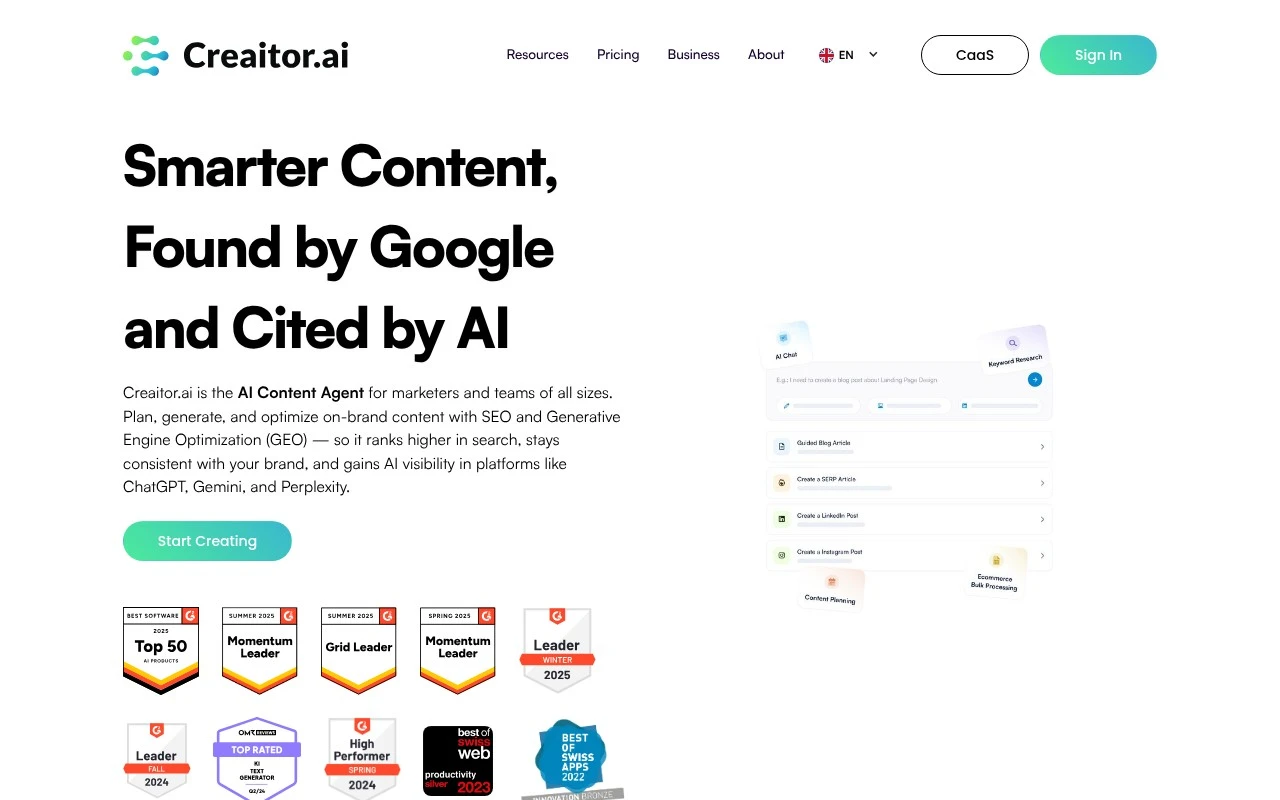
Creator AI is positioned as an AI-driven content and SEO enhancement platform for teams that want to centralize content planning, creation, optimization, and publishing. Its AI agents are described as handling repetitive content marketing tasks such as keyword research, draft generation, SEO/GEO optimization, competitor analysis, and brand-aligned content production.

FYAI Score

7.2 / 10

FYAI rating based on features, pricing and integrations

Pricing:

Free trial

Best for:

Content & SEO teams scaling consistent, search-ready publishing

Score Breakdown

  • Ease of use7.2 / 10
  • Features7.5 / 10
  • Pricing7.1 / 10
  • Integrations7.1 / 10
  • Support7.1 / 10

PRODUCT PREVIEW

What this AI tool does

Creator AI is an AI tool designed to help people generate and refine written content with less manual effort. It can be used as a drafting assistant when you need a starting point, or as an editing aid to improve clarity, structure, and tone while keeping the original intent. In practice, you provide a prompt or a piece of text and iterate on the output until it matches your needs. This makes it useful for common informational writing tasks such as summaries, rewrites, and first drafts, especially when you want consistent wording or a clearer presentation. As with any AI writing tool, results depend on the quality of the input and the level of review you apply. It’s best used as a support tool rather than a final authority, particularly for sensitive topics or content that requires strict accuracy.

Use cases

Best for

SEO Content Optimization

Creator AI audits drafts against target keywords and on page SEO signals, then suggests edits to titles, headings, and copy.

Keyword Research

It generates keyword ideas from a seed topic and groups them into clusters for content planning and brief creation.

Competitor Analysis

It analyzes competitor pages to extract topics, keywords, and content gaps you can turn into new briefs and outlines.

ANALYSIS

Strengths & limitations

Strengths
  • Combines planning, creation, optimization, and publishing in one content marketing workflow.
  • Includes SEO and GEO features aimed at both traditional search visibility and visibility in AI answer engines.
  • Supports brand voice management for teams handling one or multiple brands.
Limitations
  • The provided site text is mostly high-level marketing copy and does not specify exact supported publishing channels or integrations.
  • Claims such as productivity and traffic gains are presented without detailed methodology in the provided content.
  • The page does not provide enough detail to evaluate output quality, collaboration depth, or analytics capabilities beyond general performance-data language.

Evaluation

FYAI score breakdown

Our structured evaluation across five key criteria

7.2 / 10

Overall score

FYAI rating based on features, pricing and integrations

  • Ease of use7.2 / 10
  • Features7.5 / 10
  • Pricing7.1 / 10
  • Integrations7.1 / 10
  • Support7.1 / 10

What users say

Findings from public reviews, documentation and community sources.

  • Ease of use

    Creaitor's homepage says it “centralizes planning, creation, and optimization in one place,” and the Content Planner lets users “schedule and publish automatically to your channels, no extra tools required.”

  • Features

    Creaitor's features page lists AI agents for “keyword research to content creation and optimization,” a Brand Hub, SEO/GEO optimization, and competitor/SERP insights.

  • Pricing

    Creaitor's pricing page routes through the product overview and references “Book a Free Demo” rather than public tier names, prices, usage limits, or included allowances.

  • Integrations

    Creaitor's integrations page describes the Content Planner’s ability to “schedule and publish automatically to your channels, no extra tools required.” Creaitor's integrations page does not itemize named third-party apps, CMS connections, Zapier, or an API.

  • Support

    Creaitor's homepage surfaces support-facing pathways including “Book a Free Demo,” Sign In, and customer testimonials. Creaitor's captured pages do not surface help-center depth, documentation, response channels, or independent support feedback.

Who is this for?

Best for content teams that want planning, creation, and optimization in one workspace, Creaitor says it “centralizes planning, creation, and optimization in one place,” and its Content Planner can “schedule and publish automatically to your channels, no extra tools required.” Less suited to buyers who need clear self-serve purchasing or ecosystem details before signup, the pricing page references “Book a Free Demo” rather than public tier names or prices, and the integrations page does not itemize named third-party apps, CMS connections, Zapier, or an API.

PRODUCT PREVIEW

Feature highlights

Content Hub & Workflow

Centralize planning, drafting, optimization, and publishing in one place.

Competitor Insights

Analyze competing pages to guide topics, structure, and positioning.

Agentic Content Ops

Plan, draft, optimize, and publish content in one shared workspace.

COMPARE

Discover curated alternatives worth comparing

Compare similar AI tools based on features, pricing and use cases

7.4/ 10Based on 5 reviews

Chapterly

Copy OptimizationBlog & Article Writing
AI writing assistant for refining narrative, characters, and settings
Best for:
Content creators
Pricing
Freemium

7.7/ 10Based on 5.772 reviews

Writesonic

Copy Optimization
Monitors brand visibility in answer engines and flags citation gaps
Best for:
Marketing teams
Pricing
Freemium

7.6/ 10Based on 266 reviews

Writehuman

AI Detection & Humanizing
Rewrites AI drafts to sound human and scans for AI-detection signals
Best for:
Content creators
Pricing
Freemium

Turn briefs into high-performing marketing copy in minutes. Start creating faster, staying on-brand, and shipping more campaigns with Creator AI.

FAQ

Frequently asked
questions

Everything you need to know about this AI tool,
its features, pricing, use cases, and limitations.

What marketing use cases is Creator AI best suited for?
Creator AI is a strong fit for high-frequency marketing copy like ads, social posts, landing page sections, email sequences, and product descriptions. It’s most useful when you need consistent output across campaigns using templates and repeatable formats. If your work is heavily technical or requires deep subject-matter nuance, you’ll likely need more human input.
Does Creator AI have a free plan, and what are the typical limitations compared to paid?
Creator AI is generally positioned as a subscription product, and any free access (if offered) tends to be limited by usage caps and fewer features. Paid tiers are usually necessary for higher volume generation, broader template access, and team workflows. If you’re comparing tools, confirm monthly word/credit limits and whether key templates are locked behind higher tiers.
How does Creator AI compare with other marketing writing tools like Jasper or Copy.ai?
Creator AI leans into template-driven marketing content and speed, which can be comparable to Copy.ai-style workflows. Tools like Jasper may offer more mature brand voice controls and broader ecosystem integrations, depending on your stack. If you prioritize quick campaign drafts over advanced customization, Creator AI can be competitive; for strict brand governance, compare editing controls and collaboration features.
How quickly can a team get started with Creator AI, and what onboarding is involved?
You should plan for manual editing, especially to match a specific brand voice and avoid generic phrasing. Creator AI may be less effective for specialized or technical topics without strong guidance from subject matter experts. Costs can also rise with heavy usage, so it’s worth modeling expected volume before committing.
What should I check about data privacy and compliance when using Creator AI?
Before using Creator AI with sensitive information, review its terms for how prompts and generated content are stored, retained, and used for model improvement. Confirm whether it supports business requirements like DPA availability, data deletion requests, and access controls for teams. If you operate in regulated environments, avoid entering confidential customer data unless the vendor explicitly supports your compliance needs.