Curated ToolThis tool is part of our curated AI directory. We only include tools that meet our standards for relevance, usability and real-world value.

Contentbot

Generates and automates copy for blogs, ads, and product listings

Copy OptimizationAd & Sales Copy
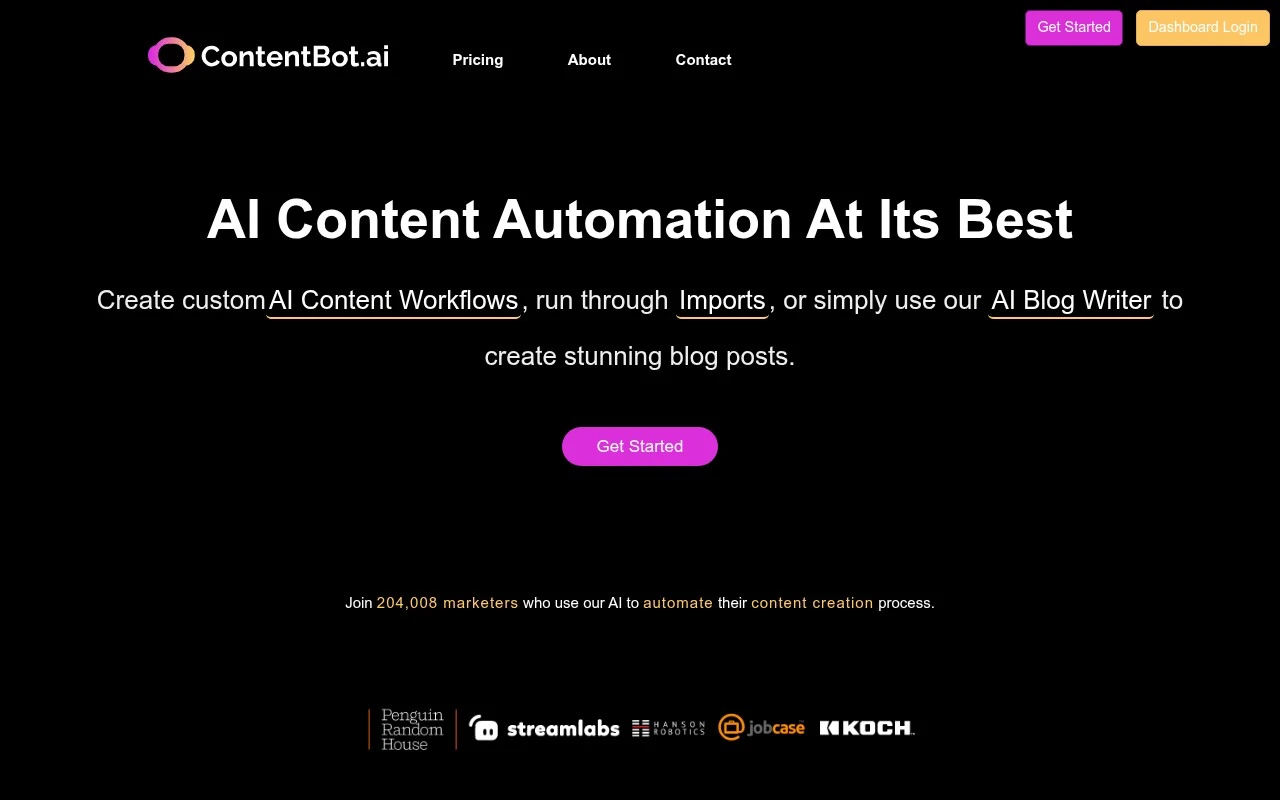
Contentbot is an AI writing and content automation platform for marketers and creators. It combines an AI Blog Writer, reusable content workflows called Flows, and an Import feature for running prompts over large datasets. The product is positioned around producing written marketing content in volume, including blog posts, landing pages, ad copy, product descriptions, and multilingual outputs.

FYAI Score

7.9 / 10

Based on 134 reviews

Pricing:

Paid only

Best for:

Marketers and creators producing high-volume written content

Score Breakdown

  • Ease of use7.5 / 10
  • Features8.0 / 10
  • Pricing7.8 / 10
  • Integrations9.0 / 10
  • Support7.6 / 10

PRODUCT PREVIEW

What this AI tool does

Contentbot is an AI writing tool designed to help people draft and refine text for common business and publishing needs. It can be used to turn a rough idea into a readable first draft, adjust tone and clarity, and generate variations when you need multiple options for the same message. In practice, it’s useful for creating and editing content such as blog posts, product descriptions, emails, and social updates, especially when you want to move from outline to draft quickly. You can provide a prompt or a short brief, review what it produces, and then revise the output to match your style, facts, and audience. As with any AI tool, results depend on the quality of the input and the amount of human review. It’s best treated as a drafting assistant rather than a source of final, verified information, particularly for topics that require accuracy, citations, or compliance.

Use cases

Best for

Write Blog Post

Use Contentbot’s AI Blog Writer to generate a full blog post draft from a topic, keywords, and outline inputs.

Workflow Automation

Build reusable Flows to chain prompts and auto generate landing pages, ads, and product copy from structured inputs.

Rewrite Content

Rewrite existing text by prompting Contentbot to paraphrase, change tone, shorten, or expand while keeping the core meaning.

ANALYSIS

Strengths & limitations

Strengths
  • Supports both one-off writing tasks and automated workflows for recurring or large-scale content production.
  • Includes bulk import options that can return outputs as CSV files, documents, or scheduled emails.
  • Covers many common marketing content formats, including blogs, landing pages, ads, slogans, and ecommerce product descriptions.
Limitations
  • The platform is focused on written marketing content rather than broader creative media such as video, design, or audio generation.
  • The site states that generated content is about 95% unique, so users should still review outputs for originality, accuracy, and quality.
  • Its Humanizer feature is marketed around bypassing AI-detection tools, which may not fit teams with strict transparency or compliance requirements.

Evaluation

FYAI score breakdown

Our structured evaluation across five key criteria

7.9 / 10

Overall score

Based on 134 reviews

  • Ease of use7.5 / 10
  • Features8.0 / 10
  • Pricing7.8 / 10
  • Integrations9.0 / 10
  • Support7.6 / 10

What users say

Findings from public reviews, documentation and community sources.

  • Ease of use

    ContentBot's product page says users can create automation flows “in a few short steps” and “create complex content plans with just a few simple clicks.” ContentBot's product page also centers workflows and import automation rather than only a simple prompt-based writer.

  • Features

    ContentBot's product page lists “AI Content Flow Builder,” “AI Blog Writer,” bulk “Importer,” and writing “in over 110 languages.”

  • Pricing

    ContentBot's site states pricing starts at “$29/month” and offers a “Pay as you Go plan.” The indexed pricing snippet mentions prepaid usage around “$0.5 per 1000” words and a lower monthly option.

  • Integrations

    Zapier states that ContentBot “integrates with 9000 other apps on Zapier.”

  • Support

    ContentBot's product page includes a FAQ covering uniqueness, generation model, copyright, languages, pricing, and nonprofit discounts. ContentBot's product page directs users to “get in touch” for some cases.

Who is this for?

Best for teams building repeatable content workflows. ContentBot lists “AI Content Flow Builder” and bulk “Importer,” and Zapier states that ContentBot “integrates with 9000 other apps on Zapier.” Less suited to users who want only a simple prompt-based writer, ContentBot's product page centers workflows and import automation, which means setup can involve more than entering a single prompt. Less suited to buyers who need one simple pricing frame, ContentBot's site states pricing starts at “$29/month” and offers a “Pay as you Go plan,” while the indexed pricing snippet mentions prepaid usage around “$0.5 per 1000” words.

PRODUCT PREVIEW

Feature highlights

AI Blog Writer

Generate long-form blog drafts fast, from topic to structured content.

Reusable Flows

Automate repeatable content workflows for consistent marketing output.

Bulk Import Runs

Run prompts across large datasets to create copy in volume.

COMPARE

Discover curated alternatives worth comparing

Compare similar AI tools based on features, pricing and use cases

7.4/ 10Based on 5 reviews

Chapterly

Copy OptimizationBlog & Article Writing
AI writing assistant for refining narrative, characters, and settings
Best for:
Content creators
Pricing
Freemium

7.7/ 10Based on 5.772 reviews

Writesonic

Copy Optimization
Monitors brand visibility in answer engines and flags citation gaps
Best for:
Marketing teams
Pricing
Freemium

7.6/ 10Based on 266 reviews

Writehuman

AI Detection & Humanizing
Rewrites AI drafts to sound human and scans for AI-detection signals
Best for:
Content creators
Pricing
Freemium

Create on-brand marketing content in minutes, not hours. See why busy teams choose Contentbot to ship more campaigns with less effort.

FAQ

Frequently asked
questions

Everything you need to know about this AI tool,
its features, pricing, use cases, and limitations.

What types of teams and workflows is Contentbot a good fit for?
Contentbot fits marketing teams that need steady output across blog drafts, social posts, and email sequences, especially when working from repeatable formats. It’s most useful when you already have clear briefs, brand guidelines, and a review step. If your work is highly technical or requires deep subject-matter expertise, you’ll likely rely more on manual editing.
Does Contentbot have a free plan, and what are the practical limits compared to paid tiers?
Contentbot typically offers a limited free/trial option, but ongoing use usually requires a paid subscription. The main constraints to watch are generation limits (credits/words), access to advanced workflows/templates, and team features. If you publish at high volume, compare total monthly output costs across tools rather than just the entry price.
How does Contentbot compare with Jasper, Copy.ai, or Writesonic for marketing content?
Contentbot is often chosen for structured content workflows and template-driven production, while some alternatives emphasize broader brand voice tooling or larger template libraries. In practice, the differentiator is how well each tool handles your specific formats (e.g., long-form blog outlines vs. short ad variants) and how much editing you need afterward. If collaboration, approvals, or multi-user governance are critical, compare team controls and workspace features side by side.
How quickly can a team get productive with Contentbot, and what onboarding is required?
Contentbot can produce content fast, but quality and factual accuracy can vary, so editing is usually required. It may struggle with niche topics unless you provide detailed context and source material. For high-volume needs, subscription costs can become a deciding factor versus tools with different pricing models.
What should I know about Contentbot’s data handling, privacy, and compliance before using it?
Before uploading sensitive information, review Contentbot’s current privacy policy and terms on contentbot.ai to understand how prompts/outputs are stored and whether they’re used for model improvement. If you operate under GDPR/CCPA or have strict client confidentiality, confirm available controls for data retention, access management, and account deletion. For regulated industries, consider keeping personal data and confidential client details out of prompts unless you have written assurances that meet your compliance requirements.