Curated ToolThis tool is part of our curated AI directory. We only include tools that meet our standards for relevance, usability and real-world value.

V0

Generates and refines web app UI code from prompts for Vercel

Website BuildersLanding Page Builders
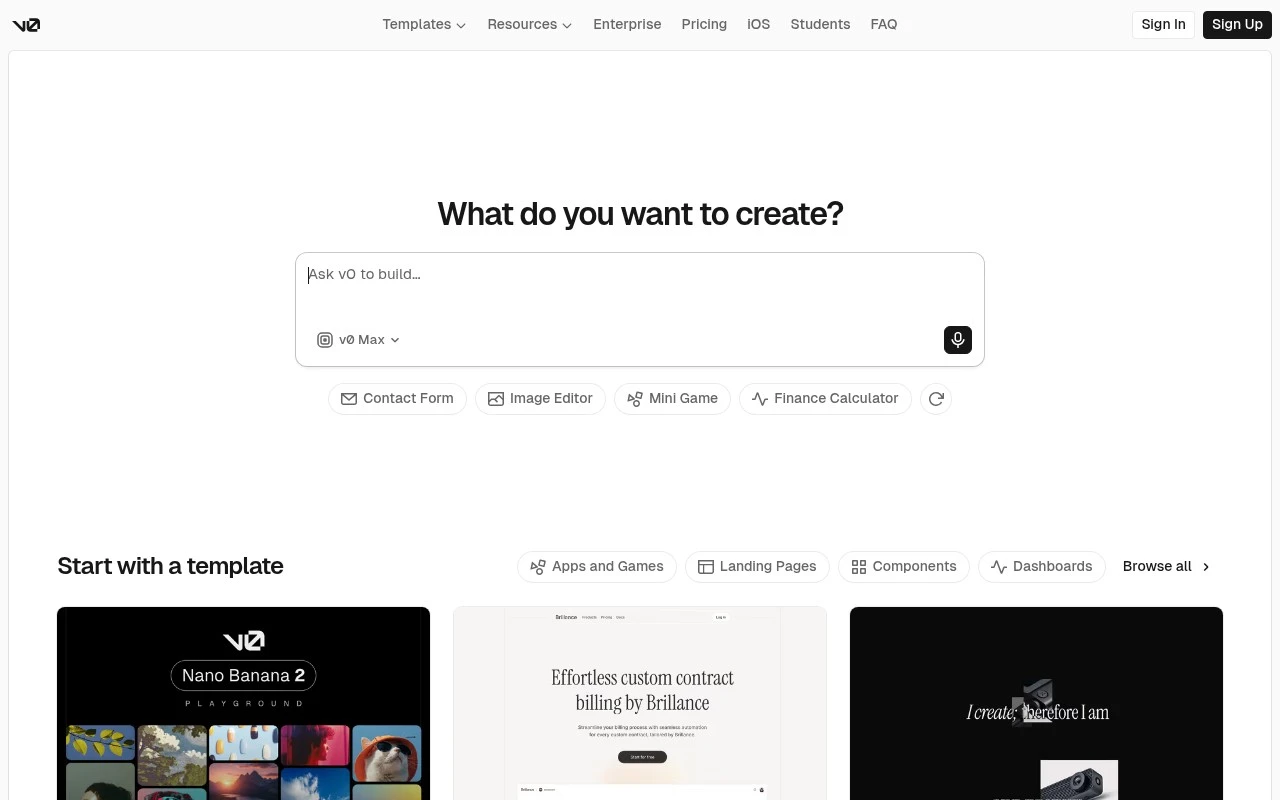
V0 is an AI web-app builder from Vercel. It lets users prompt for web applications and interface designs, start from templates, edit visually, and publish the result as a live website. The official site positions it as a collaborative assistant for designing, iterating, and scaling full-stack web applications, with GitHub sync, Vercel deployment, app/API integrations, database connection support, and mobile creation through an iOS app.

FYAI Score

7.6 / 10

Based on 57 reviews

Pricing:

Freemium

Best for:

Frontend and full-stack teams shipping UI and prototypes fast

Score Breakdown

  • Ease of use7.6 / 10
  • Features7.8 / 10
  • Pricing7.2 / 10
  • Integrations7.9 / 10
  • Support7.8 / 10

PRODUCT PREVIEW

What this AI tool does

V0 is an AI tool designed to help people move from an idea to a usable interface more quickly. It’s typically used when you want to explore layout and component options, iterate on a draft, or create a starting point for a web app without building everything from scratch. In practice, you describe what you want and review the generated UI output, then refine it through follow-up prompts and edits. This makes it useful for early prototyping and for aligning on design direction before investing time in full implementation. Because the workflow is iterative, it can fit both individual and team settings, especially when you need to test variations or communicate a concept clearly. As with any AI-generated output, it works best when you provide specific requirements and validate the results against your project’s design and accessibility standards.

Use cases

Best for

App Generation

Use V0 to generate full stack app UI and code from prompts, then iterate with visual edits and GitHub sync.

Website Hosting

Deploy projects to Vercel from V0 to publish a live site with hosting and updates tied to your repo.

Build Landing Page

Create a landing page by prompting V0 or starting from templates, then tweak sections visually and publish.

ANALYSIS

Strengths & limitations

Strengths
  • Combines prompt-based generation with templates, live preview, and visual design editing.
  • Supports a path from idea to deployed website through GitHub sync and one-click Vercel deployment.
  • Targets real web-app workflows rather than only static mockups, with references to APIs, databases, tasks, and full-stack applications.
Limitations
  • The official page strongly centers deployment on Vercel, so teams using other hosting workflows may need extra evaluation.
  • The scraped official content does not fully specify supported frameworks, export limits, pricing, or production constraints.
  • AI-generated applications still require human review, testing, and refinement before being relied on in production.

Evaluation

FYAI score breakdown

Our structured evaluation across five key criteria

7.6 / 10

Overall score

Based on 57 reviews

  • Ease of use7.6 / 10
  • Features7.8 / 10
  • Pricing7.2 / 10
  • Integrations7.9 / 10
  • Support7.8 / 10

What users say

Findings from public reviews, documentation and community sources.

  • Ease of use

    v0 describes its flow as “Prompt. Build. Publish” and says users can “Generate working applications in minutes with AI,” with visual editing and templates. A Reddit user in r/vercel said v0 “works great for simple things” but can struggle on “more complicated requests.”

  • Features

    v0’s features page lists full-stack app generation, live publishing, GitHub sync, and database-connected agentic building. v0’s features page also lists visual Design Mode, templates, design systems, and an iOS app.

  • Pricing

    v0’s pricing page lists Free, Team at “$30 /user/month,” Business at “$100 /user/month,” and Enterprise custom pricing, plus included monthly credits, daily credits, and token-based model pricing. Reddit feedback described v0 as “good but not something I’d pay $20 per month for,” and Trustpilot complaints referenced a “price update.”

  • Integrations

    Vercel states that users can add “Supabase, Upstash, and Neon integrations from the Vercel Marketplace.” v0’s pages describe GitHub sync, Vercel deployment, APIs, and Figma-oriented workflows.

  • Support

    v0’s docs area covers “Getting Started,” “What is v0?,” “Agentic features,” “Vercel Integration,” “Quickstart,” and “FAQs.” v0’s docs area also covers prompting, screenshots/files, Figma, iteration, and code editing.

Who is this for?

Best for developer-oriented teams that want to prompt and publish working web applications, v0 says users can “Generate working applications in minutes with AI,” and its features page lists GitHub sync and Vercel deployment. It is less suited to users planning complex requests or price-sensitive workflows, a Reddit user said v0 “works great for simple things” but can struggle on “more complicated requests,” and another described it as “good but not something I’d pay $20 per month for.”

PRODUCT PREVIEW

Feature highlights

Prompt-to-UI

Generate pages and components from prompts and iterate instantly.

Code-first editing

Edit visually, then refine clean code you can reuse in your app.

Deploy & sync

Publish to Vercel and sync with GitHub to keep builds production-ready.

COMPARE

Discover curated alternatives worth comparing

Compare similar AI tools based on features, pricing and use cases

8.8/ 10Based on 14.986 reviews

WordPress

Website BuildersE-commerce Builders
Builds WordPress sites using an AI website builder and AI tools
Best for:
Small business owners
Pricing
Freemium

8.6/ 10Based on 28.442 reviews

Wix AI

Website BuildersE-commerce Builders
Generates a Wix website draft from user answers for editing.
Best for:
Small business owners
Pricing
Freemium

7.7/ 10Based on 35 reviews

WeWeb

Hosting & DeploymentApp / No-code Builders
Generates web app pages, databases, and logic from prompts
Best for:
Startup founders
Pricing
Freemium

Turn your idea into a polished web app fast. Start building with V0 today and ship a real product in days, not weeks.

FAQ

Frequently asked
questions

Everything you need to know about this AI tool,
its features, pricing, use cases, and limitations.

What types of projects is V0 a good fit for?
V0 is best for quickly generating UI for marketing sites, landing pages, dashboards, and early-stage product prototypes—especially if you’re using React/Next.js and Tailwind. It’s a practical choice when you need to validate an idea fast and don’t want to start from a blank repo. For complex backends, heavy integrations, or highly bespoke UI systems, you may outgrow it and need more manual engineering.
Does V0 have a free plan, and what are the main limitations compared to paid?
V0 typically offers a free tier with usage limits, while paid plans increase generation capacity and may add team or workflow features. The main constraint on free usage is how many generations/credits you can run before hitting a cap. If you expect frequent iteration or multiple stakeholders, a paid plan is usually needed to avoid throttling.
How does V0 compare with Framer, Webflow, or Bubble for building a product?
V0 is more code-oriented: it generates React/Tailwind components you can bring into a codebase, whereas Framer and Webflow are stronger for visual design and content-driven sites. Bubble is closer to a full no-code app platform with built-in database and workflows, which V0 doesn’t replace. If your team wants production code and developer handoff, V0 tends to fit better than pure visual builders.
How fast can you go from idea to a working prototype with V0?
Customization can be limited by the patterns V0 generates, so unusual interaction models or strict design systems may require manual refactoring. Performance and maintainability still depend on developer review—generated code can need cleanup for larger apps. There’s also platform dependency: your workflow may rely on V0’s availability, pricing, and feature changes over time.
What should I know about data privacy, IP, and compliance when using V0?
Treat prompts and any pasted code or content as potentially stored/processed by the service, so avoid submitting sensitive customer data or secrets. For regulated use cases (HIPAA, PCI, strict SOC 2 requirements), confirm V0’s current policies, data retention options, and any enterprise controls before adopting. If IP ownership and training usage matter, review the terms to understand how inputs/outputs are handled.