Curated ToolThis tool is part of our curated AI directory. We only include tools that meet our standards for relevance, usability and real-world value.

Softr

Builds web apps from prompts and adds AI agents to workflows

App / No-code Builders
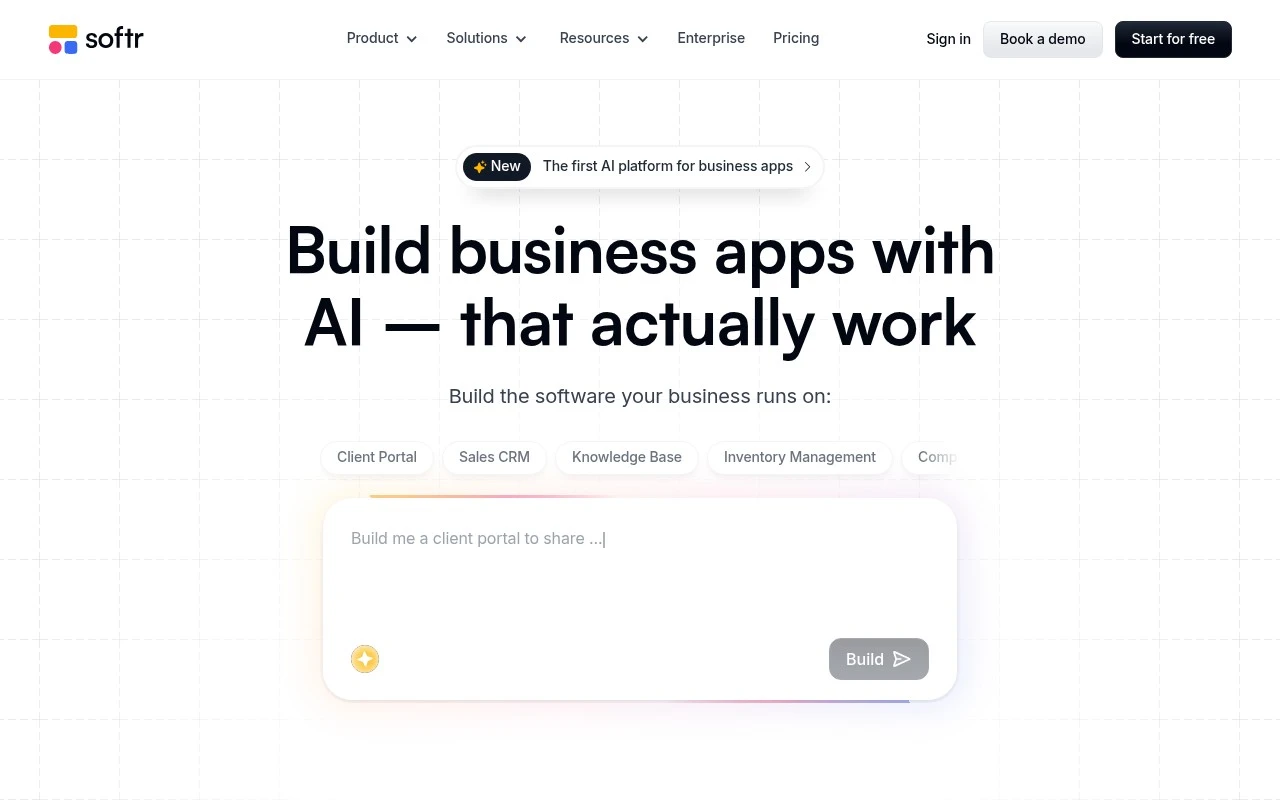
Softr is a no-code business app builder focused on turning existing company data into usable portals, internal tools, dashboards, and workflow apps. Its current positioning emphasizes AI-assisted app creation: users describe what they need, then refine the interface, database, workflows, roles, permissions, and security visually. It is best suited for teams that want custom operational software without building from scratch in code.

FYAI Score

9.0 / 10

Based on 723 reviews

Pricing:

Freemium

Best for:

Ops teams building internal tools and portals from existing data

Score Breakdown

  • Ease of use9.2 / 10
  • Features9.1 / 10
  • Pricing8.9 / 10
  • Integrations9.2 / 10
  • Support8.6 / 10

PRODUCT PREVIEW

What this AI tool does

Softr is a no-code platform for building simple web apps and internal tools on top of existing data. It’s commonly used to turn spreadsheets or databases into client portals, directories, dashboards, and lightweight workflows without writing code. The tool typically connects to data sources like Airtable or Google Sheets and lets you design pages with prebuilt blocks, set up user authentication, and control what different users can see or do. This makes it useful for teams that want to share data in a structured way, collect inputs, or create a basic front end for operational processes. For someone researching softr, it can be helpful to think of it as a way to package data into a usable web interface with permissions and a consistent layout. It’s often evaluated by how well it fits a team’s data model, access requirements, and the level of customization needed for the final app.

Use cases

Best for

App Generation

Softr generates a no-code app from your prompt, then you visually edit pages, data sources, roles, and permissions.

Workflow Automation

Softr automates workflows by triggering actions from form submissions or record updates, then running approvals, emails, or updates.

Internal Search

Softr adds internal search to portals by indexing connected data tables and letting users filter and query records by fields.

ANALYSIS

Strengths & limitations

Strengths
  • Supports many common business data sources and integrations, including Airtable, Notion, Google Sheets, HubSpot, monday.com, ClickUp, Supabase, MySQL, PostgreSQL, REST APIs, Zapier, Make, n8n, Slack, Gmail, Stripe, and others.
  • Designed for both internal tools and external-facing apps, with stated support for roles, permissions, security controls, SSO, SOC 2, GDPR readiness, and 99.9% uptime.
  • Covers a wide range of operational app patterns, including portals, CRMs, intranets, inventory management, dashboards, ERPs, knowledge management, forms, workflows, and mobile apps.
Limitations
  • It is aimed at business apps and operational tools, not general-purpose consumer app development or fully custom software engineering.
  • The supplied official page gives broad product positioning but does not detail plan limits, implementation constraints, or how much AI-generated apps require manual refinement.
  • Teams with highly specialized UI, backend logic, compliance, or infrastructure requirements may still need developer involvement or a more custom platform.

Evaluation

FYAI score breakdown

Our structured evaluation across five key criteria

9.0 / 10

Overall score

Based on 723 reviews

  • Ease of use9.2 / 10
  • Features9.1 / 10
  • Pricing8.9 / 10
  • Integrations9.2 / 10
  • Support8.6 / 10

What users say

Findings from public reviews, documentation and community sources.

  • Ease of use

    G2 reports a 4.7/5 rating for Softr across 723 reviews. Capterra’s review snippets include “Extremely easy to use and very intuitive,” and Softr’s homepage includes the customer quote “Softr is so easy to use and learn.”

  • Features

    Softr’s homepage positions the product for “AI Business Apps, Portals & Internal Tools.” Softr’s homepage lists built-in databases, workflows, forms, mobile apps, roles/permissions/security, and business use cases such as CRM, inventory, intranet, dashboards, and ERP.

  • Pricing

    Softr’s pricing page publishes a Free tier and paid plans at $49, $139, and $269/month. Softr’s pricing page lists limits for app users, records, workflow actions, AI credits, and add-ons.

  • Integrations

    Softr’s homepage lists integrations including Airtable, Google Sheets, REST API, and OpenAI. Softr’s homepage also lists Make, Zapier, n8n, Stripe, Slack, Gmail, Google Calendar, Intercom, and Google Maps.

  • Support

    Softr’s pricing page lists Enterprise-level “Dedicated success manager,” “Priority Support,” “Custom agreements & SLAs,” and SOC2 reporting. Public review snippets include “Great Website” and “Great to build, but bad support.”

Who is this for?

Best for teams building business apps, portals, or internal tools, Softr’s homepage positions the product for “AI Business Apps, Portals & Internal Tools” and lists built-in databases, workflows, forms, and roles/permissions/security. Less suited to buyers who need the lowest possible entry paid plan or the same support terms across plans, Softr’s pricing page publishes paid plans starting at $49/month, and Enterprise-level support items include “Dedicated success manager,” “Priority Support,” “Custom agreements & SLAs,” and SOC2 reporting.

PRODUCT PREVIEW

Feature highlights

AI app generation

Describe your app and get a working starting point you can refine.

Data-powered portals

Build apps on Airtable, Google Sheets, SQL, and more.

Roles & permissions

Control access with user groups, SSO, and secure data rules.

COMPARE

Discover curated alternatives worth comparing

Compare similar AI tools based on features, pricing and use cases

8.8/ 10Based on 14.986 reviews

WordPress

Website BuildersE-commerce Builders
Builds WordPress sites using an AI website builder and AI tools
Best for:
Small business owners
Pricing
Freemium

8.6/ 10Based on 28.442 reviews

Wix AI

Website BuildersE-commerce Builders
Generates a Wix website draft from user answers for editing.
Best for:
Small business owners
Pricing
Freemium

7.7/ 10Based on 35 reviews

WeWeb

Hosting & DeploymentApp / No-code Builders
Generates web app pages, databases, and logic from prompts
Best for:
Startup founders
Pricing
Freemium

Launch a polished client portal or internal app in days, not months. See why teams choose Softr to turn data into tools people actually use.

FAQ

Frequently asked
questions

Everything you need to know about this AI tool,
its features, pricing, use cases, and limitations.

What types of projects is Softr a good fit for, and when should I choose something else?
Softr works well for internal tools, client portals, directories/marketplaces, and simple CRUD apps backed by Airtable or Google Sheets. It’s a solid choice when you want authenticated pages, forms, and workflows without building a custom backend. If you need highly custom UI, complex business logic, or heavy data processing at scale, a coded stack or a more developer-centric platform may fit better.
How usable is Softr’s free plan, and what typically forces an upgrade?
The free plan is usually enough to prototype and validate a layout, but it tends to be constrained around publishing, custom domains/branding, and feature access. Teams often upgrade when they need production-ready deployment, more users, or advanced blocks and integrations. If you expect rapid growth, compare pricing tiers carefully because costs can rise with higher usage and add-ons.
How does Softr compare with Bubble, Webflow, and Glide for building apps?
Compared with Bubble, Softr is typically faster to assemble but offers less flexibility for complex logic and custom interactions. Versus Webflow, Softr is more app-oriented (logins, data-driven pages) while Webflow is stronger for highly customized marketing sites. Against Glide, Softr often provides more website-like page structure and portal patterns, while Glide can feel quicker for spreadsheet-first mobile-style apps.
How quickly can I get a working app live in Softr, and what onboarding effort should I expect?
Customization is more constrained than fully coded solutions, so edge-case UI and advanced workflows may require workarounds. Performance can become a concern for very large datasets or complex pages, depending on how data is queried and rendered. You’ll also want to confirm that any must-have integrations or automations are supported without relying on too many external tools.
What should I check about data handling, privacy, and compliance when using Softr?
Softr commonly connects to third-party data sources like Airtable and Google Sheets, so your compliance posture depends on both Softr and the underlying database provider. Verify where data is stored/processed, what access controls exist for roles and page visibility, and whether audit/logging meets your requirements. If you operate in regulated environments, review Softr’s security documentation and ensure your data source and any automation tools you add are also compliant.