Curated ToolThis tool is part of our curated AI directory. We only include tools that meet our standards for relevance, usability and real-world value.

Replit

AI coding assistant in a cloud IDE for generating and debugging code

Hosting & DeploymentApp / No-code Builders

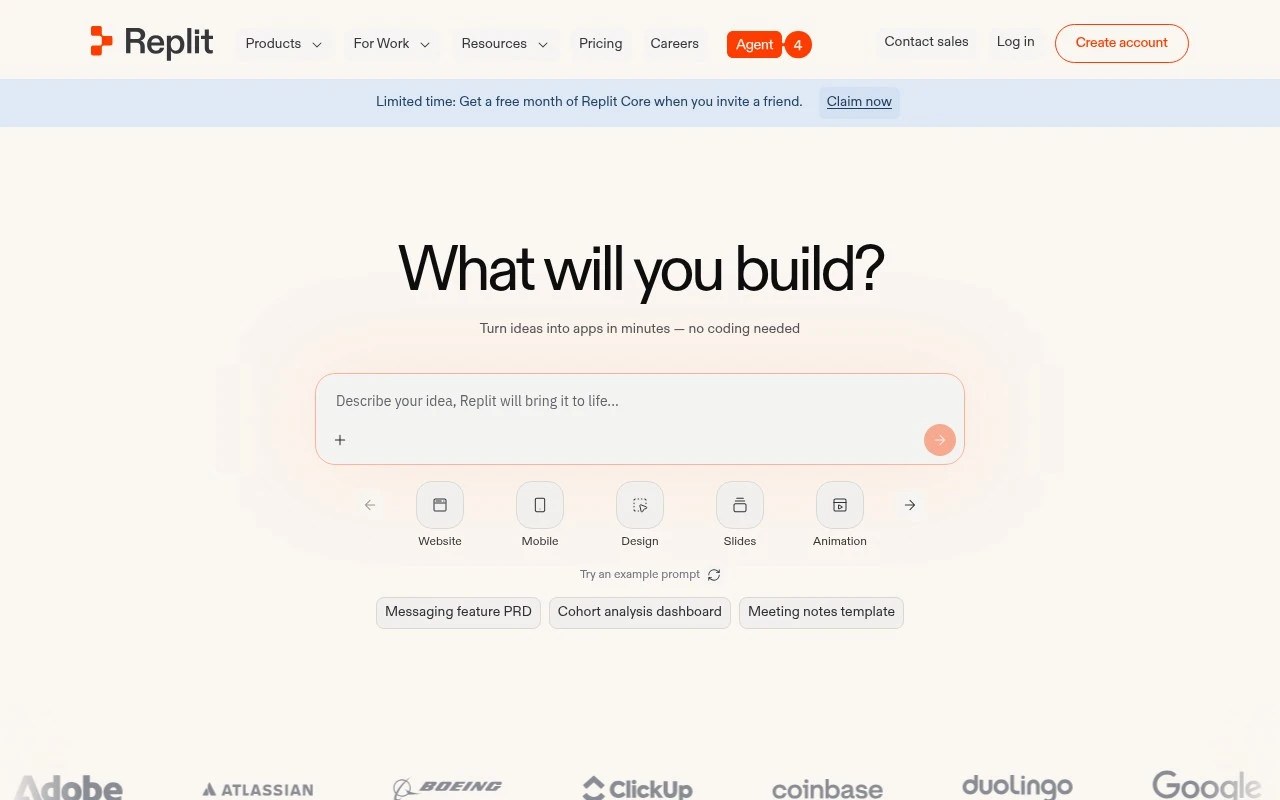
Replit is an online coding environment that combines a browser IDE, cloud runtime, collaboration features, deployment options, and AI coding assistance. It is especially useful for people who want to prototype, learn, teach, or build small-to-medium software projects without configuring a local machine. Its distinction is the all-in-one workflow: code, run, collaborate, get AI help, and publish from the same web-based workspace.

FYAI Score

8.1 / 10

Based on 1.502 reviews

Pricing:

Freemium

Best for:

Developers and students prototyping and learning in a browser IDE

Score Breakdown

  • Ease of use7.7 / 10
  • Features8.8 / 10
  • Pricing7.5 / 10
  • Integrations9.2 / 10
  • Support7.5 / 10

PRODUCT PREVIEW

What this AI tool does

Replit is a browser-based development environment that lets you write, run, and share code without setting up software on your computer. It’s designed for quick experimentation and learning, making it easy to move from an idea to a working program in a single workspace. The platform supports collaborative coding, so multiple people can work on the same project and see changes in real time. This can be useful for classrooms, pair programming, and small team projects where you want a simple way to coordinate and review code. Because everything runs in the cloud, you can access your projects from different devices and keep your work organized in one place. It’s a practical option for trying new languages, building small apps, or testing snippets when you don’t want to manage local tooling.

Use cases

Best for

App Prototyping

Prototype an app by coding in Replit’s browser IDE and running it instantly on a cloud runtime with live preview.

Website Hosting

Host a website by deploying your Replit project to a public URL directly from the workspace.

Code Refactoring

Refactor code by using Replit’s AI assistant to suggest edits and apply changes across files in the IDE.

ANALYSIS

Strengths & limitations

Strengths
  • Runs in the browser, reducing the need for local setup or environment configuration.
  • Combines coding, collaboration, execution, and deployment in one platform.
  • AI features can help generate, explain, debug, and modify code during development.
Limitations
  • May be less suitable than a fully local or enterprise development setup for complex production systems.
  • Cloud-hosted development can introduce dependency on Replit’s platform availability, pricing, and resource limits.
  • AI-generated code still requires developer review for correctness, security, and maintainability.

Evaluation

FYAI score breakdown

Our structured evaluation across five key criteria

8.1 / 10

Overall score

Based on 1.502 reviews

  • Ease of use7.7 / 10
  • Features8.8 / 10
  • Pricing7.5 / 10
  • Integrations9.2 / 10
  • Support7.5 / 10

What users say

Findings from public reviews, documentation and community sources.

  • Ease of use

    Capterra lists Replit at 4.4/5 across 158 reviews, and a quoted user describes Replit as a “streamlined and efficient development environment that removes many of the blockers.” Reddit includes a non-technical user calling Replit “absolutely amazing” while noting “limitations” that can be “tricky.”

  • Features

    Reddit user discussion describes Replit as offering “one-click hosting” that handles “patching, updates, DDoS protection.” Capterra lists Replit at 4.4/5 across 158 reviews.

  • Pricing

    Replit’s pricing page lists a free Starter tier and Replit Core at “$20/$18 per month billed annually” with “$20 of monthly credits.” Reddit discussion flags dynamic usage-based pricing and says users should “check your costs regularly.”

  • Integrations

    Replit’s integrations page states “450+ Replit connectors” and calls the set a large integration library. The supplied blog snippet names Google, Dropbox, Salesforce, Linear, and Notion.

  • Support

    Capterra lists Replit at 4.4/5 across 158 reviews. Trustpilot lists Replit at 3/5 across 1502 reviews.

Who is this for?

Best for users who want building and deployment in one workflow, Reddit user discussion describes “one-click hosting” that handles “patching, updates, DDoS protection.” Less suited to users who need predictable flat-rate costs, Reddit discussion flags dynamic usage-based pricing and says users should “check your costs regularly.”

PRODUCT PREVIEW

Feature highlights

Browser IDE + runtime

Code and run projects instantly without local setup.

Live collaboration

Work together in real time with shared editing and comments.

AI coding assistant

Get code suggestions, fixes, and explanations as you build.

COMPARE

Discover curated alternatives worth comparing

Compare similar AI tools based on features, pricing and use cases

8.8/ 10Based on 14.986 reviews

WordPress

Website BuildersE-commerce Builders
Builds WordPress sites using an AI website builder and AI tools
Best for:
Small business owners
Pricing
Freemium

8.6/ 10Based on 28.442 reviews

Wix AI

Website BuildersE-commerce Builders
Generates a Wix website draft from user answers for editing.
Best for:
Small business owners
Pricing
Freemium

7.7/ 10Based on 35 reviews

WeWeb

Hosting & DeploymentApp / No-code Builders
Generates web app pages, databases, and logic from prompts
Best for:
Startup founders
Pricing
Freemium

Build, ship, and iterate faster with Replit. Bring your team into one shared workspace and turn ideas into working apps today.

FAQ

Frequently asked
questions

Everything you need to know about this AI tool,
its features, pricing, use cases, and limitations.

What types of teams and projects is Replit a good fit for?
Replit works best for teams that want a browser-based IDE with real-time collaboration, quick prototyping, and easy sharing of runnable apps. It’s a strong option for small-to-mid projects, teaching/training environments, and internal tools where “click-to-run” matters. For large monorepos, performance-sensitive builds, or strict enterprise controls, a local IDE plus CI/CD may be a better fit.
How do Replit’s free and paid plans differ in practice?
The free tier is typically fine for experimenting and small demos, but you’ll hit limits around compute resources, private work, and always-on hosting. Paid plans generally add more CPU/RAM, private repls, collaboration/admin features, and more reliable deployment options. If you need predictable uptime or team permissions, assume you’ll need a paid plan.
How does Replit compare with GitHub Codespaces, Gitpod, or local IDEs?
Compared with Codespaces/Gitpod, Replit is often simpler for quick starts and sharing, but those alternatives can integrate more deeply with Git workflows and larger repos. Versus local IDEs, Replit reduces setup friction and makes pair programming easy, but you trade off offline work and some performance/control. If your workflow is repo-centric with heavy devcontainers, Codespaces/Gitpod may feel more natural.
How fast is setup and onboarding for a new team in Replit?
Replit is internet-dependent, so it’s not ideal for offline development or restricted networks. Larger projects can feel slower than local setups, especially with many dependencies or heavy builds. Costs can rise with more collaborators, higher compute needs, or production-style hosting requirements.
What should we consider about data handling, privacy, and compliance when using Replit?
Because Replit is cloud-hosted, your code and any stored secrets/configs are processed and stored on their infrastructure, which may be a blocker for regulated data or strict residency requirements. Review plan-specific controls for private projects, access management, audit needs, and how deployments/logs are retained. If you handle sensitive customer data, confirm contractual terms (e.g., DPA), security documentation, and whether your compliance requirements are supported before committing.