Curated ToolThis tool is part of our curated AI directory. We only include tools that meet our standards for relevance, usability and real-world value.

Lovable

Builds and deploys apps and websites from prompts and files

Website BuildersLanding Page Builders
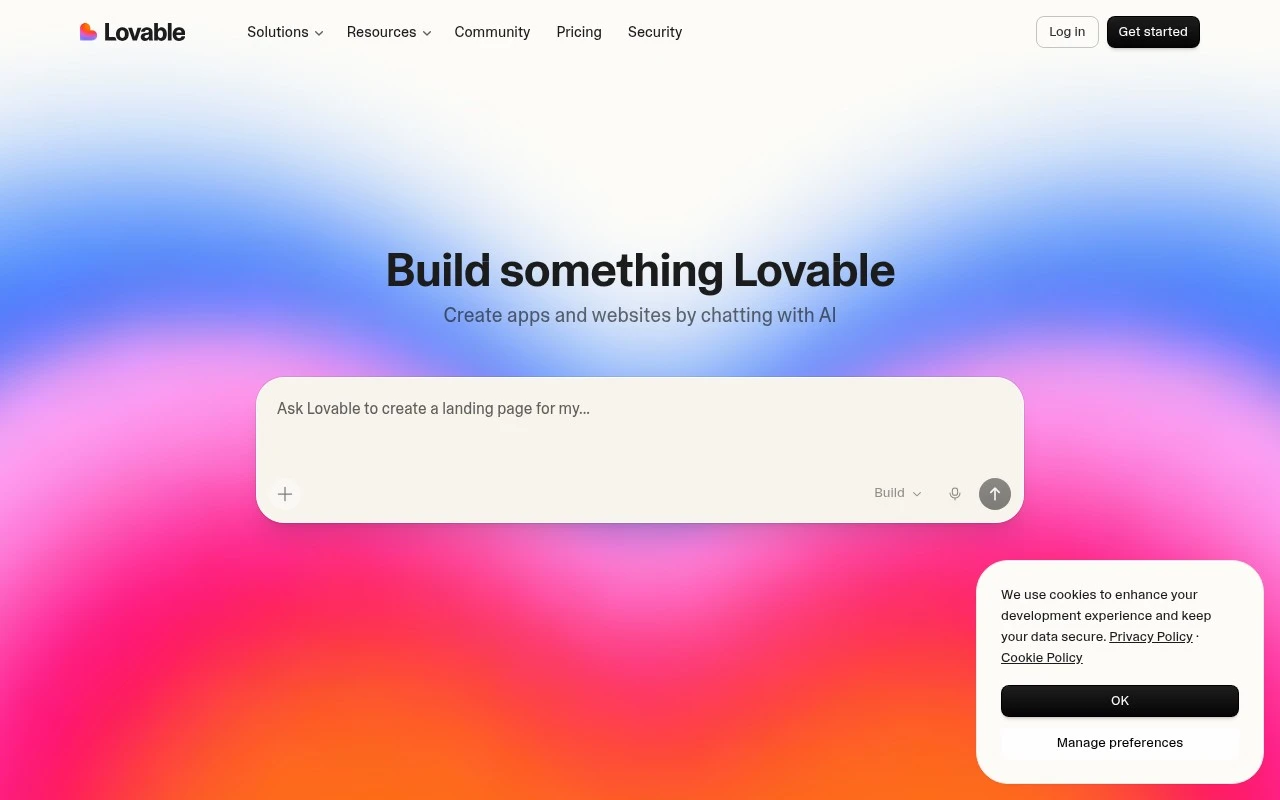
Lovable is an AI-powered app and website builder focused on chat-based creation. Users describe the product they want to build, optionally provide screenshots or documents, watch the AI turn the idea into a working prototype, then refine and deploy it. The official site positions it as a way to build apps, websites, and digital products faster without requiring deep coding skills.

FYAI Score

7.3 / 10

Based on 1.302 reviews

Pricing:

Freemium

Best for:

Founders and makers turning ideas into deployable prototypes fast

Score Breakdown

  • Ease of use7.3 / 10
  • Features7.3 / 10
  • Pricing7.3 / 10
  • Integrations7.1 / 10
  • Support7.4 / 10

PRODUCT PREVIEW

What this AI tool does

Lovable is an AI tool designed to help people turn ideas into usable outputs with less manual effort. It’s suited to situations where you want to explore options, draft content, or structure information quickly, while still keeping you in control of the final result. Because the exact workflow can vary by project, the tool is typically used as a starting point: you provide a prompt or context, review what it generates, and refine it to match your needs. This makes it useful for informational tasks where clarity and iteration matter, such as preparing drafts, summarizing material, or organizing notes. If you’re evaluating lovable, it helps to think about what inputs you can provide (for example, goals, constraints, or examples) and how you plan to validate the output. Like most AI tools, it works best when you give specific context and treat the results as a draft that benefits from human review.

Use cases

Best for

App Generation

Use Lovable to generate a working app prototype from a chat prompt, then iterate by requesting UI and logic changes in chat.

Build Landing Page

Use Lovable to build a landing page by describing sections and copy in chat, then refine layout and publish the page.

Website Generation

Use Lovable to generate a website from a chat brief and optional screenshots or documents, then edit pages and deploy.

ANALYSIS

Strengths & limitations

Strengths
  • Supports natural-language app and website creation from ideas, screenshots, and documents.
  • Emphasizes fast prototyping with real-time generation and iterative feedback.
  • Includes templates and one-click deployment according to the official site.
Limitations
  • The official page does not specify technical details such as frameworks, code export, hosting limits, or integration support.
  • Complex production products may still require technical review, testing, and maintenance beyond AI-generated prototypes.
  • The provided site text gives limited detail on pricing, governance, security, or team administration features.

Evaluation

FYAI score breakdown

Our structured evaluation across five key criteria

7.3 / 10

Overall score

Based on 1.302 reviews

  • Ease of use7.3 / 10
  • Features7.3 / 10
  • Pricing7.3 / 10
  • Integrations7.1 / 10
  • Support7.4 / 10

What users say

Findings from public reviews, documentation and community sources.

  • Ease of use

    A Reddit user says Lovable “needs very clear instructions,” indicating chat-based building can require prompting precision.

  • Features

    Lovable's product page says users can build “apps, websites, and digital products” by chatting with AI, and it describes accepting screenshots/docs, generating a working prototype in real time, templates, and one-click deployment.

  • Pricing

    Lovable's pricing page lists a free plan with “5 build credits” daily up to “30 a month” plus “20 Cloud credits,” and documents credit expiry and non-refundability. The same pricing page says credits “are not necessarily equal in value across different plans” and usage varies by task complexity.

  • Integrations

    Lovable's integrations page describes chat-based creation, templates, and one-click deployment. The integrations page does not surface a named connector ecosystem or API details.

  • Support

    Lovable's pricing FAQ directs users to “Join the community on Discord” or read the “documentation.”

Who is this for?

Best for people who want to turn app or website ideas into a working prototype through chat, Lovable's product page describes building “apps, websites, and digital products” and generating a working prototype in real time. Less suited to users who need a prominently documented connector ecosystem or API details, Lovable's integrations page centers on chat-based creation, templates, and one-click deployment instead.

PRODUCT PREVIEW

Feature highlights

Chat-to-app builder

Describe what you want and watch Lovable generate a working app.

Design from screenshots

Upload screenshots/docs to guide layouts, flows, and copy.

Prototype to deploy

Iterate in chat, then publish a shareable, usable product.

COMPARE

Discover curated alternatives worth comparing

Compare similar AI tools based on features, pricing and use cases

8.8/ 10Based on 14.986 reviews

WordPress

Website BuildersE-commerce Builders
Builds WordPress sites using an AI website builder and AI tools
Best for:
Small business owners
Pricing
Freemium

8.6/ 10Based on 28.442 reviews

Wix AI

Website BuildersE-commerce Builders
Generates a Wix website draft from user answers for editing.
Best for:
Small business owners
Pricing
Freemium

7.7/ 10Based on 35 reviews

WeWeb

Hosting & DeploymentApp / No-code Builders
Generates web app pages, databases, and logic from prompts
Best for:
Startup founders
Pricing
Freemium

Turn your idea into a working web app in hours, not weeks. Start building with Lovable today and validate faster with real users.

FAQ

Frequently asked
questions

Everything you need to know about this AI tool,
its features, pricing, use cases, and limitations.

When is Lovable a good fit, and when should I choose a more traditional stack?
Lovable is best for rapid MVPs, clickable prototypes, and early user testing where speed matters more than deep customization. It’s a strong option for startups and small teams validating workflows or UI before committing engineering time. If you’re building a complex, highly scalable product with custom backend logic and strict performance requirements, a traditional codebase or more extensible platform is usually a better fit.
Does Lovable have a free plan, and what limitations should I expect on paid tiers?
Lovable typically offers a free or trial option for evaluation, but it’s usually constrained by usage limits and reduced access to advanced capabilities. Paid plans generally unlock higher limits, collaboration features, and more production-oriented options. Before committing, check whether the plan you’re considering covers team size, project count, and any export or deployment needs you have.
How does Lovable compare to tools like Bubble, Webflow, or Retool for building an MVP?
Lovable is oriented toward fast prototyping and iteration, which can be quicker for early-stage validation than heavier no-code builders. Bubble tends to offer deeper app logic and database-driven workflows, while Webflow is stronger for marketing sites and front-end design control. Retool is often better for internal tools tied to existing data sources, whereas Lovable is typically chosen when you want to move from idea to testable prototype with minimal setup.
How fast can a team get started with Lovable, and what onboarding effort is required?
Lovable can be limiting for complex applications that require extensive customization, advanced backend logic, or high scalability. You may also run into constraints compared with a full coding environment when you need fine-grained control over architecture and performance. Costs can rise with larger teams or heavy usage, so it’s worth modeling pricing against your expected iteration volume.
What should I verify about Lovable’s data handling, privacy, and compliance before using it for real user data?
Confirm where Lovable stores project data, what data is retained, and whether you can control access and deletion for your workspace. If you’re handling sensitive or regulated data, review available security features (e.g., SSO, audit logs) and whether the vendor supports your compliance needs. Also check how any AI-assisted features process inputs and whether that data is used for model improvement or shared with subprocessors.