Curated ToolThis tool is part of our curated AI directory. We only include tools that meet our standards for relevance, usability and real-world value.

Hostinger

Builds websites and content with AI, plus setup help and assets

Website BuildersLanding Page Builders
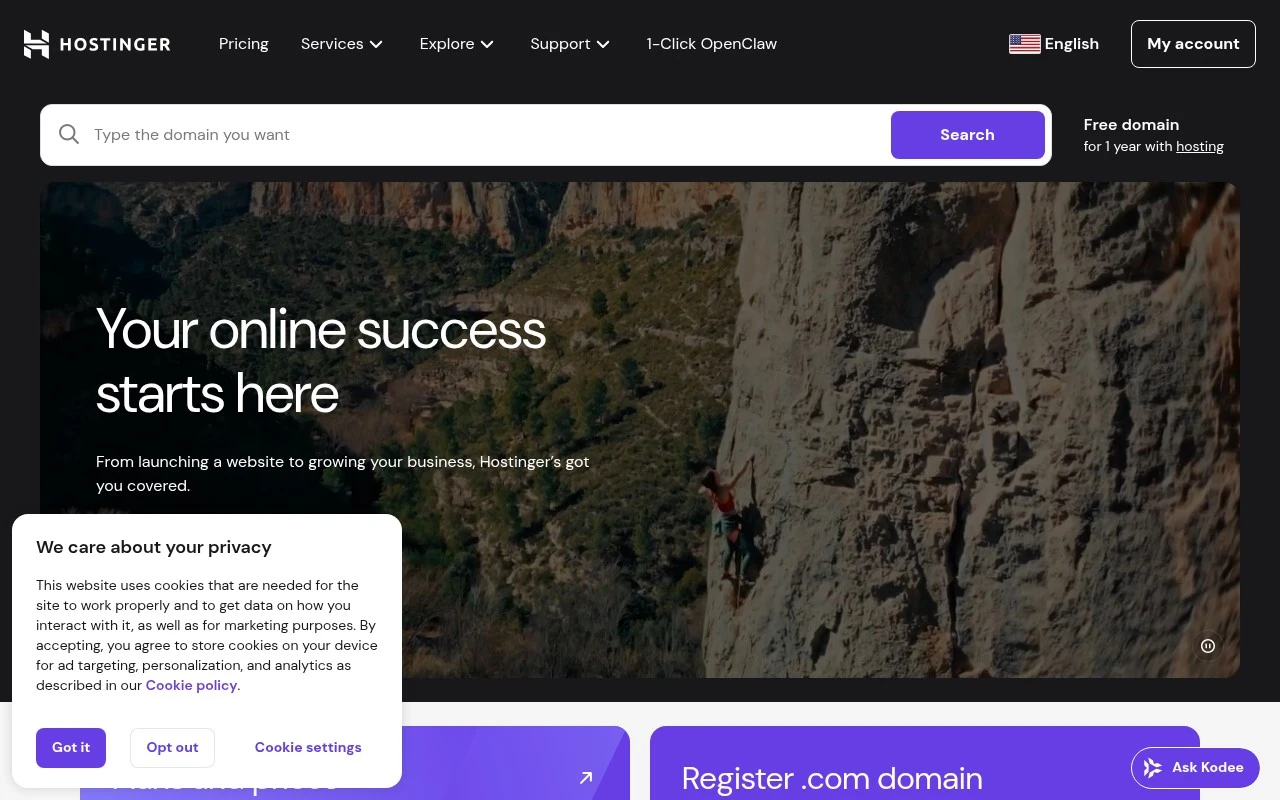
Hostinger combines traditional web hosting with site-building and AI-assisted creation tools. Its official site positions it as an all-in-one place to bring an idea online: users can register domains, build WordPress or drag-and-drop sites, use Hostinger Horizons to describe and generate a website or web app, host larger projects on VPS or cloud plans, and add business email or email marketing.

FYAI Score

8.4 / 10

Based on 70.146 reviews

Pricing:

Paid

Best for:

Creators and small businesses launching websites and online stores

Score Breakdown

  • Ease of use8.6 / 10
  • Features8.3 / 10
  • Pricing8.5 / 10
  • Integrations7.5 / 10
  • Support9.2 / 10

PRODUCT PREVIEW

What this AI tool does

Hostinger is a web hosting provider that helps individuals and small teams get a website online without needing to manage complex infrastructure. It’s commonly used when you want a straightforward way to register a domain, set up hosting, and connect a site or application to the internet. In practice, hostinger is often chosen for informational sites, blogs, and small business pages, as well as basic app deployments. Users typically interact with a control panel to manage settings like site files, databases, email accounts, and security options, making it easier to handle routine website administration. If you’re comparing hosting options, it can be useful to look at factors such as pricing tiers, performance expectations, support availability, and how easy it is to scale as traffic grows. Understanding these basics can help you decide whether this provider fits your needs and technical comfort level.

Use cases

Best for

Website Hosting

Use Hostinger to host WordPress or custom sites on shared, cloud, or VPS plans and connect a registered domain.

Build Landing Page

Build a landing page with Hostinger’s drag and drop builder, then publish it to your domain with built in hosting.

Website Generation

Generate a website by describing it in Hostinger Horizons, then edit the AI created pages and publish online.

ANALYSIS

Strengths & limitations

Strengths
  • Covers multiple online setup needs in one platform, including hosting, domains, website building, WordPress, email, VPS, and cloud hosting.
  • Includes AI-oriented tools such as Hostinger Horizons, Kodee, AI website creation, logo/image tools, and AI-assisted email marketing.
  • Offers beginner-friendly paths for launching sites, including templates, AI creation, managed WordPress maintenance, free migration, SSL, backups, and 24/7 support.
Limitations
  • Introductory prices shown on the site renew at higher monthly rates, so long-term cost can be different from the promotional price.
  • Lower-tier plans have explicit limits, such as a capped number of websites, storage, mailboxes, and vibe coding credits.
  • The homepage describes AI capabilities broadly, but does not provide enough detail there to judge technical depth, customization limits, or output quality for complex web apps.

Evaluation

FYAI score breakdown

Our structured evaluation across five key criteria

8.4 / 10

Overall score

Based on 70.146 reviews

  • Ease of use8.6 / 10
  • Features8.3 / 10
  • Pricing8.5 / 10
  • Integrations7.5 / 10
  • Support9.2 / 10

What users say

Findings from public reviews, documentation and community sources.

  • Ease of use

    Hostinger says, “Describe what you want, and Horizons builds it. No technical skills needed,” and Hostinger also references a drag-and-drop website builder and a “simple dashboard” testimonial.

  • Features

    Hostinger’s pricing page lists “Drag-and-drop website builder,” “Integrated ecommerce,” “AI tools,” and “Vibe coding” credits as part of its website-building stack.

  • Pricing

    Hostinger’s pricing page lists Premium at “$2.99/mo” for 48 months with “Renews at $10.99/mo.” Hostinger’s pricing page also states “30-day money-back guarantee,” “Cancel anytime,” and “All plans are paid upfront.”

  • Integrations

    Hostinger’s Horizons integrations page describes connecting projects with “essential services like payments, user accounts, analytics, and more.” Hostinger support pages point users to in-builder integration settings.

  • Support

    Hostinger advertises “24/7 support” and “Priority 24/7 expert support.” Hostinger says Kodee chat/WhatsApp help can “help you choose the right plan, set things up, and start your online journey.”

Who is this for?

Best for users who want a hosted website/app builder with commerce and AI tools in one place, Hostinger’s pricing page lists “Drag-and-drop website builder,” “Integrated ecommerce,” “AI tools,” and “Vibe coding” credits. Less suited to buyers avoiding upfront commitments or renewal changes, Hostinger’s pricing page lists Premium at “$2.99/mo” for 48 months with “Renews at $10.99/mo,” and states “All plans are paid upfront.”

PRODUCT PREVIEW

Feature highlights

AI Website Builder

Describe your idea and generate a ready-to-edit website in minutes.

Domains + Email

Register a domain and add professional email for your brand.

VPS & Cloud Hosting

Scale from simple sites to bigger projects with managed hosting plans.

COMPARE

Discover curated alternatives worth comparing

Compare similar AI tools based on features, pricing and use cases

8.8/ 10Based on 14.986 reviews

WordPress

Website BuildersE-commerce Builders
Builds WordPress sites using an AI website builder and AI tools
Best for:
Small business owners
Pricing
Freemium

8.6/ 10Based on 28.442 reviews

Wix AI

Website BuildersE-commerce Builders
Generates a Wix website draft from user answers for editing.
Best for:
Small business owners
Pricing
Freemium

7.7/ 10Based on 35 reviews

WeWeb

Hosting & DeploymentApp / No-code Builders
Generates web app pages, databases, and logic from prompts
Best for:
Startup founders
Pricing
Freemium

Launch a fast, professional website with Hostinger and start growing online today. Join millions who build and scale their sites without the hassle.

FAQ

Frequently asked
questions

Everything you need to know about this AI tool,
its features, pricing, use cases, and limitations.

Who is Hostinger a good fit for, and when should I choose a different builder or host?
Hostinger is a strong fit for small businesses, freelancers, and side projects that need an affordable site with solid uptime and straightforward management. It works well for basic marketing sites, blogs, and small-to-mid eCommerce depending on the plan. If you need highly specialized hosting (advanced DevOps workflows, complex multi-site governance, or enterprise-grade support SLAs), a higher-end provider may be a better match.
Does Hostinger have a free plan, and what are the practical limits of the paid plans?
Hostinger generally does not offer a permanent free plan; it’s primarily paid hosting and website builder plans, sometimes with a trial or money-back period depending on the product and region. Lower-tier plans can be cost-effective but may have tighter resource limits (storage, performance headroom, or included features) than premium tiers. If you’re comparing tools, check whether essentials like a domain, email, backups, and CDN/security features are included or add-ons.
How does Hostinger compare with Wix, Squarespace, and WordPress-focused hosts?
Compared with Wix or Squarespace, Hostinger often comes out cheaper over time and gives you more flexibility if you want to run WordPress or manage hosting settings. Dedicated WordPress hosts can offer more advanced tooling and higher-touch support, but typically at a higher price. If you want an all-in-one design-first editor with minimal hosting decisions, Wix/Squarespace may feel simpler; if you want budget-friendly hosting plus a builder option, Hostinger is competitive.
How fast can I get a site live on Hostinger, and what onboarding effort should I expect?
Hostinger prioritizes affordability, so you may find fewer advanced features and less specialized tooling than premium hosts. Support can be slower during peak periods, which matters if you need rapid incident response. It’s a solid baseline option, but teams with complex performance, compliance, or uptime requirements may outgrow it sooner.
What should I consider about data handling, privacy, and compliance when using Hostinger?
Hostinger operates as a hosting provider, so you’re responsible for what data your site collects and how you configure retention, access controls, and backups. Review where your data is stored (data center location options), what logs are kept, and how support access is handled before committing. If you have strict regulatory needs (e.g., GDPR-specific requirements, HIPAA, or contractual data residency), confirm the exact plan capabilities and documentation with Hostinger before migrating.