Curated ToolThis tool is part of our curated AI directory. We only include tools that meet our standards for relevance, usability and real-world value.

FlutterFlow

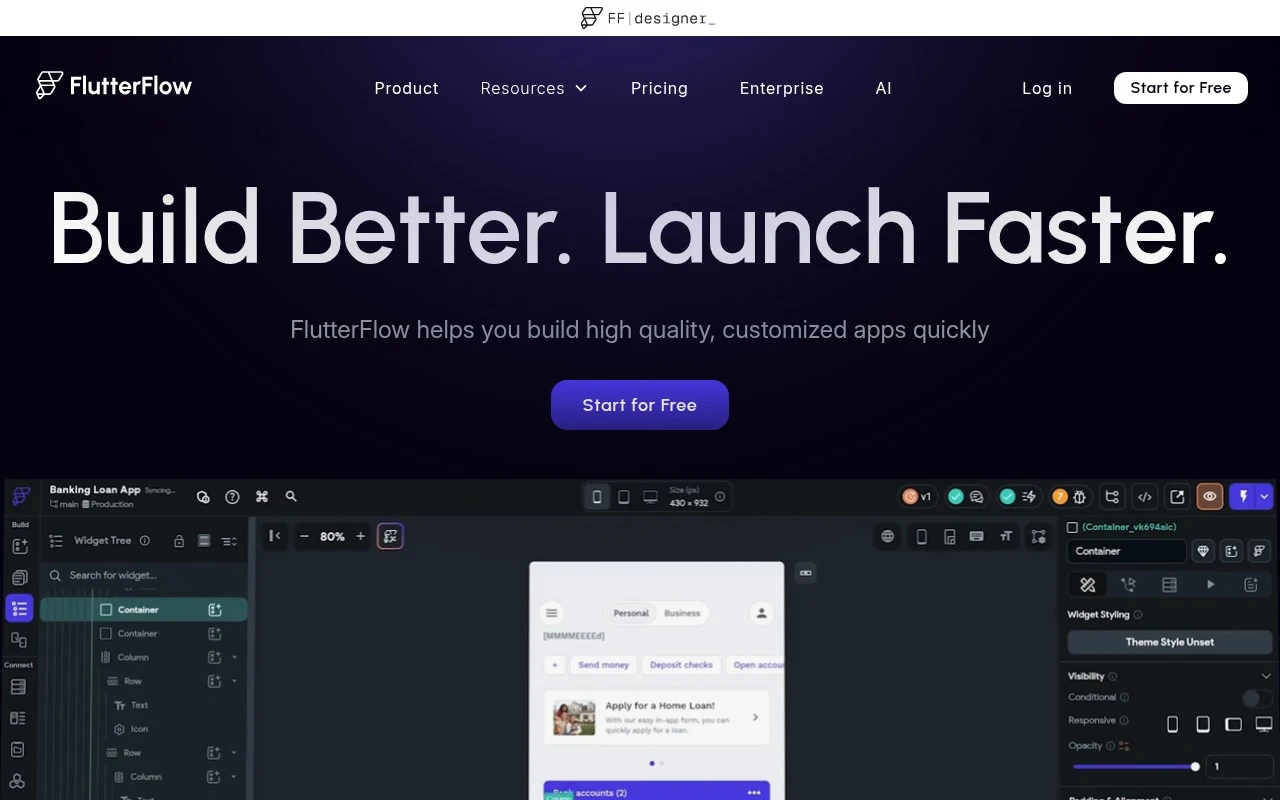
Builds Flutter apps with a visual editor and generates code

App / No-code Builders
FlutterFlow helps teams build customized Flutter applications through a visual builder rather than coding every screen and interaction manually. It combines UI design, visual action logic, backend/API integrations, team collaboration, testing, deployment, and code export, making it suitable for both rapid MVP development and more customized app projects.

FYAI Score

8.6 / 10

Based on 43 reviews

Pricing:

Freemium

Best for:

Product teams building Flutter apps fast without writing every screen

Score Breakdown

  • Ease of use8.0 / 10
  • Features9.0 / 10
  • Pricing8.4 / 10
  • Integrations9.0 / 10
  • Support8.8 / 10

PRODUCT PREVIEW

What this AI tool does

FlutterFlow is a visual app-building tool designed to help people create mobile and web applications with less manual coding. It’s commonly used by teams and individuals who want to prototype ideas quickly or build production-ready interfaces while still keeping the option to work with code when needed. In practice, you design screens, connect data sources, and define app behavior through a guided interface, which can reduce the time spent on repetitive setup. flutterflow is often considered by product teams, designers, and developers who want a structured way to move from concept to a working app, especially when collaborating across roles. This page provides an informational overview of what the tool is for and the kinds of projects it fits best, so you can decide whether it matches your workflow and technical requirements.

Use cases

Best for

App Generation

Build a Flutter app by designing screens in a visual builder and wiring actions, APIs, and backend integrations without manual UI coding.

Generate Code

FlutterFlow exports production Flutter code from your visual UI and logic so developers can extend it in an IDE.

App Prototyping

Prototype app flows by assembling UI components, adding navigation and state, and previewing changes on device or web.

ANALYSIS

Strengths & limitations

Strengths
  • Supports visual UI and logic building with 200+ pre-designed UI elements and an Action Flow Editor.
  • Includes practical app integrations such as Firebase, Supabase, REST APIs, payments, and maps.
  • Allows deployment to App Store, Play Store, and web, with Flutter code export to reduce vendor lock-in.
Limitations
  • It is primarily an app development platform, not an AI-specific tool based on the provided official site content.
  • Highly custom interactions may still require custom actions, custom widgets, or Flutter development knowledge.
  • Data-heavy apps still depend on external services such as Firebase, Supabase, APIs, or a separate backend.

Evaluation

FYAI score breakdown

Our structured evaluation across five key criteria

8.6 / 10

Overall score

Based on 43 reviews

  • Ease of use8.0 / 10
  • Features9.0 / 10
  • Pricing8.4 / 10
  • Integrations9.0 / 10
  • Support8.8 / 10

What users say

Findings from public reviews, documentation and community sources.

  • Ease of use

    Product Hunt’s review summary says reviewers see FlutterFlow as a “strong no-code app builder” that lets “non-technical users and small teams launch real products fast.” FlutterFlow’s product page emphasizes visual building with “200+ pre-designed UI elements.”

  • Features

    FlutterFlow’s pricing page says users can “Build Mobile, Web, & Desktop Apps” and lists “1K+ Prebuilt Templates,” visual logic, state management, and code extensibility. FlutterFlow’s pricing page also lists automated testing, branching, localization, Figma import, store deployment, and code/APK download.

  • Pricing

    FlutterFlow’s pricing page lists four tiers: Free at “$0,” Basic at “$39/month,” Growth at “$80 1st seat/mo,” and Business at “$150 1st seat/mo.” FlutterFlow’s pricing page also references annual billing savings, 2 free projects, and AI request caps.

  • Integrations

    FlutterFlow’s pricing page lists Firebase, Supabase, RESTful API support, payment integration, ads integration, and GitHub integration. FlutterFlow’s pricing page also lists Swagger/OpenAPI imports, Figma imports, VS Code extension, CLI access, and third-party package imports.

  • Support

    FlutterFlow’s site lists support resources including “Documentation,” “Trainings,” templates, and a developer/agency hiring path. FlutterFlow’s site also lists plan-level “Account & Billing Support,” “Community Support,” “Email Support,” and “In-App Support.”

Who is this for?

Best for non-technical users and small teams that need to launch app products quickly, Product Hunt’s review summary says FlutterFlow lets “non-technical users and small teams launch real products fast.” Best fit also includes teams building beyond a simple website, because FlutterFlow’s pricing page says users can “Build Mobile, Web, & Desktop Apps.” Less suited to buyers looking for a low-cost site builder, FlutterFlow’s pricing page lists paid tiers from Basic at “$39/month” to Business at “$150 1st seat/mo,” which means the platform is priced around app-development plans rather than only basic site publishing.

PRODUCT PREVIEW

Feature highlights

Visual Flutter UI

Design responsive screens with drag-and-drop Flutter widgets.

Action Logic Builder

Create flows, state, and navigation with visual actions.

Code Export & Deploy

Export production Flutter code and ship to web or mobile.

COMPARE

Discover curated alternatives worth comparing

Compare similar AI tools based on features, pricing and use cases

8.8/ 10Based on 14.986 reviews

WordPress

Website BuildersE-commerce Builders
Builds WordPress sites using an AI website builder and AI tools
Best for:
Small business owners
Pricing
Freemium

8.6/ 10Based on 28.442 reviews

Wix AI

Website BuildersE-commerce Builders
Generates a Wix website draft from user answers for editing.
Best for:
Small business owners
Pricing
Freemium

7.7/ 10Based on 35 reviews

WeWeb

Hosting & DeploymentApp / No-code Builders
Generates web app pages, databases, and logic from prompts
Best for:
Startup founders
Pricing
Freemium

Launch polished web and mobile apps faster with FlutterFlow. Turn your idea into a working product today and iterate in days, not months.

FAQ

Frequently asked
questions

Everything you need to know about this AI tool,
its features, pricing, use cases, and limitations.

What types of apps is FlutterFlow a good fit for, and when should I choose something else?
FlutterFlow works well for CRUD-style business apps, dashboards, marketplaces, and MVPs that need web + mobile from one build. It’s also a strong choice if you want Firebase-backed auth and real-time data without building a backend from scratch. Consider other tools if you need highly custom native behavior, heavy graphics/3D, or complex offline-first logic that requires deep control over the codebase.
How do FlutterFlow’s free and paid plans differ in ways that matter during evaluation?
The free tier is typically enough to explore the builder and validate workflows, but publishing, team collaboration, and production-ready features usually require a paid plan. Plan limits can affect code export, custom domains, and advanced integrations, which may be deal-breakers depending on your deployment model. Before committing, map your must-haves (publishing targets, collaboration, export needs) to the specific plan features.
How does FlutterFlow compare with other no-code app builders like Bubble, Adalo, or Webflow?
FlutterFlow is centered on Flutter, so it’s often preferred when you want a single project targeting iOS, Android, and web with a more app-like UI. Bubble is typically stronger for complex web app logic and plugins but doesn’t produce a native mobile app in the same way. Webflow is better for content-driven marketing sites, while Adalo is simpler for basic mobile apps but can be more limiting for larger products.
How quickly can a team get a working prototype in FlutterFlow, and what onboarding effort should I expect?
FlutterFlow can constrain advanced UI patterns and fine-grained performance tuning compared to hand-written Flutter. Some features may require custom code, and maintaining that code alongside the visual builder can add complexity. You’re also dependent on FlutterFlow’s release cadence and platform capabilities for certain widgets and integrations.
What should I consider about data handling, privacy, and compliance when using FlutterFlow?
FlutterFlow commonly connects to Firebase or external APIs, so your data residency, encryption, and access controls largely depend on those services and how you configure them. Review what FlutterFlow stores about your project (e.g., app configuration, logs) and confirm whether it supports your required agreements (such as DPA) and audit needs. If you’re in a regulated environment, validate authentication, role-based access, and logging requirements end-to-end before building critical workflows.