Curated ToolThis tool is part of our curated AI directory. We only include tools that meet our standards for relevance, usability and real-world value.

Draftbit

Generates and edits app features in a visual app builder using AI

Website BuildersApp / No-code Builders
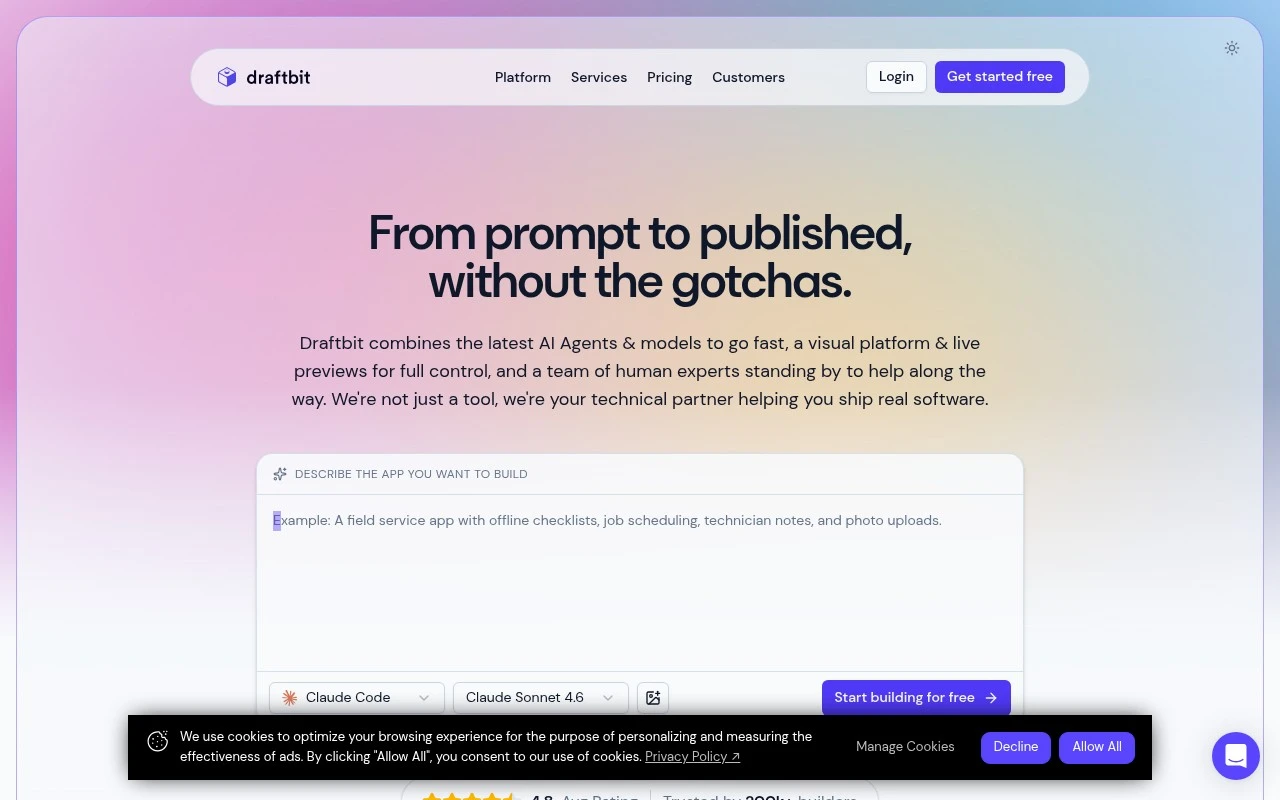
Draftbit is a hybrid AI, visual development, and expert-services platform for building real apps across web, iOS, and Android. It lets users start from prompts, edit screens visually, preview changes on devices, modify code when needed, track version history, connect APIs and backends, and publish or export source code. Its main distinction is the combination of AI agents, full visual control, source-code access, GitHub/versioning, integrations, and optional human experts rather than a closed no-code-only workflow.

FYAI Score

8.8 / 10

Based on 23 reviews

Pricing:

Freemium

Best for:

Product teams and developers building production apps with full code access

Score Breakdown

  • Ease of use8.4 / 10
  • Features8.8 / 10
  • Pricing9.2 / 10
  • Integrations8.4 / 10
  • Support9.1 / 10

PRODUCT PREVIEW

What this AI tool does

Draftbit is a tool for building mobile applications with a visual, component-based workflow. It’s designed for people who want to assemble app screens and logic without relying entirely on hand-written code, while still keeping the option to work with code when needed. In practice, it helps teams prototype and iterate on app ideas, connect screens to data sources, and move from a draft to a working build in a more structured way. It can be useful for designers, developers, and product teams who want a shared environment for creating and refining mobile app interfaces. If you’re researching draftbit, it’s worth considering how it fits into your current development process, including how you plan to handle collaboration, version control, and deployment. The best fit often depends on whether you need a quick prototype, a maintainable production app, or a mix of both.

Use cases

Best for

App Generation

Draftbit generates iOS, Android, and web app screens from prompts, then lets you visually edit, preview, and publish or export source code.

Website Generation

Use Draftbit to build responsive web app pages with a visual editor, connect APIs, preview changes, and deploy or export the code.

Generate Code

Generate editable React Native code from visual screens, sync with GitHub, and customize components and API logic in code when needed.

ANALYSIS

Strengths & limitations

Strengths
  • Supports web, iOS, and Android app creation from a single workspace with visual editing, live preview, and publishing workflows.
  • Combines AI agents with manual control, including a built-in code editor, source-code export, and version history.
  • Offers integrations and backend connectivity, including REST APIs, Supabase, authentication, storage, and other services, plus expert assistance when needed.
Limitations
  • It is focused on app and software building, so it is not a general-purpose AI assistant or a tool for non-app content creation.
  • Complex backends, custom integrations, or stalled AI-generated projects may still require technical expertise or paid expert help.
  • The official site emphasizes capabilities and recent updates but does not provide enough detail in the supplied text to assess pricing limits, credit costs, or deployment constraints.

Evaluation

FYAI score breakdown

Our structured evaluation across five key criteria

8.8 / 10

Overall score

Based on 23 reviews

  • Ease of use8.4 / 10
  • Features8.8 / 10
  • Pricing9.2 / 10
  • Integrations8.4 / 10
  • Support9.1 / 10

What users say

Findings from public reviews, documentation and community sources.

  • Ease of use

    Software Advice user-review signals describe Draftbit as speeding up app development and being "relatively easy," and G2 snippets mention Draftbit's builder and templates as "very easy to use."

  • Features

    Draftbit's features page describes "cross-platform apps with AI assistance, visual editing, live preview, full code access, and publishing built in." Draftbit's features page also lists code export to GitHub or Zip, templates, simulators, and one-click publishing.

  • Pricing

    Draftbit's pricing page lists a Free plan, Standard at "$12 /month," Pro at "$24 /month," and Team at "$120 /month." Draftbit's pricing page includes notes on credits, publishing, code export, seats, and support tiers, and paid base plans list credits as add-ons.

  • Integrations

    Draftbit's pricing page advertises "100+ integrations & MCPs," and paid tiers include "Unlimited Integrations." Draftbit's pricing page says higher tiers add GitHub export plus custom MCP server integrations.

  • Support

    Draftbit's pricing page says Free includes community support, Standard adds email support, Pro adds "Priority Support & Training," and Team includes training sessions plus a dedicated account manager. Capterra review snippets describe a "great community forum" and helpful, receptive customer-facing team members.

Who is this for?

Best for teams that want a visual app builder while keeping source-code options, Draftbit's features page lists full code access and code export to GitHub or Zip. Less suited to teams that need all usage included in the base subscription, Draftbit's pricing page says paid base plans list credits as add-ons.

PRODUCT PREVIEW

Feature highlights

Prompt-to-app start

Kick off screens and flows from AI prompts, then refine as you go.

Visual screen builder

Edit UI visually, preview on devices, and iterate without rebuilds.

Exportable source code

Access and export code, use GitHub/version history, and ship anywhere.

COMPARE

Discover curated alternatives worth comparing

Compare similar AI tools based on features, pricing and use cases

8.8/ 10Based on 14.986 reviews

WordPress

Website BuildersE-commerce Builders
Builds WordPress sites using an AI website builder and AI tools
Best for:
Small business owners
Pricing
Freemium

8.6/ 10Based on 28.442 reviews

Wix AI

Website BuildersE-commerce Builders
Generates a Wix website draft from user answers for editing.
Best for:
Small business owners
Pricing
Freemium

7.7/ 10Based on 35 reviews

WeWeb

Hosting & DeploymentApp / No-code Builders
Generates web app pages, databases, and logic from prompts
Best for:
Startup founders
Pricing
Freemium

Turn your app idea into a real mobile product faster. Start building with Draftbit today and ship a polished iOS and Android app your team can own and iterate on.

FAQ

Frequently asked
questions

Everything you need to know about this AI tool,
its features, pricing, use cases, and limitations.

What types of apps is Draftbit a good fit for?
Draftbit is a strong choice for teams building React Native mobile apps quickly, especially CRUD-style apps, internal tools, and MVPs that need API and database connectivity. It’s also useful when you want a visual builder but still need access to real source code for handoff or extension. If you’re building a highly custom, graphics-heavy app or complex offline-first workflows, you may find other approaches more flexible.
Does Draftbit have a free plan, and what are the main limitations compared to paid tiers?
Draftbit typically offers a way to try the product, but the practical limits tend to show up around collaboration, project limits, and access to advanced features or production workflows. Paid plans are usually needed for team use, scaling the number of apps, and more robust support. Before committing, confirm whether the plan you’re considering includes code export and the integrations you need.
How does Draftbit compare with tools like FlutterFlow, Adalo, or Bubble?
Draftbit focuses on React Native and is often evaluated against FlutterFlow (Flutter) and Adalo (more fully hosted/no-code). Compared with Bubble, Draftbit is better aligned to native mobile app builds rather than web-first apps with a built-in backend. If you want maximum control and developer handoff, Draftbit’s code-centric approach can be a differentiator; if you want an all-in-one hosted runtime, other tools may feel simpler.
How fast can a team get started with Draftbit, and what onboarding effort should you expect?
Draftbit can be limiting if you need deep, bespoke UI behavior or complex native modules beyond what the builder supports out of the box. Some teams also weigh the dependency on the platform’s editor and workflow against building directly in code. Pricing can become a factor as you add more collaborators and projects, so model costs against your expected scale.
What should I consider about data handling, privacy, and compliance when using Draftbit?
Draftbit typically connects your app to external backends (your APIs, databases, or services), so most sensitive data handling depends on where you store and process data. Review what Draftbit stores about your projects (e.g., app configuration, assets, logs) and whether any third-party integrations receive data. If you have compliance requirements (HIPAA, GDPR, SOC 2), verify current documentation, data residency options, and contractual terms before using it for regulated workloads.