Curated ToolThis tool is part of our curated AI directory. We only include tools that meet our standards for relevance, usability and real-world value.

Dora AI

Generates editable website drafts from natural-language prompts

Website BuildersLanding Page Builders
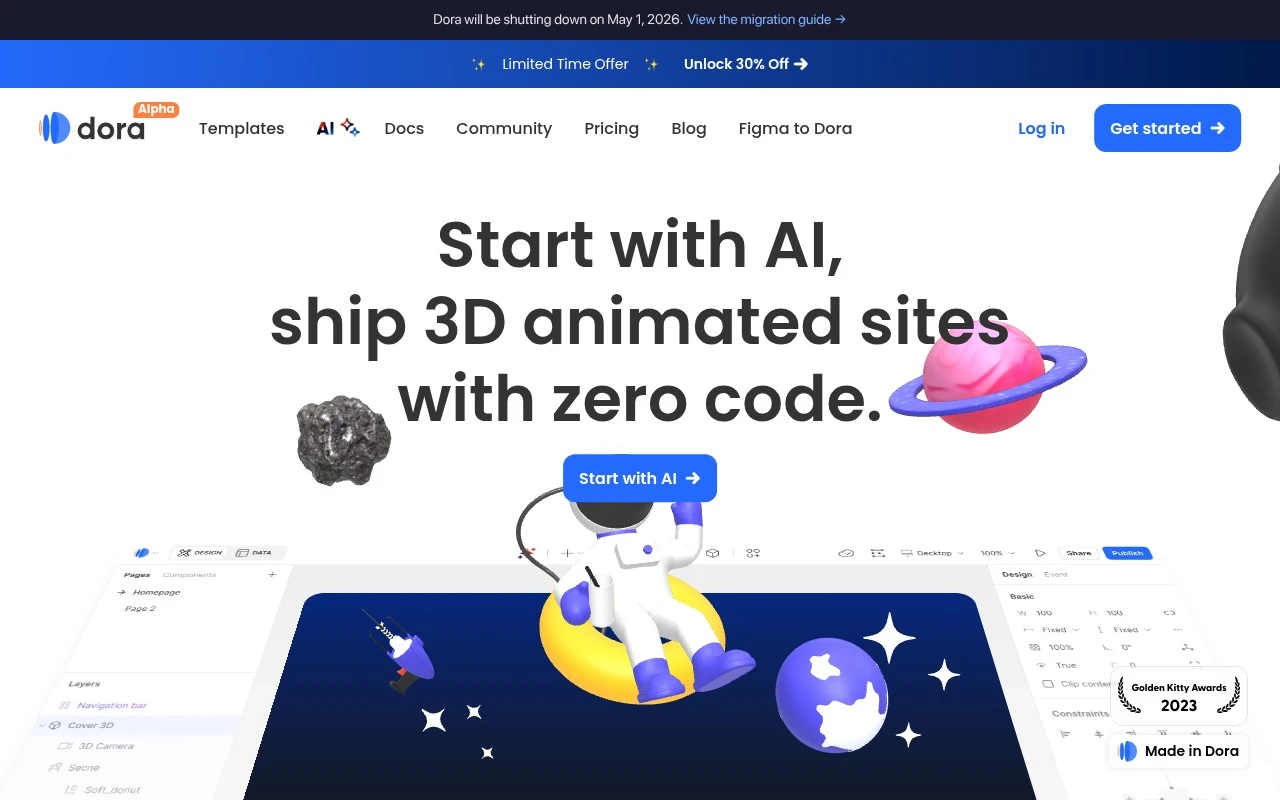
Dora AI is the AI website-generation feature associated with Dora, a no-code web design tool known for visual layouts and animated, design-heavy sites. Its core role is to turn a user prompt into an editable website draft that can be customized in Dora rather than producing a finished business system or standalone web app.

FYAI Score

7.4 / 10

Based on 45 reviews

Pricing:

Freemium

Best for:

Designers and creators prototyping animated sites fast

Score Breakdown

  • Ease of use8.0 / 10
  • Features7.2 / 10
  • Pricing7.6 / 10
  • Integrations7.0 / 10
  • Support7.0 / 10

PRODUCT PREVIEW

What this AI tool does

Dora AI is an AI tool designed to help users generate and refine content with less manual effort. It’s intended for people who want a straightforward way to turn ideas into usable text, whether they’re starting from a blank page or improving an existing draft. In practice, it can support common writing and editing tasks such as drafting short-form copy, rephrasing sentences for clarity, and adjusting tone to match a specific audience. The tool is typically used in an informational workflow where you provide a prompt or source material, review the output, and then make final edits to ensure accuracy and fit for your needs.

Use cases

Best for

Website Generation

Dora AI turns a text prompt into an editable multi-section website draft with layouts and animations inside Dora.

Build Landing Page

Generate a landing page draft from a prompt, then customize sections, visuals, and motion effects in Dora’s no-code editor.

ANALYSIS

Strengths & limitations

Strengths
  • Speeds up the blank-page stage of website creation by generating a draft from a prompt.
  • Connects AI output to an editable no-code website builder rather than leaving users with static mockups only.
  • Well aligned with visually oriented landing pages, portfolios, and creative web experiences.
Limitations
  • The provided official page scrape returned only an error code, so current feature details could not be verified from the supplied source.
  • AI-generated sites will still need review, editing, and brand/content refinement before publishing.
  • Not primarily positioned as a tool for building complex web applications, backend workflows, or highly customized software products.

Evaluation

FYAI score breakdown

Our structured evaluation across five key criteria

7.4 / 10

Overall score

Based on 45 reviews

  • Ease of use8.0 / 10
  • Features7.2 / 10
  • Pricing7.6 / 10
  • Integrations7.0 / 10
  • Support7.0 / 10

What users say

Findings from public reviews, documentation and community sources.

  • Ease of use

    Product Hunt reviewers “mostly praise Dora AI for making landing pages quick and easy to build without code,” with mentions of a “Figma-like editor” and smooth AI workflow. A Reddit user describes Dora AI as doing Three.js-style work “with no code.”

  • Features

    Reddit users describe Dora AI features including “3D model with animation” and a “viewport/timeline feature” for keyframing position and camera. The same Reddit discussion frames Dora AI around landing pages and interactive 3D work.

  • Pricing

    B12’s AI website builder directory describes a free plan plus paid tiers such as Basic at $14/month and Pro at $25/month. Reddit sentiment says Dora is “the more expensive option” versus simpler tools like Carrd and that costs “may get higher.”

  • Integrations

    Figma Community lists a Dora AI plugin that “helps turn your website ideas into fully editable Figma designs.”

  • Support

    Product Hunt includes a Dora AI complaint saying “Terrible customer service, actually ZERO customer service,” and another saying support is “practically non-existent.”

Who is this for?

Best for people who want to build no-code landing pages with visual design and 3D elements, Product Hunt reviewers mention quick landing-page creation without code, and Reddit users describe “3D model with animation” plus a “viewport/timeline feature.” It is less suited to teams that need dependable customer support, because Product Hunt includes complaints saying “Terrible customer service, actually ZERO customer service” and support is “practically non-existent.” It is also less suited to teams that need broad website-builder integrations, because the concrete named integration is the Figma Community plugin for turning website ideas into fully editable Figma designs.

PRODUCT PREVIEW

Feature highlights

Prompt-to-website

Generate a complete site draft from a prompt, ready to refine.

Design-first layouts

Get visually rich sections and styling built for modern web design.

Editable in Dora

Customize the AI draft with Dora’s no-code editor and animations.

COMPARE

Discover curated alternatives worth comparing

Compare similar AI tools based on features, pricing and use cases

8.8/ 10Based on 14.986 reviews

WordPress

Website BuildersE-commerce Builders
Builds WordPress sites using an AI website builder and AI tools
Best for:
Small business owners
Pricing
Freemium

8.6/ 10Based on 28.442 reviews

Wix AI

Website BuildersE-commerce Builders
Generates a Wix website draft from user answers for editing.
Best for:
Small business owners
Pricing
Freemium

7.7/ 10Based on 35 reviews

WeWeb

Hosting & DeploymentApp / No-code Builders
Generates web app pages, databases, and logic from prompts
Best for:
Startup founders
Pricing
Freemium

Turn an idea into a polished website faster than ever. Start building with Dora AI today and launch with confidence.

FAQ

Frequently asked
questions

Everything you need to know about this AI tool,
its features, pricing, use cases, and limitations.

What types of projects is Dora AI a good fit for, and when should I choose something else?
Dora AI fits best for SMB marketing sites, landing pages, simple product sites, and lightweight web experiences where you want to publish fast with minimal engineering. It’s less suitable if you need deep backend logic, complex user roles, or highly bespoke design systems. If your roadmap includes heavy integrations or custom infrastructure, a more developer-centric stack may be a better match.
Does Dora AI have a free plan, and what are the practical limitations compared to paid tiers?
Dora AI typically offers a free/entry option for trying the builder, but publishing to a custom domain and using production-ready hosting features are usually tied to paid plans. Expect limits around project count, branding, and export/publishing options on lower tiers. Before committing, check whether the plan you’re considering includes the hosting, bandwidth, and collaboration features you need.
How does Dora AI compare with Webflow, Framer, and Wix for a comparison-stage decision?
Compared with Webflow, Dora AI generally trades some fine-grained layout/control and ecosystem depth for faster creation and a simpler workflow. Versus Framer, Dora AI is often evaluated similarly for speed and modern visuals, but you’ll want to compare component flexibility, CMS needs, and handoff/export expectations. Against Wix, Dora AI can feel more streamlined for quick builds, while Wix may offer broader built-in business features and app integrations.
How quickly can I get a site live with Dora AI, and what onboarding effort should I expect?
The biggest trade-off is customization depth: Dora AI is optimized for speed, so highly specific UI patterns or unusual layouts may be harder to implement. Complex applications can run into performance or feature constraints compared to a tailored codebase. You’re also more dependent on Dora AI’s hosting and platform roadmap than with self-hosted solutions.
What should I consider about data handling, privacy, and compliance when using Dora AI?
If you collect user data (forms, analytics, cookies), confirm what Dora AI stores, where it’s processed, and what controls you have for retention and deletion. Review whether Dora AI offers a DPA, supports GDPR/CCPA workflows, and how it handles sub-processors for hosting and analytics. For regulated use cases, validate access controls, audit needs, and whether you can meet your organization’s security requirements on the chosen plan.