Curated ToolThis tool is part of our curated AI directory. We only include tools that meet our standards for relevance, usability and real-world value.

Codedesign

Generates website drafts from prompts, then lets you edit and export.

Website BuildersLanding Page Builders
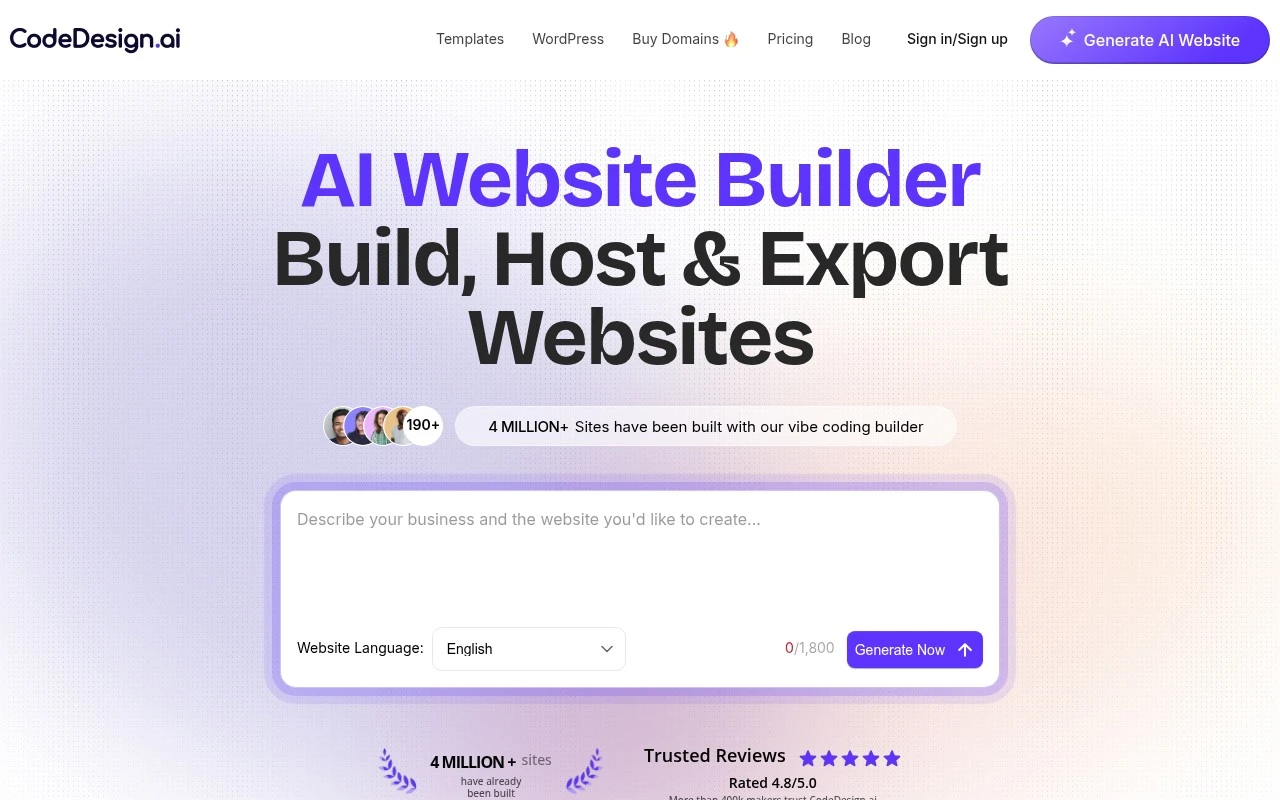
Codedesign.ai is an AI website builder that lets users create websites from prompts or templates, edit them with an AI companion or visual builder, and publish them without traditional web development. Its official site emphasizes flexibility after creation: users can host on CodeDesign, connect or buy a domain, sync to WordPress, collect form data, use blogging and SEO features, and export projects as HTML/CSS or React code.

FYAI Score

8.1 / 10

Based on 213 reviews

Pricing:

Freemium

Best for:

Founders and marketers launching websites without a dev team

Score Breakdown

  • Ease of use8.2 / 10
  • Features8.3 / 10
  • Pricing7.3 / 10
  • Integrations8.6 / 10
  • Support7.9 / 10

PRODUCT PREVIEW

What this AI tool does

Codedesign is an AI tool page intended to help readers understand what the tool does and when it might be useful. It provides a straightforward overview in plain language, focusing on practical context rather than promotional claims. This page is designed for informational search intent, so it emphasizes clarity: what the tool is for, the kinds of tasks it can support, and what to consider before using it. If you are comparing options or trying to decide whether codedesign fits your workflow, the description aims to give enough detail to set expectations without overpromising.

Use cases

Best for

Website Generation

Codedesign generates a website from a text prompt or template, then lets you edit it in a visual builder or AI companion.

Website Hosting

Publish your site by hosting on CodeDesign, connecting or buying a domain, and managing pages, blog, forms, and SEO in one place.

Build Landing Page

Build a landing page from a prompt or template, customize sections visually, and collect leads via built-in forms.

ANALYSIS

Strengths & limitations

Strengths
  • Combines prompt-based site generation with manual drag-and-drop editing for more control after the first draft.
  • Offers multiple publishing paths, including CodeDesign hosting, custom domains, WordPress sync, and code export.
  • Includes website-adjacent features such as forms, blogging, SSL, analytics, backups, and domain purchasing in the same platform.
Limitations
  • The official page does not clearly define limits by plan, such as export rights, hosting limits, page limits, or usage caps.
  • It is positioned for websites and landing pages; support for complex custom web apps or advanced backend functionality is not established from the provided source.
  • Several claims, such as site counts, ratings, and optimization language, are marketing claims from the official page and should be verified before use in comparative rankings.

Evaluation

FYAI score breakdown

Our structured evaluation across five key criteria

8.1 / 10

Overall score

Based on 213 reviews

  • Ease of use8.2 / 10
  • Features8.3 / 10
  • Pricing7.3 / 10
  • Integrations8.6 / 10
  • Support7.9 / 10

What users say

Findings from public reviews, documentation and community sources.

  • Ease of use

    The CodeDesign product page describes website creation with “AI prompts or drag-and-drop” and says “no credit card required.” The CodeDesign product page includes a user quote saying the “platform is intuitive and easy to work with.”

  • Features

    The CodeDesign features page lists AI site generation, drag-and-drop editing, WordPress builder, and SEO audit.

  • Pricing

    Reddit feedback says “CodeDesign charges for credit use” and describes the “Lifetime pay $79” offer as “scammy.”

  • Integrations

    Zapier states that CodeDesign.ai “integrates with 9000 other apps.” The CodeDesign product materials also surface WordPress publishing/sync and export workflows.

  • Support

    The CodeDesign product page includes testimonials about prompt chat help. Reddit feedback says “Customer service is slow.”

Who is this for?

Best for users who want to create a website without starting from code, the CodeDesign product page describes creation with “AI prompts or drag-and-drop” and says “no credit card required.” Less suited to buyers who need predictable costs or fast support, Reddit feedback says “CodeDesign charges for credit use” and “Customer service is slow,” which can affect budgeting and issue resolution.

PRODUCT PREVIEW

Feature highlights

Prompt-to-website

Generate complete pages from a prompt or start from templates.

AI + visual editor

Refine layouts and copy with an AI companion and drag-and-drop.

Export clean code

Export HTML/CSS or React, or sync to WordPress when needed.

COMPARE

Discover curated alternatives worth comparing

Compare similar AI tools based on features, pricing and use cases

8.8/ 10Based on 14.986 reviews

WordPress

Website BuildersE-commerce Builders
Builds WordPress sites using an AI website builder and AI tools
Best for:
Small business owners
Pricing
Freemium

8.6/ 10Based on 28.442 reviews

Wix AI

Website BuildersE-commerce Builders
Generates a Wix website draft from user answers for editing.
Best for:
Small business owners
Pricing
Freemium

7.7/ 10Based on 35 reviews

WeWeb

Hosting & DeploymentApp / No-code Builders
Generates web app pages, databases, and logic from prompts
Best for:
Startup founders
Pricing
Freemium

Launch a polished website or app in days, not weeks. See why growing businesses choose Codedesign to move faster and look professional online.

FAQ

Frequently asked
questions

Everything you need to know about this AI tool,
its features, pricing, use cases, and limitations.

What types of projects is Codedesign a good fit for?
Codedesign works best for small businesses and teams that need to launch a marketing site, landing pages, or a simple web app quickly. It’s a practical choice when you want an all-in-one builder with hosting and domain setup included. If you need highly bespoke UI, complex workflows, or enterprise-grade scaling, you may outgrow it.
Does Codedesign have a free plan, and what are the main limitations compared to paid tiers?
Codedesign typically offers a way to try the builder, but publishing a production site and using a custom domain generally requires a paid plan. Lower tiers are usually geared toward basic sites and may limit advanced features, storage, or team collaboration. Check the current plan table on codedesign.ai for exact caps before committing.
How does Codedesign compare with other website builders like Webflow, Wix, or Framer?
Compared with Webflow, Codedesign is usually easier to get started with but offers fewer deep customization and design-system controls. Versus Wix, it tends to feel more streamlined for quick business sites, though Wix has a broader app ecosystem. Against Framer, Codedesign is generally less design-animation focused and more oriented toward straightforward site/app publishing.
How fast can you go from signup to a live site with Codedesign, and what onboarding effort should you expect?
Codedesign can be limiting if you need advanced customization beyond what the editor exposes. Performance may become a concern for high-traffic sites if you’re on shared hosting. Non-technical users can still hit a learning curve when projects move past simple pages into more complex functionality.
What should I know about data handling, privacy, and compliance when using Codedesign?
If you collect leads or user data through Codedesign forms, confirm where data is stored, how it’s processed, and what third-party services are involved. Review their DPA, security practices, and whether they support requirements like GDPR/CCPA workflows (consent, deletion requests, exports). For regulated industries, verify access controls, auditability, and hosting details before using it for sensitive data.