Curated ToolThis tool is part of our curated AI directory. We only include tools that meet our standards for relevance, usability and real-world value.

Builder.io

Build and test UI and content tied to production code systems

Website BuildersLanding Page Builders
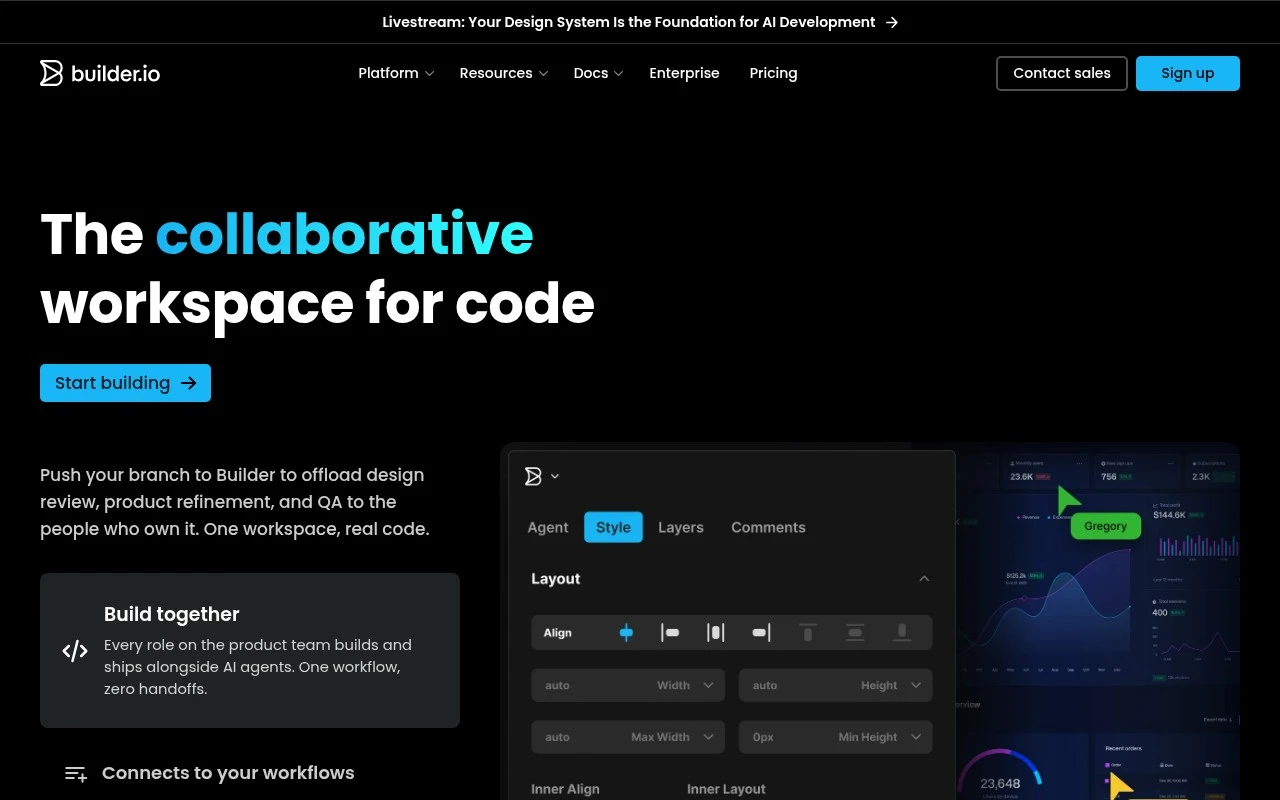
Builder.io is for teams that want non-engineers and engineers to collaborate on production-ready web and app experiences without separating design, content, and code into disconnected handoffs. Its platform includes Fusion for building apps and UI, and Publish for visual page building, headless CMS publishing, optimization, and content workflows. The product is positioned around keeping changes tied to existing frameworks, repositories, components, design systems, approval flows, and Git review processes.

FYAI Score

8.0 / 10

Based on 26 reviews

Pricing:

Freemium

Best for:

Product and web teams shipping content-driven experiences on existing stacks

Score Breakdown

  • Ease of use7.3 / 10
  • Features8.8 / 10
  • Pricing7.7 / 10
  • Integrations8.9 / 10
  • Support7.1 / 10

PRODUCT PREVIEW

What this AI tool does

Builder.io is a visual content and page-building tool designed to help teams create and update web experiences without needing to edit code for every change. It’s typically used alongside an existing site or application, letting non-developers work in a structured editor while developers keep control over the underlying components and design system. In practice, it supports workflows where marketing, design, and engineering collaborate on landing pages, product pages, and other content-driven sections of a site. The goal is to reduce the back-and-forth for routine updates while keeping content consistent with the rest of the product. For teams evaluating it, builderio is most relevant when you want faster iteration on content and layouts, clearer handoffs between roles, and a way to manage updates without frequent deployments. It’s generally considered in the context of a headless CMS or visual editor approach, depending on how your site is built and who needs to make changes.

Use cases

Best for

Build Landing Page

Build landing pages with a visual editor that uses your existing components and publishes through your framework and repo.

Conversion Rate Optimization

Run conversion rate optimization by A B testing Builder.io pages and targeting variants by audience rules with built-in analytics.

Website Generation

Generate website pages from headless CMS content using templates and workflows that sync changes to your codebase via Git.

ANALYSIS

Strengths & limitations

Strengths
  • Connects visual editing to real production components, design tokens, and existing code patterns rather than only producing mockups.
  • Supports multiple roles in one workflow, including engineers, designers, product managers, marketers, and content teams.
  • Covers both app/UI creation and content publishing through Fusion and Publish, with AI agents used for building, editing, testing, personalization, and content operations.
Limitations
  • Best suited to teams with an existing codebase, framework, design system, or structured publishing workflow; it may be excessive for a simple standalone website.
  • Getting full value likely requires engineering setup to connect components, repositories, workflows, and external systems.
  • The official positioning is broad, spanning AI coding, visual editing, CMS, prototyping, optimization, and publishing, so buyers may need to evaluate which product area fits their actual need.

Evaluation

FYAI score breakdown

Our structured evaluation across five key criteria

8.0 / 10

Overall score

Based on 26 reviews

  • Ease of use7.3 / 10
  • Features8.8 / 10
  • Pricing7.7 / 10
  • Integrations8.9 / 10
  • Support7.1 / 10

What users say

Findings from public reviews, documentation and community sources.

  • Ease of use

    Builder’s homepage describes “Production code, edited like design” and a “visual canvas wired directly into your components and design tokens.” The review notes describe Builder’s workflow as Git/codebase-centered rather than a simpler near-zero-learning-curve no-code builder.

  • Features

    Builder’s homepage lists a Visual Editor, “Agentic CMS,” A/B testing, and personalization. Builder’s homepage also references app development, marketing sites, and headless CMS publishing.

  • Pricing

    Builder’s pricing page lists four tiers: Free, Pro, Team, and Enterprise. Builder’s pricing page lists the Free plan at “$0 per user/mo,” up to 5 users, and on-demand Agent Credits at “$25 per 500.”

  • Integrations

    Builder’s built-in plugins overview lists built-in integrations such as “Shopify, SalesForce, Figma, Netlify, Partytown, and many more.” Builder’s integration evidence is paired with developer-oriented workflows.

  • Support

    Builder’s pricing page includes Standard, Priority, and Enterprise “Premium Support SLAs.” G2’s pros-and-cons summary says users report “poor customer support with delayed and unhelpful service.”

Who is this for?

Best for teams that need visual editing tied to production code, Builder’s homepage describes “Production code, edited like design” and a “visual canvas wired directly into your components and design tokens.” Less suited to teams that want a simpler no-code builder with minimal setup, the workflow is Git/codebase-centered, and Builder’s pricing page also includes per-user tiers plus on-demand Agent Credits at “$25 per 500.”

PRODUCT PREVIEW

Feature highlights

Code-connected editing

Edit pages visually while staying tied to your components and repo.

Headless CMS workflows

Model content, approvals, and publishing for multi-team collaboration.

Experiment & optimize

Run A/B tests and personalization to improve conversion and UX.

COMPARE

Discover curated alternatives worth comparing

Compare similar AI tools based on features, pricing and use cases

8.8/ 10Based on 14.986 reviews

WordPress

Website BuildersE-commerce Builders
Builds WordPress sites using an AI website builder and AI tools
Best for:
Small business owners
Pricing
Freemium

8.6/ 10Based on 28.442 reviews

Wix AI

Website BuildersE-commerce Builders
Generates a Wix website draft from user answers for editing.
Best for:
Small business owners
Pricing
Freemium

7.7/ 10Based on 35 reviews

WeWeb

Hosting & DeploymentApp / No-code Builders
Generates web app pages, databases, and logic from prompts
Best for:
Startup founders
Pricing
Freemium

Launch pixel-perfect landing pages faster and keep teams in sync. See why modern marketing teams choose Builder Io to ship, test, and iterate without bottlenecks.

FAQ

Frequently asked
questions

Everything you need to know about this AI tool,
its features, pricing, use cases, and limitations.

When is Builder Io a good fit, and when should I choose another website builder?
Builder Io is a strong choice if your main goal is shipping and iterating on landing pages quickly, especially for marketing teams that need frequent updates and experiments. It’s also useful when you want non-developers to publish changes without waiting on engineering. If you need deep custom app logic, highly bespoke UI components, or a fully custom design system with strict control, a more developer-centric stack may fit better.
Does Builder Io have a free plan, and what are the practical limits compared to paid tiers?
Builder Io typically offers a free entry option for getting started, but key capabilities (like higher usage limits, advanced collaboration, and production-grade features) tend to sit behind paid plans. In practice, teams often outgrow free tiers once they need multiple environments, more traffic, or more robust governance. Check the current pricing page for exact quotas since limits can change by product module.
How does Builder Io compare with Webflow, Unbounce, or other landing page tools?
Compared with Unbounce-style tools, Builder Io is often favored when you want a visual editor that can plug into an existing site or headless setup rather than living as a separate landing-page silo. Versus Webflow, Builder Io can be a better fit if you want marketers to edit pages inside a component-based framework, but Webflow may offer more built-in design control for fully standalone sites. If A/B testing and rapid iteration are your priority, compare how each tool handles experimentation, analytics integrations, and publishing workflows.
How fast can a team get Builder Io running, and what onboarding effort should I expect?
Advanced users may find customization constrained compared to fully code-driven approaches, especially for complex interactions or highly bespoke layouts. Costs can become a factor as usage and team size grow, so it’s worth modeling expected traffic and seats. Some teams also report a learning curve when trying to standardize workflows across design, marketing, and engineering.
What should I know about data handling, privacy, and compliance when using Builder Io?
Builder Io is typically used to manage and deliver page content, and it may interact with analytics, A/B testing, and marketing integrations that collect user data. Review where content and logs are stored, what data is sent to third-party tools, and whether you can control consent-based loading of scripts. If you have compliance requirements (e.g., GDPR/CCPA), confirm available contractual terms (like a DPA) and any enterprise controls for access, retention, and auditability.