Curated ToolThis tool is part of our curated AI directory. We only include tools that meet our standards for relevance, usability and real-world value.

Bubble

Build web apps visually with AI-assisted design, data, and logic

App / No-code Builders
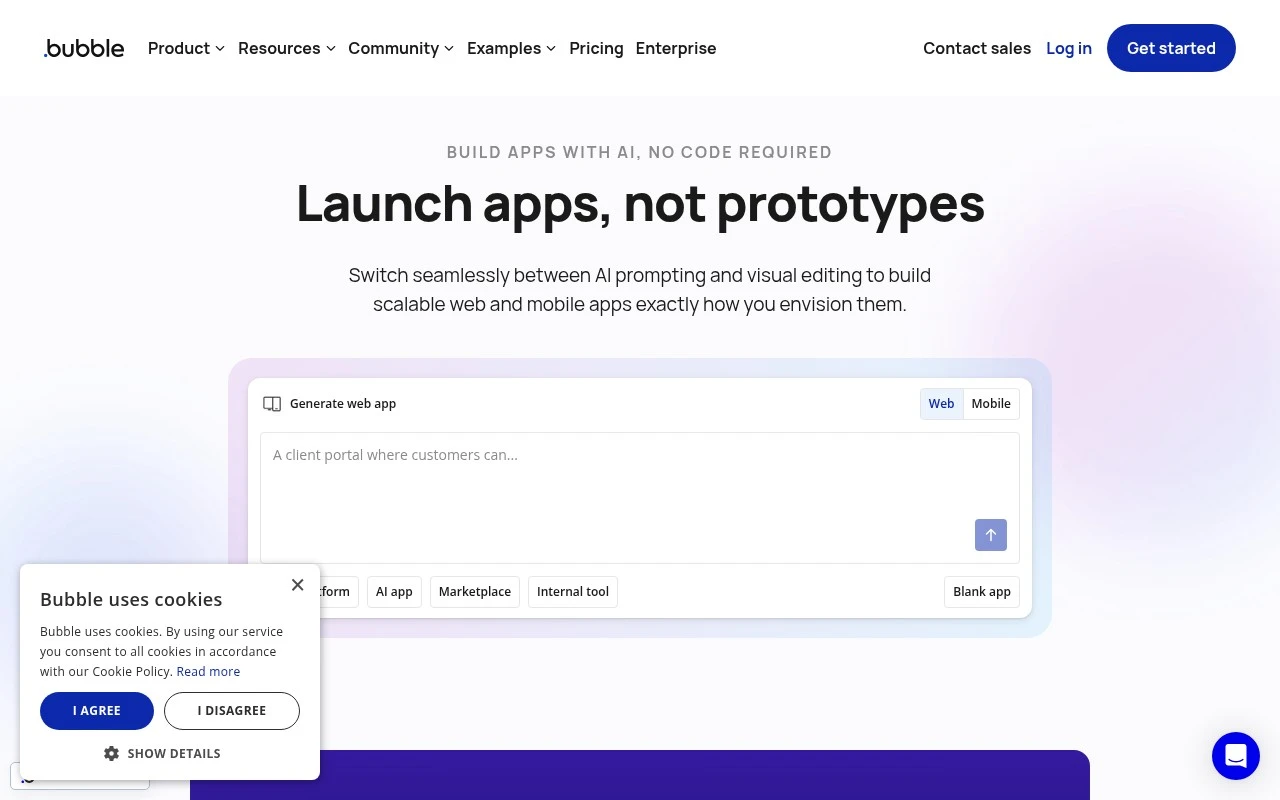
Bubble is a no-code AI app builder for creating web and mobile applications. It combines AI-assisted app generation with a visual editor where users can define the app interface, database structure, business logic, and privacy rules before launching.

FYAI Score

7.9 / 10

Based on 166 reviews

Pricing:

Free trial

Best for:

Founders and product teams building MVPs and SaaS apps without code

Score Breakdown

  • Ease of use7.7 / 10
  • Features8.1 / 10
  • Pricing7.5 / 10
  • Integrations9.2 / 10
  • Support7.1 / 10

PRODUCT PREVIEW

What this AI tool does

Bubble is a no-code platform for building web applications through a visual editor. It’s designed for people who want to create interactive products without writing traditional code, while still having access to logic, workflows, and data management. Teams and individuals often use it to prototype ideas, launch internal tools, or build customer-facing apps with forms, user accounts, and dynamic pages. Because it combines design and database-driven behavior in one place, it can be a practical option for learning how web apps are structured and for testing concepts before investing in a fully custom build.

Use cases

Best for

App Generation

Use Bubble to generate a web app from a prompt, then refine pages, workflows, and database in the visual editor.

App Prototyping

Prototype app flows by dragging UI elements onto pages and connecting them to test data and workflows before launch.

ANALYSIS

Strengths & limitations

Strengths
  • Covers multiple core app-building layers: design, database, logic, and privacy rules.
  • Supports both AI-assisted creation for speed and visual editing for more precise control.
  • Useful for turning app ideas into launched products without traditional full-stack coding.
Limitations
  • Complex production apps still require careful planning of data, workflows, and privacy rules.
  • The official scraped description does not provide detailed limits of the AI builder, so its exact AI capabilities should be verified for specific projects.
  • Highly custom functionality may be constrained by what Bubble’s no-code and visual development model supports.

Evaluation

FYAI score breakdown

Our structured evaluation across five key criteria

7.9 / 10

Overall score

Based on 166 reviews

  • Ease of use7.7 / 10
  • Features8.1 / 10
  • Pricing7.5 / 10
  • Integrations9.2 / 10
  • Support7.1 / 10

What users say

Findings from public reviews, documentation and community sources.

  • Ease of use

    G2 lists Bubble at 4.4/5 from 166 reviews, and G2 says users “consistently praise the ease of use and flexibility” for building complex apps without coding.

  • Features

    G2’s review summary says users can “create complex applications without coding.” A Reddit user calls Bubble “great for our app overall,” while noting a weakness around user-uploaded file storage.

  • Pricing

    Bubble’s pricing page references Starter, Growth, and Team plans, workload tiers, additional file storage at “$3 per 100 GB each month,” and plugin subscriptions.

  • Integrations

    Zapier states that Bubble “integrates with 9000 other apps,” and Bubble’s plugin marketplace is described as adding functionality such as AI, charts, payment processing, and integrations.

  • Support

    A Reddit user reports “waiting 4 days” on Bubble customer support and says responses were mainly “thanks for your patience.” Trustpilot notes Bubble replied to 16% of negative reviews.

Who is this for?

Best for teams building complex apps without coding, G2’s review summary says users can “create complex applications without coding,” and Zapier states that Bubble “integrates with 9000 other apps.” Less suited to teams that need fast support responses, a Reddit user reports “waiting 4 days” on Bubble customer support and says responses were mainly “thanks for your patience.”

PRODUCT PREVIEW

Feature highlights

AI app generation

Generate a starting app from prompts, then refine it visually.

Visual workflow logic

Build complex actions and states with drag-and-drop workflows.

Database & privacy

Model data and set privacy rules to control access by user.

COMPARE

Discover curated alternatives worth comparing

Compare similar AI tools based on features, pricing and use cases

8.8/ 10Based on 14.986 reviews

WordPress

Website BuildersE-commerce Builders
Builds WordPress sites using an AI website builder and AI tools
Best for:
Small business owners
Pricing
Freemium

8.6/ 10Based on 28.442 reviews

Wix AI

Website BuildersE-commerce Builders
Generates a Wix website draft from user answers for editing.
Best for:
Small business owners
Pricing
Freemium

7.7/ 10Based on 35 reviews

WeWeb

Hosting & DeploymentApp / No-code Builders
Generates web app pages, databases, and logic from prompts
Best for:
Startup founders
Pricing
Freemium

Join thousands building real web apps without code. Launch your MVP faster, iterate confidently, and turn ideas into products customers can use today with Bubble.

FAQ

Frequently asked
questions

Everything you need to know about this AI tool,
its features, pricing, use cases, and limitations.

What types of products is Bubble a good fit for (and when should I avoid it)?
Bubble works well for data-driven web apps like marketplaces, internal tools, dashboards, CRMs, and MVPs where you need custom workflows without writing code. It’s less ideal for content-first marketing sites (often better served by a CMS) or apps requiring heavy real-time processing, complex 3D/graphics, or strict low-latency performance. If you expect frequent custom backend logic beyond what plugins/APIs can cover, a coded stack may be a safer long-term choice.
How do Bubble’s free and paid plans differ in practice?
Bubble’s free tier is mainly for prototyping and learning, with limits that make it unsuitable for production use (e.g., capacity, features, and deployment constraints). Paid plans unlock production deployment, more capacity, and features needed for real users and operational reliability. When comparing costs, factor in add-ons like higher capacity, paid plugins, and any external services you connect.
How does Bubble compare with Webflow, Softr, and Retool for building apps?
Bubble is typically stronger for fully custom web app logic and database-driven workflows than Webflow, which is more design/CMS-oriented. Compared with Softr, Bubble offers deeper customization but usually requires more setup and app-building discipline. Against Retool, Bubble is better for customer-facing products, while Retool often wins for internal tools that sit on top of existing databases and APIs.
How quickly can I get a working app live with Bubble, and what onboarding effort should I expect?
Bubble can hit performance ceilings as apps grow in complexity, especially with heavy database queries, complex pages, or inefficient workflows. You’re also working within Bubble’s platform constraints, so certain custom behaviors may require plugins, workarounds, or external services. Long-term maintainability depends on how well the app is structured, since visual logic can become hard to audit at scale.
What should I consider about data privacy, security, and compliance when using Bubble?
Bubble apps store and process data on Bubble’s infrastructure, so you’ll want to review where data is hosted, what controls exist for access, backups, and incident response, and whether it aligns with your compliance needs. Pay close attention to Bubble’s privacy rules and authorization patterns, since misconfiguration can expose data even if the UI looks correct. If you have regulated requirements (e.g., HIPAA or strict enterprise policies), confirm whether Bubble’s available agreements and controls meet them before committing.