Curated ToolThis tool is part of our curated AI directory. We only include tools that meet our standards for relevance, usability and real-world value.

Bolt.new

Prompts an AI agent to build and deploy web apps and sites.

Website BuildersLanding Page Builders
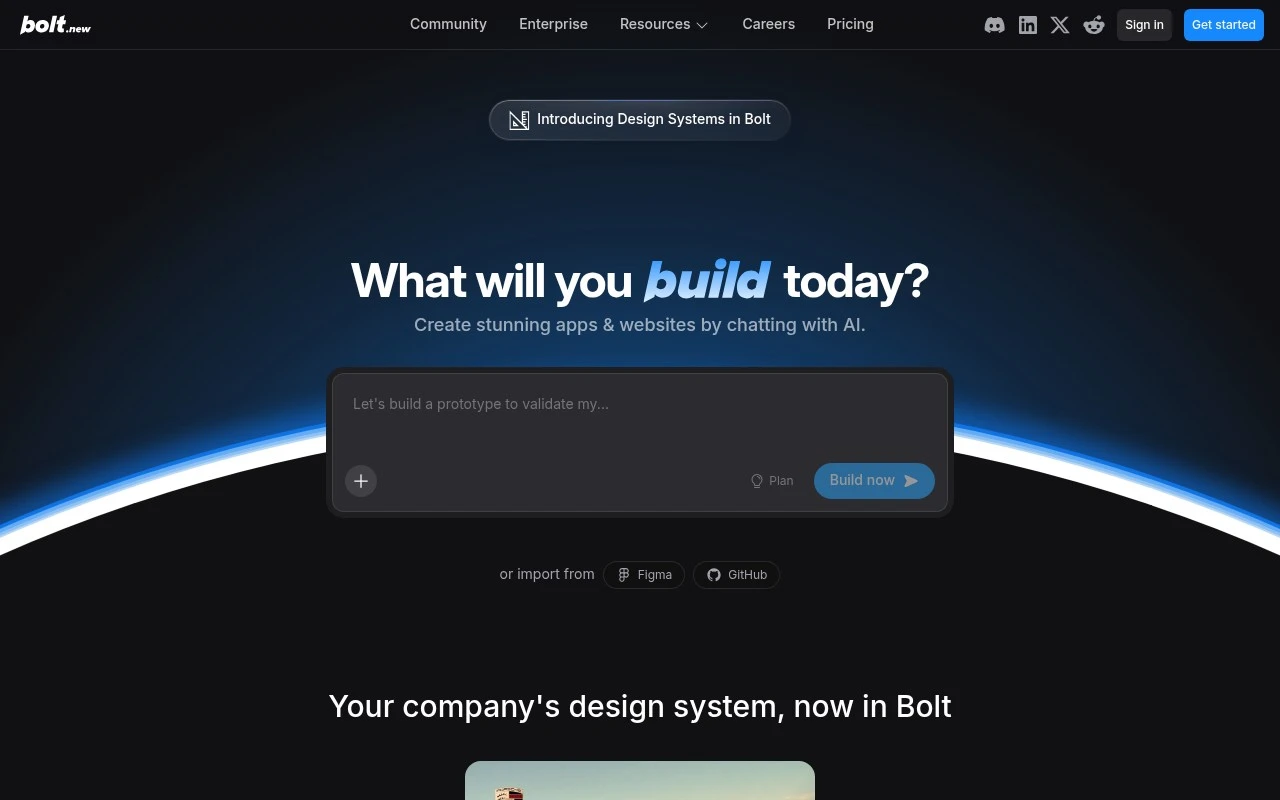
Bolt.new is an AI web and app builder that lets users create websites, applications, and prototypes by chatting with AI. The official site positions it as a professional “vibe coding” tool with coding agents, model routing, project context management, design-system support, and integrated cloud services for moving from idea to live product in one interface.

FYAI Score

7.6 / 10

Based on 188 reviews

Pricing:

Freemium

Best for:

Developers and founders prototyping and shipping full-stack apps fast

Score Breakdown

  • Ease of use7.4 / 10
  • Features7.6 / 10
  • Pricing7.9 / 10
  • Integrations7.4 / 10
  • Support7.8 / 10

PRODUCT PREVIEW

What this AI tool does

Bolt.new is an AI tool page intended to help people understand what the tool does and when it may be useful. It provides a straightforward overview of the tool’s purpose and how it fits into common workflows, written for readers who want quick clarity rather than promotional claims. Because the intro and main use case are not defined, this description focuses on setting expectations: you can use this page to capture the tool’s intended audience, typical inputs and outputs, and any important constraints or assumptions. As details become available, the page can be updated to explain the specific tasks bolt-new supports and the kinds of results users should expect.

Use cases

Best for

App Generation

Generate a working app by chatting with Bolt.new, which writes code, manages project context, and runs builds in one workspace.

Website Hosting

Host and deploy your web app from the same interface by connecting integrated cloud services and pushing a live build.

Build Landing Page

Build a landing page by prompting for sections and styling, then iterating on the generated layout and copy in the editor.

ANALYSIS

Strengths & limitations

Strengths
  • Supports natural-language building for websites, apps, and prototypes rather than only generating static mockups.
  • Includes production-oriented features such as hosting, databases, authentication, SEO, analytics, and custom domains.
  • Can work with imported sources such as Figma, GitHub, and team design systems to help maintain brand and component consistency.
Limitations
  • The official page does not provide detailed technical boundaries for what kinds of apps, frameworks, or backend workloads it can handle.
  • Some capabilities are described at a high level, so exact implementation details and limits may need verification before relying on it for complex production systems.
  • The product is aimed at AI-assisted building, so users may still need technical review for code quality, security, maintainability, and deployment decisions.

Evaluation

FYAI score breakdown

Our structured evaluation across five key criteria

7.6 / 10

Overall score

Based on 188 reviews

  • Ease of use7.4 / 10
  • Features7.6 / 10
  • Pricing7.9 / 10
  • Integrations7.4 / 10
  • Support7.8 / 10

What users say

Findings from public reviews, documentation and community sources.

  • Ease of use

    A Reddit user described recommending Bolt.new to someone with “no coding skills,” while the Reddit discussion title “Felt Like a God. Then Reality Slapped Me.” describes friction after the initial build.

  • Features

    Bolt’s page says users can build “websites, apps & prototypes,” import from “Figma” and “GitHub,” and use backend-oriented capabilities such as “hosting, databases, integrations.” Bolt’s page also lists “User Management & Authentication,” SEO, analytics, and custom domains.

  • Pricing

    Bolt’s pricing page lists a Free plan at “$0” with “300K tokens daily” and “1M tokens per month,” Pro at “$25 per month,” Teams at “$30 per month and member,” and Enterprise as custom. Bolt’s pricing page describes tokens as “a complex topic” where larger projects use more tokens per message.

  • Integrations

    Bolt’s page lists imports from “Figma” and “GitHub” and design systems such as Material UI, Chakra UI, and Shadcn. Bolt’s page also references “integrations and more” in Bolt Cloud.

  • Support

    Bolt’s docs include Help Center topics for databases, publishing, domains, version control, troubleshooting, billing, and tokens, plus Discord community support for all users. Bolt’s docs say paid users get email support with responses “Monday through Friday during business hours,” while Enterprise includes “24/7 priority support.”

Who is this for?

Best for users who want to start a website, app, or prototype from prompts and existing design or code assets, Bolt’s page says users can build “websites, apps & prototypes” and import from “Figma” and “GitHub.” Less suited to teams that need predictable costs on larger projects, Bolt’s pricing page says tokens are “a complex topic” and larger projects use more tokens per message. Less suited to users needing round-the-clock human support without Enterprise, because Bolt’s docs say paid users get email support “Monday through Friday during business hours,” while Enterprise includes “24/7 priority support.”

PRODUCT PREVIEW

Feature highlights

Chat-to-app builder

Describe what you want and get working pages, flows, and logic fast.

Coding agents

AI agents write, refactor, and debug code across your project.

Idea to live product

Integrated cloud services to go from prototype to deployment in one place.

COMPARE

Discover curated alternatives worth comparing

Compare similar AI tools based on features, pricing and use cases

8.8/ 10Based on 14.986 reviews

WordPress

Website BuildersE-commerce Builders
Builds WordPress sites using an AI website builder and AI tools
Best for:
Small business owners
Pricing
Freemium

8.6/ 10Based on 28.442 reviews

Wix AI

Website BuildersE-commerce Builders
Generates a Wix website draft from user answers for editing.
Best for:
Small business owners
Pricing
Freemium

7.7/ 10Based on 35 reviews

WeWeb

Hosting & DeploymentApp / No-code Builders
Generates web app pages, databases, and logic from prompts
Best for:
Startup founders
Pricing
Freemium

Turn an idea into a working app fast. Start building with Bolt.new today and ship a polished website or mobile experience in days, not weeks.

FAQ

Frequently asked
questions

Everything you need to know about this AI tool,
its features, pricing, use cases, and limitations.

What types of projects is Bolt.new a good fit for, and when should I choose something else?
Bolt.new fits best for quickly shipping simple-to-moderate marketing sites, landing pages, and lightweight web apps where speed matters more than deep customization. It’s a practical option for small teams that want to iterate fast without a heavy engineering workflow. If you need complex backend logic, highly bespoke UI, or strict enterprise governance, a full-code stack or a more extensible platform may be a better match.
Does Bolt.new have a free plan, and what are the main limitations compared to paid tiers?
Bolt.new typically offers a way to try the product, but free usage is usually constrained by limits like project capacity, usage quotas, or restricted deployment options. Paid plans generally expand usage, unlock more features, and provide more predictable capacity for ongoing work. Check the current plan page for specifics like export/deploy limits and whether custom domains are included.
How does Bolt.new compare with Webflow, Wix, and Framer for a business website?
Compared with Webflow, Bolt.new tends to prioritize speed-to-build and iteration, while Webflow often wins on fine-grained design control and a mature ecosystem. Versus Wix, Bolt.new can feel more streamlined for rapid builds, but Wix may offer broader built-in business features and templates. Against Framer, Bolt.new is often more “build and ship quickly,” while Framer is frequently chosen for design-led sites and micro-interactions.
How fast can I get a site live with Bolt.new, and what onboarding effort should I expect?
Customization can be more limited than code-first approaches, which matters if you need a very unique design system or advanced interactions. As you add features and third-party scripts, performance and load times may require more attention than on a highly optimized custom build. Support and documentation may feel lighter than larger platforms, so teams that need extensive hand-holding should factor that in.
What should I verify about data handling, privacy, and compliance before using Bolt.new?
Confirm what data Bolt.new stores (site content, user inputs, logs), where it’s hosted, and whether you can control retention or deletion. If you collect personal data, verify support for essentials like cookie consent, DPA availability, and any needed GDPR/CCPA workflows. For regulated use cases, check whether Bolt.new offers the compliance artifacts you need (e.g., SOC 2/ISO claims) and whether third-party integrations introduce additional risk.