Curated ToolThis tool is part of our curated AI directory. We only include tools that meet our standards for relevance, usability and real-world value.

Adalo

Build and edit no-code apps with AI-generated structure and data

App / No-code Builders
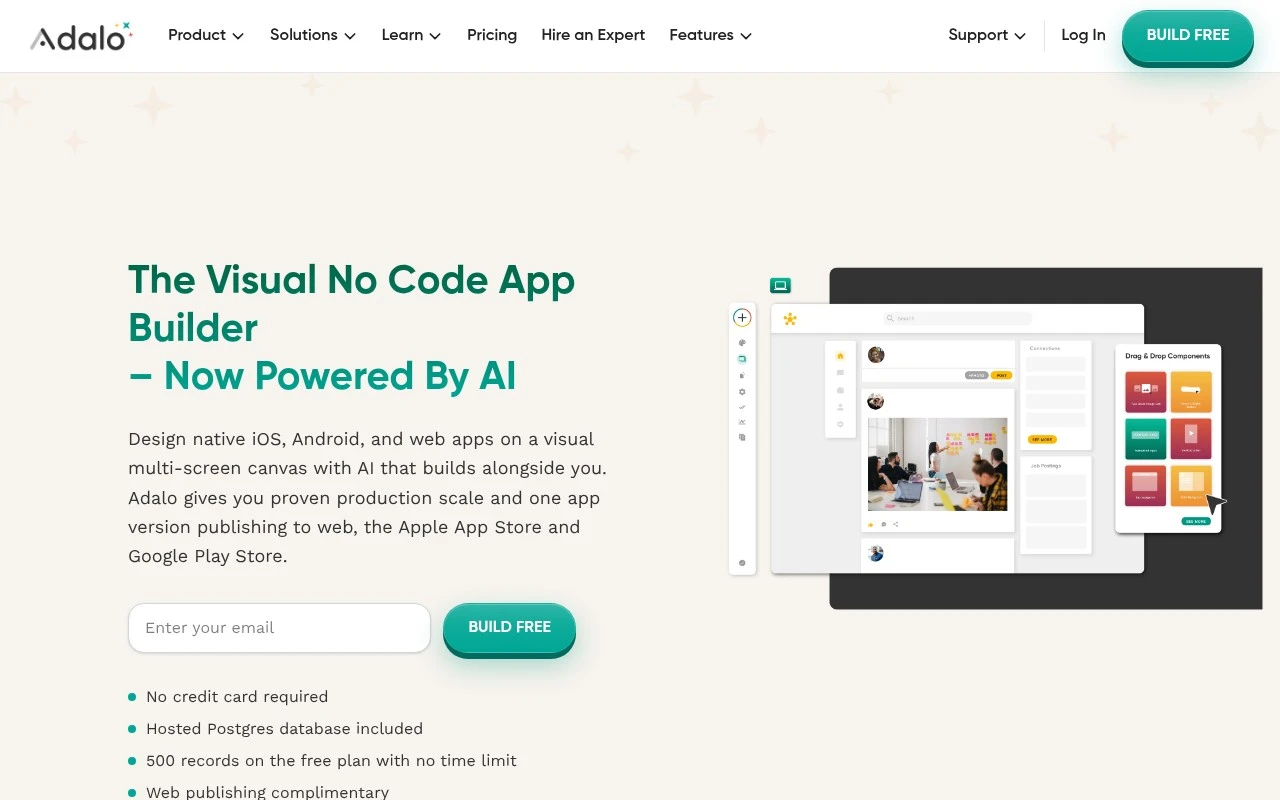
Adalo is a visual no-code platform for designing, building, and publishing custom apps across iOS, Android, and the web. It combines a multi-screen drag-and-drop canvas with AI-assisted generation, built-in hosted Postgres data, external data options such as Airtable and Google Sheets, and integrations including Xano, Zapier, Make, REST APIs, Stripe, and IAPHUB. It is best suited for non-technical makers and business teams building production-oriented apps that need user interfaces, data, workflows, payments, and multi-platform publishing.

FYAI Score

8.0 / 10

Based on 25 reviews

Pricing:

Freemium

Best for:

Non-technical makers building production apps with data and payments

Score Breakdown

  • Ease of use7.4 / 10
  • Features7.4 / 10
  • Pricing8.9 / 10
  • Integrations8.7 / 10
  • Support7.9 / 10

PRODUCT PREVIEW

What this AI tool does

Adalo is a no-code platform designed to help people build mobile and web apps without writing traditional code. It’s commonly used by founders, small teams, and non-technical creators who want to turn an idea into a working product, prototype, or internal tool with a visual builder. The typical workflow involves designing screens, connecting data, and setting up user interactions so the app behaves the way you expect. It can be a practical option when you need to validate a concept, create a simple customer-facing app, or streamline a process, while keeping development complexity lower than a fully custom build. If you’re comparing tools, it helps to consider how much customization you need, what kind of database structure your app requires, and whether you plan to scale beyond an initial release. adalo can fit well for straightforward apps, while more complex requirements may call for additional integrations or a different approach.

Use cases

Best for

App Generation

Generate multi-screen iOS, Android, and web apps using Adalo’s drag and drop builder with AI assistance, data collections, and integrations.

App Prototyping

Prototype app flows by assembling screens, navigation, and sample data in a visual canvas, then preview and share builds across devices.

ANALYSIS

Strengths & limitations

Strengths
  • Supports one-project publishing to native iOS, Android, and responsive web apps.
  • Includes a visual multi-screen builder, AI assistant, templates, components, and app data management for non-coders.
  • Offers built-in and third-party integrations, including hosted Postgres, Xano, Airtable, Google Sheets, Zapier, Make, REST APIs, Stripe, and IAPHUB.
Limitations
  • The free plan is limited to 500 records, so real business apps may need a paid plan or external backend setup.
  • Highly custom or developer-specific behavior may be constrained by the no-code component and integration model.
  • Complex production apps may still require planning, external integrations, or help from Adalo experts despite the no-code interface.

Evaluation

FYAI score breakdown

Our structured evaluation across five key criteria

8.0 / 10

Overall score

Based on 25 reviews

  • Ease of use7.4 / 10
  • Features7.4 / 10
  • Pricing8.9 / 10
  • Integrations8.7 / 10
  • Support7.9 / 10

What users say

Findings from public reviews, documentation and community sources.

  • Ease of use

    Adalo’s site says the editor uses a “visual multi-screen canvas” and says “if you’ve used tools like Powerpoint or Canva, you’ll be able to navigate Adalo.” Capterra’s summary says “Easy to build, slow to use,” describing an “intuitive editor” but performance friction.

  • Features

    Adalo’s pricing page says Adalo supports iOS, Android, and web apps from one project, AI app generation, hosted Postgres, and app-store publishing. Reddit sentiment more often recommends Adalo “for beginners and for prototyping.”

  • Pricing

    Adalo’s pricing page lists a free plan, Starter at $36/month annually, Professional at $52/month annually, and Team at $160/month annually. Adalo’s pricing page repeatedly states “No usage-based charges” and “No surprise fees,” and the free tier includes 500 records per app, unlimited screens, unlimited test apps, hosted Postgres, and AI assistant access.

  • Integrations

    Adalo’s pricing page lists integrations including Stripe Payments, Google Sheets, Zapier, and Custom Actions through REST APIs. Adalo’s home page says Adalo connects through “Zapier and Make” and includes a component marketplace.

  • Support

    Trustpilot includes the support comment “Quick and helpful staff (no AI chatbots).” Adalo’s pricing page reserves “Priority Support” for the Team plan.

Who is this for?

Best for beginners and prototyping who want to build iOS, Android, and web apps from one project, Reddit sentiment more often recommends Adalo “for beginners and for prototyping,” and Adalo’s pricing page says one project can support iOS, Android, and web apps. Less suited to teams that need priority support on lower tiers, Adalo’s pricing page reserves “Priority Support” for the Team plan at $160/month annually. Less suited to builders sensitive to editor speed, Capterra’s summary says “Easy to build, slow to use.”

PRODUCT PREVIEW

Feature highlights

Drag-and-drop apps

Design multi-screen UI and flows visually, without writing code.

Hosted Postgres data

Built-in database for users, content, and app logic in one place.

APIs & automations

Connect REST APIs, workflows, and payments to run real products.

COMPARE

Discover curated alternatives worth comparing

Compare similar AI tools based on features, pricing and use cases

8.8/ 10Based on 14.986 reviews

WordPress

Website BuildersE-commerce Builders
Builds WordPress sites using an AI website builder and AI tools
Best for:
Small business owners
Pricing
Freemium

8.6/ 10Based on 28.442 reviews

Wix AI

Website BuildersE-commerce Builders
Generates a Wix website draft from user answers for editing.
Best for:
Small business owners
Pricing
Freemium

7.7/ 10Based on 35 reviews

WeWeb

Hosting & DeploymentApp / No-code Builders
Generates web app pages, databases, and logic from prompts
Best for:
Startup founders
Pricing
Freemium

Launch a real app without writing code. Build faster, iterate confidently, and publish to web and mobile with Adalo.

FAQ

Frequently asked
questions

Everything you need to know about this AI tool,
its features, pricing, use cases, and limitations.

What types of apps is Adalo a good fit for, and when should I choose something else?
Adalo is a strong choice for CRUD-style apps like directories, marketplaces, booking tools, internal dashboards, and simple community apps that map well to screens, lists, and forms. It’s also practical when you want one project that can publish to web plus iOS and Android. If you need highly custom UI, complex offline behavior, heavy real-time features, or a bespoke backend architecture, you may outgrow Adalo’s component and workflow model.
How do Adalo’s free and paid plans differ in ways that affect real projects?
Adalo’s free plan is mainly for prototyping and is limited to 500 database records, which can be restrictive for any app with meaningful user data. Paid plans are typically needed for larger datasets, production publishing, and more serious usage. If your app will store lots of records, plan either for a paid tier or an external backend setup.
How does Adalo compare with Bubble, Glide, and FlutterFlow for building apps?
Compared with Bubble, Adalo tends to be more straightforward for mobile-first apps, while Bubble is often chosen for complex web apps and deeper logic. Compared with Glide, Adalo gives more control over custom screens and navigation, whereas Glide is faster for spreadsheet-like internal tools. Compared with FlutterFlow, Adalo is more no-code and quicker to iterate visually, but FlutterFlow can be a better fit if you want code export and more granular UI control.
How quickly can I get to a working prototype in Adalo, and what onboarding effort should I expect?
Adalo works best when your app fits its built-in components and action flows; highly custom interactions can become awkward or require workarounds. Scaling and advanced backend needs often push teams toward external services (e.g., Xano) or automation tools (e.g., Zapier/Make) for integrations. If your roadmap includes complex permissions, heavy analytics, or specialized APIs, factor in extra build and maintenance effort.
What should I check about data handling, privacy, and compliance when using Adalo?
Confirm where your app data is stored, what access controls exist for team members, and whether Adalo’s hosting and subprocessors align with your compliance needs (e.g., GDPR or HIPAA). If you use Ada or other integrations, review what data is sent to third parties and whether prompts could include sensitive information. For regulated apps, you may need a separate backend and a documented security/compliance process beyond what a no-code platform provides by default.