Curated ToolThis tool is part of our curated AI directory. We only include tools that meet our standards for relevance, usability and real-world value.

Kapwing

Creates editable videos from prompts with subtitles, dubbing, and cuts

Short-form VideoVideo Localization
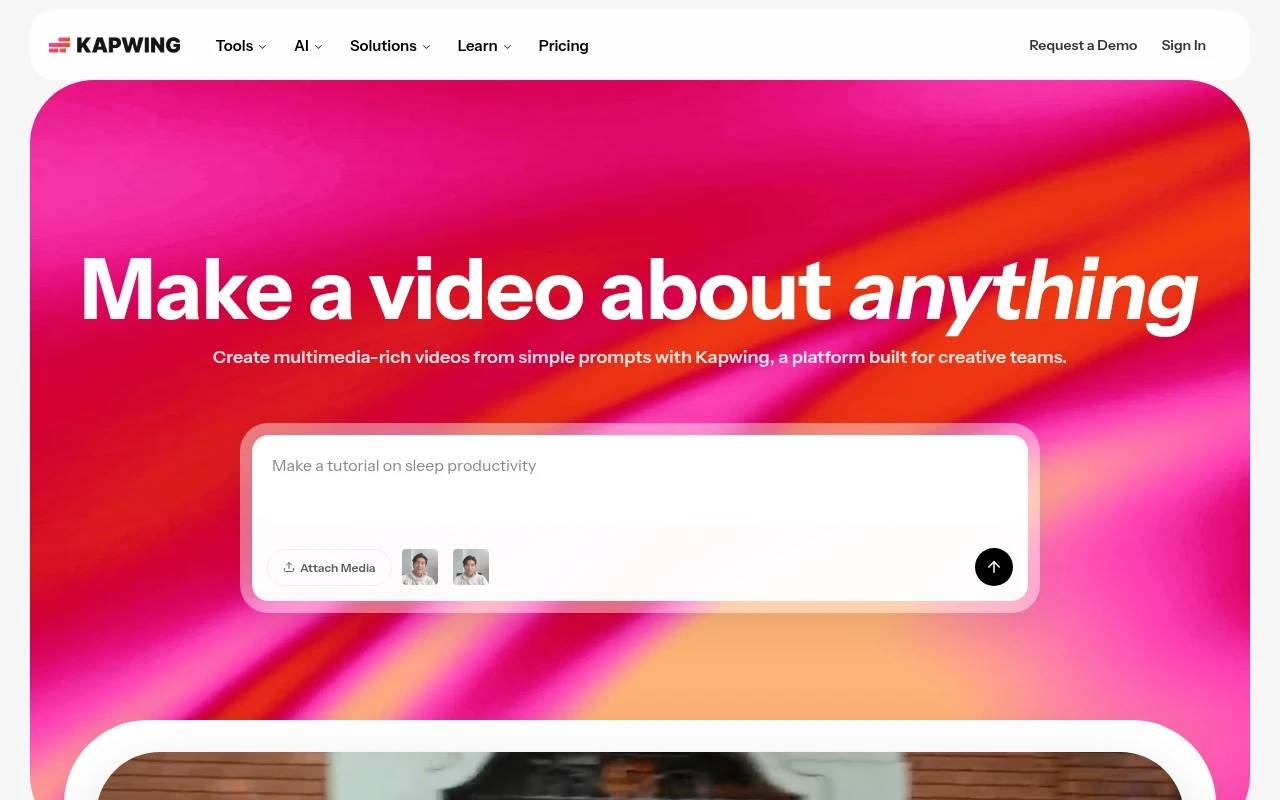
Kapwing is an online video editor and AI video creation platform for teams and individual creators. It combines prompt-to-video generation with core editing tools, subtitles, translation, audio cleanup, dubbing, templates, quick exports, and collaboration features for producing content across channels.

FYAI Score

8.3 / 10

Based on 207 reviews

Pricing:

Freemium

Best for:

Creators and social teams making videos fast

Score Breakdown

  • Ease of use8.3 / 10
  • Features8.1 / 10
  • Pricing8.9 / 10
  • Integrations7.2 / 10
  • Support8.6 / 10

PRODUCT PREVIEW

What this AI tool does

Kapwing is a web-based tool for creating and editing visual content, especially short videos and social media assets. It runs in the browser, so you can start a project quickly without installing desktop software, and it’s designed to be approachable for people who don’t edit every day. You can use it to trim and combine clips, add text and captions, adjust audio, and format content for different platforms. It’s commonly used for turning raw footage into shareable posts, repurposing longer videos into shorter segments, and making simple graphics or memes. Because it’s online, kapwing can fit into a lightweight workflow for individuals, teams, or classrooms that need straightforward editing and quick iteration. It’s best suited for everyday content creation where speed and clarity matter more than advanced, studio-style production.

Use cases

Best for

Edit Video

Use Kapwing to trim clips, add overlays, auto subtitles, and export videos in platform-ready formats from your browser.

Text to Speech

Convert typed scripts into voiceovers with Kapwing text to speech, then place the audio on your video timeline.

Video Translation

Translate video by generating subtitles in another language and creating dubbed audio tracks to match the original timing.

ANALYSIS

Strengths & limitations

Strengths
  • Supports both AI-generated first drafts and manual timeline-based video editing in one workspace.
  • Built around collaborative team workflows, including feedback and handoff across marketing, communications, education, and creator teams.
  • Includes practical video production tools such as subtitles, translation, dubbing, audio cleanup, trimming, overlays, and repurposing.
Limitations
  • The homepage does not establish it as a replacement for advanced professional desktop video editing workflows.
  • Its positioning is centered on video and multimedia content, so it is not a general-purpose design, audio production, or document creation tool.
  • Some team, pricing, and enterprise workflow details are not specified in the provided page and may require the pricing page or a demo.

Evaluation

FYAI score breakdown

Our structured evaluation across five key criteria

8.3 / 10

Overall score

Based on 207 reviews

  • Ease of use8.3 / 10
  • Features8.1 / 10
  • Pricing8.9 / 10
  • Integrations7.2 / 10
  • Support8.6 / 10

What users say

Findings from public reviews, documentation and community sources.

  • Ease of use

    Capterra includes a Kapwing customer quote saying marketers could use it “right away with little to no instruction,” and Capterra review snippets also call Kapwing “easy-to-use.” Capterra review snippets also mention glitches from some users.

  • Features

    Kapwing’s pricing page lists 4K exports, auto-subtitling, translation to 60+ languages, and real-time collaboration. Kapwing’s pricing page also lists screen/camera recording, text-to-speech, dubbing, clean audio, Smart Cut, background removal, and brand kit.

  • Pricing

    Kapwing’s pricing page lists Free, Pro at $16/member/month billed annually, Business at $50/member/month billed annually, and Enterprise custom pricing. Kapwing’s pricing page states watermarking, 720p on Free, 4K on paid plans, credits, storage, and export limits.

  • Integrations

    Vimeo lists a Kapwing integration for editing, creating, and sharing videos between platforms. Kapwing has referenced plugins/integrations.

  • Support

    Kapwing’s Enterprise plan includes “Dedicated account manager,” “Priority customer support,” and “Onboarding & training.” Reddit feedback includes a user saying Kapwing customer support was “pretty damned great.”

Who is this for?

Best for marketers and teams that want browser-based video creation. Capterra includes a customer quote saying marketers could use Kapwing “right away with little to no instruction,” and Kapwing’s pricing page lists real-time collaboration. Less suited to users who need unrestricted free exports, Kapwing’s pricing page states watermarking, 720p on Free, and export limits.

PRODUCT PREVIEW

Feature highlights

AI video generator

Turn prompts into video drafts you can refine and publish fast.

Subtitles & dubbing

Auto-captions, translate, and dub videos for global audiences.

Team collaboration

Shared workspaces, comments, and templates to ship content together.

COMPARE

Discover curated alternatives worth comparing

Compare similar AI tools based on features, pricing and use cases

8.5/ 10Based on 16 reviews

Wondercraft

Short-form VideoVideo Editing
Turns text or audio into editable AI-generated videos and audio
Best for:
Video creators
Pricing
Freemium

8.5/ 10Based on 65 reviews

Wisecut

Short-form VideoVideo Editing
Edits long videos by removing pauses and adding captions
Best for:
Video creators
Pricing
Freemium

8.6/ 10Based on 2.521 reviews

Vizard.ai

Short-form VideoVideo Editing
Extracts short clips from long videos and adds captions for social.
Best for:
Social media managers
Pricing
Freemium

Join creators using Kapwing to turn ideas into scroll-stopping videos fast. Start publishing polished social content today.

FAQ

Frequently asked
questions

Everything you need to know about this AI tool,
its features, pricing, use cases, and limitations.

Is Kapwing a good fit for social media marketing videos, or is it better for other types of editing?
Kapwing is strongest for fast-turnaround social content like Reels/TikToks, ads, promos, and repurposing long videos into short clips with captions and templates. It’s also a solid choice for teams that need lightweight collaboration and review. If you need film-style timelines, deep color grading, or complex audio mixing, a pro desktop editor may fit better.
What are the practical differences between Kapwing’s free plan and paid plans?
Kapwing’s free tier is useful for testing the workflow, but it typically comes with tighter limits (like watermarks, export constraints, and fewer premium assets). Paid plans generally remove branding and raise usage limits, which matters if you publish frequently or in higher volume. If you’re comparing tools, check whether the features you rely on (templates, subtitles, brand kit, collaboration) are gated behind a specific tier.
How does Kapwing compare with Canva, VEED, or Adobe Express for video editing?
Kapwing tends to feel more video-first than Canva, which is often better for design-heavy assets and simple video assembly. Compared with VEED, the overlap is significant (captions, social formats, browser editing), so the decision often comes down to pricing, export limits, and which UI you find faster. Adobe Express can integrate well in Adobe ecosystems, while Kapwing is usually simpler for quick social edits and team collaboration in a browser.
How quickly can a team get started with Kapwing, and what onboarding is typically needed?
Kapwing can feel limited for advanced workflows like multi-cam editing, intricate motion graphics, or heavy compositing compared to tools like Premiere Pro or DaVinci Resolve. Performance may slow down with large files or complex projects because it’s optimized for quick web-based editing. For larger teams, per-seat pricing can become a deciding factor versus tools with different licensing models.
What should I know about data handling, privacy, and compliance when using Kapwing?
If you’re editing client or sensitive footage, review Kapwing’s privacy policy, data retention practices, and where content is stored/processed before adopting it. Confirm whether your plan supports team controls (like workspace access management) and whether it offers terms suitable for your compliance needs (e.g., DPA requirements). For regulated environments, it’s often safer to avoid uploading confidential material unless the vendor’s contractual and security posture meets your standards.