Curated ToolThis tool is part of our curated AI directory. We only include tools that meet our standards for relevance, usability and real-world value.

Todoist

Organize, schedule, and share tasks with AI-assisted planning

Task & Project Management
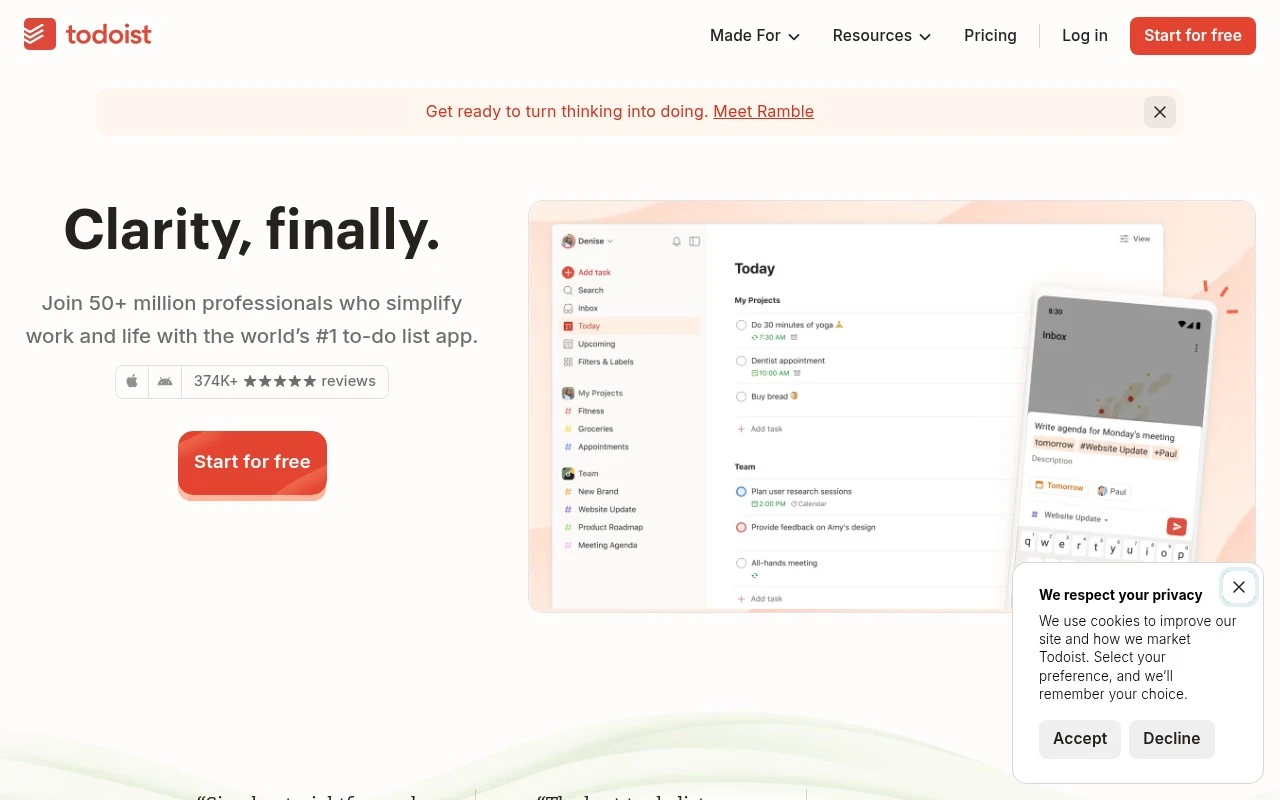
Todoist is a long-running productivity app centered on task management rather than broad workplace collaboration. It helps users capture tasks, schedule them, sort them by priority or timing, and manage repeatable routines. It also supports shared team task spaces, project templates, and AI-assisted task planning through Todoist Assist.

FYAI Score

8.5 / 10

Based on 2.648 reviews

Pricing:

Freemium

Best for:

Individuals and small teams managing daily tasks and recurring routines

Score Breakdown

  • Ease of use8.8 / 10
  • Features8.8 / 10
  • Pricing8.2 / 10
  • Integrations8.3 / 10
  • Support8.3 / 10

PRODUCT PREVIEW

What this AI tool does

Todoist is a task management tool designed to help individuals and teams keep track of what needs to be done. It provides a structured place to capture tasks, organize them into projects, and review upcoming work so you can plan your day and follow through on priorities. People typically use it to manage personal to-dos, recurring responsibilities, and shared work items in one workflow. By centralizing tasks and deadlines, it can make it easier to see what’s next, reduce missed follow-ups, and maintain a consistent routine for planning and completing work.

Use cases

Best for

Quick Task Capture

Add tasks in natural language and file them into projects, Today, Upcoming, and custom views for fast triage.

Schedule and Repeat Tasks

Todoist sets due dates, recurring schedules, calendar views, and templates so you can plan work and personal commitments.

Shared Team Task Lists

Coordinate work in shared projects with assigned tasks and comments while keeping your personal tasks in separate projects.

ANALYSIS

Strengths & limitations

Strengths
  • Fast task capture with natural-language input for due dates and recurring tasks.
  • Clear planning structure through Today, Upcoming, custom filters, calendar view, and templates.
  • Supports both personal task management and separate shared spaces for team collaboration.
Limitations
  • It is primarily a task manager, so it is not a full replacement for dedicated document, chat, CRM, or complex project portfolio tools.
  • The official page gives limited detail about the scope of its AI features beyond Todoist Assist helping turn scattered tasks into action plans.
  • Teams with highly specialized workflows may need additional tools or integrations beyond Todoist’s built-in task and project views.

Evaluation

FYAI score breakdown

Our structured evaluation across five key criteria

8.5 / 10

Overall score

Based on 2.648 reviews

  • Ease of use8.8 / 10
  • Features8.8 / 10
  • Pricing8.2 / 10
  • Integrations8.3 / 10
  • Support8.3 / 10

What users say

Findings from public reviews, documentation and community sources.

  • Ease of use

    Capterra lists Todoist at 4.6/5 across 2,648 Capterra reviews, and cited user feedback calls it “Well Organised” with “a good project structure with subtasks and priorities” and “a really good reminder system.”

  • Features

    Todoist’s features page describes task capture with “easy-flowing, natural language,” recurring due dates, reminders, and sub-tasks. Todoist’s features page also lists support across desktop, mobile, wearables, and browser extensions.

  • Pricing

    Todoist’s pricing page lists a free Beginner plan with “5 personal projects,” Pro with “300 personal projects” and “150 filter views,” and Business with “Up to 500 team projects.” Todoist’s pricing page also says Pro includes “Calendar layout” and “Full reporting history,” while Business includes roles, permissions, guests, and centralized billing.

  • Integrations

    Todoist’s pricing page lists “90+ integrations” and says the free tier can “Integrate email, calendar, and more.” Todoist’s features page describes turning items into tasks from multiple places.

  • Support

    Todoist’s website surfaces self-serve support resources including “Getting Started,” “Help Center,” templates, productivity methods, and customer stories. Todoist’s pricing page includes a plans FAQ.

Who is this for?

Best for people who want structured task capture across devices, Todoist’s features page lists “easy-flowing, natural language” task capture, recurring due dates, reminders, and support across desktop, mobile, wearables, and browser extensions. Less suited to users who need more than the free Beginner plan’s “5 personal projects” without changing plans, Todoist’s pricing page lists Pro with “300 personal projects” and Business with “Up to 500 team projects.”

PRODUCT PREVIEW

Feature highlights

Quick task capture

Add tasks fast, set due dates, and keep everything in one trusted list.

Recurring routines

Automate repeat tasks with flexible schedules and reminders.

Todoist Assist

AI helps plan tasks, break down work, and suggest next steps.

COMPARE

Discover curated alternatives worth comparing

Compare similar AI tools based on features, pricing and use cases

7.8/ 10Based on 31 reviews

Wudpecker

Meeting NotesSummarization
Turns meeting recordings into notes, summaries, and action items
Best for:
Knowledge workers
Pricing
Freemium

9.0/ 10Based on 1.589 reviews

Toggl Track

Time & Habit Tracking
Tracks time with automatic activity detection and reporting.
Best for:
Operations teams
Pricing
Freemium

8.1/ 10Based on 524 reviews

tl;dv

Meeting NotesKnowledge Search
Turns meetings into transcripts, summaries, and action items
Best for:
Sales teams
Pricing
Freemium

Bring clarity to your day and keep projects moving forward. Start using Todoist to stay on top of priorities and hit every deadline with confidence.

FAQ

Frequently asked
questions

Everything you need to know about this AI tool,
its features, pricing, use cases, and limitations.

What types of teams and workflows is Todoist a good fit for?
Todoist works best for teams that need lightweight task tracking, recurring work, and clear ownership rather than complex project controls. It’s a strong fit for operations, marketing, and small product teams that rely on due dates, labels, filters, and shared projects. If you need deep portfolio views, advanced dependencies, or detailed time/cost tracking, you may outgrow it.
Is Todoist’s free plan enough, or do most teams need a paid plan?
The free plan is usually fine for personal use or very small setups, but teams often hit limits around advanced features and collaboration needs. Paid plans are typically chosen for more powerful organization (e.g., advanced filters/labels usage), reminders, and broader workflow control. If you expect heavy cross-project reporting or admin controls, check whether the plan tier covers those requirements before committing.
How does Todoist compare with Asana, Trello, and Microsoft To Do?
Compared with Asana, Todoist is generally simpler and faster for task capture, but it has fewer advanced project management features. Versus Trello, Todoist is better for list-based work and recurring tasks, while Trello can be more visual for Kanban-style collaboration. Compared with Microsoft To Do, Todoist is typically stronger for cross-platform team workflows and integrations, while Microsoft To Do can be a better fit inside a Microsoft 365-centric environment.
How quickly can a team get set up in Todoist, and what onboarding effort should we expect?
Todoist is intentionally lightweight, so it may feel limited if you need advanced roadmaps, dependencies, or detailed progress reporting. Some users find the mobile experience less intuitive than desktop for heavy planning. If your team relies on complex dashboards or granular admin controls, you may need complementary tools or a different platform.
What should we know about data handling, privacy, and compliance when using Todoist?
Todoist is a cloud service, so you’ll want to review its security and privacy documentation to confirm it matches your organization’s requirements (e.g., data retention, access controls, and audit needs). For regulated environments, verify whether the available plan supports required compliance commitments and administrative features. If you handle sensitive client data, consider minimizing what you store in task descriptions and using workspace policies for sharing.