Granola
Curated ToolThis tool is part of our curated AI directory. We only include tools that meet our standards for relevance, usability and real-world value.

Granola

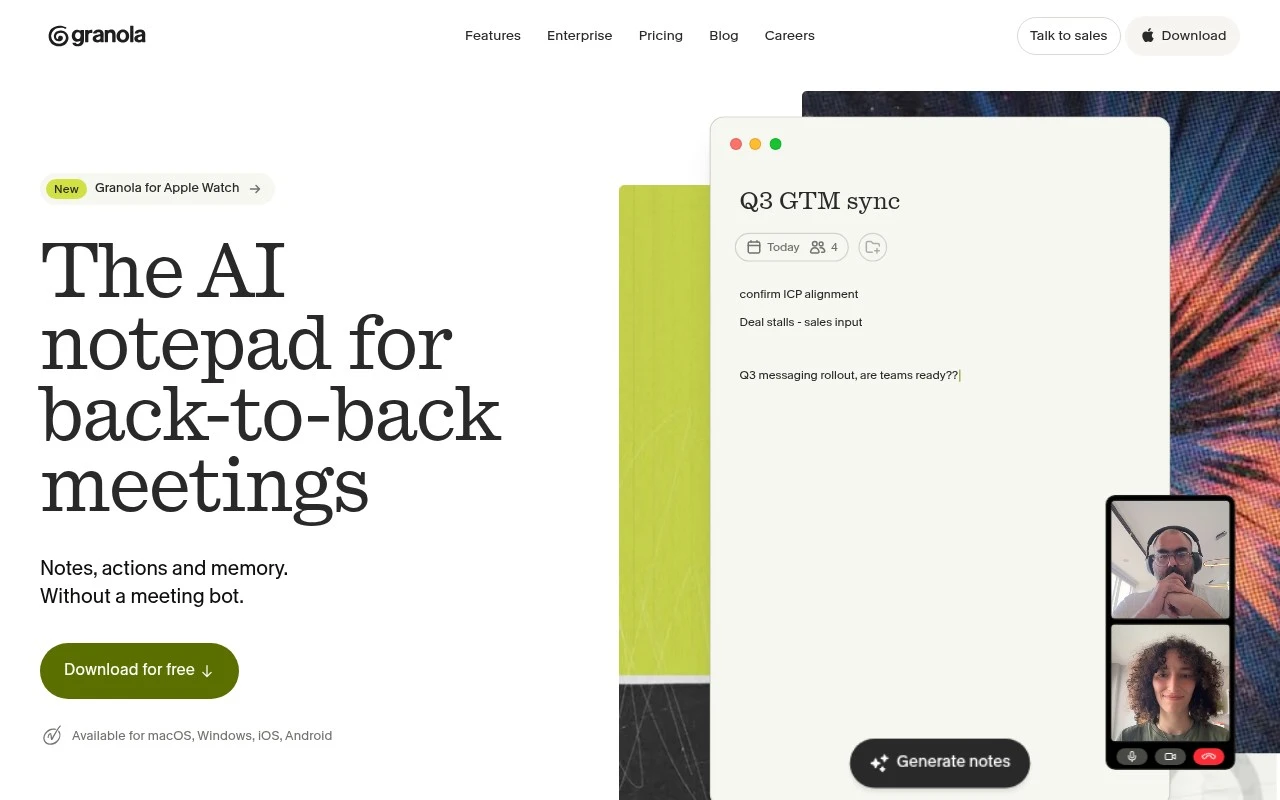
Granola is an AI meeting notes app that captures meeting transcripts and combines them with a user’s own notes to generate organized summaries, action items, and follow-ups.
Meeting NotesEmail Assistant

FYAI Score

8.4 / 10

FYAI rating based on features, pricing and integrations

Pricing:

Freemium

Best for:

Busy professionals who want cleaner notes from frequent client calls

Score Breakdown

  • Ease of use8.0 / 10
  • Features8.1 / 10
  • Pricing9.0 / 10
  • Integrations9.1 / 10
  • Support7.9 / 10

PRODUCT PREVIEW

What this AI tool does

Granola
Granola is an AI notepad for people who spend much of their week in meetings and want reliable notes without adding a visible recording bot to every call. Granola is built for professionals who need meeting notes, action items, follow-ups, and searchable context from discussions across Zoom, Google Meet, Microsoft Teams, and other meeting apps. Its strongest idea is simple: let people stay present in the conversation while the tool quietly turns computer audio and human-written notes into a useful record. Instead of joining a meeting as a separate participant, the tool works from the user’s own computer audio. This makes it feel less intrusive than many AI meeting assistants, especially in external calls where inviting a bot can change the tone of the conversation. It also means the same workflow can carry across different meeting platforms rather than depending on one conferencing product. Before a call begins, calendar context can help prepare a short brief so the user walks in with relevant background. For external meetings, that can mean remembering who is attending, what the meeting is likely about, and what prior context may matter. The value is not just transcription, but preparation, continuity, and recall. During the meeting, users can type as much or as little as they want. Some people may capture only a few cues, decisions, or names, while others may write fuller notes in their own style. Granola uses those notes together with audio summarization to produce a cleaner output after the meeting, so the final record reflects both what was said and what the user considered important. Afterward, the platform turns the raw conversation into enhanced notes that are easier to read and act on. Follow-ups, decisions, open questions, and next steps can be pulled out of the discussion without forcing the user to reconstruct the meeting from memory. For teams that rely on accurate handoffs, client updates, or internal alignment, this helps move meeting notes from passive documentation into practical workflow support. For frequent-meeting roles, Granola is especially useful because it builds a memory of past discussions rather than treating every call as isolated. Sales, customer success, recruiting, product, leadership, and advisory work often involve recurring conversations where details from previous meetings matter. A searchable record can help users remember commitments, context, concerns, and relationship history before the next conversation. Privacy and sharing are central to the product’s character. Notes can be kept private when they are personal working notes, or shared when a team, client, or stakeholder needs a polished summary. That flexibility fits the way real meetings work, where some thoughts are for the individual and some outputs need to become part of a broader project or customer record. The broader category is AI meeting assistance, but Granola positions itself closer to an intelligent personal notepad than a conventional meeting recorder. It supports the human habit of taking notes rather than replacing it entirely, then improves the result with automation. This makes the experience feel more collaborative, with the user shaping the record and the AI filling in the gaps. Follow-up work is another important part of the story. Meeting summaries can support email writing, status updates, action reminders, and the small administrative tasks that usually happen after a call. By reducing the effort needed to turn a conversation into clear next steps, the tool helps meetings produce outcomes rather than just more documentation. Granola is best understood as a quiet layer for meeting memory, note-taking, and post-call organization across the apps people already use. It is not trying to become the meeting itself or force a new collaboration space. Its purpose is to make every important conversation easier to prepare for, easier to capture, and easier to use later.

Use cases

Best for

Meeting Notes

Granola captures computer audio and your typed notes, then turns meetings into enhanced notes and action items.

Email Writing

Granola uses meeting notes, actions, and follow-ups to create context you can paste into recap or next step emails.

Audio Summarization

Granola summarizes meeting audio from Zoom, Google Meet, Teams, and other apps without adding a bot to the call.

ANALYSIS

Strengths & limitations

Strengths
  • Best suited to bot-free meeting capture because it uses computer audio rather than adding an attendee to Zoom, Google Meet, Teams, or other calls.
  • Useful for back-to-back meeting schedules because it supports preparation briefs, live note enhancement, and post-meeting action items in one workflow.
  • Fits people who want personal notes first because notes are private by default and can be shared only when the user chooses.

Limitations
  • Less suitable for teams that require an official meeting bot or recorder to join calls because Granola is designed around local audio capture instead.
  • Less suitable for workflows centered on uploaded files, podcasts, or asynchronous media because its stated focus is live meeting notes and follow-up work.
  • Less suitable for highly regulated meeting workflows without a governance review because it processes meeting audio and turns business conversations into AI-generated notes and memory.

Evaluation

FYAI score breakdown

Our structured evaluation across five key criteria

8.4 / 10

Overall score

FYAI rating based on features, pricing and integrations

  • Ease of use8.0 / 10
  • Features8.1 / 10
  • Pricing9.0 / 10
  • Integrations9.1 / 10
  • Support7.9 / 10

What users say

Findings from public reviews, documentation and community sources.

  • Ease of use

    Granola.ai says Granola is available for macOS, Windows, iOS, Android, uses computer audio so doesn’t invite a bot, and lets users write down as much or as little as you like while Granola turns meeting context into clear notes.

  • Features

    Granola.ai/pricing lists before/during/after meeting workflows including calendar-synced pre-meeting Briefs, AI meeting notes, AI chat across meetings, and enterprise admin/security controls.

  • Pricing

    Granola.ai/pricing lists Basic at '$0 per user per month,' Business at '$14 per user per month,' and Enterprise at '$35 per user per month,' plus a detailed plan comparison. Granola.ai/pricing says the free tier includes core AI meeting notes but limits meeting history to 30 days, while paid tiers unlock unlimited history and advanced integrations.

  • Integrations

    Granola.ai/pricing states Granola works with Zoom, Google Meet, Teams and every other meeting app via device-audio capture. Granola.ai/pricing lists Slack, Notion, Salesforce, MCP for Claude/ChatGPT, and API access.

  • Support

    Granola.ai/pricing lists Support level as Standard for Basic and Business and Dedicated for Enterprise. Granola.ai/pricing also references resources for Security, Policies, and FAQs.

Who is this for?

Best for teams that want meeting notes without adding a meeting bot, with Granola using computer audio and working with Zoom, Google Meet, Teams and every other meeting app via device-audio capture. Less suited to users who need long-term meeting history on the free plan, because Basic at '$0 per user per month' limits meeting history to 30 days while paid tiers unlock unlimited history.

PRODUCT PREVIEW

Feature highlights

Bot-free meeting notes

Captures computer audio across common meeting apps without joining calls.

Audio summarization

Turns rough notes and discussion context into polished summaries and actions.

Calendar call briefs

Uses meeting context to prep concise briefs before external calls.

COMPARE

Discover curated alternatives worth comparing

Compare similar AI tools based on features, pricing and use cases

7.9/ 10Based on 740 reviews

Fyxer

Meeting NotesEmail Assistant
Triages email, drafts replies, and summarizes meeting actions
Best for:
Sales teams
Pricing
Paid

7.4/ 10Based on 442 reviews

Genspark

Productivity
Creates outputs and dashboards from plain-English data questions
Best for:
Knowledge workers
Pricing
Paid

7.8/ 10Based on 31 reviews

Wudpecker

Meeting NotesSummarization
Turns recordings into notes, summaries, action items, and Q&A
Best for:
Knowledge workers
Pricing
Freemium

Granola

Turn every conversation into clear next steps. See why busy teams choose Granola to stay present in meetings and leave with notes they can trust.

FAQ

Frequently asked
questions

Everything you need to know about this AI tool,
its features, pricing, use cases, and limitations.

Who is Granola best suited for?
Granola is best suited for meeting-heavy professionals and teams that want personal, shareable notes without adding a bot to calls. It fits users who spend time in Zoom, Google Meet, Microsoft Teams, or similar apps and need structured summaries, action items, follow-ups, and meeting context across back-to-back conversations.
Does Granola have a free plan, and when would a paid plan make sense?
Granola uses a freemium pricing model, so users can start for free and upgrade when they need more capacity or advanced usage. A paid plan is most relevant for people or teams relying on Granola regularly for meeting notes, follow-up emails, action items, and meeting memory across a busy calendar.
How does Granola compare with other AI meeting note tools?
Granola differs from many AI meeting note tools because it captures meeting audio from the user’s computer instead of joining the call as a bot. That makes it a strong fit for people who prefer private personal notes first, while other tools may be better for teams that require an official recorder in every meeting.
How quickly can a team start using Granola?
Granola is designed for lightweight adoption because it works around live meeting audio and user-written notes rather than a complex recording workflow. Most users should expect setup to focus on connecting their calendar, learning the note-taking flow, and deciding when to share notes with teammates or clients.
What are the main limitations of Granola?
Granola is less suitable for workflows that require a meeting bot, formal recorder, or uploaded media summarization as the main use case. Its strength is live meeting support, including preparation briefs, note enhancement, action items, and follow-ups, so teams centered on podcasts, files, or asynchronous audio may need another tool.
What should buyers check about Granola privacy and compliance?
Buyers should review Granola’s current security, privacy, and compliance documentation before using it for sensitive or regulated meetings. Granola processes live meeting audio and turns business conversations into AI-generated notes and memory, so teams should confirm data retention, access controls, sharing settings, and policy alignment before rollout.