Curated ToolThis tool is part of our curated AI directory. We only include tools that meet our standards for relevance, usability and real-world value.

Superhuman

AI email drafting, summarizing, follow-ups, and meeting scheduling

Task & Project ManagementEmail Assistant
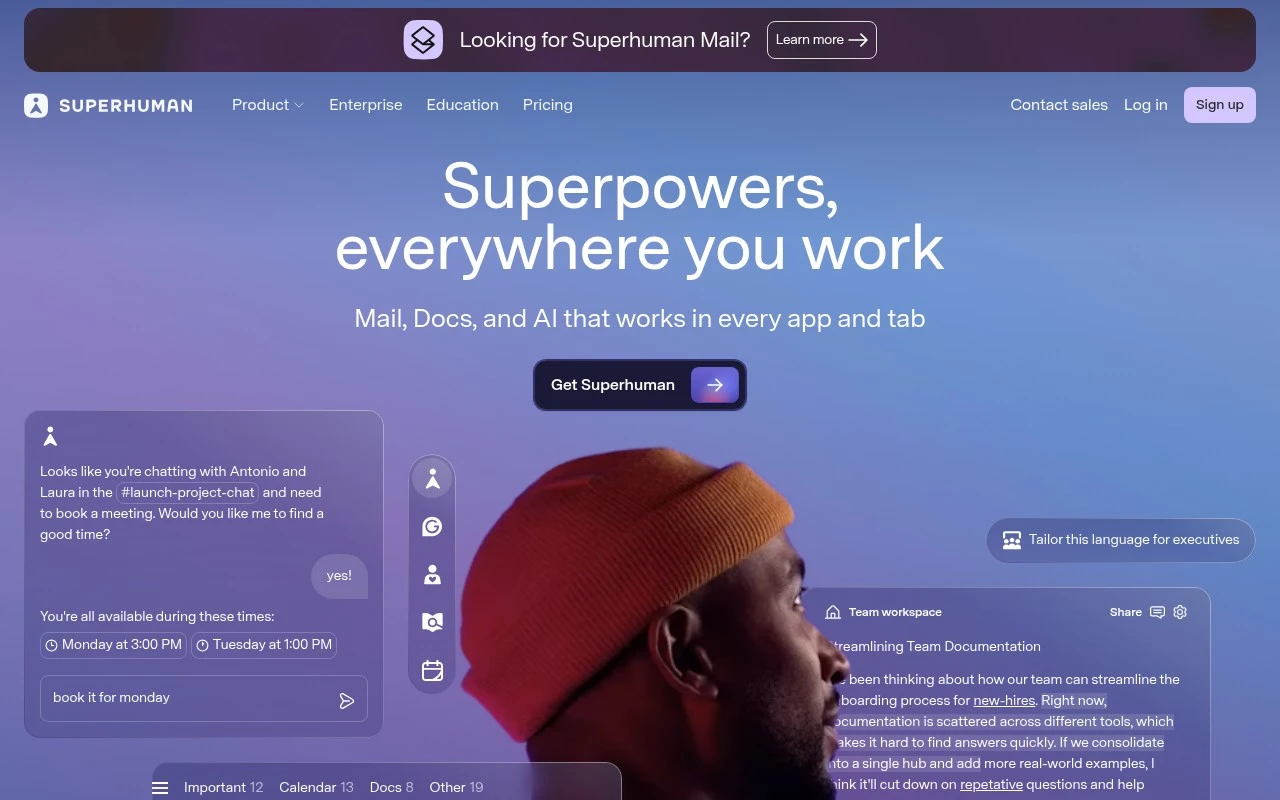
Superhuman is positioned as an AI productivity suite for work across mail, docs, and everyday apps. Based on the official site, it brings together Superhuman Mail, Grammarly, Coda, and Go: an email app, an AI writing assistant, an all-in-one team workspace, and a proactive AI assistant that can work across connected apps such as Gmail, Drive, Jira, Slack, Salesforce, and others.

FYAI Score

8.6 / 10

Based on 15.748 reviews

Pricing:

Paid only

Best for:

Leaders and operators who live in email and need faster execution

Score Breakdown

  • Ease of use8.7 / 10
  • Features9.0 / 10
  • Pricing7.4 / 10
  • Integrations9.1 / 10
  • Support8.9 / 10

PRODUCT PREVIEW

What this AI tool does

Superhuman is an AI-assisted email tool designed to help people manage their inbox more efficiently. It focuses on speeding up common email tasks and reducing the time spent sorting, writing, and responding, while keeping the experience centered on everyday workflows. In practice, it’s used by individuals and teams who handle a high volume of messages and want support drafting replies, improving clarity and tone, and staying on top of follow-ups. The tool fits informational needs for anyone comparing modern email clients with built-in AI capabilities and looking to understand how AI can streamline routine communication without changing how email fundamentally works.

Use cases

Best for

Inbox Triage

Superhuman Mail helps you triage by using AI to summarize threads and draft quick replies from your inbox context.

Project Management

Use Coda in Superhuman to manage projects by turning docs into tables, tasks, and workflows that sync with your team.

Email Writing

Use Grammarly in Superhuman to rewrite emails with tone, clarity, and grammar suggestions as you type.

ANALYSIS

Strengths & limitations

Strengths
  • Covers several common knowledge-work surfaces: email, writing, documents, team knowledge, scheduling, and connected apps.
  • Includes established product areas rather than a single narrow assistant: Mail, Grammarly, Coda, and Go.
  • Emphasizes cross-app context, including writing help, meeting scheduling, and connected workflows without staying inside one tool.
Limitations
  • The official homepage describes the suite at a high level, so detailed limits, pricing, deployment requirements, and product-by-product capabilities are not fully established from this source alone.
  • Its value likely depends on whether a team already works in the supported apps and is willing to adopt multiple Superhuman products.
  • The suite positioning may be broader than what someone needs if they only want a focused email client, writing assistant, or docs workspace.

Evaluation

FYAI score breakdown

Our structured evaluation across five key criteria

8.6 / 10

Overall score

Based on 15.748 reviews

  • Ease of use8.7 / 10
  • Features9.0 / 10
  • Pricing7.4 / 10
  • Integrations9.1 / 10
  • Support8.9 / 10

What users say

Findings from public reviews, documentation and community sources.

  • Ease of use

    G2 shows Superhuman at “4.7 stars” from “15748 verified reviews,” and Superhuman’s own positioning says users can “Fly through your inbox twice as fast” and “save 4 hours every single week.”

  • Features

    The Superhuman pricing page lists AI features including “Instant Reply,” “Auto Summarize,” “Ask AI,” and “Voice and Tone Match.” The Superhuman pricing page also references team collaboration, sales CRM features, admin controls, and security options.

  • Pricing

    The Superhuman pricing page lays out tiered plans, “Starter,” “Business,” and “Enterprise”, with feature differences across AI, collaboration, security, and support. A Reddit discussion asks whether “AUD $45/month for an email client” can be justified.

  • Integrations

    Superhuman Docs states “800+ integrations” with “two-way sync” and names “Jira, Salesforce, or Asana.” Superhuman Docs also says MCP connections can link to “ChatGPT, Claude, and Cursor,” and the Superhuman pricing page names Zoom, Google Meet, Microsoft Teams, HubSpot, Salesforce, and Pipedrive.

  • Support

    The Superhuman pricing page lists “Technical Support” via “Email” and “Email & Video Call.” The Superhuman pricing page also lists “Productivity Coaching,” webinars, account management, and “Dedicated Customer Success” on higher tiers.

Who is this for?

Best for email-heavy users and teams that want AI-assisted inbox workflows, the Superhuman pricing page lists “Instant Reply,” “Auto Summarize,” “Ask AI,” “Split Inbox,” “Snooze,” and “Send Later.” Less suited to buyers trying to minimize email-client spend, a Reddit discussion asks whether “AUD $45/month for an email client” can be justified, so budget-conscious users may need to validate the cost against expected time savings.

PRODUCT PREVIEW

Feature highlights

Fast AI email

Blaze through triage with shortcuts, reminders, and AI-assisted replies.

AI writing polish

Rewrite, clarify, and fix tone instantly for confident, crisp messages.

Works across apps

Connect tools like Gmail, Drive, Slack, Jira, and Salesforce for action.

COMPARE

Discover curated alternatives worth comparing

Compare similar AI tools based on features, pricing and use cases

7.8/ 10Based on 31 reviews

Wudpecker

Meeting NotesSummarization
Turns meeting recordings into notes, summaries, and action items
Best for:
Knowledge workers
Pricing
Freemium

9.0/ 10Based on 1.589 reviews

Toggl Track

Time & Habit Tracking
Tracks time with automatic activity detection and reporting.
Best for:
Operations teams
Pricing
Freemium

8.5/ 10Based on 2.648 reviews

Todoist

Task & Project Management
Organize, schedule, and share tasks with AI-assisted planning
Best for:
Knowledge workers
Pricing
Freemium

Take control of your inbox and get hours back each week. See why high-performing teams choose Superhuman to stay responsive without the stress.

FAQ

Frequently asked
questions

Everything you need to know about this AI tool,
its features, pricing, use cases, and limitations.

Who is Superhuman a good fit for, and when should I choose another email tool?
Superhuman fits people who live in their inbox and want to process high volumes quickly using keyboard shortcuts, split inboxes, and fast triage. It’s most compelling for Gmail/Google Workspace or Outlook users who prioritize speed over customization. If you mainly need a free client, a shared team inbox, or broader project management features, a different tool will usually be a better match.
Does Superhuman have a free plan, and what do you get with the paid subscription?
Superhuman is typically a paid product and doesn’t offer a full-featured free tier like standard email clients. The subscription is where you get its core workflow features (shortcut-driven triage, advanced inbox organization, and productivity-focused enhancements). If price is a primary constraint, compare it against native Gmail/Outlook or lower-cost email add-ons.
How does Superhuman compare with Gmail/Outlook, Spark, or Front?
Compared with Gmail/Outlook, Superhuman focuses on speed and a consistent keyboard-first workflow rather than being a general-purpose suite. Versus Spark, it tends to emphasize performance and power-user triage, while Spark leans more toward collaborative features and a lower price point. If you need shared inboxes, assignment, and team workflows, Front is usually the more direct fit than Superhuman.
How fast is setup for Superhuman, and what onboarding effort should I expect?
The biggest trade-off is cost: Superhuman is priced above typical email clients, so the ROI depends on how much time you spend in email. It’s also primarily an email experience, so it won’t replace broader productivity suites for tasks, docs, or project planning. Some users find the shortcut-heavy approach requires commitment to get the full benefit.
What should I consider about data access, privacy, and compliance with Superhuman?
Superhuman requires access to your mailbox to provide its features, so you should review what permissions it requests and how it processes message data. For regulated environments, confirm whether it supports your requirements (e.g., SSO, audit needs, retention policies) and whether your organization approves third-party email clients. Check Superhuman’s published security and privacy documentation before connecting sensitive accounts.