
Curated ToolThis tool is part of our curated AI directory. We only include tools that meet our standards for relevance, usability and real-world value.
Sunsama
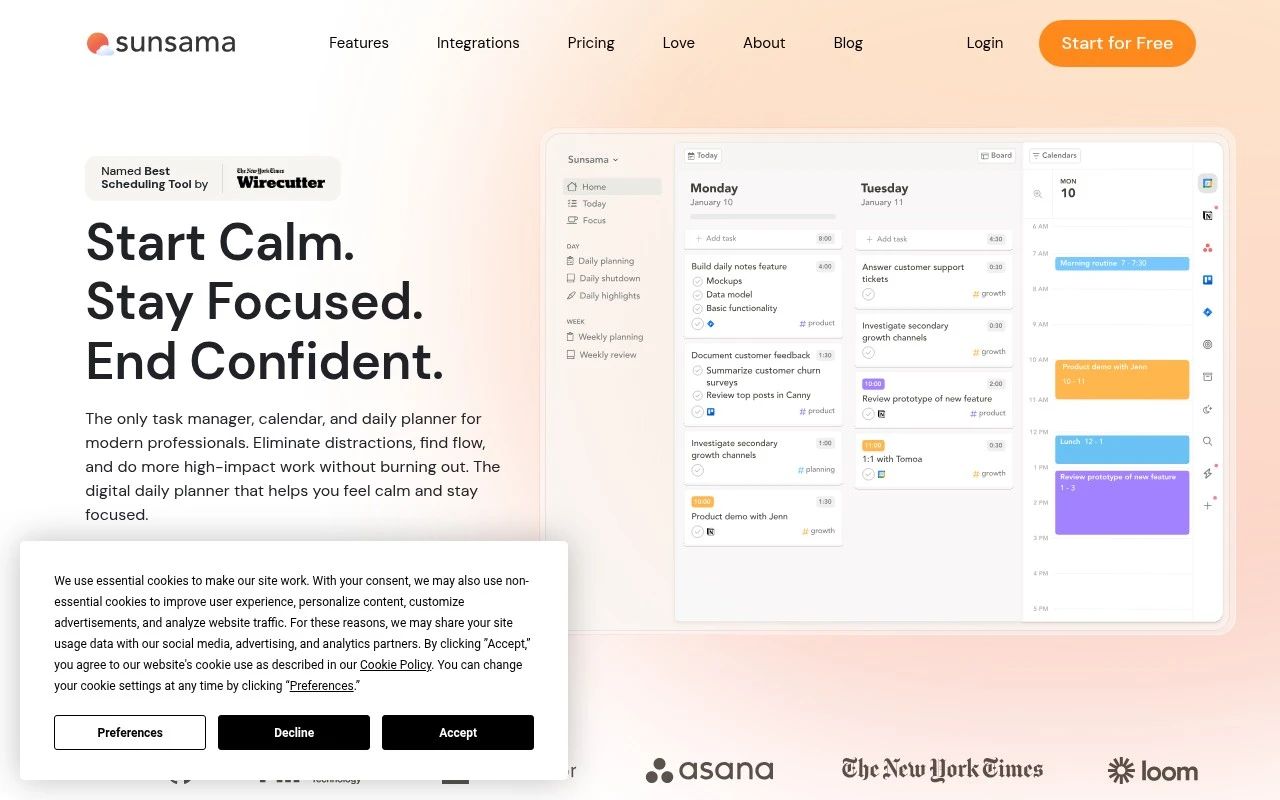
Sunsama is a daily planning app that combines tasks, calendar events, and timeboxing in one workflow. It helps users plan a realistic workday by organizing tasks from connected tools and scheduling them alongside meetings.
Task & Project ManagementTime & Habit Tracking

FYAI Score
8.2 / 10
Based on 27 reviews
Pricing:
Paid
Best for:
Busy knowledge workers balancing tasks, meetings, and deep work
Score Breakdown
- Ease of use8.6 / 10
- Features7.6 / 10
- Pricing7.6 / 10
- Integrations8.8 / 10
- Support8.9 / 10
 | Strengths |
-
 Best suited to professionals juggling calendars, task managers, email, and project tools because it consolidates daily work inputs into one planning workflow.
 -
Supports realistic workdays because users can timebox tasks around meetings and choose what fits before the day starts.
-
Encourages sustainable routines because guided daily planning and end-of-day review keep focus protection and work-life balance central.
 | Limitations |
-
 Less suitable for teams that need full project management because Sunsama focuses on individual daily planning rather than replacing roadmap, reporting, or resource management systems.
 -
Less suitable for users who want automation to make planning decisions for them because Sunsama is built around deliberate manual review, prioritization, and timeboxing.
-
Less suitable for casual or budget-constrained users because it is a paid productivity app whose benefits depend on using it consistently.
Feature highlights
Unified daily plan
Pull tasks from your tools into one place to choose what fits today.
Timebox your day
Drag tasks onto your calendar to build a focused, realistic schedule.
Daily review ritual
Reflect, track progress, and roll over priorities for tomorrow.
Compared in

 | 7.9/ 10Based on 740 reviews |
Fyxer
Meeting NotesEmail Assistant
Triages email, drafts replies, and summarizes meeting actions
Best for: | Sales teams |
Pricing | Paid |
 | 7.4/ 10Based on 442 reviews |
Genspark
Productivity
Creates outputs and dashboards from plain-English data questions
Best for: | Knowledge workers |
Pricing | Paid |
 | 8.4/ 10FYAI score |
Granola
Meeting NotesEmail Assistant
Writes meeting notes, action items, and follow-up briefs
Best for: | Knowledge workers |
Pricing | Freemium |