Curated ToolThis tool is part of our curated AI directory. We only include tools that meet our standards for relevance, usability and real-world value.

Tailor Brands

Guides business formation and compliance, tracking filings.

Logo & Brand Assets
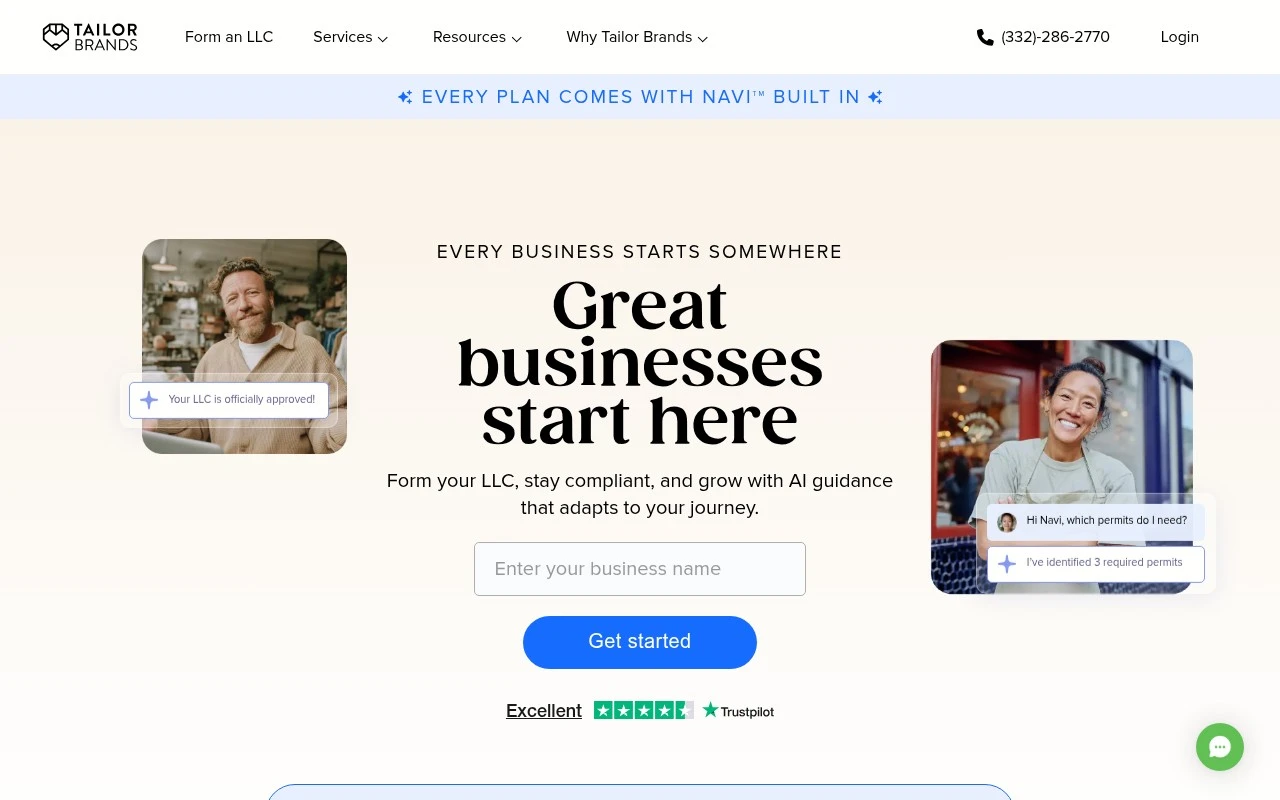
Tailor Brands positions itself as a guided platform for setting up, managing, and growing a business. Its current site emphasizes LLC formation, compliance, and launch services, with an AI assistant called Navi that tracks filings and deadlines, suggests next steps, and helps beginners understand what to do next. It also includes branding and marketing tools, reflecting its logo and website-building capabilities, but the core offering is now broader than design.

FYAI Score

7.4 / 10

Based on 16.399 reviews

Pricing:

Freemium

Best for:

First-time founders forming an LLC and staying compliant

Score Breakdown

  • Ease of use7.3 / 10
  • Features7.1 / 10
  • Pricing7.3 / 10
  • Integrations7.2 / 10
  • Support8.2 / 10

PRODUCT PREVIEW

What this AI tool does

Tailor Brands is an AI-assisted branding tool designed to help individuals and small teams create a consistent visual identity without needing advanced design skills. It guides you through a few questions about your business and style preferences, then generates branding options you can review and refine. The platform is commonly used when you need a starting point for a logo and related brand assets for a website, social profiles, or basic marketing materials. It’s best suited for early-stage projects or anyone looking for a structured, step-by-step way to explore branding directions and produce usable designs quickly. As with most automated design tools, the results depend on the inputs you provide and may require some iteration to match a specific vision. If you have strict brand guidelines or need highly custom work, you may still want to compare the output with professional design support.

Use cases

Best for

Create Logo

Tailor Brands generates logo concepts from your business name and style inputs, then lets you customize fonts, colors, and icons.

Bookkeeping

Tailor Brands provides bookkeeping tools to categorize transactions, track income and expenses, and generate basic financial reports.

Website Generation

Tailor Brands builds a simple business website from your brand details and content, then publishes it with built in hosting tools.

ANALYSIS

Strengths & limitations

Strengths
  • Combines business formation, compliance, finance, and branding tools in a single dashboard.
  • Built for beginners, with step-by-step guidance and an AI assistant for filings, deadlines, and next actions.
  • Covers practical launch needs beyond formation, including EIN, registered agent, permits, website, domain, logo, and business email.
Limitations
  • Pricing depends on annual plans plus state fees, and some capabilities appear to be trials or plan-specific add-ons.
  • The site presents simplified filing and support services, but it does not establish Tailor Brands as a replacement for dedicated legal, tax, or accounting advice.
  • The strongest fit is standard small-business formation; more complex companies may need specialized professional guidance.

Evaluation

FYAI score breakdown

Our structured evaluation across five key criteria

7.4 / 10

Overall score

Based on 16.399 reviews

  • Ease of use7.3 / 10
  • Features7.1 / 10
  • Pricing7.3 / 10
  • Integrations7.2 / 10
  • Support8.2 / 10

What users say

Findings from public reviews, documentation and community sources.

  • Ease of use

    Tailor Brands says users can "Design a custom logo in minutes, no design skills needed" and form an LLC by answering "a few quick questions."

  • Features

    Tailor Brands lists "Logo Maker," "Website Builder," "Digital Business Cards," and a "Social media post maker."

  • Pricing

    Tailor Brands' pricing page lists "Basic Lite $0 + state fees," "Essential $199/yr," and "Premium Elite $249/yr," plus a bookkeeping trial that becomes "$39/month."

  • Integrations

    Capterra’s product listing references "social media integration, print management, and shopping cart tools."

  • Support

    Tailor Brands states users can "Click the chat button below, or give us a call at 1-332-286-2770." Capterra’s review signal includes "Good product, poor communication."

Who is this for?

Best for new business owners who want guided branding and setup, Tailor Brands says users can "Design a custom logo in minutes, no design skills needed" and form an LLC by answering "a few quick questions." Less suited to users who need advanced image-editing workflows, because Tailor Brands lists business and brand assets such as "Logo Maker," "Website Builder," "Digital Business Cards," and a "Social media post maker."

PRODUCT PREVIEW

Feature highlights

LLC formation

Guided setup to form your LLC and get your business launched.

Compliance tracking

Deadline reminders and filing tracking to help you stay compliant.

Navi AI guidance

Personalized next steps so you always know what to do next.

COMPARE

Discover curated alternatives worth comparing

Compare similar AI tools based on features, pricing and use cases

7.2/ 10Based on 2.027 reviews

Pixa

AI Image Generator
Edits and creates pixel art images with drawing and animation tools.
Best for:
Designers
Pricing
Freemium

8.2/ 10Based on 193 reviews

Uizard

UI/UX Design
Generates editable UI prototypes from prompts, screenshots, or sketche
Best for:
Product teams
Pricing
Freemium

8.2/ 10Based on 56.265 reviews

Topaz Labs

Image UpscalerPhoto Editing
AI upscales, denoises, sharpens, and restores photos and videos
Best for:
Designers
Pricing
Paid only

Join thousands of entrepreneurs building a polished brand in minutes. Create a look you’re proud to share and show up consistently everywhere you do business.

FAQ

Frequently asked
questions

Everything you need to know about this AI tool,
its features, pricing, use cases, and limitations.

Is Tailor Brands a good fit for my small business branding needs?
Tailor Brands works best if you need a quick logo plus matching brand assets (social profiles, business cards, basic marketing materials) without hiring a designer. It’s a practical choice for new businesses, side projects, and local services that need a consistent look fast. If you need a highly custom identity system or complex brand guidelines, you may outgrow it.
Does Tailor Brands have a free plan, and what are the limitations?
Tailor Brands typically lets you generate and preview logo concepts for free, but downloading usable files and accessing brand assets requires a paid subscription. Higher tiers are usually needed for vector files (e.g., SVG/EPS) and broader usage rights. Expect ongoing costs if you want continued access to edits, brand tools, or additional collateral.
How does Tailor Brands compare with Canva, Looka, or Wix Logo Maker?
Tailor Brands is more “brand kit + business tools” oriented than many logo-only generators, which can be useful if you want assets beyond the logo. Canva generally offers more manual design flexibility and template variety, but you’ll do more of the layout work yourself. Looka and Wix Logo Maker are closer in workflow; differences often come down to pricing, file formats included, and how much customization you can apply before designs feel repetitive.
How fast can I get from signup to a usable logo and brand assets in Tailor Brands?
The biggest compromise is originality: Tailor Brands designs can look similar to other businesses using the same system. Customization is solid for basic tweaks, but it’s limited compared to bespoke illustration, typography work, or a full brand system. Subscription pricing can also add up if you need frequent updates or ongoing access to assets.
What should I consider about data, privacy, and compliance when using Tailor Brands?
Tailor Brands will store your account details and brand inputs (e.g., business name, preferences, generated assets) to provide editing and downloads, so treat it as a vendor holding business-related data. Review their privacy policy and terms for ownership/licensing, retention, and whether they share data with service providers. If you have strict compliance needs (e.g., regulated industries), confirm where data is processed and what controls exist for deletion and access.