Curated ToolThis tool is part of our curated AI directory. We only include tools that meet our standards for relevance, usability and real-world value.

Starryai

Generates and refines images from text prompts or photos.

AI Image GeneratorBackground Edit
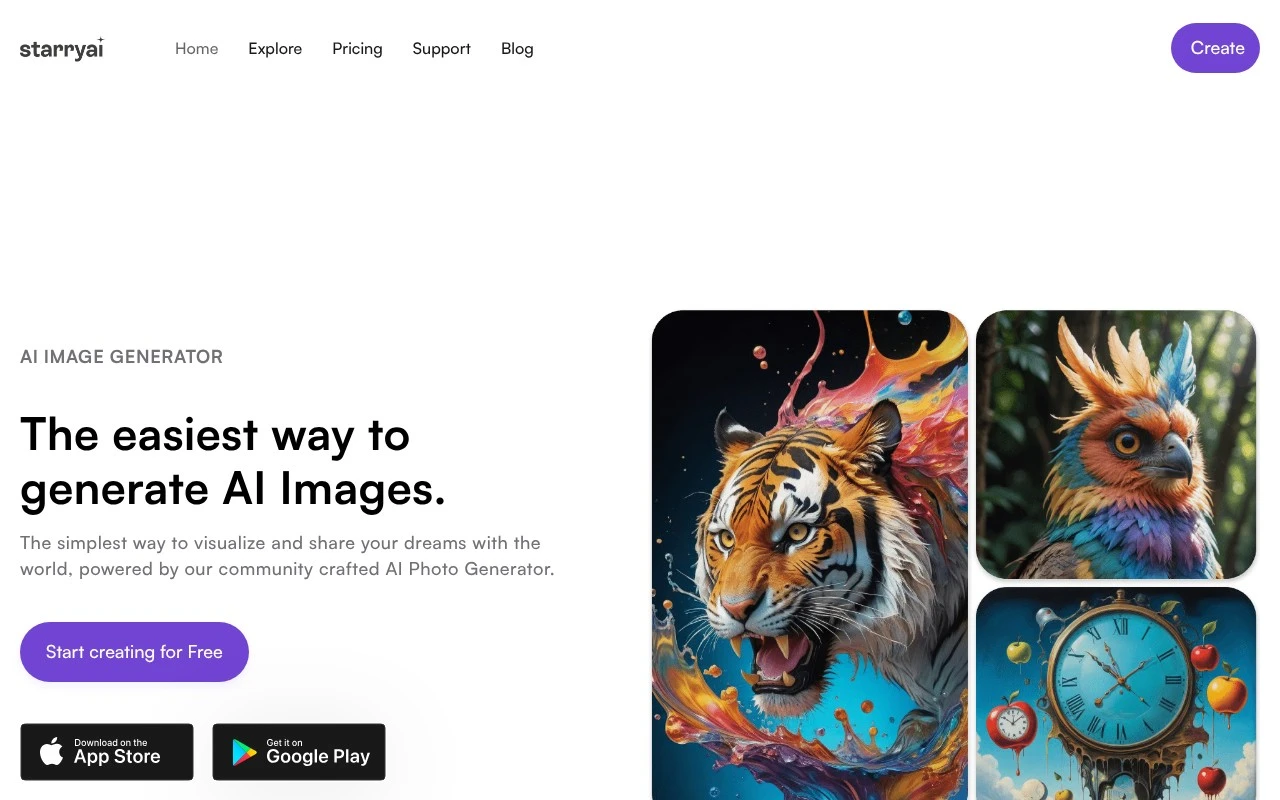
Starryai is an AI image generator for creating visuals from prompts, emojis, and uploaded photos. Its official site emphasizes free daily image creation without watermarks, ownership and commercial rights for created images, and a large library of styles and models. It also lists adjacent image tools such as enhancement, upscaling, background removal, avatars, headshots, interiors, anime, characters, and AI videos, though the page provides more detail about image generation than video creation.

FYAI Score

7.7 / 10

Based on 2 reviews + FYAI product analysis

Pricing:

Freemium

Best for:

Creators generating AI art for posts, prints, and client work

Score Breakdown

  • Ease of use8.0 / 10
  • Features7.7 / 10
  • Pricing8.2 / 10
  • Integrations7.0 / 10
  • Support7.4 / 10

PRODUCT PREVIEW

What this AI tool does

Starryai is an AI-powered tool designed to help people generate visual artwork from text prompts. It’s typically used when you want to explore ideas quickly, create concept images, or produce stylized illustrations without needing advanced design skills. In practice, you describe what you want to see, choose a general style or direction, and the system generates one or more images based on that input. Results can vary depending on how specific your prompt is, so it’s often useful to refine wording and try a few iterations to get closer to the look you want. This kind of text-to-image workflow can be helpful for creators, educators, and teams who need visuals for drafts, mood boards, or creative experimentation. starryai is best approached as a starting point for visual exploration rather than a replacement for careful art direction or final production work.

Use cases

Best for

Generate Images

Starryai generates images from text prompts, emojis, or uploaded photos using selectable styles and AI models.

Remove Background

Use Starryai background removal to isolate a subject by automatically cutting out the background from an image.

Image Enhancement

Starryai enhances images by improving clarity and resolution with its enhancement and upscaling tools.

ANALYSIS

Strengths & limitations

Strengths
  • Offers free daily AI image generation and states that free images are created without watermarks.
  • Claims users own the images they create and have commercial rights.
  • Includes many style/model options and related image-editing utilities such as upscaling, enhancement, and background removal.
Limitations
  • The official page gives limited detail about model behavior, generation controls, output limits, or exact editing workflows.
  • Video creation is mentioned in the site title and navigation, but the provided page does not clearly explain how the AI video feature works.
  • Usage appears credit-based through lumens, so free use may be limited beyond the stated daily allowance and starter credits.

Evaluation

FYAI score breakdown

Our structured evaluation across five key criteria

7.7 / 10

Overall score

Based on 2 reviews + FYAI product analysis

  • Ease of use8.0 / 10
  • Features7.7 / 10
  • Pricing8.2 / 10
  • Integrations7.0 / 10
  • Support7.4 / 10

What users say

Findings from public reviews, documentation and community sources.

  • Ease of use

    The Starryai homepage presents onboarding as “30 Second Sign Up” and says users can “Start using starryai in less than a minute.” The Starryai homepage includes an App Store user quote calling the app “the most stable and intuitive app,” while Reddit sentiment mentions outputs becoming “black boxes or blur[red] out” after credits.

  • Features

    The Starryai product page lists “1000+ Styles,” “Reimagine your images,” “Enhance Images,” and “Remove Background.” The Starryai product page also references commercial rights and ownership of created images.

  • Pricing

    The App Store listing says starryai is “completely free to use” with “up to 5 artworks for free every day without any watermarks” and offers a paid Pro subscription. The Starryai homepage says new accounts get “5 lumens (25 AI Images).”

  • Integrations

    The Starryai app page links “App Store download” and “Google Play Store download.” A third-party viaSocket automation page connects Starryai with Leonardo.Ai.

  • Support

    The Starryai homepage links to a “Help center,” “Contact us,” Reddit, and Discord. Reddit complaints mention blurred/blocked outputs “with no refunds.”

Who is this for?

Best for casual image creators who want a quick start, the Starryai homepage says “30 Second Sign Up,” and the App Store listing says “up to 5 artworks for free every day without any watermarks.” Less suited to teams needing automated image workflows, surfaced connectivity is mainly “App Store download” and “Google Play Store download,” plus a third-party viaSocket automation page connecting Starryai with Leonardo.Ai.

PRODUCT PREVIEW

Feature highlights

Prompt-to-image art

Generate images from text prompts, emojis, or photo uploads.

Style library

Pick from many styles and models to match your aesthetic fast.

Commercial rights

Create watermark-free images you own and can use commercially.

COMPARE

Discover curated alternatives worth comparing

Compare similar AI tools based on features, pricing and use cases

7.2/ 10Based on 2.027 reviews

Pixa

AI Image Generator
Edits and creates pixel art images with drawing and animation tools.
Best for:
Designers
Pricing
Freemium

8.2/ 10Based on 193 reviews

Uizard

UI/UX Design
Generates editable UI prototypes from prompts, screenshots, or sketche
Best for:
Product teams
Pricing
Freemium

8.2/ 10Based on 56.265 reviews

Topaz Labs

Image UpscalerPhoto Editing
AI upscales, denoises, sharpens, and restores photos and videos
Best for:
Designers
Pricing
Paid only

Turn ideas into standout visuals in minutes. Start creating on-brand AI art with Starryai and see why creative teams keep coming back.

FAQ

Frequently asked
questions

Everything you need to know about this AI tool,
its features, pricing, use cases, and limitations.

Is Starryai a good fit for my use case?
This tool is designed for clearly defined workflows where consistency and speed matter. It performs best when the use case matches its core functionality. Testing against real tasks is recommended before adoption.
Is Starryai free, and what do paid plans include?
Most tools provide a limited free tier or trial. Paid plans usually increase usage limits and unlock advanced features. Pricing should be reviewed before production use.
How does Starryai compare to similar tools?
It focuses on a specific workflow with predictable output. Alternatives may differ in pricing, integrations, or flexibility. Comparing based on your primary use case is advised.
How quickly can I get started with Starryai?
Limitations often relate to customization depth or usage caps. Some outputs may still require human review. Understanding these limits early prevents surprises.
How does Starryai handle data and privacy?
Data handling depends on the provider’s policies and infrastructure. Users should review retention and privacy terms carefully. Sensitive data should be handled with caution.