Curated ToolThis tool is part of our curated AI directory. We only include tools that meet our standards for relevance, usability and real-world value.

Recraft

Generates AI images, editable vectors, mockups, and styles

AI Image GeneratorLogo & Brand Assets
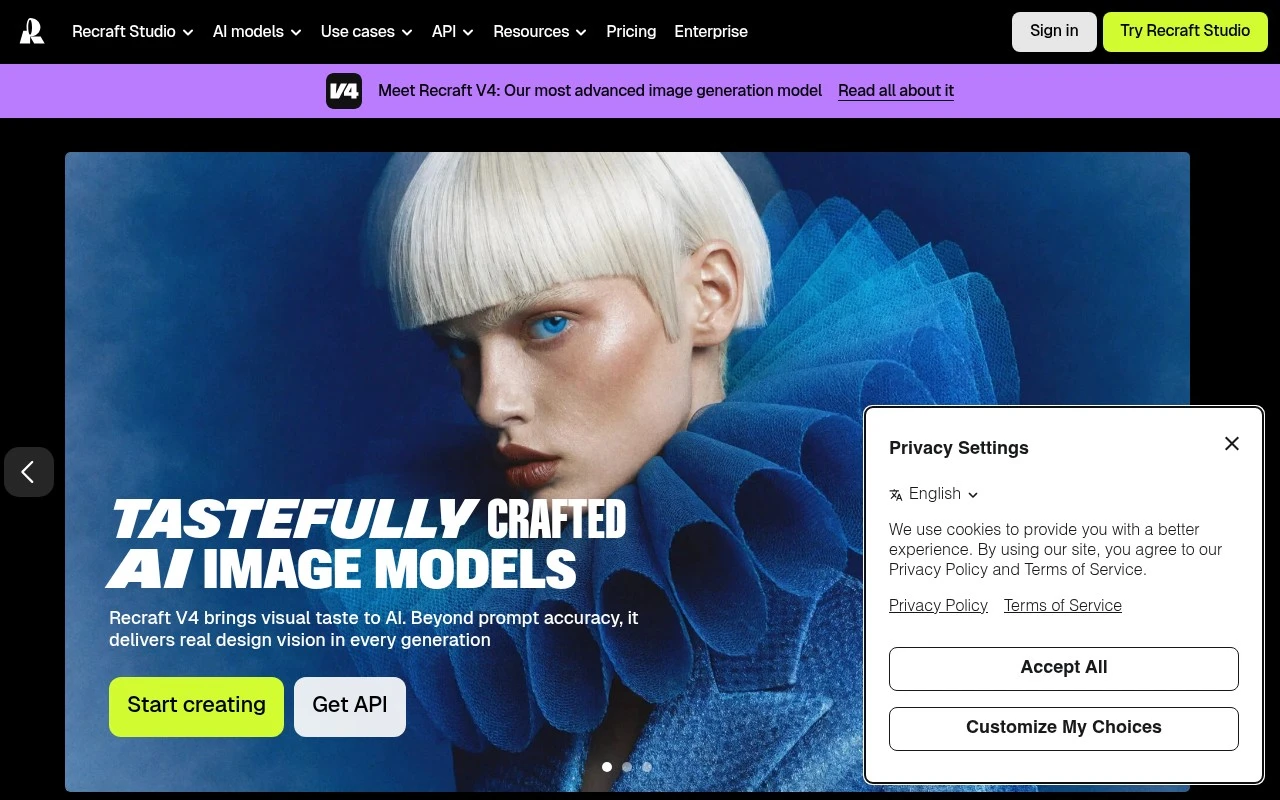
Recraft is an AI image model and design platform focused on generating polished visual assets rather than only raw AI images. Its official site emphasizes prompt-based image generation, photorealism, editable vector output, custom styles created from uploaded images, mockups, and API access. It is aimed at designers, creatives, sellers, and teams that need consistent, design-ready visuals for professional use.

FYAI Score

8.1 / 10

Based on 455 reviews

Pricing:

Freemium

Best for:

Designers and creative teams producing consistent, production-ready visuals

Score Breakdown

  • Ease of use7.8 / 10
  • Features8.6 / 10
  • Pricing7.5 / 10
  • Integrations8.8 / 10
  • Support7.8 / 10

PRODUCT PREVIEW

What this AI tool does

Recraft is an AI tool for generating and refining visual assets from text prompts and existing images. It’s designed for people who need quick iterations on graphics—such as icons, illustrations, and other design elements—without starting from scratch each time. You can use it to explore different styles, adjust composition, and produce variations that fit a specific look or brand direction. It’s especially useful when you want to move from an idea to a usable visual draft quickly, then fine-tune the result through additional prompts or edits. For teams and individuals working on digital content, recraft can help streamline early-stage design work and reduce the back-and-forth involved in creating multiple options. It works best as a complement to traditional design tools, providing a faster way to generate concepts and iterate before finalizing assets.

Use cases

Best for

Vector Graphic Design

Generate editable SVG vector illustrations from prompts in Recraft, then refine colors, shapes, and layout for brand assets.

Generate Images

Use prompt based generation to create photorealistic or stylized images, and apply custom styles trained from uploaded references.

Create Mockups

Create product and packaging mockups by placing generated designs into realistic scenes and exporting design ready visuals.

ANALYSIS

Strengths & limitations

Strengths
  • Supports multiple visual asset types, including photorealistic images, illustrations, vectors, 3D-style assets, mockups, and custom styles.
  • Places unusual emphasis on editable vector generation and design-ready typography, which makes it more design-oriented than many general image generators.
  • Allows users to create reusable visual styles from reference images without training a custom model.
Limitations
  • The supplied official page does not provide enough detail about pricing, licensing terms, export formats, or collaboration features.
  • Its strongest fit is visual asset generation, so it is not a full replacement for broader design, project management, or publishing workflows.
  • Results are likely to depend on prompt quality and the suitability of uploaded reference images for custom styles.

Evaluation

FYAI score breakdown

Our structured evaluation across five key criteria

8.1 / 10

Overall score

Based on 455 reviews

  • Ease of use7.8 / 10
  • Features8.6 / 10
  • Pricing7.5 / 10
  • Integrations8.8 / 10
  • Support7.8 / 10

What users say

Findings from public reviews, documentation and community sources.

  • Ease of use

    Recraft docs include a guided "Generate your first image" flow with "Follow these simple steps to create an image." Reddit user sentiment describes Recraft as a tool that "looks simple," while ProductHunt signals note some "buggy performance on mobile or weaker devices."

  • Features

    Recraft homepage describes Recraft as a "text-to-image model and design platform for photorealism, vector generation, custom styles, mockups, and more." Recraft homepage highlights "Complex editable vector graphics," "Design-ready typography," and custom styles that can be created by "dropping in your images."

  • Pricing

    Recraft pricing page references creator/team subscriptions, credits, and top-ups. Recraft pricing page cites annual billing with "save 20%," refunds under stated usage conditions, and ownership differences between Free and paid plans.

  • Integrations

    Recraft blog lists access through Figma, Framer, Chrome extension, and Google Docs add-on, and Recraft also offers an API for embedding models into products or internal tools. Make lists a Recraft connector for workflows across "over 3000 apps."

  • Support

    Recraft docs include a "Get help" section to "Contact support, report a bug, and request a feature." Recraft docs include FAQ coverage, and the pricing page lists support contact via "[email protected]" and "Message support."

Who is this for?

Best for designers who need image generation plus editable design assets, Recraft homepage highlights "Complex editable vector graphics," "Design-ready typography," and custom styles created by "dropping in your images." Best for teams that need workflow connections, Recraft blog lists Figma, Framer, Chrome extension, and Google Docs add-on access, and Make lists a Recraft connector for workflows across "over 3000 apps." Less suited to users working mainly on mobile or weaker devices, ProductHunt signals note some "buggy performance on mobile or weaker devices," which could make those setups less reliable for design work.

PRODUCT PREVIEW

Feature highlights

Prompt to polished

Generate design-ready images with a clean, professional finish.

Editable vector output

Export vectors you can tweak for logos, icons, and layouts.

Custom brand styles

Train styles from your images to keep visuals consistent.

COMPARE

Discover curated alternatives worth comparing

Compare similar AI tools based on features, pricing and use cases

7.2/ 10Based on 2.027 reviews

Pixa

AI Image Generator
Edits and creates pixel art images with drawing and animation tools.
Best for:
Designers
Pricing
Freemium

8.2/ 10Based on 193 reviews

Uizard

UI/UX Design
Generates editable UI prototypes from prompts, screenshots, or sketche
Best for:
Product teams
Pricing
Freemium

8.2/ 10Based on 56.265 reviews

Topaz Labs

Image UpscalerPhoto Editing
AI upscales, denoises, sharpens, and restores photos and videos
Best for:
Designers
Pricing
Paid only

Join teams creating on-brand visuals in minutes. Start with Recraft today and turn ideas into polished marketing assets faster.

FAQ

Frequently asked
questions

Everything you need to know about this AI tool,
its features, pricing, use cases, and limitations.

What types of teams and projects is Recraft a good fit for?
Recraft tends to work best for marketing and brand teams that need fast, on-brand visuals such as social creatives, ad variations, and simple brand assets. It’s also practical for non-designers who want template-driven outputs with customization. If you need complex illustration workflows or highly technical print production, you may find it limiting compared with pro design suites.
How do Recraft’s free and paid plans typically differ in practice?
In most AI design tools like Recraft, free tiers are mainly for trying the workflow and usually come with tighter usage limits and fewer export options. Paid plans generally increase generation/export capacity and may unlock higher-quality outputs or commercial-use terms. Before committing, check whether your plan covers the file formats and licensing you need for client work.
How does Recraft compare to tools like Canva, Adobe Express, Midjourney, or DALL·E?
Recraft sits between template-first design tools (like Canva/Adobe Express) and prompt-first image generators (like Midjourney/DALL·E), focusing on brand-friendly visual production. If you want heavy layout and collaboration features, a template suite may be stronger; if you want maximum image realism or stylistic exploration, a dedicated generator can be better. Recraft is often chosen when you want quicker iteration with brand-aligned controls rather than deep manual design.
How quickly can a team get productive with Recraft, and what onboarding is required?
Recraft may feel constrained for professional designers who need advanced controls, precise vector editing, or intricate compositing. Output quality can vary depending on prompts and settings, so you should expect occasional retries to hit the right look. Also verify whether it fits your existing workflow if you rely on specific integrations or asset-management tools.
What should I check about Recraft’s data handling, privacy, and compliance before using it for brand work?
Review Recraft’s terms for how uploaded assets and generated outputs are stored, whether they’re used to improve models, and what controls exist for opting out. Confirm data retention, account deletion, and whether it supports requirements like GDPR or enterprise security needs if you handle client materials. If you work with sensitive content, validate access controls and avoid uploading confidential brand files until policies meet your standards.