Curated ToolThis tool is part of our curated AI directory. We only include tools that meet our standards for relevance, usability and real-world value.

Procreate

Enables hand-drawn digital illustration and frame-by-frame animation on iPad.

AI Image Generator
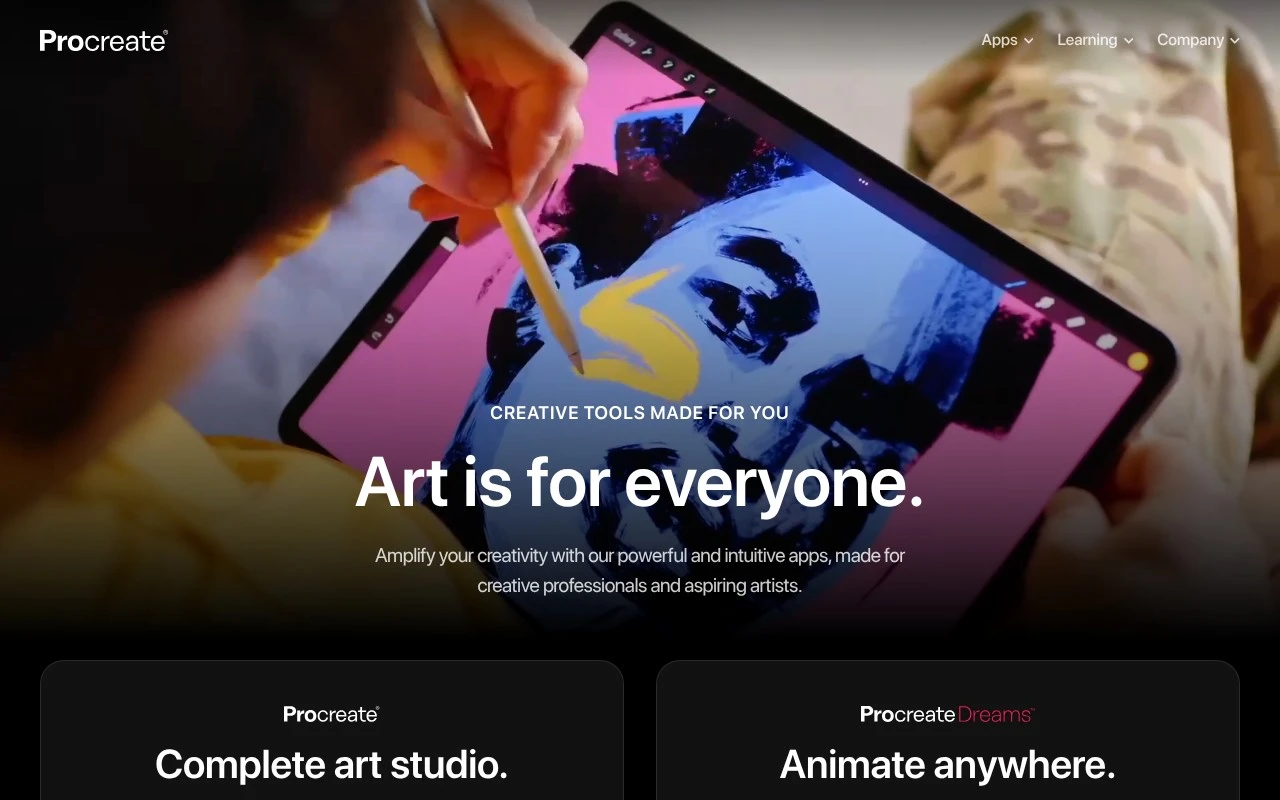
Procreate is a suite of creative apps for iPad and iPhone focused on digital drawing, art creation, and animation. The product family includes Procreate as a complete art studio, Procreate Dreams for animation, and Procreate Pocket for iPhone. It is positioned for both creative professionals and aspiring artists, with a one-time purchase model rather than a subscription.

FYAI Score

8.4 / 10

Based on 72 reviews

Pricing:

Paid

Best for:

Illustrators and digital artists creating on iPad

Score Breakdown

  • Ease of use8.8 / 10
  • Features7.7 / 10
  • Pricing9.4 / 10
  • Integrations7.0 / 10
  • Support8.7 / 10

PRODUCT PREVIEW

What this AI tool does

Procreate is a digital illustration app designed for drawing and painting on a tablet. It’s commonly used by artists, designers, and hobbyists who want a portable workspace for sketching ideas, creating finished artwork, or experimenting with different styles without needing a full desktop setup. The app supports a typical digital art workflow, including working with layers, adjusting brush behavior, and refining details with precision tools. Many people use it for character art, concept sketches, lettering, and general illustration, often pairing it with a stylus for more natural control. If you’re researching procreate, it helps to consider how it fits into your process: whether you need quick sketching on the go, a dedicated space for painting, or a tool that can export files for further editing in other software. It’s generally positioned as an approachable option for learning digital art while still being capable of producing professional-quality results.

Use cases

Best for

Generate Images

Use Procreate on iPad to draw and paint original images with brushes, layers, and Apple Pencil support.

Animated Video Creation

Use Procreate Dreams to animate drawings with keyframes, timelines, and frame by frame motion, then export video.

ANALYSIS

Strengths & limitations

Strengths
  • Purpose-built for iPad and iPhone creative work.
  • Covers both digital art creation and animation through separate apps.
  • Uses a pay-once model instead of a subscription.
Limitations
  • The official site describes Apple-device apps, not a web-based or cross-platform tool.
  • It is not presented as an AI generation or automation product.
  • The official homepage provides limited detail about specific editing, drawing, or animation features.

Evaluation

FYAI score breakdown

Our structured evaluation across five key criteria

8.4 / 10

Overall score

Based on 72 reviews

  • Ease of use8.8 / 10
  • Features7.7 / 10
  • Pricing9.4 / 10
  • Integrations7.0 / 10
  • Support8.7 / 10

What users say

Findings from public reviews, documentation and community sources.

  • Ease of use

    Procreate's homepage positions Procreate as "powerful and intuitive" and made for both "creative professionals and aspiring artists." Procreate's homepage also lists a "Procreate Beginners Series" for onboarding.

  • Features

    Procreate's homepage describes Procreate as a "Complete art studio" with "powerful and easy-to-use drawing and animation apps." Procreate's homepage also references "powerful tools and rich features" for digital illustration and animation workflows.

  • Pricing

    Procreate's homepage states "Pay once. No subscription." Procreate's pricing snippet lists Procreate at "$12.99 USD. Once" and Procreate Pocket at "$5.99 USD."

  • Integrations

    A Procreate forum snippet says reading .procreate files in Files.app "would be useful" for workflow between iOS and macOS.

  • Support

    Procreate's site highlights a "Help Center," "Learn & Support," a "Procreate Beginners Series," and classroom "Lesson ideas."

Who is this for?

Best for drawing-focused artists who want a one-time purchase, Procreate's homepage states "Pay once. No subscription," and the pricing snippet lists Procreate at "$12.99 USD. Once." Procreate also fits users who want drawing and animation tools, since the homepage describes Procreate as a "Complete art studio" with "powerful and easy-to-use drawing and animation apps." Less suited to workflows that depend on broad native integrations, APIs, or marketplaces, the cited integration material is a Procreate forum snippet about reading.procreate files in Files.app for workflow between iOS and macOS.

PRODUCT PREVIEW

Feature highlights

Apple Pencil drawing

Responsive brushes and pressure control for natural-feel sketching.

Layers & masks

Non-destructive workflows with blending, clipping masks, and groups.

Animation Assist

Create frame-by-frame animations with onion-skinning and playback.

COMPARE

Discover curated alternatives worth comparing

Compare similar AI tools based on features, pricing and use cases

7.2/ 10Based on 2.027 reviews

Pixa

AI Image Generator
Edits and creates pixel art images with drawing and animation tools.
Best for:
Designers
Pricing
Freemium

8.2/ 10Based on 193 reviews

Uizard

UI/UX Design
Generates editable UI prototypes from prompts, screenshots, or sketche
Best for:
Product teams
Pricing
Freemium

8.2/ 10Based on 56.265 reviews

Topaz Labs

Image UpscalerPhoto Editing
AI upscales, denoises, sharpens, and restores photos and videos
Best for:
Designers
Pricing
Paid only

Join millions of artists creating polished illustrations anywhere. Start sketching, painting, and finishing portfolio-ready art on your iPad with Procreate today.

FAQ

Frequently asked
questions

Everything you need to know about this AI tool,
its features, pricing, use cases, and limitations.

What types of projects is Procreate a good fit for, and when should I pick something else?
Procreate is strongest for hand-drawn illustration, concept art, comics, and iPad-first sketching workflows where brush feel and speed matter. It’s also a solid choice for creating high-resolution artwork for print or digital export. If you need collaborative editing, advanced photo compositing, or desktop-centric pipelines, a tool like Photoshop, Illustrator, or Affinity may fit better.
Is Procreate free, and what are the limitations compared to subscription tools?
Procreate is a one-time paid app on iPad (no subscription), and core features aren’t locked behind tiers. The main “limitation” versus subscription suites is ecosystem: it doesn’t bundle cloud storage, team features, or cross-device desktop apps. You’ll also need separate tools if you rely on vector design or heavy photo editing.
How does Procreate compare with Adobe Photoshop, Illustrator, and Affinity apps for illustration work?
Procreate generally wins on iPad drawing responsiveness and a streamlined brush-first workflow, while Photoshop is broader for photo manipulation and complex compositing. Illustrator is the better choice for vector-based logos, icons, and scalable brand assets, which Procreate doesn’t natively provide. Affinity Photo/Designer can be a closer alternative if you want more desktop parity and file-format interoperability.
How fast can I get productive in Procreate, and what onboarding effort should I expect?
Procreate is limited to iPad, so it won’t suit teams or creators who need Windows/macOS workflows. Very large canvases with many layers can hit performance or layer-limit constraints depending on your iPad’s RAM. It’s also raster-first, so it’s not ideal when you need true vector output or advanced typography/layout tools.
What should I know about Procreate data handling, privacy, and compliance if I’m using it for client work?
Procreate projects are stored locally on the iPad by default, so privacy largely depends on your device security, backups, and any cloud services you choose to use (e.g., iCloud). There isn’t a built-in team admin console, audit logging, or enterprise compliance tooling like you’d find in some managed creative suites. For regulated work, plan for controlled storage, encrypted backups, and a clear export/transfer process for client files.