Curated ToolThis tool is part of our curated AI directory. We only include tools that meet our standards for relevance, usability and real-world value.

Playground AI

Generate and edit AI images for posters, merch, and mockups

AI Image GeneratorUI/UX Design
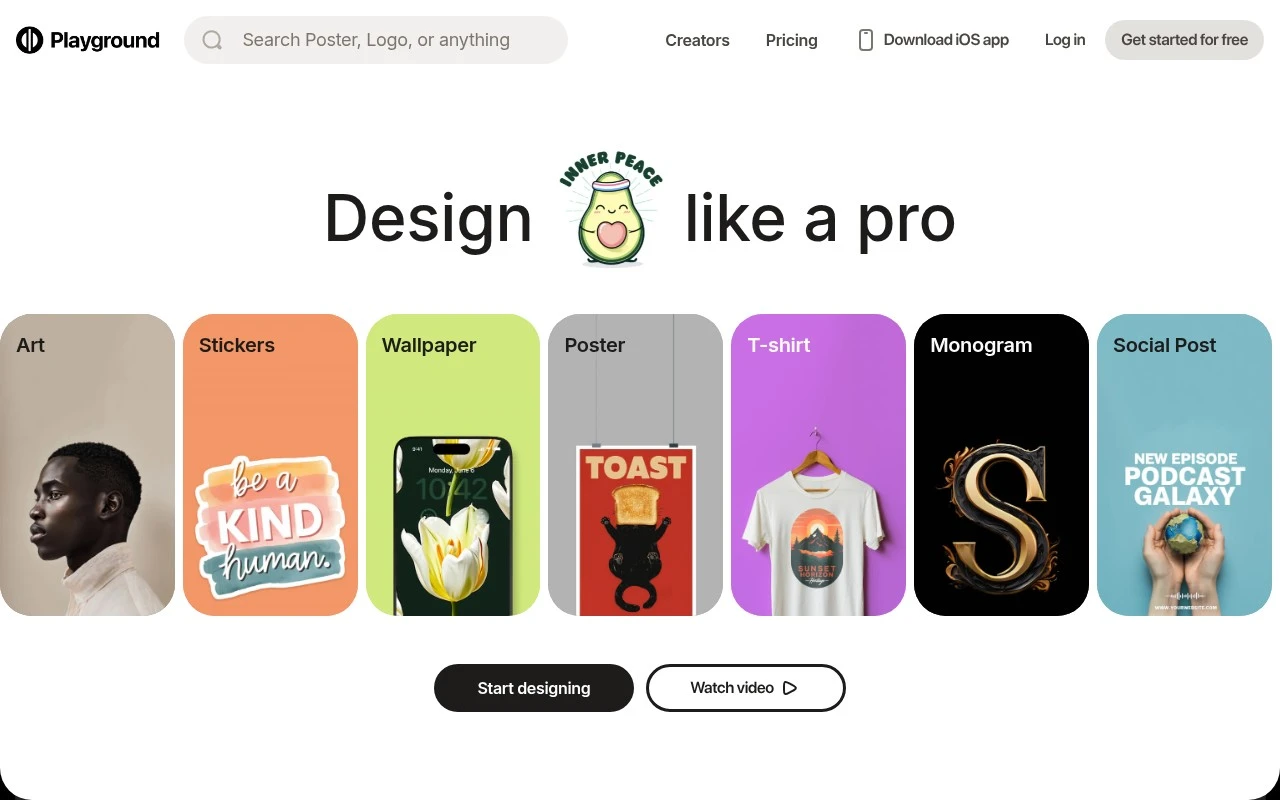
Playground AI is an AI design studio focused on making custom graphics and merchandise designs accessible to non-designers. Users can start from templates or describe what they want in text, then use built-in AI image models and editing tools to refine the result. Its emphasis is on practical visual assets such as logos, stickers, apparel art, posters, cards, social media graphics, mockups, and print-ready merchandise.

FYAI Score

8.0 / 10

Based on 50 reviews

Pricing:

Freemium

Best for:

Creators and small shops making custom graphics and merch

Score Breakdown

  • Ease of use8.0 / 10
  • Features7.9 / 10
  • Pricing8.7 / 10
  • Integrations7.1 / 10
  • Support8.3 / 10

PRODUCT PREVIEW

What this AI tool does

Playground AI is an AI tool designed for experimenting with generative models in a simple, browser-based workspace. It’s typically used by people who want to try different prompts, compare outputs, and get a practical feel for how text or image generation behaves without setting up a complex development environment. In an informational context, it can be helpful for learning prompt-writing basics, exploring how small wording changes affect results, and iterating on drafts or concepts before moving to a production workflow. The interface generally supports quick testing and refinement, making it suitable for early-stage exploration and evaluation. Because it’s focused on hands-on experimentation, playgroundai is often used as a starting point for understanding model behavior and limitations. It can fit into a broader process where you test ideas, review outputs for quality and safety, and then decide whether to integrate similar capabilities into other tools or applications.

Use cases

Best for

Generate Images

Generate custom images by prompting Playground AI and refining results with built-in AI models and editing tools.

Create Logo

Create a logo by starting from a template or text prompt, then adjusting style, colors, and layout in the editor.

Design Templates

Design templates by selecting pre-made layouts and swapping text, images, and colors to produce print-ready graphics.

ANALYSIS

Strengths & limitations

Strengths
  • Supports many practical design formats, including logos, stickers, T-shirt art, posters, cards, social posts, mockups, wallpapers, and patterns.
  • Combines prompt-based generation, templates, and non-destructive AI editing tools in one design workflow.
  • Includes a path from digital design to physical merchandise rather than stopping only at image download.
Limitations
  • The public page does not give detailed information about export formats, licensing terms, or commercial usage limits.
  • Pricing beyond the stated free-to-start access is not explained in the provided site text.
  • It is positioned for accessible AI design rather than clearly documented professional design workflows such as advanced vector editing or brand-system management.

Evaluation

FYAI score breakdown

Our structured evaluation across five key criteria

8.0 / 10

Overall score

Based on 50 reviews

  • Ease of use8.0 / 10
  • Features7.9 / 10
  • Pricing8.7 / 10
  • Integrations7.1 / 10
  • Support8.3 / 10

What users say

Findings from public reviews, documentation and community sources.

  • Ease of use

    Playground's homepage says users can create designs with AI with “no experience required” and “just describe what you're imagining.” Playground's homepage highlights creator reviews calling Playground “Very intuitive” and “Easy to navigate,” while Reddit sentiment cited in the review includes one user saying they enjoyed Playground for about a year and another calling Playground “not user friendly.”

  • Features

    Playground's site lists “Thousands of templates across 24 categories” and AI tools including “Swap style,” “Remove object,” “Add to mockup,” and “Smart layers.” Playground's site lists access to models including “GPT Image 2, Nano Banana Pro, and Seedream” and includes merch/product creation.

  • Pricing

    Playground's pricing page lists Free, Pro, and Pro Plus tiers, with Pro at $15 monthly or $12/mo annually and Pro Plus at $45 monthly or $36/mo annually. Playground's pricing page states differences by generation, credit, resolution, commercial-use, and support, and the Free tier is limited to casual/non-commercial use and constrained model credits.

  • Integrations

    Playground's pricing page says Pro Plus includes “API access.” Playground's pricing FAQ says Playground is “working with a select number of partners” and prioritizes partners whose users generate “more than 1M images a month.”

  • Support

    Playground's pricing page includes a billing portal FAQ, the [email protected] contact, and “Priority support” on Pro Plus. Playground's homepage testimonials mention “excellent customer support” and responses “within a few hours,” while Reddit sentiment cited in the review says there is “only AI customer support.”

Who is this for?

Best for beginners or creators making image designs and merch/product visuals, Playground says users can create with AI with “no experience required,” offers “Thousands of templates across 24 categories,” and includes tools such as “Remove object” and “Add to mockup.” Less suited to teams that need broad workflow integrations or open API onboarding, Pro Plus includes “API access,” but the pricing FAQ says Playground is “working with a select number of partners” and prioritizes partners whose users generate “more than 1M images a month.”

PRODUCT PREVIEW

Feature highlights

Text-to-image studio

Generate custom graphics from prompts or start from ready templates.

AI editing tools

Refine images with inpainting, variations, and quick touch-ups.

Merch-ready designs

Create logos, stickers, posters, and apparel art for printing.

COMPARE

Discover curated alternatives worth comparing

Compare similar AI tools based on features, pricing and use cases

7.2/ 10Based on 2.027 reviews

Pixa

AI Image Generator
Edits and creates pixel art images with drawing and animation tools.
Best for:
Designers
Pricing
Freemium

8.2/ 10Based on 193 reviews

Uizard

UI/UX Design
Generates editable UI prototypes from prompts, screenshots, or sketche
Best for:
Product teams
Pricing
Freemium

8.2/ 10Based on 56.265 reviews

Topaz Labs

Image UpscalerPhoto Editing
AI upscales, denoises, sharpens, and restores photos and videos
Best for:
Designers
Pricing
Paid only

Create standout brand visuals in minutes. Start generating custom images with Playground AI and bring every campaign concept to life faster.

FAQ

Frequently asked
questions

Everything you need to know about this AI tool,
its features, pricing, use cases, and limitations.

What types of teams and projects is Playground AI a good fit for?
Playground AI works well for marketing and content teams that need a steady flow of on-brand visuals for ads, social posts, blog headers, and landing pages. It’s a practical choice when you want quick iterations and don’t have dedicated design resources. If you need pixel-perfect layout control or complex compositing, a traditional design tool may fit better.
How do the free and paid plans compare, and what limitations matter most?
The free tier is typically best for testing prompts and workflows, but it usually comes with usage limits and fewer high-quality or faster generation options. Paid plans generally increase generation capacity and may unlock higher-resolution outputs or priority processing. If your team generates images daily, plan costs can scale quickly, so estimate monthly volume before committing.
How does Playground AI compare with Midjourney, DALL·E, or Canva for image creation?
Compared with Midjourney, Playground AI is often easier to use in a browser workflow and can be more straightforward for quick marketing assets, while Midjourney may be preferred for highly stylized outputs. Versus DALL·E, results can differ by prompt type and style consistency, so it’s worth running the same prompt set in both. Compared with Canva, Playground AI is stronger for generating new images, while Canva typically offers better layout, brand kits, and design-system controls.
How fast can a team get started with Playground AI?
Playground AI can be limiting if you rely on advanced editing features like detailed layer-based adjustments, precise typography control, or complex retouching. Output quality can vary with prompt complexity, so you may need multiple iterations to get a usable result. If you require guaranteed consistency across a large campaign, you may still need a designer-in-the-loop workflow.
What should we consider about data privacy, IP, and compliance when using Playground AI?
Review Playground AI’s terms for how prompts, uploaded inputs, and generated images may be stored or used, especially if you’re working with confidential brand assets. For regulated industries, confirm whether it supports required controls (e.g., data retention, access management, audit needs) and whether it offers an enterprise agreement. Also clarify commercial usage rights and any restrictions on using outputs in paid advertising or client deliverables.